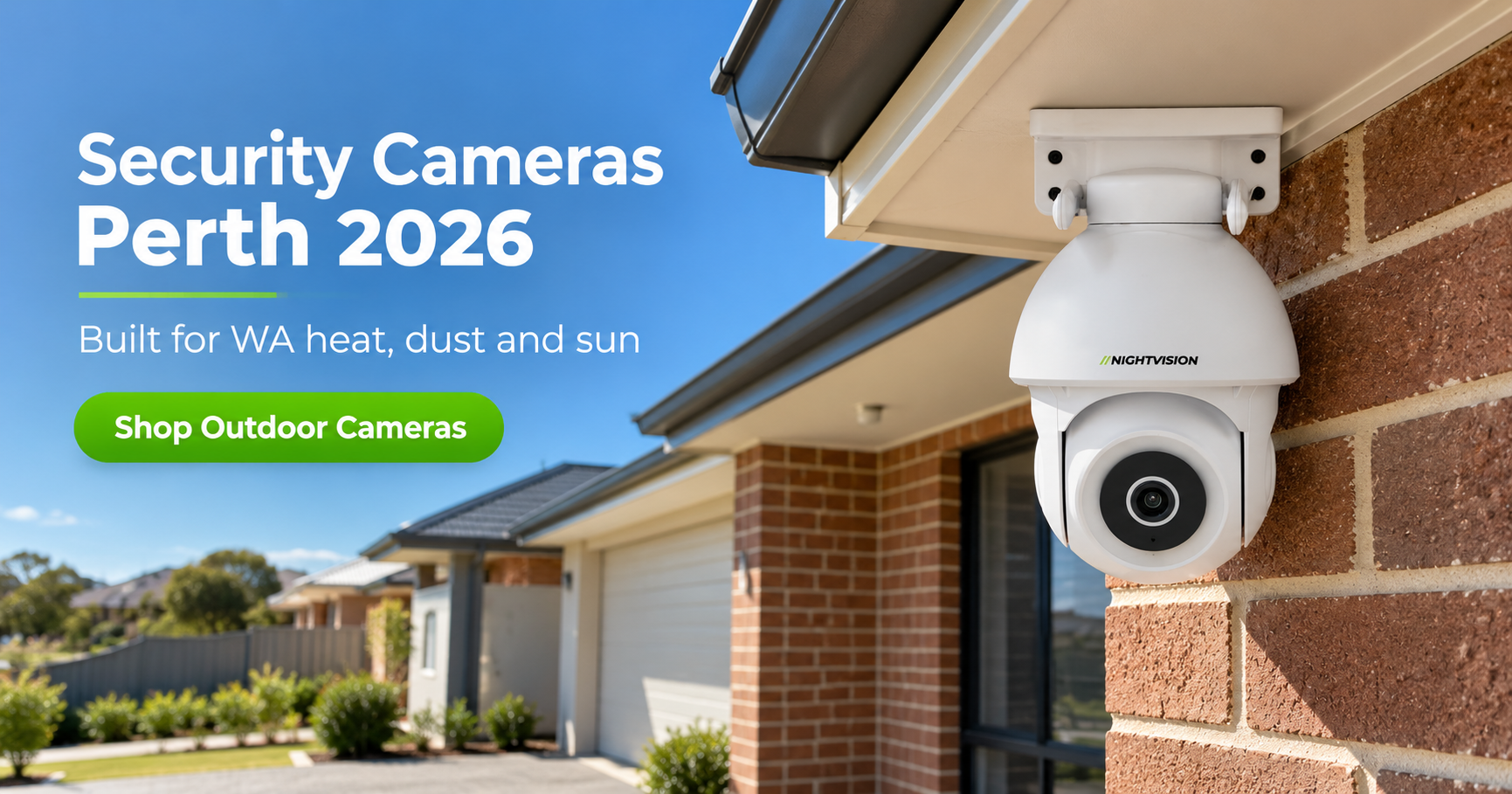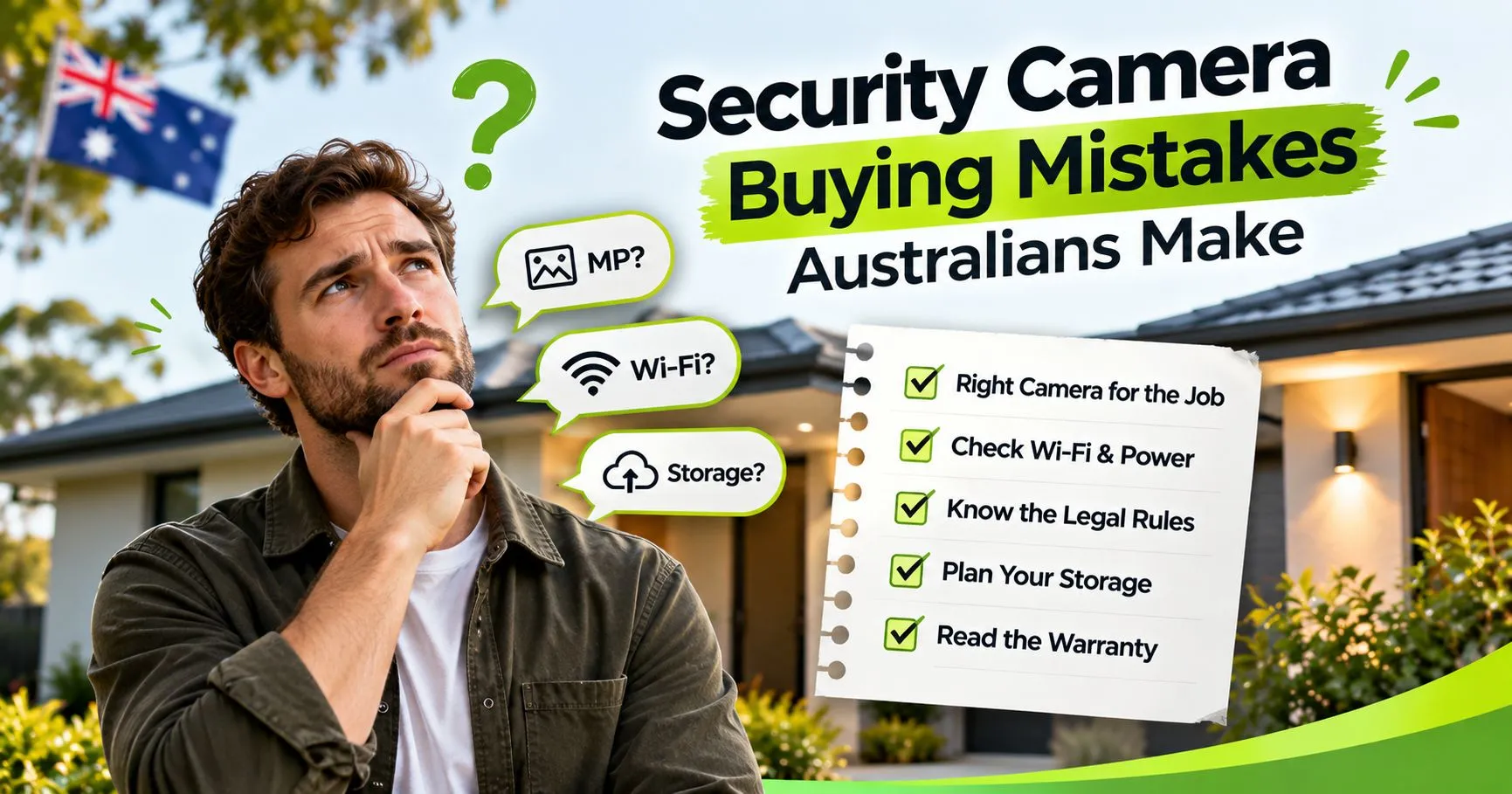
NV NightVision comparison showing a PTZ camera and a fixed security camera for monitoring driveways and gates in Australia, highlighting wide coverage, AI auto-tracking, and reliable gate surveillance.

The Best CCTV Camera for Watching a Driveway or Gate in Australia

Parcel theft claims across Australia rose 59 per cent in 2024, and most of that theft happens exactly where you’d expect: the driveway, the front gate, the spot where a delivery gets left when no one’s home. A driveway camera won’t stop every theft, but the right one, aimed at the right spot, changes the odds considerably.

This guide covers what actually matters when choosing a driveway or gate camera, mainly the difference between wide coverage and fixed coverage, and how to work out which one your property needs.

Quick summary:

  • Parcel theft is up sharply, and most Australian driveways still have no camera watching them
  • The real decision isn’t which brand to buy, it’s PTZ (wide, moving coverage) versus fixed (single, defined point)
  • Wide driveways with long approaches need different coverage to a single gate or entry point
  • AI human detection matters more than raw camera count for cutting false alerts
  • Measure the area before you buy, not after

Why driveways and gates are a common target

Only 38 per cent of Australians have a security camera or video doorbell installed, according to a Compare the Market survey, which means most driveways in the country are effectively unmonitored. The average stolen parcel is worth around $139, not a huge sum on its own, but it adds up fast across a street where deliveries happen daily and nobody’s watching.

It’s not just packages. An estimated 72,000 motor vehicles were stolen across Australia in 2023-24, and just over half of those were taken from a residential location, often a driveway. A camera covering that space does two jobs at once: package and vehicle.

PTZ or fixed camera: which suits your driveway

This is the actual decision that matters, more than any specific brand or model.

A PTZ camera (pan-tilt-zoom) covers a wide arc, either tracking movement automatically or panning on command through an app. NV NightVision’s G11 covers 355 degrees of horizontal pan and 75 degrees of tilt with AI auto-tracking, which means one camera can do the work that would otherwise take two or three fixed units. That makes it the right call for long driveways, wide approaches, or properties where a single mount point needs to see almost everything.

A fixed bullet camera points in one direction and stays there. The T5P allows 180 degrees of pan adjustment during installation, so you set the angle once and it holds that view permanently. For a single gate or a defined entry point, where the angle never needs to change, this is the simpler and usually cheaper option.

Neither is objectively better. It comes down to what you’re actually covering.

What to check before buying a driveway camera

A handful of features matter more than the rest once you’re buying specifically for driveway or gate use:

  • Night vision range – look for at least 8 to 10 metres of infrared coverage, enough to see clearly across a typical driveway length after dark
  • AI human detection – this cuts down false alerts from passing cars, wind, or animals, which matters a lot on a driveway that sits next to a street
  • Weatherproof rating – driveway and gate installs are usually fully exposed, so check the camera is rated for outdoor use without a cover
  • WiFi signal strength at the mount point – gates and the far end of long driveways are often further from the router than other outdoor spots, worth checking before you buy rather than after

Two cameras built for driveway and gate coverage

For wide driveways, large front yards, or properties where one camera genuinely needs to cover the whole approach, the NV G11 PTZ camera is built for exactly that. Its 355-degree pan and AI tracking mean it follows movement across the full width of a driveway rather than covering one fixed slice of it.

For a single gate or entry point, the NV T5P bullet camera is the more practical choice. Set the angle once during install and it holds reliable, permanent coverage of that one spot. Designed in Australia, it’s built to handle local outdoor conditions without the setup complexity a PTZ unit sometimes needs.

Both connect over WiFi with no technical configuration required, and current pricing is listed on each product page since promotional pricing changes from time to time.

Choosing the right coverage for your property

The decision comes down to coverage, not brand. Before buying anything, walk your driveway or gate and measure roughly how much ground needs watching. A single fixed point calls for a fixed camera. A wide approach calls for something that can pan across it.

Under the Competition and Consumer Act 2010, any camera you buy in Australia carries automatic consumer guarantees regardless of the seller’s own returns policy. If you want to compare the full range side by side, NV NightVision’s outdoor security cameras has both types listed together. Whichever you choose, the goal is simple: make sure nothing happens at your gate or driveway without a record of it.

Common questions about driveway and gate cameras

What’s the difference between a PTZ and a fixed driveway camera?

A PTZ camera moves and tracks across a wide area, covering what would otherwise take two or three fixed cameras. A fixed camera points in one set direction permanently. PTZ suits wide driveways, fixed suits a single gate or entry point.

How far can a driveway camera see at night?

Look for at least 8 to 10 metres of infrared night vision, which covers most residential driveway lengths clearly. Longer driveways may need the camera mounted further along the approach rather than only at the street end.

Do I need WiFi at the gate or driveway to install a camera?

Yes, for live viewing and alerts. If the signal is weak at that distance from your router, a WiFi extender at the halfway point usually solves it. Recording to a local SD card still works even if the connection drops.

Can one camera cover a whole driveway?

Often, yes, if it’s a PTZ model with wide pan coverage. A fixed camera generally can’t, since it only sees one direction, which is why the PTZ versus fixed decision matters so much upfront.

Will passing cars on the street trigger false alerts?

Less likely with AI human detection, which is built to distinguish people from vehicles, animals, and general movement. Basic motion-only detection is far more prone to constant false alerts near a street.

Is a driveway camera enough to deter parcel theft?

It helps considerably. A visible camera changes the risk calculation for anyone considering taking a package, though pairing it with a request for deliveries to be left out of street view adds another layer.

Can I mount a driveway camera myself?

Yes, both PTZ and fixed WiFi cameras are designed for straightforward self-installation, connecting through an app rather than requiring an electrician or professional installer.

Does a gate camera need a different camera to a driveway camera?

Not necessarily a different camera, just a different type suited to the coverage needed. A gate usually needs fixed coverage of one point, while a driveway often benefits from the wider view a PTZ camera provides.


Do You Actually Need a 4G Security Camera in Australia

When a 4G Security Camera in Australia Makes Sense

The 4G security camera Australia market is growing fast, and the marketing behind these cameras makes the choice sound obvious. Better range. Works anywhere. No Wi-Fi needed. All true, but only relevant if your install location actually has a Wi-Fi problem to solve.

Here is the honest answer most guides skip: the majority of Australian homeowners asking about a 4G security camera do not need one. Buying a camera that requires a monthly SIM data plan when your router already reaches the install location is spending money on a problem that does not exist on your property.

That does not mean 4G cameras are wrong for everyone. The 4G vs WiFi camera question has a clear answer once you know which side of the line your property falls on. This guide gives you that answer, without pushing you toward either option.

What This Guide Covers

  • What a 4G security camera actually is and how it differs from a Wi-Fi camera
  • The four specific situations where a 4G camera is genuinely the right choice in Australia
  • Why most suburban Australian homeowners are better served by a Wi-Fi camera
  • The real monthly data cost difference between 4G and Wi-Fi setups in Australia
  • How to check whether your install location needs 4G before spending a dollar

How a 4G Security Camera Works and What Sets It Apart

A 4G security camera connects to the internet through Australia’s mobile network using a SIM card, exactly the way your smartphone does. It does not need a home router, a broadband connection, or a Wi-Fi password at the install location. As long as there is mobile coverage where the camera is mounted, it works and sends alerts directly to your phone.

Carrier choice matters more for a 4G camera than it does for a smartphone. Telstra has the widest mobile network in Australia, covering 99.7% of the population and reaching deep into regional and rural areas where Optus and Vodafone coverage becomes patchy. For a farm gate in western Queensland or a shed on a rural property in regional New South Wales, Telstra or a Telstra MVNO is the practical default. Before purchasing any 4G security camera, check the Telstra coverage map for the specific install location, not just the nearest town, but the exact position where the camera will be mounted.

Checking signal strength has become more straightforward recently. According to new ACMA standards that came into effect in June 2026, Australian carriers are now required to label 4G signal strength as Good, Moderate, Basic, or No Coverage. This means buyers can now assess whether 4G will actually perform reliably at a remote install location, rather than just whether a signal technically exists.

Most 4G cameras save footage to a local SD card on the camera itself. Recording continues locally even if the mobile signal drops temporarily, and no cloud subscription is required to access saved footage.

The Real Difference Between a 4G Camera and a Wi-Fi Camera in Australia

The technical difference is the connection type. Everything else, footage quality, resolution, AI human detection, two-way audio, and motion-triggered recording, depends on the camera model, not whether it uses 4G or Wi-Fi.

4G Camera Wi-Fi Camera
Connection type SIM card, mobile network Home router, broadband
Installation Works anywhere with mobile signal Needs Wi-Fi signal at install point
Best for Rural, remote, off-grid locations Suburban homes, businesses with Wi-Fi
Ongoing cost $10 to $15 per month data plan Zero after purchase
Reliability Depends on carrier signal strength Depends on router and internet quality
AU carrier dependency Telstra recommended for rural AU None

The ongoing data cost is worth understanding before you commit. A 4G security camera running on motion-triggered recording uses approximately 2 to 5 GB of data per month in Australia. A prepaid SIM data plan costs around $10 to $15 per month for most setups. Over three years that adds up to $360 to $540 per camera in data costs alone. Money well spent if Wi-Fi genuinely does not reach the location, and entirely avoidable if it does.

One practical note on SIM cards: many standard prepaid SIM plans are technically not intended for use in surveillance cameras under the carrier’s terms of service. An IoT or data-only SIM plan avoids this issue and is often better value for a camera that does not need voice or SMS capability.

Four Property Types Where a 4G Security Camera Is the Right Choice in Australia

There are four scenarios where a 4G security camera is not just useful but the only practical option. These are the situations the technology was built for.

  1. Rural and regional properties with no fixed broadband. If the property has no NBN or ADSL connection, there is no home Wi-Fi to connect to. A 4G camera is the only wireless monitoring option. This is the primary use case for stations and acreage properties across rural Queensland, Western Australia, and the Northern Territory where mobile coverage exists but fixed-line internet does not reach.
  2. Install locations beyond Wi-Fi range on any property. A detached shed 80 metres from the house, a boundary fence at the far end of a large suburban block, a farm gate at the edge of a semi-rural property, or a caravan parked away from the house router can all fall outside practical Wi-Fi range. If a Wi-Fi extender or mesh node cannot close the gap economically, a 4G camera is the right call.
  3. Temporary or relocatable monitoring needs. Construction sites, vacant land during a building project, or any situation where the camera needs to move between locations regularly all benefit from 4G. There is no router to configure and the camera works anywhere with mobile signal. For caravans travelling across regional New South Wales or Queensland, a 4G camera can monitor the van wherever it parks.
  4. Properties with unreliable broadband. In some outer-suburban and rural areas, NBN connections drop regularly. A Wi-Fi camera that loses its internet connection during a storm stops sending alerts at exactly the moment security matters most. A 4G camera on the mobile network operates independently of the home broadband connection entirely.

Quick Tips Before You Buy

  • Test your phone’s signal at the exact install location before purchasing a 4G camera. One bar of mobile coverage is not enough for reliable video transmission and alert delivery.
  • For rural Australian properties, Telstra has the widest network coverage and is the safest carrier choice for 4G camera compatibility in remote and regional areas.
  • Use an IoT or data-only SIM plan in a 4G camera rather than a standard prepaid SIM. Many carriers’ terms of service restrict regular SIMs in surveillance devices.
  • If Wi-Fi reaches the install location, a Wi-Fi camera saves you $10 to $15 per month in data costs with no compromise in footage quality or detection performance.
  • Check that any 4G camera you buy supports the LTE frequency bands used by Australian carriers. Cameras bought from US or UK retailers may not be compatible with AU networks.
  • All security cameras sold in Australia carry automatic consumer guarantees under the Competition and Consumer Act 2010, regardless of where the camera was manufactured or purchased.

Why Most Suburban Australian Homeowners Do Not Need a 4G Camera

If the intended install location has reliable Wi-Fi signal reaching it, the front door, driveway, side gate, or backyard, a 4G camera adds monthly cost without adding any meaningful benefit. That covers the large majority of suburban homes in Sydney, Melbourne, Brisbane, Perth, and Adelaide.

The footage quality point is worth stating plainly. A 4G camera does not produce better video than a Wi-Fi camera. The cellular modem handles connectivity only. Resolution, night vision range, and AI human detection all depend on the camera sensor and processing, not the connection type. A 4MP Wi-Fi camera and a 4MP 4G camera with identical sensors produce identical footage.

What about Wi-Fi dropping overnight? A quality outdoor Wi-Fi camera with local SD card storage keeps recording continuously regardless of internet connectivity. Push alerts and live viewing pause until the connection restores, but footage is never lost. For most suburban Australian homes, internet outages are brief and infrequent enough that this is not a genuine concern.

For buyers who have confirmed Wi-Fi reaches the install location, the do-it-yourself security cameras guide covers everything you need to know about setting up a plug-and-play Wi-Fi outdoor camera without trade assistance.

NV NightVision Wi-Fi Outdoor Cameras for Properties with Coverage at the Install Location

NV NightVision cameras are outdoor Wi-Fi cameras, not 4G units. If you have confirmed reliable Wi-Fi reaching the install location, here is what makes sense from the NV NightVision range. No SIM card, no data plan, and no ongoing monthly cost after purchase.

Designed in Australia, the T5P-Ratri Bullet is the fixed-angle outdoor Wi-Fi camera in the range. It runs 4MP Quad HD resolution, AI human detection that filters human movement from background noise, a built-in siren that activates on detection, two-way audio for real-time communication through the camera, and H.265 compression that keeps more days of footage on the SD card. Plug-and-play Wi-Fi setup with no technical configuration required. It suits driveways, front entries, and side gates where the coverage zone is fixed and a visible deterrent presence matters. The current sale price is $125.59. Verify the live price on the product page before purchasing as promotional pricing may change.

For buyers who need wider coverage from a single mount point, the Ratri G11 is the flagship PTZ outdoor camera with 355-degree pan coverage, 4MP resolution, AI human detection, and a built-in siren. One unit handles driveways, yards, and wide approach paths that would otherwise need two or three fixed cameras. Verify the current AUD price on the product page before purchasing.

Both cameras store footage locally on SD card with no subscription required. If you want to compare the full no-subscription range before deciding, the best security cameras without subscription guide covers every relevant comparison point for Australian buyers. Browse the full range of outdoor security cameras to match specs to your install location.

Wi-Fi Reaches Your Install Location?

Skip the SIM card costs. Browse NV NightVision’s outdoor Wi-Fi cameras — plug-and-play, no subscription, no ongoing data fees.

Shop Outdoor Cameras

How to Decide Between a 4G Camera and a Wi-Fi Camera Before You Buy

The decision is simpler than the marketing makes it sound. Walk to the intended install location with your phone and check the Wi-Fi signal. If it reaches reliably, a Wi-Fi camera handles the job at lower cost and without a monthly SIM plan. That is the right answer for most Australian suburban homeowners.

If Wi-Fi does not reach, the next step is checking 4G coverage at that exact location using the carrier’s coverage map. If Telstra shows Good or Moderate coverage at the install point, a 4G camera is a practical solution. If coverage shows Basic or absent, neither option is ideal and a Wi-Fi extender or mesh node to bridge the gap deserves consideration before committing to a 4G data plan.

Before purchasing any security camera in Australia, know your rights. Under the Competition and Consumer Act 2010, all products sold in Australia carry automatic consumer guarantees. If a camera fails to perform as described, you are entitled to a repair, replacement, or refund regardless of what the retailer’s own returns policy states. No seller can override those protections.

If you have confirmed Wi-Fi coverage at the install location, browse the full range of NV NightVision outdoor cameras and use the product pages to match specs to your specific position. The right camera for your property is the one that actually fits the location, not the one with the most impressive specification list.

Common Questions About 4G Security Cameras in Australia

Do 4G security cameras need Wi-Fi to work?

No. A 4G security camera connects directly to Australia’s mobile network using a SIM card and does not need a Wi-Fi router or broadband connection at the install location. This makes it the right choice for farms, rural properties, remote sheds, and any location where Wi-Fi signal does not reliably reach the camera position.

How much data does a 4G security camera use per month in Australia?

A 4G security camera running on motion-triggered recording uses approximately 2 to 5 GB of data per month. A prepaid SIM or data-only plan costs around $10 to $15 per month for most setups, which is enough data for standard residential monitoring. Continuous live streaming uses significantly more data and will increase that monthly cost.

Which is the best carrier for a 4G security camera in rural Australia?

Telstra is the recommended carrier for rural Australian 4G camera setups. Telstra’s network covers 99.7% of the Australian population and reaches further into regional and remote areas than Optus or Vodafone. Check the Telstra coverage map for the exact install location before purchasing any 4G camera for rural use.

What is the difference between a 4G camera and a Wi-Fi camera?

The difference is the connection type only. A 4G camera uses a SIM card and mobile network. A Wi-Fi camera uses a home router and broadband connection. Footage quality, resolution, and detection features depend on the camera sensor and processor, not the connectivity method. Both types can store footage locally on an SD card with no subscription required.

Is a 4G security camera worth it for a suburban Australian home?

No, for most suburban homes. If Wi-Fi reliably reaches the install location, a Wi-Fi camera delivers identical footage quality and detection performance with zero ongoing data cost. A 4G camera adds $10 to $15 per month in SIM data costs without any meaningful security benefit over a Wi-Fi model in that setting.

Can you use a 4G security camera without a monthly data plan?

No. A 4G camera requires an active SIM with a data plan to transmit alerts, stream live footage, and access motion-triggered clips remotely. Without a data plan the camera cannot send push notifications or connect to the app. Local SD card recording continues without data, but remote access and alerts will not function.

Do 4G cameras work everywhere in Australia?

No. A 4G security camera only works where mobile network coverage exists. Remote outback areas, deep valleys, and locations outside all carrier coverage zones have no signal for the camera to use. Check carrier coverage maps for the specific install location before purchasing. Telstra provides the widest rural coverage but does not reach every remote corner of the country.

What happens to a 4G camera if mobile signal is lost?

Local SD card recording continues uninterrupted if the camera loses signal. Footage is saved to the card on the camera itself. Push alerts, live viewing, and remote access pause until the signal restores. For rural properties where signal drops are occasional, local storage means no footage is lost during temporary outages.

Can I install a 4G security camera myself?

Yes. Most 4G security cameras are designed for DIY installation. The camera mounts to a wall or bracket, and the SIM card is inserted and activated through the camera’s app. No electrician and no network configuration is required beyond inserting the SIM. Most buyers complete installation in under an hour.

Is a Wi-Fi camera cheaper to run than a 4G camera over time?

Yes, consistently. A Wi-Fi camera has zero ongoing running cost once purchased, assuming you already have home broadband. A 4G camera costs $10 to $15 per month in SIM data fees, which adds up to $360 to $540 over three years per camera. Where Wi-Fi reaches the install location, a Wi-Fi camera is always the more cost-effective choice.

NV NightVision Ratri G11 PTZ outdoor security camera mounted on Australian home covering driveway at dusk Caption: The NV NightVision Ratri G11 covering a suburban Australian driveway, a single PTZ unit handling wide-area coverage from one mount point.

Best Security Cameras Australia 2026: Top Picks Ranked and Compared

Every year, more Australiansgo looking for the best securitycameras Australia has tooffer. And every year, the optionsget harder to sort through.According to theAustralian Bureau of Statistics, 218,000Australian households werebroken into in 2023–24 — up from 1.8per cent to 2.1 per centof all households in a single year.One in five of those households washit more than once. That is not asmall trend. That is a clear signalthat getting camera coverageright matters more now than it didtwelve months ago.

Most buyerssearching for the best cctv camerasaustralia find the sameproblem: comparison guides built forAmerican or British buyers, withproducts that are overpriced here,unavailable here, or simply not ratedfor the heat, humidity, andcoastal conditions that Australianproperties actually face. This guideis different. Every cameraand every piece of advice inhere is assessed specificallyfor Australian conditions,Australian property types, andAustralian Consumer Law rights.

Whether you own a suburban home inSydney, rent a flat inMelbourne, run a small businessin Brisbane, or manage arural property in regionalQueensland, this is the 2026 guide tothe top security cameras Australiabuyers are actually asking about.

What This Guide Covers

  • How tochoose the right security camera typefor your specific Australian property
  • What IP rating, resolution,and detection specs mattermost for Australian conditions
  • A ranked comparison of NVNightVision cameras by use case in 2026
  • Why no-subscription local storage isworth prioritising for most Australianbuyers
  • What your rights are underAustralian Consumer Law whenpurchasing a security camera

What Makes a Security CameraGenuinely Right for AustralianConditions

Before you look at a singlebrand or pricepoint, you need three filters. Thesethree criteria separate the bestwifi security camera australia buyerscan rely on from the ones that lookgood in a product listing and fail sixmonths into Australian weather.

Filter one: IP rating.

Australia’s climate range is punishing.Far north Queensland runs tropicalhumidity year-round. Perth and Sydneycoastal properties deal withsalt-laden air. Inland regions facedust, heat, and temperature swings.Victoria and Tasmania bring cold wetwinters with seriousrainfall. As per theIP Code standard, an IP66 ratingconfirms a device is fully dust-tightand protected againsthigh-pressure water jets from anydirection. For any fully exposedoutdoor position — a fence post, shedwall, or open roof line — IP66 is thenon-negotiable minimum. IP65 handlesnormal rain well in sheltered positionsunder eaves. IP67 adds submersionprotection and suits flood-prone ordrainage-adjacent areas.

Filter two: resolution.

For entrypoints where you need to identify facesand number plates, 4MP is thepractical minimum. For general areamonitoring where coverage rangematters more than fine detail, 2MPis adequate and reduces storagerequirements. Beyond 4MP, the benefitfor standard residential use dropsoff quickly.

Filter three: connectivity.

Wi-Ficameras are the right choice for mostsuburban Australian homes where therouter signal reliably reaches theinstall location. For ruralproperties, large blocks, oroutbuildings beyond Wi-Fi range, a 4Gcamera using Australia’s mobilenetwork is the purpose-builtsolution — not a workaround, butthe category designed forthat scenario.


FourCamera Types Every AustralianBuyer Needs to Understand

Knowing the formats beforecomparing specific models savesmoney and prevents the coveragegaps that only become obviousafter installation day.

Bullet cameras are fixed-angle,cylindrical housing cameras that pointin one direction and covera defined field of view. Theyare highly visible, which makesthem strong deterrents. Theysuit driveways, entry points, sidegates, and any position where thecoverage zone is fixed and a visiblepresence matters.

Dome camerasmount to ceilings or soffitsin a compact dome housing.The design makes the exactdirection the lens faces harder todetermine, which carries its owndeterrent value. They suit indoorspaces, carports, coveredverandas, and undercover parkingareas.

PTZ cameras (pan-tilt-zoom) move. They trackmovement automatically or pan oncommand through the app. A singlePTZ unit replaces two orthree fixed cameras across alarge outdoor area, making themthe right choice for widedriveways, large backyards, andrural properties wherecoverage range is the primaryconcern.

Indoor cameras arebuilt for internalenvironments: living areas, hallways,home offices, and smallbusiness shopfronts. They are notweatherproofed for outdoor use. Mostinclude two-way audio andpan-tilt movement, so one unitmonitors a full room from a singlemount point.


How toMatch the Best SecurityCamera to Each Location on YourProperty

This is the mostpractical question in any securitycamera comparison for Australianbuyers — not which brand isbest in general, but whichcamera type suits each specificlocation on your property.Getting this right preventsthe single most commonmistake: installing one cameraat the front door andleaving every other accesspoint unmonitored.

Location Recommended Type Minimum Resolution MinimumIP Rating
Front door Bulletor PTZ 4MP IP65 undereaves
Driveway PTZ orBullet 4MP IP66 exposed
Backyard or largeoutdoor area PTZ 4MP IP66
Side gate Bullet 2MP IP66
Indoorliving areas Indoor PTZ 2MP Not applicable
Shopfront or business entry PTZor Bullet 4MP IP65minimum
Rural boundary orfarm gate 4G PTZ orBullet 2MP IP66

Property crime data showsburglars consistently useless-observed access points rather thanthe obvious front door. Aside gate or rear entryleft without coverage is notan oversight — it is aknown gap thatopportunistic offenders identify.Covering those secondaryaccess points alongside thefront entry is what turnsa partial setup into agenuine security system.

Forbuyers comparinginstallation costs across differentproperty types, theCCTV installation cost guide for Australia covers thefull range ofprofessional and DIY cost factorsfor 2026.


ThreeFeatures That Separate theBest Security Cameras fromthe Rest

The securitycamera market has a featureinflation problem.Specifications that look impressivein product listings oftenmake little practicaldifference to real-world homesecurity. These three featuresconsistently earn their place inthe best cctv camerasaustralia buyers should becomparing in 2026.

AI human detection is the singlemost useful upgrade overstandard motion detection.Standard detection triggers onanything that moves: a carpassing the driveway, a branchshifting in the wind, a dogcrossing the yard. A camera thatsends ten false alerts perday trains you to ignoreevery notification. AI humandetection filters specificallyfor human movement, whichkeeps every alert meaningfuland relevant. For buyersspecifically interested in thisfeature, theactive deterrence security cameras guide covers how detection and sirenfeatures work together.

H.265 compression reduces recordedfootage file size without reducingvideo quality. On a local SD card,H.265 means significantly more daysof footage history on the samestorage compared to older H.264compression. This is a practical specthat directly determines how farback you can review footage when youactually need it.

Built-in siren turns a passive recorder into anactive deterrent. When the cameradetects human movement, the sirenactivates and draws immediate attentionto the location. For camerasinstalled at sheds, gates, orboundaries away from the main house,the siren functions independently ofany home alarm system. It does notneed a separate installation or amonitoring subscription to work.

Twofeatures most residential Australianbuyers can deprioritise: facialrecognition databases (a commercialpremises requirement, not a home useone) and cloud storagesubscriptions. Cameras that storefootage on a local SD card on yourproperty cost nothing monthly, keepyour footage private, and keeprecording even when the internet drops.For a full breakdown of why localstorage cameras outperformsubscription models for most Australianbuyers, thebest security cameras without subscription guide covers everyrelevant comparison point.


NVNightVision Cameras Ranked forAustralian Homes and Businesses in 2026

NV NightVision CCTV cameras are Designed inAustralia, store footage locally onSD card with no monthlysubscription, and connect through thecamera’s app for remote viewing at noongoing cost. Here is how the fullrange maps to Australian buyerneeds for 2026, ranked by use case.

Best for wide outdoor coverage and large properties:Ratri G11

The Ratri G11is the flagship outdoor PTZcamera in the NV NightVision rangeand the top pick for buyers whowant maximum coverage from asingle mount point. It covers 355degrees of pan movement, runs 4MPQuad HD resolution, and includesAI human detection, a built-insiren, two-way audio, and H.265compression. For driveways with wideapproaches, large backyards, andproperties where one camera needs tocover what would otherwiserequire two or three fixed units, theRatri G11 is the right answer.Verify the current AUD price onthe product page beforepurchasing.

Best outdoor camera for driveways and fixed entry points:T5P-Ratri Bullet

The T5P-Ratri Bullet is a 4MPfixed-angle outdoor Wi-Fi camerawith AI human detection, built-insiren, two-way audio, H.265compression, and plug-and-play Wi-Fisetup requiring no technicalconfiguration. It is the right fit fordriveways, front entries, and sidegates where a defined coverageangle is all you need and a clearlyvisible deterrent presencematters. Current sale price $125.59 —verify the live price on theproduct page before purchasing.

Best indoor 4MP camera for living areas and high-traffic rooms:Netra V6Z

The NetraV6Z is a 4MP indoor Wi-Ficamera suited to living areas,hallways, and any room where higherresolution monitoring matters. Currentsale price $103.99 — verify thelive price on the product pagebefore purchasing.

Best indoor PTZ camera for shopfronts and home offices:F7-Netra

TheF7-Netra is an indoor PTZ Wi-Fi camerawith pan-tilt movement, AI humandetection, and two-way audio. Pan-tiltcoverage from a single mount pointmeans one unit monitors a full roomwithout requiring multiple cameras.Current sale price $63.19 — verify thelive price on the product page beforepurchasing.

Best entry-level indoor camera for buyers starting out:Netra S8

The Netra S8 is the most accessiblecamera in the NV NightVision range.It is the right starting point forbuyers who want reliable basic indoormonitoring without a large initialoutlay. Verify the current AUDprice on the product page beforepurchasing.

Browse the full range andcurrent pricing at theNV NightVision shop.


Your Next Step inChoosing the Right Security Camera forAustralia

The gap between having acamera and having the rightcamera is not a small one. A fixedbullet camera covering the frontdoor while the side gate goesunmonitored is a security system with aknown flaw. An indoor camera placedin an outdoor position failswithin a season. The decisionsthat matter — camera type, IPrating, resolution, and storageapproach — are all straightforwardonce you know what to look for,and this guide has walked youthrough every one of them.

Know yourrights before you finalise apurchase. Under the Competition andConsumer Act 2010, all products soldin Australia carry automaticconsumer guarantees. If a securitycamera fails to perform asdescribed, is not of acceptablequality, or does not match its productdescription, you have the right to arepair, replacement, or refundregardless of what the retailer’s ownreturns policy says. Thoseprotections cannot be excluded ormodified by any seller.

If you areconnecting cameras across multipledevices once they are installed, theguide to connecting CCTV to different devices covers TV,smartphone, and PC setup for every NVNightVision model. Browse the fullrange ofNV NightVision cameras and use theproduct pages to match specs to yourinstall location. The right camera,correctly placed, running local storagereliably — that is meaningful,lasting protection for any Australianproperty.


CommonQuestions About Security Cameras inAustralia

What is the bestsecurity camera for an Australian homein 2026?

The best securitycamera depends on the installlocation. For outdoor driveways andlarge areas, a 4MP PTZ camerawith AI human detection coversthe most ground from a singlemount point. For fixed entrypoints such as front doors and sidegates, a 4MP bullet camera is theright fit. For indoor monitoring,an indoor PTZ camera with two-wayaudio covers a full room from oneposition without requiring multipleunits.

What resolution do Ineed for the best CCTV camerasAustralia offers?

For entry pointswhere you need to identify facesand number plates clearly, 4MP is thepractical minimum for 2026. Forgeneral area monitoring where coveragerange matters more than finedetail, 2MP is adequate andreduces storage requirementssignificantly. Resolution beyond 4MPoffers diminishing returns for mostresidential Australian buyers andincreases storage costs without aproportional improvement in usablefootage.

Do I need Wi-Fi for asecurity camera in Australia?

No.Wi-Fi cameras are the most commonchoice for suburban Australian homes,but 4G cameras operate on Australia’smobile network using a SIM card andwork wherever there is mobile coverage— no home Wi-Fi required. Local storagecameras also record continuouslywithout any internet connection, thoughpush alerts and remote viewing requireconnectivity to function.

What isthe difference between IP65 and IP66for outdoor cameras in Australia?

Bothratings confirm a device is fullydust-tight. IP65 protects againstlow-pressure water jets from anydirection and suits sheltered positionsunder eaves. IP66 protects againsthigh-pressure water jets from anydirection — the correct standard forfully exposed outdoor positions acrossAustralia’s storm-prone states,tropical north, and coastal regionswhere driving rain and salt air areconstant factors.

Are securitycameras without a subscription worth itfor Australian buyers?

Yes, for mostresidential buyers. Cameras thatrequire a subscription store footage onthird-party servers and stop giving youaccess the moment you cancel. Localstorage cameras save footage to an SDcard on your property — no monthlycost, no third-party access to yourfootage, and recording continues evenwhen your internet connection drops.For most Australian home use cases,local storage is the more practical,more private, and morecost-effective approach.

How manycameras does an average Australian homeneed?

Most suburban Australian homesare well covered by two to fourcameras: one for the front entry ordriveway, one for the rear access pointor backyard, and one or two for sidegates or secondary entry points. APTZ camera covering a wide arc canreplace two or three fixed cameras inlarger coverage zones, which reducesinstallation cost and the number ofdevices to manage.

Are securitycameras legal in Australia?

Yes.Security cameras on your own propertyare legal in every Australian state andterritory. The legal considerationsrelate to where the camera points, notwhether you have one. Cameras thatcapture footage inside a neighbour’sprivate space without consent, orthat record in areas where peoplehave a reasonable expectation ofprivacy, can breach statesurveillance device laws. Point camerasat your own property and approach pathsand you are on solid legalground.

What is the differencebetween a bullet camera and a PTZcamera?

A bullet camera is fixed — itpoints in one direction and covers adefined field of view. A PTZ cameramoves — it covers a wide arc eitheron command through an app orautomatically by tracking detectedmovement. PTZ cameras are the betterchoice for large outdoor areas and widedriveways. Bullet cameras are thesimpler, lower-cost option for defined,fixed coverage zones where thecamera angle does not need to change.

Do security cameras deter burglarsin Australia?

Yes. Visible cameraschange the risk assessment for anyoneapproaching a property. ABS data from2023–24 shows that one in fiveAustralian households that experienceda break-in was targeted more thanonce, which indicates offendersreturn to properties they assess aslow-risk. A visible camera at an entrypoint and at secondary access pointsdirectly alters that assessment andreduces the likelihood of repeattargeting.

What are my rightsunder Australian Consumer Law whenbuying a top security camera inAustralia?

Under the Competition andConsumer Act 2010, all productssold in Australia carry automaticconsumer guarantees. If a securitycamera is not of acceptablequality, fails to perform as described,or does not match its productdescription, you are entitled to aremedy — repair, replacement, orrefund, depending on the severity ofthe issue. No retailer canexclude or modify these rightsregardless of what their own returns orwarranty policy states.

NV NightVision T5P-Ratri Bullet outdoor Wi-Fi security camera mounted under eaves of Australian home with solar panel nearby

Best Solar Powered Security Cameras Australia 2026

According to the Australian Bureau of Statistics, 218,000 Australian households were broken into in 2023–24, an increase of 32,000 from the year before. That figure matters. What makes it more pressing is how many of those properties had no outdoor camera coverage at all, often because getting power to the right spot felt too complicated or too expensive.

That is where a solar powered security camera for Australia changes the calculation. No electrician needed. No cables to run across the garden. No ongoing power costs. For side gates, detached garages, sheds, and anywhere the power point does not reach, solar is the practical answer. For off-grid properties where Wi-Fi does not stretch either, options in 2026 have improved considerably.

This guide covers everything you need: how solar cameras work in Australian conditions, what specs to prioritise, and which setup suits your property.

What You Will Learn in This Guide

  • How solar powered security cameras work and whether they suit your property
  • What IP rating you need for Australian outdoor conditions (IP65 vs IP66 vs IP67)
  • Why battery capacity requirements differ between Queensland and Victoria
  • How to use an outdoor Wi-Fi camera in a solar-capable, no-wiring setup
  • What your rights are under Australian Consumer Law when buying a security camera

How Solar Powered Security Cameras Work in Australian Conditions

The concept is straightforward. A solar panel mounted on a nearby wall or roof bracket charges a built-in or attached rechargeable battery during daylight hours. That battery then powers the camera through the night and through overcast periods. No mains connection required.

Australia is an outstanding environment for this technology. According to the Bureau of Meteorology, Australia receives among the highest daily solar radiation levels in the world, with significant regional variation between northern and southern states. That variation matters when you are choosing a camera and a battery size.

Queensland and Western Australia receive consistent solar hours year-round, which means reliable daily charging for cameras with standard battery sizes. Victoria and Tasmania are different. Winter days are shorter, panel output drops, and a camera with a smaller battery can run flat before sunrise on cold, cloudy nights. Battery capacity is not a minor consideration for southern state buyers. It is the spec that determines whether your camera keeps running through a week of grey July skies.

The reassuring part is that solar panels still generate charge on overcast days, just at reduced output. A camera with a larger battery handles that variation without dropping coverage.


Five Things to Check Before Buying a Solar Wireless Security Camera in Australia

Not every solar wireless security camera sold in Australia holds up to Australian conditions. These five criteria separate a camera that lasts from one that lets you down six months in.

  1. IP rating. This is the most overlooked spec on most product listings. According to the IP Code standard, an IP66 rating means a device is fully dust-tight and protected against high-pressure water jets from any direction. For an exposed outdoor location such as a fence post, shed wall, or roof line, IP66 is the minimum you should accept. IP65 handles normal rain well enough in sheltered positions under eaves, but it is not rated for the sideways-driven rain that arrives during a south-east Queensland storm or a Melbourne winter downpour. IP67 adds submersion protection, which is useful near drains or in flood-prone areas.
  2. Battery capacity. For Victoria and Tasmania buyers, a battery of 10,000mAh or more provides a meaningful buffer across shorter winter days. Queensland and New South Wales buyers have more flexibility with standard battery sizes, but a larger battery is never a disadvantage. If you are installing in a partially shaded position, prioritise battery size over panel wattage.
  3. Solar panel efficiency. Panel wattage determines how quickly the battery recharges after a cloudy period. A higher-efficiency panel recovers faster after overcast days. For southern states and south-facing install positions, panel efficiency matters more than in sun-drenched northern locations.
  4. Resolution and detection. AI human detection is worth paying for. It reduces false alerts from passing cars, animals, and trees moving in the wind. For driveways and entry points, 4MP resolution captures enough detail to identify faces and number plates at a useful distance. For general area monitoring, 2MP is adequate.
  5. Wi-Fi vs 4G connectivity. Solar cameras come in two connectivity types. Wi-Fi solar cameras need a signal at the install location. If your shed or gate is beyond your router’s range, the camera cannot send alerts or stream footage. A 4G solar camera uses a SIM card and Australia’s mobile network instead, making it the right choice for rural properties, large blocks, and locations beyond Wi-Fi reach.

Solar vs Battery vs Wired Security Cameras — What Australian Buyers Need to Know

Choosing between power options comes down to your install location and how much maintenance you are prepared to do. Here is how the three main types compare for Australian conditions.

Solar Battery Wired
Power source Solar panel charges built-in battery Removable rechargeable battery Mains power via cable
Installation DIY, no electrician DIY, no electrician Electrician often required
Best for Permanent outdoor installs without power access Temporary or relocatable installs High-traffic permanent locations
Connectivity Wi-Fi or 4G Wi-Fi or 4G Wi-Fi or wired network
Ongoing cost None after purchase None after purchase Minimal ongoing power draw
AU climate consideration Battery size critical in VIC and TAS winters Manual recharge every one to six months Unaffected by weather

For most Australian suburban homeowners, solar is the most practical option for locations away from the house. Detached garages, side gates, and garden boundaries are the obvious candidates. Battery cameras work well for renters or anyone who wants a camera they can move and recharge manually. Wired cameras remain the most reliable choice for high-traffic permanent positions like front doors and main entrances where continuous recording matters more than installation ease.

On the solar plus Wi-Fi combination: if your install location has a reliable Wi-Fi signal reaching it, a solar outdoor Wi-Fi camera is a capable, low-maintenance choice. If it does not, a 4G solar camera is the purpose-built option for that scenario, not a workaround.


Solar Security Cameras for Rural and Off-Grid Properties in Australia

Rural properties present a security challenge that suburban buyers rarely face. Farm gates, boundary fences, machinery sheds, and stock water points are often hundreds of metres from the house, well beyond Wi-Fi range and nowhere near a power point. Running a cable to a gate post on a large New South Wales or Queensland property can cost more than the camera itself.

A 4G solar camera solves both problems at once. It charges from the sun and connects through Australia’s mobile network using a SIM card rather than home Wi-Fi. Before purchasing, check mobile coverage maps for your specific location. Coverage in regional and remote areas varies, and a camera that connects perfectly at the homestead may lose signal at the back boundary.

PTZ (pan-tilt-zoom) cameras are particularly well suited to rural installs. A single PTZ unit can cover a wide arc across a driveway entrance, along a fence line, or across a yard, reducing the number of cameras needed to monitor a large area. For off-grid properties, fewer cameras means less total power draw on the solar system.

Panel orientation is worth getting right from the start. A north-facing solar panel captures the most sunlight across Australian seasons. South-facing panels charge significantly less efficiently, particularly in winter. If the install position only allows for south-facing mounting, increase your battery capacity target to compensate.

NV NightVision’s range of outdoor security cameras covers Wi-Fi outdoor installations for properties with network coverage at the install location, a plug-and-play option for suburban and semi-rural buyers where Wi-Fi reaches the camera position.


What Australian Renters Need to Know About Solar Security Cameras

Nearly one-third of Australian households rent, and the question of what renters can install without landlord permission comes up regularly. Solar wireless security cameras sit in a different category to hardwired systems, and that distinction matters.

A fully wireless solar camera that mounts with a bracket and leaves no permanent marks on the wall generally does not constitute a significant alteration to the property. In most states, renters can install these without requiring landlord approval, as they involve no drilling into the structure, no cabling, and no permanent changes to the building. That said, residential tenancy laws vary between states, and what is permissible in Victoria may differ from what is allowed in Queensland or Western Australia. Check your state’s residential tenancy legislation or contact your state’s tenancy authority before installing anything, even something fully wireless.

The portability of a solar Wi-Fi camera is also worth considering. When you move, the camera comes with you. There is no electrician required to remove it, no holes to patch, and no infrastructure left behind. For renters who move regularly, that is a genuine practical advantage over any fixed or wired system.

Motion detection alerts through the camera’s app mean you do not need to be watching a screen to know something is happening at your front door or in the garden. That is relevant for renters in apartment blocks or shared properties where monitoring a single entry point is the primary goal.


The NV NightVision Outdoor Camera Built for Australian Conditions

NV NightVision cameras are outdoor Wi-Fi cameras, not native solar units. That is worth stating plainly. For buyers who want a solar-capable, no-wiring outdoor setup at a location with Wi-Fi coverage, pairing an NV NightVision outdoor camera with a compatible solar-charged power bank delivers a genuinely wire-free install with no electrician, no power point, and no ongoing electricity costs.

Designed in Australia, the T5P-Ratri Bullet is the outdoor Wi-Fi camera in the NV NightVision range built for this kind of install. It runs 4MP Quad HD resolution, AI human detection that filters people from background movement, a built-in siren that activates on detection, two-way audio for real-time communication through the camera, H.265 compression for efficient footage storage, and plug-and-play Wi-Fi setup requiring no technical configuration. The current sale price is $125.59 — confirm the live price on the product page before purchasing as promotional pricing is subject to change.

For buyers who need wider coverage across driveways, yards, or larger outdoor areas, the Ratri G11 is the flagship PTZ outdoor camera in the range with 355-degree pan coverage and the same AI detection and siren features. Verify the current AUD price on the product page before purchasing.

Both cameras are plug-and-play and connect through the camera’s app, making them a practical option for any outdoor location with Wi-Fi signal. If your install position is beyond Wi-Fi range, a 4G solar camera from a 4G-specific range is the more appropriate fit. That is honest advice worth having before you spend money on a camera that will not reach its install location.


Your Next Step Before Choosing a Solar Security Camera in Australia

Property crime in Australia rose in 2023–24, and the locations most often left unmonitored are the ones furthest from the house. Detached garages, side gates, and rural outbuildings are exactly where solar cameras make the most practical sense, and where the absence of a camera is most likely to cost you.

Before you purchase, work through four steps. Check Wi-Fi coverage at the intended install location first. If there is a reliable signal, a solar Wi-Fi camera is your most practical option. If there is no signal, a 4G solar camera is the right category. Then match the IP rating to the install position: IP65 for sheltered positions under eaves, IP66 or higher for fully exposed outdoor locations. Factor in your state’s winter conditions if you are in Victoria, Tasmania, or southern New South Wales, and target a battery capacity of 10,000mAh or more to handle cloudy stretches without losing coverage.

Know your rights before you buy. Under the Competition and Consumer Act 2010, all products sold in Australia carry automatic consumer guarantees. If a security camera fails to perform as described, you have the right to a repair, replacement, or refund regardless of what the retailer’s own returns policy says. No seller can contract out of Australian Consumer Law protections.

Browse NV NightVision’s outdoor security cameras and use the product pages to match specs to your install location. The right camera, in the right spot, running reliably through the night, is a meaningful layer of protection for any Australian property.


FAQs About Solar Security Cameras in Australia

Can solar security cameras work without Wi-Fi?

Yes, but only if the camera uses a 4G SIM card rather than Wi-Fi. Standard solar Wi-Fi cameras still need a Wi-Fi signal at the install location to send alerts and stream footage. If your shed, gate, or rural boundary has no Wi-Fi coverage, a 4G solar camera using Australia’s mobile network is the correct choice, not a solar Wi-Fi model.

Do solar security cameras work in Australian winters?

Yes, solar cameras work through Australian winters. The difference is how quickly the battery recharges. Victoria and Tasmania have shorter daylight hours in winter, so a larger battery of 10,000mAh or more keeps the camera running reliably overnight and through overcast days. Queensland and Western Australia buyers have considerably more flexibility given consistent year-round solar availability across those states.

What IP rating do you need for an outdoor solar camera in Australia?

For most exposed outdoor locations across Australia, IP66 is the recommended minimum. IP65 handles normal rain adequately in sheltered positions such as under eaves. IP66 protects against high-pressure water jets from any direction, which is the right baseline for fully exposed walls, fence posts, and roof lines that face Australian storms, coastal winds, and heavy seasonal rain.

Are solar security cameras worth it in Australia in 2026?

Yes, particularly for locations where running power cables is expensive or impractical. Australia’s solar radiation levels mean reliable charging across most of the country for most of the year. For suburban garages, sheds, side gates, and rural properties, solar cameras remove the need for an electrician and eliminate ongoing electricity costs from the security setup entirely.

Do you need an electrician to install a solar security camera?

No. Solar security cameras are designed for DIY installation. The solar panel mounts to a wall or roof bracket and the camera connects to Wi-Fi or a 4G SIM through the camera’s app. No electrical wiring is involved. Most buyers complete the full install in under an hour without any trade assistance or specialist tools.

How long does a solar security camera battery last without sunlight?

Battery life depends on camera activity and battery size. A 10,000mAh battery on a camera with moderate motion triggers typically runs for one to three nights without recharging. In extended overcast periods, particularly in southern states during winter, a larger battery or an additional solar panel reduces the risk of the camera losing power overnight.

Can renters use solar security cameras in Australia?

Most solar cameras are fully wireless and leave no permanent marks, which means renters in most Australian states can install them without landlord permission. Tenancy laws vary by state, so check your state’s residential tenancy legislation before installing anything to confirm your specific obligations and whether written approval from your landlord is needed.

What is the difference between a solar camera and a battery camera?

A solar camera recharges its battery automatically using a solar panel with no manual intervention required once installed. A battery camera uses a rechargeable battery that you remove and charge separately, typically every one to six months depending on usage. Solar cameras suit permanent outdoor installs. Battery cameras suit temporary or relocatable setups where mounting a solar panel is not practical.

Does bushfire smoke or heavy cloud affect solar camera charging?

Yes. Heavy smoke haze and extended cloud cover reduce a solar panel’s output. Cameras with batteries of 10,000mAh or larger handle two to three consecutive overcast days before performance is noticeably affected. In bushfire-prone areas, a north-facing panel and a larger battery provides a practical buffer through smoke events and extended grey periods.

Which is better for rural Australia: a solar Wi-Fi camera or a 4G solar camera?

If the install location has reliable Wi-Fi, a solar Wi-Fi camera works well and is the simpler, lower-cost option. Beyond Wi-Fi range, across farm gates, boundary fences, and remote paddocks, a 4G solar camera using a SIM card is the purpose-built solution. Check mobile network coverage maps for your location before purchasing to confirm 4G signal at the intended install point.


In 2026, CCTV systems have evolved more than a simple security camera, offering seamless connectivity. Whether you want to monitor your desired places from a smartphone, check your office cameras on a tablet, or manage footage from a desktop computer, modern CCTV technology makes it easier for you. Understanding how to connect CCTV to different devices is essential to maximise its functionality. This can be achieved by using Ethernet or network cables for direct connections, WiFi for wireless access, mobile apps for smartphones and tablets, or accessing the system via an IP address on a browser. Using these connection devices ensures real-time monitoring, enhanced security, and remote access from virtually anywhere.  This blog will discuss everything you need to know about connecting CCTV cameras, including how they can be connected to a TV, smartphone, and laptop/PC. Why is it beneficial to connect your CCTV camera to different devices?  A CCTV camera is a security device used to monitor and protect the property. Therefore, to monitor the surveillance area 24/7 without interruption, it is important to connect the CCTV camera to different devices. Some of the reasons why this is essential are given below: Instant Alert: Receives an instant alert if any unusual activity occurs or if any motion is detected in the CCTV area. This prevents damage, loss and theft.  Remote Monitoring: Watch the live footage by using different devices, such as smartphones, from anywhere you want - whether from the office or from home.  Ease of Sharing Footage: Sharing the footage from one place to another through other devices, such as computers, can be easy.  Real-Time Decision Making: Live footage of suspicious activity helps the authorised users to make instant decisions. It also helps during emergency situations.  Enhanced Control: Using the camera in different devices, such as mobile phones, allows you to adjust settings, playback footage, and manage cameras directly.  How to connect a CCTV camera to a laptop/pc: A step-by-step guide Connecting modern CCTV cameras, such as the Ratri G11 and Netra S8, to a laptop/PC allows you to monitor live footage. Additionally, it also allows you to record videos in a digital file format and manage camera settings from a single system. But how to connect a CCTV camera to a laptop/PC? Here is the step-wise procedure for it. How to connect CCTV to a laptop using WiFi? Accessing CCTV cameras through a PC via the WiFi is one of the best ways to monitor and manage surveillance footage remotely. It helps to improve security management and access live footage. Cameras like Netra V6Z and Y1-Ratri Dome Indoor give you a chance to connect your CCTV with a PC through a WiFi network. The step-by-step process for this is as follows: Step 1: Power and Initial Setup: Turn on your camera and connect it to your network. Make sure that the camera is close to the router. Use the app to connect the network. Step 2: Verify Network: Verify that your laptop and camera are connected to the same WiFi network.  Step 3: Find the Camera's IP Address: Open your router's web interface and check the list of connected devices to locate your camera's IP address.  Step 4: Access on Laptop: Type the camera's IP address into a web browser to access. How can a CCTV camera be connected to a PC without using an NVR? Connecting a CCTV camera to a PC without an NVR allows you to monitor your footage directly on your computer. This method uses a network connector, power adapter, and network cable. Cameras such as the T5P-Ratri Bullet Outdoor and F7-Netra Indoor PT can be connected without an NVR. The step-by-step guide for this is given below: Step 1: Get your security camera charged: Charge your security camera fully from the power adaptor before using it. Step 2: Use the network cable to connect to the camera and the computer: Connect one end of the network cable into the network connector and the other end into the computer. Step 3: Scan and find out the security camera's IP address on the computer: Use or install the software provided by the manufacturer to scan for your camera and select its IP address from the default addresses. Step 4: Change the computer's IP address to the same network prefix of the IP camera: Open Run, type ncpa.cpl, right click on Ethernet, choose properties, select the computer's Internet Protocol version, press properties and change the IP address.  How to Connect CCTV Camera System to a PC without a router network? Setting up the CCTV camera system to Laptop/Pc without a router network is also a good way to view and manage your camera footage locally. It ensures privacy, security and uninterrupted access to your recording. The step-wise procedures are listed below:  Step 1: Connect all the cameras to the NVR: Connect all the devices, including the NVR, to your monitor and mouse after getting the new IP camera system. Step 2: Start watching the IP cameras: After the system gets started, a setup tool will open, which helps you to view the live footage and configure the basic settings. Step-by-step guide for connecting CCTV to TV. Watching a security camera on TV helps you monitor in an easy way. Additionally, it also helps you monitor the live footage on a larger screen. But how can you connect your CCTV camera to your TV? If you follow the right step-by-step procedure, you can easily and smoothly connect your CCTV camera with your TV without any technical issues. The step-wise procedure is given below: How to Connect a CCTV Camera to a TV with an NVR Connecting your CCTV camera to your TV is one of the easiest ways of viewing your camera's footage. It is because you can view your camera's footage directly on your TV screen with the help of an NVR. To connect your CCTV camera with your TV with the help of an NVR, you need an HDMI cable, an Ethernet cable, an NVR, and a power adapter. The step-by-step procedure is given below. Step 1: Connect the camera to the NVR: Plug the CCTV camera into the NVR (Network video recorder) using an Ethernet cable.  Step 2: Connect NVR to TV: Connect one end of the HDMI cable into the NVR and another end into the HDMI input of the TV.  Step 3: Power on Devices: Plug the NVR into a power source and turn on the television.  Step 4: Select TV Input: Use the TV remote to set it to the HDMI input. Step 5: Configure and View: The display of the NVR will be shown on the TV screen. Browse the setup menu and set up the camera configuration by using a USB mouse to view the live video on TV. How to Connect CCTV to TV Wirelessly? Many people are facing problems with the wire while connecting the CCTV camera to the TV. To overcome these problems, you can use modern security cameras such as the Ratri G11 camera and Netra V6Z Camera, as they offer seamless TV connectivity. But, how can you connect CCTV to TV wirelessly? The following are the essential steps for it.   Step 1: Connect your security camera to WiFi: Ensure that your security camera is connected to the WiFi network. Step 2: Turn on your smart TV: Turn on your smart TV to process the steps further.  Step 3: Download the camera app: Access the TV's app store, find out the camera's brand apps and download it.  Step 4: Set Up the Camera on TV: Open the application and follow the instructions on the screen to incorporate your camera.  How to Connect CCTV Camera to Phone: Step-by-Step Procedure Many forms of CCTV cameras allow you to connect with smartphones as it streams footage of specific locations from anywhere, offering greater flexibility. It also assists in making surveillance systems more convenient and secure. By following the steps that are included in the process of how to connect CCTV cameras to phones, you can have a hassle-free process. How to connect a CCTV camera to a phone via WiFi?  Connecting a CCTV camera to your smartphone can be achieved in different ways, based on your camera's model and features. A stable WiFi connection and the appropriate mobile application are important for successful setup and remote monitoring. Below is the step-by-step process for it.  Step 1: Ensure WiFi connectivity: Make sure that your CCTV camera is compatible with WiFi connectivity.  Step 2: Install Mobile App: Download the specific mobile applications from the App Store and Google Play that are required to see the footage from smartphones. Step 3: Configure Camera Settings: Launch the app and adhere to the prompt given in the application to set up the camera configuration. While configuring, connect it to your WiFi network for the visibility of live footage.  Step 4: Pair with Smartphone: Use the QR code or secure code to pair your CCTV camera with your smartphone. Also Read: How to connect a night vision CCTV camera to a mobile app? Common problems faced when connecting the CCTV to different devices.  Many people connect CCTV cameras with different devices to continuously monitor and provide information about the desired place. While connecting the camera to different devices, many problems may arise that can lead to poor video quality, connectivity issues, and an inability to access footage remotely. The common problems include:  Connectivity issue: Issues caused by wrong cable type, loose connection, incorrect port selection and router/firewall blocking IP camera leads to difficulty in accessing the camera remotely.  Power Problems: Insufficient voltage, faulty power connection or using passive PoE (power over Ethernet) results in the CCTV camera not turning on.  Software / Compatibility Issues: Using an incompatible operating system or app version, or using software that is designed for different brands, can cause problems with the camera not being detected. Authentication / Login Issues: Entering the wrong username or password, or failing to follow proper security protocols, will prevent you from logging into the device remotely. Mobile App / Cloud Access Problems: Scanning wrong QR codes, entering an inappropriate login password and poor internet connectivity result in the inability to view live footage. Tips to solve the problem related to connecting the CCTV to various devices While connecting the CCTV camera to various other devices, issues may arise. These issues can cause the live footage to be unavailable or the video quality to degrade. For smooth connectivity, reliable video monitoring with clear video quality, some tips need to be applied, which are:  Reboot Everything: Restart all the devices (CCTV camera, NVR/DVR  and your router) to resolve temporary glitches/issues.  Check Power Supply: Ensure that your CCTV is not having problems like a loose power cord. Update Firmware/Software: Ensure timely updates for your CCTV camera and NVR software to avoid incompatibility issues. Check Input Sources: For using a TV or monitor, make sure that they are connected to the right HDMI or VGA source.  Inspect Cables: Inspect the coaxial or Ethernet cable to check whether it is damaged, bent, or corroded. Conclusion Understanding how to connect CCTV to different devices in 2026 is an efficient process because of advanced networking features, user-friendly apps, and cloud-based systems. By following the steps, you can set up your CCTV camera with the right configuration to enjoy real-time video, instant alerts, and access from anywhere with minimal effort. Our CCTV cameras support a variety of devices, including smartphones, tablets, and computers, to help you stay connected to your property from anywhere, at any time. With a proper setup, your CCTV is a powerful tool to meet your current requirements. In this blog, we covered everything you need to know about CCTV cameras, including how to connect them to a TV, smartphone, and laptop/PC. For further information regarding CCTV cameras, check out some other blogs. Additionally, if you are in search of the best and most reliable CCTV camera in Australia, contact Night Vision .  FAQ on How to Connect CCTV to Different Devices Can CCTV be connected to two phones? Yes, CCTV cameras like Netra V6Z, Y1-Ratri Dome Indoor, and T5P-Ratri Bullet Outdoor can be used to connect more than two phones at the same time. This can be achieved if you use the same account on multiple devices or by sharing access through the app to allow multiple people to view. How to connect CCTV to several TVs? The best possible way to connect CCTV to multiple TVs is to use the HDMI splitter for short distances and HDMI over Ethernet extenders for longer distances. Connect multiple TVs to the same network and use decoders to transmit the cameras for IP networks. How to connect CCTV to different devices wirelessly?  Connecting a CCTV camera wirelessly to various devices requires Wi-Fi-compatible cameras, specific manufacturer applications, and network setups to transmit video to smartphones, computers, or smart TVs.

How to Connect CCTV to Different Devices in 2026: Complete Guide

CCTV in 2026 does far more than record footage to a hard drive. Learning how to connect CCTV to different devices means you can check your desired places from a smartphone on the train, pull up your office cameras on a tablet during a meeting, or review footage on your desktop at the end of the day. Getting the most out of a modern CCTV camera connection comes down to knowing your options: an Ethernet or network cable for a direct CCTV connection, WiFi for wireless CCTV access, a mobile app for your phone or tablet, or a browser login using the camera’s IP address.

This guide covers everything you need to connect a CCTV camera to a TV, a smartphone, and a laptop or PC, plus how to fix the most common CCTV connection problems along the way.

Why is it beneficial to connect your CCTV camera to different devices?

Smart night vision CCTV camera for multiple device connections

A CCTV camera only does its job properly if you can check it when it matters. Connecting your CCTV camera across multiple devices is what makes that possible. Here’s why it’s worth setting up:

  • Instant alerts – get notified the moment unusual activity or motion is detected on your connected CCTV system, so you can act before damage, loss, or theft happens
  • Remote CCTV monitoring – watch live footage from a smartphone whether you’re at the office, at home, or somewhere else entirely
  • Easy footage sharing – move recordings from one device to another, such as onto a computer, without much hassle
  • Real-time decisions – live footage from your connected security camera gives you what you need to act fast, particularly in an emergency
  • More control – adjust settings, play back footage, and manage your CCTV camera system directly from your phone

    How to connect a CCTV camera to a laptop or PC: a step-by-step guide

    Connecting a CCTV camera to a laptop or PC lets you watch live footage, save recordings as digital files, and manage camera settings all from one screen. This applies whether you’re running an indoor model from NV NightVision’s range of indoor security cameras or an outdoor unit from the outdoor security camera range. Here’s how.

    How to connect CCTV to a laptop using WiFi?

    Connecting your CCTV camera to a PC over WiFi is one of the simplest ways to monitor and manage footage remotely. Here’s the WiFi CCTV connection process:

    Step 1: Power and initial setup.

    Turn on your camera and connect it to your network. Keep the camera close to the router while you set it up, and use the app to complete the network connection.

    Step 2: Verify network.

    Check that your laptop and camera are on the same WiFi network.

    Step 3: Find the camera’s IP address.

    Open your router’s web interface and look through the list of connected devices to find your camera.

    Step 4: Access on laptop.

    Type the camera’s IP address into a web browser to view the feed.

      How to connect a CCTV camera to a PC without an NVR

      Night vision CCTV camera compatible with smartphone, PC, and TV

      You don’t need an NVR to connect your CCTV camera directly to a computer. This method uses a network connector, a power adapter, and a network cable, and works well with most outdoor-rated cameras like NV NightVision’s T5P-Ratri Bullet Outdoor Wi-Fi CCTV Camera.

      Step 1: Charge your camera.

      Fully charge it from the power adaptor before you start.

      Step 2: Connect the network cable.

      Plug one end into the camera’s network connector and the other into your computer.

      Step 3: Find the camera’s IP address.

      Use the manufacturer’s software to scan for the camera and select its IP address from the list.

      Step 4: Match your computer’s IP address.

      Open Run, type ncpa.cpl, right-click on Ethernet, choose Properties, select Internet Protocol Version, click Properties, and update the address to match the camera’s network prefix.

        How to Connect CCTV Camera System to a PC without a router network?

        Setting up your CCTV camera system without going through a router keeps things local and gives you privacy and uninterrupted access to your recordings.

        Step 1: Connect all cameras to the NVR.

        Hook up the NVR along with your monitor and mouse once your new IP camera system arrives.

        Step 2: Start watching.

        A setup tool opens once the system starts, letting you view live footage and adjust the basic settings.

        Step-by-step guide for connecting CCTV to TV.

        Watching a security camera on TV helps you monitor in an easy way. Additionally, it also helps you monitor the live footage on a larger screen. But how can you connect your CCTV camera to your TV? If you follow the right step-by-step procedure, you can easily and smoothly connect your CCTV camera with your TV without any technical issues. The step-wise procedure is given below:

        How to Connect a CCTV Camera to a TV with an NVR

        Connecting your CCTV camera to your TV is one of the easiest ways of viewing your camera’s footage. It is because you can view your camera’s footage directly on your TV screen with the help of an NVR. To connect your CCTV camera with your TV with the help of an NVR, you need an HDMI cable, an Ethernet cable, an NVR, and a power adapter. The step-by-step procedure is given below.

        • Step 1: Connect the camera to the NVR:Plug the CCTV camera into the NVR (Network video recorder) using an Ethernet cable.
        • Step 2: Connect NVR to TV:Connect one end of the HDMI cable into the NVR and another end into the HDMI input of the TV.
        • Step 3: Power on Devices:Plug the NVR into a power source and turn on the television.
        • Step 4: Select TV Input: Use the TV remote to set it to the HDMI input.
        • Step 5: Configure and View:The display of the NVR will be shown on the TV screen. Browse the setup menu and set up the camera configuration by using a USB mouse to view the live video on TV.

        How to Connect CCTV to TV Wirelessly?

        Many people are facing problems with the wire while connecting the CCTV camera to the TV. To overcome these problems, you can use modern security cameras such as the Ratri G11 camera and Netra V6Z Camera, as they offer seamless TV connectivity. But, how can you connect CCTV to TV wirelessly? The following are the essential steps for it.

        • Step 1: Connect your security camera to WiFi:Ensure that your security camera is connected to the WiFi network.
        • Step 2: Turn on your smart TV:Turn on your smart TV to process the steps further.
        • Step 3: Download the camera app:Access the TV’s app store, find out the camera’s brand apps and download it.
        • Step 4: Set Up the Camera on TV:Open the application and follow the instructions on the screen to incorporate your camera.

        How to connect a CCTV camera to your phone: step-by-step

        Wireless night vision CCTV camera connectable to all devices

        Connecting a CCTV camera to your phone is one of the more useful things a modern CCTV camera connection does, since it means you can check in on a location from wherever you are. The exact steps depend a little on your camera’s model, but the general process for CCTV to phone connection looks like this.

        How to connect a CCTV camera to a phone via WiFi?

        Connecting a CCTV camera to your smartphone can be achieved in different ways, based on your camera’s model and features. A stable WiFi connection and the appropriate mobile application are important for successful setup and remote monitoring. Below is the step-by-step process for it.

        Step 1: Ensure WiFi connectivity:

        Make sure that your CCTV camera is compatible with WiFi connectivity.

        Step 2: Install Mobile App:

        Download the specific mobile applications from the App Store and Google Play that are required to see the footage from smartphones.

        Step 3: Configure Camera Settings:

        Launch the app and adhere to the prompt given in the application to set up the camera configuration. While configuring, connect it to your WiFi network for the visibility of live footage.

        Step 4: Pair with Smartphone:

        Use the QR code or secure code to pair your CCTV camera with your smartphone.

        Also Read:

        How to connect a night vision CCTV camera to a mobile app?

         Smart security cameras compatible with Google Home and Alexa

        Common problems when connecting CCTV to different devices

        Many people connect CCTV cameras with different devices to continuously monitor and provide information about the desired place. While connecting the camera to different devices, many problems may arise that can lead to poor video quality, connectivity issues, and an inability to access footage remotely. The common problems include:

        • Connectivity issue: Issues caused by wrong cable type, loose connection, incorrect port selection and router/firewall blocking IP camera leads to difficulty in accessing the camera remotely.
        • Power Problems:Insufficient voltage, faulty power connection or using passive PoE (power over Ethernet) results in the CCTV camera not turning on.
        • Software / Compatibility Issues:Using an incompatible operating system or app version, or using software that is designed for different brands, can cause problems with the camera not being detected.
        • Authentication / Login Issues: Entering the wrong username or password, or failing to follow proper security protocols, will prevent you from logging into the device remotely.
        • Mobile App / Cloud Access Problems:Scanning wrong QR codes, entering an inappropriate login password and poor internet connectivity result in the inability to view live footage.

        Tips for fixing CCTV connection problems

        While connecting the CCTV camera to various other devices, issues may arise. These issues can cause the live footage to be unavailable or the video quality to degrade. For smooth connectivity, reliable video monitoring with clear video quality, some tips need to be applied, which are:

        • Reboot Everything:Restart all the devices (CCTV camera, NVR/DVR  and your router) to resolve temporary glitches/issues.
        • Check Power Supply:Ensure that your CCTV is not having problems like a loose power cord.
        • Update Firmware/Software: Ensure timely updates for your CCTV camera and NVR software to avoid incompatibility issues.
        • Check Input Sources: For using a TV or monitor, make sure that they are connected to the right HDMI or VGA source.
        • Inspect Cables:Inspect the coaxial or Ethernet cable to check whether it is damaged, bent, or corroded.

        Getting the most from your connected CCTV system

        Connecting CCTV to different devices in 2026 is easier than it used to be, thanks to better networking, more user-friendly apps, and cloud-based systems. Once your CCTV camera connection is set up properly, you get real-time video, instant alerts, and access from anywhere, without much ongoing effort. NV NightVision’s full range of security cameras supports smartphones, tablets, and computers, so you can stay connected to your property whenever you need to.

        This guide has covered how to connect your CCTV camera to a TV, smartphone, and laptop or PC. For more on getting the most from your CCTV camera system, check out our guide to Australia’s best security cameras, and if you’re after a reliable CCTV camera in Australia, browse the NV NightVision shop.

        FAQ on How to Connect CCTV to Different Devices

        Can CCTV be connected to two phones?

        Yes. Most WiFi-enabled cameras, including NV NightVision’s outdoor and indoor ranges, can connect to more than two phones at once, either by using the same account on multiple devices or by sharing access through the app.

        How do I connect CCTV to several TVs?

        Use an HDMI splitter for short distances or HDMI-over-Ethernet extenders for longer runs. Connect the TVs to the same network and use decoders to transmit footage across IP networks.

        How do I connect CCTV to different devices wirelessly?

        You’ll need a WiFi-compatible camera, the right manufacturer app, and a network set up to send video to smartphones, computers, or smart TVs.

        Can I connect a CCTV camera to my phone without WiFi?

        Not for live viewing, since that relies on a network connection. Some cameras still record locally to an SD card even without WiFi, and you can review that footage later once you’re back on the network.

        Do I need an NVR to connect CCTV to a TV?

        No, not always. An NVR makes the process simpler and supports multiple cameras at once, but WiFi-enabled cameras can often connect to a smart TV directly through the manufacturer’s app instead.

        Can I view CCTV footage through Google Home or Alexa?

        Some models support Google Assistant and Alexa integration, letting you pull up live feeds on compatible smart displays using voice commands. See our guide to smart-home compatible cameras for specific models.

        Why isn’t my CCTV camera showing up on my computer?

        Usually it comes down to a cable or driver issue, a mismatched IP address range between the camera and computer, or a firewall blocking the connection. Working through each of these in turn usually finds the fault.

        Can I connect an older CCTV camera to a modern smart TV?

        Yes, in most cases, though older analogue cameras generally need an NVR or DVR with an HDMI output as a go-between, since they won’t connect to a smart TV’s app store directly the way newer WiFi cameras do.

        Do I need a subscription to connect and monitor my CCTV camera remotely?

        No, not with a camera that supports local SD storage. Remote monitoring and app access work without a subscription on most modern WiFi CCTV cameras, including subscription-free models in the NV NightVision range.

        how to pick the best security cameras in australia

        How to pick the best security cameras in Australia

        In Australia, choosing the right security camera is not just about recording footage. Australia has some of the harshest weather and brutal wildlife ever present around every corner. On top of this, the land down under has a wide range of businesses, each having its own requirements. Therefore, choosing the best CCTV camera requires a bit more thought. You need to consider features such as video quality and reliable night vision top of durability and weather resistance.

        In this guide, we provide you with insights on key aspects you need to consider before picking the best security cameras in Australia. The guide shall be divided into two parts, one focusing on the features and another focusing on the type.

        Key Features to Consider When Choosing a Security Camera

        Choosing the right security camera in Australia often comes down to understanding what features you require. While some of you may focus on the camera quality, for others, this may not be a top priority. So, before choosing the camera, you need to know what you want. Some of the key features that you should consider include:

        Resolution and Image Quality

        Resolution directly affects how clear and usable your footage is. Higher-resolution cameras capture finer details such as facial features, license plates, and clothing, which becomes crucial during incidents. Although 1080p remains a good home security standard, the use of 2K and 4K cameras will provide a clearer picture for larger regions such as driveways and office settings. This will also depend on the sensor size and speed, and even the state of the compression, so it should all work together.

        Field of View & Coverage Area

        The field of vision defines the area that can be recorded by a single camera. The wider the field of vision, the greater the area being recorded and the less the need for multiple cameras. Cameras with narrow angles work well for focused areas like entrances, while wide-angle lenses suit open areas such as yards and parking lots. However, extremely wide views can cause image distortion at the edges. Choosing the right balance ensures optimal coverage without sacrificing image clarity.

        Night Vision and Low-Light Performance

        Since many security incidents occur after dark, night vision is a critical feature. Most cameras use infrared LEDs to capture black-and-white footage in complete darkness. There are new models with colour night vision capabilities using low-light sensors or built-in spotlights. Low light sensitivity is useful for taking quality photographs in low-light locations. One should take into consideration the night vision capability as well as the performance capability when choosing a camera.

        Power Options

        Security cameras are powered in different ways, including battery-powered, mains-powered, and Power over Ethernet (PoE). Battery cameras are easy to install and ideal for renters, but they require regular charging. Mains-powered cameras provide continuous operation but need nearby power outlets. PoE cameras come with power and data transmission over one cable, and these are reliable and fixed. The appropriate power source depends on flexibility and ease of maintenance.

        Connectivity and Remote Access

        Contemporary security cameras require a network for live access and playback. The majority of residential cameras connect to a Wi-Fi network. In contrast, commercial camerasconnect to a wired network for a seamless experience. The capacity to access the network remotely using a mobile application will enable you to view your premises, no matter the location within Australia. It is essential to find a network solution that offers a robust and secure network.

        Storage Options

        Storage determines where and how your footage is saved. Local storage options such as SD cards or network video recorders give you full control without ongoing fees. The cloud storage functionality offers accessibility and backup services at a cost. The existence of other cameras with cloud and storage functions is a strong advantage for this particular brand. In the process of choosing the digital camera to buy, budget compatibility in relation to storage functionality is considered.

        Smart Features

        Smart capabilities enhance the way your security camera responds to events. Capabilities that include two-way talk, live alerts, two-way communication, and person detection allow your security camera to have more accurate alerts.  You can incorporate your security camera with your smart home devices, such as digital assistants. Such features make your security camera more than a footage recorder. It will actively alert you to events that occur as they take place.

        Weatherproofing and Durability (Outdoor Use)

        Outdoor security cameras need to be able to handle Australia’s varying weather, whether it’s heavy rains or scorching hot days. When looking to buy an outdoor security camera, consider purchasing one with a good IP rating, which means it’s resistant to dust and water. This is an essential feature because not only does it result in a longer camera lifespan, but it also guarantees quality image performance and stability regardless of whether it is summer, autumn, winter, or spring.

        Types of Security Cameras

        While selecting the most suitable CCTV security camera for purchase, evaluating its features is only part of what is involved in decision-making. Along with the features, you should also consider the type of cameras you need. There are three main types of cameras. They include:

        Bullet Cameras

        Bullet cameras are easily recognisable by their long, cylindrical shape and are commonly used for outdoor surveillance. Their visible design acts as a strong deterrent, making them effective at discouraging intruders before any incident occurs. These cameras are very useful when it comes to surveillance of driveways, entrances, fences, and open areas. The bullet cameras are known for their long-distance view capability as well as their powerful night vision. The cameras are also very easy to install and configure. Therefore, if you are looking for the best wireless outdoor security camera, you can opt for purchasing bullet cameras that are highly weather-resistant.

        Dome Cameras

        While bullet cameras are ideal for outdoor surveillance, dome cameras are the best indoor security cameras if you optimise your features. Dome cameras

        Dome cameras are small, covert, and ideal for indoor/outdoor use in offices. The domed shape of these cameras ensures that the direction the camera is pointing remains unclear, thus providing an added security feature. Dome cameras can be found in shops, offices, and reception areas. Dome cameras offer tamper-proofing against damage. With wide viewing angles and a clean design, they blend well into professional spaces while still delivering reliable surveillance.

        PTZ Cameras.

        PTZ cameras provide sophisticated control over surveillance systems with features that enable the camera to pan, tilt, and zoom. The cameras are most suited for monitoring large areas such as a warehouse, parking lot, and office set-up. The camera has multiple zone coverage, thereby making it unnecessary to set up multiple cameras. This type of camera comes with features that include preset positions, auto-track, and high optical zoom. So, although PTZ cameras are not highly optimised for either outdoor or indoor surveillance, they are the ideal camera if you need wide area surveillance. Furthermore, if you choose one with high weather resistance and durability, as there are models available with these features, you can make it suitable for outdoor environments. And, since the primary use for PTZ cameras is in large areas such as warehouses, it is a good deterrent and does not need to be concealed as dome cameras.

        As a side note, you should also note that there are both wired and wireless versions for all three types of cameras. So when choosing the best security camera systems in Australia, you should consider these factors as well.

        Best Security Cameras Australia

        Keeping all the aspects we have mentioned into consideration, there are some CCTV cameras that stand out among the rest. These CCTV cameras are affordable, have good features, and high durability. Some of the best security cameras in Australia, along with their prices, are:

        CCTV Netra S8 Camera

        Original price was: $59.95.Current price is: $47.96.
        (0 Reviews)
        Sku:
        • Image Sensor: 1/2.8″ 3 MP CMOS
        • Storage: Supports SD card up to 256 GB
        • Night Vision / IR Range: 8–10 m with 6 pcs 850 nm IR LEDs
        • Connectivity: Wi-Fi support, IEEE 802.11 b/g/n
        • Audio: Two-way audio (built-in mic + speaker)
        • Built-in Siren: Yes
        • Operating Conditions: Temperature −20 °C to 50 °C, Humidity 10 %–95% non-condensing
        • Smart Features: Human body detection, motion tracking, app push notifications, supports Alexa & Google Assistant, privacy mode, picture flip, night mode
        • Lens: 3.6 mm fixed lens
        • Aperture: f/1.6
        • Video Compression: H.265
        • Frame Rate: 20 fps recording
        • Noise Reduction: 3D DNR
        • Protocol Support: ONVIF compatible
        • Power Input: DC 5V 1A
        • Night Mode: Auto day/night switching (Smart Night Mode)

        CCTV Netra V6Z Camera

        Original price was: $129.99.Current price is: $103.99.
        (0 Reviews)
        Sku:
        • Image Sensor: 1/2.8″, 4 MP CMOS
        • Storage: Supports SD card up to 256 GB
        • Night Vision / IR Range: ~8–10 m (with 8 pcs infrared + 12 pcs LED)
        • Connectivity: WiFi, IEEE 802.11 b/g/n
        • Audio: Two-way audio (built-in mic + speaker)
        • Built-in Siren: Yes
        • Operating Conditions: –20 °C to 50 °C; Humidity 10%–95% non-condensing
        • Lens: 4 mm
        • Aperture: f/1.6
        • Video Compression: H.265
        • Frame Rate: 20 fps
        • Noise Reduction: 3D-NR (3D Noise Reduction)
        • Protocol Support: ONVIF
        • Power Input: DC 5V, 1A
        • Night Mode: Yes

        F7-Netra Indoor PT Wi-Fi CCTV Camera

        Original price was: $78.99.Current price is: $63.19.
        (1 Review)
        Sku:
        • Image Sensor: 1/2.8″, 3 MP CMOS
        • Storage: Supports microSD up to 256 GB and cloud
        • Night Vision / IR Range: 10–15 m
        • Connectivity: Wi-Fi, IEEE 802.11 b/g/n
        • Audio: Two-way audio (built-in mic + speaker)
        • Built-in Siren: Yes
        • Operating Conditions: Temperature –20 °C to 50 °C; Humidity 10%–95%, non-condensing
        • Lens: 4 mm
        • Aperture: f/1.6
        • Video Compression: H.265
        • Frame Rate: 20 fps
        • Noise Reduction: 3D-NR (3D Noise Reduction)
        • Protocol Support: ONVIF
        • Power Input: DC 5V, 1A
        • Night Mode: Not supported / NA

        Ratri G11 CCTV Camera

        Original price was: $165.99.Current price is: $132.79.
        (0 Reviews)
        Sku:
        • Image Sensor: 1/2.8″, 4 MP CMOS
        • Storage: SD card up to 256 GB
        • Night Vision / IR Range: ~8–10 m; Infrared: 8 pcs IR + 12 pcs LED
        • Connectivity: wifi (IEEE 802.11 b/g/n)
        • Audio: Two‑way audio (built-in mic + speaker)
        • Built‑in Siren: Yes
        • Operating Conditions: –20 °C to 50 °C; Humidity 10%–95% non‑condensing
        • Lens: 4 mm
        • Aperture: f/1.6
        • Video Compression: H.265
        • Frame Rate: 20 fps
        • Noise Reduction: 3D-NR (3D Noise Reduction)
        • Protocol Support: ONVIF
        • Power Input: DC 5V, 1A
        • Night Mode: Yes

        T5P-Ratri Bullet Outdoor Wi-Fi CCTV Camera

        Original price was: $156.99.Current price is: $125.59.
        (0 Reviews)
        Sku:
        • Image Sensor: 1/2.8” 4 MP CMOS
        • Storage: up to 256 GB via an SD card
        • Night Vision / IR Range: ~8–10 m with 8 pcs infrared + 12 pcs LED
        • Connectivity: WiFi, IEEE 802.11 b/g/n
        • Audio: Two-way audio; built-in mic + speaker
        • Built-in Siren: Yes
        • Operating Conditions: Temperature −20 °C to 50 °C; Humidity 10%–95% non-condensing
        • Lens: 4 mm
        • Aperture: f/1.6
        • Video Compression: H.265
        • Frame Rate: 20 fps
        • Noise Reduction: 3D-NR, or 3D Noise Reduction
        • Supported Protocols: ONVIF
        • Power Input: DC 5 V, 1 A
        • Night Mode: Yes

        Y1-Ratri Dome Indoor Wi-Fi CCTV Camera

        Original price was: $149.99.Current price is: $119.99.
        (0 Reviews)
        Sku:
        • Image Sensor: 1/2.8″, 4 MP CMOS
        • Storage: microSD (up to 256 GB) + cloud
        • Night Vision / IR Range: ~10–15 m
        • Connectivity: Wi-Fi, IEEE 802.11 b/g/n
        • Audio: Two‑way audio (built‑in mic + speaker)
        • Built‑in Siren: Yes
        • Operating Conditions: –20 °C to 50 °C; Humidity 10%–95% (non‑condensing)
        • Lens: 3.6 mm
        • Aperture: f/1.6
        • Video compression: H.265
        • Frame Rate: 20 fps
        • Noise Reduction: 3D‑NR (3D Noise Reduction)
        • Protocol Support: ONVIF
        • Power Input: DC 5V, 1 A

        Conclusion

        Choosing the best security camera is a tough decision. But if you understand your requirements, environment, and long-term expectations well, it can be rather simple. Starting from image and night vision to durability and type of cameras, each aspect contributes to the success of the system you intend to use. You therefore need to ensure you align all the aspects with the type of cameras to find the right mix for developing an effective home or business protection system.

        If you are looking for more such information about CCTV cameras, you are free to explore some of our other blogs. And if you want the best CCTV cameras, do browse our selection of some of the best devices at Night Vision. Thank you for reading till the end.

        FAQs on picking the best security cameras in Australia

        What is the best security camera for outdoor use in Australia?

        The best outdoor security cameras in Australia are those with strong weather resistance, reliable night vision, and durable housing. Bullet cameras are a popular choice because they offer long-range visibility and act as a visible deterrent. Always check the IP rating to ensure the camera can handle rain, dust, and extreme temperatures.

        Are wireless security cameras trusted in Australia?

        Wireless security cameras are also effective if you have a stable internet connection and a strong Wi-Fi network. They are also easy to install, and if you have a home or a small business, these security cameras would be a great installation option if you have difficulty wiring your place.

        Are there any monthly subscription charges for security cameras?

        All security cameras don’t have to be subscription-based. You have options in local storage devices, which offer free recording, while cloud storage is usually subscription-based. Setting up a hybrid system is an option that gives you flexibility without having to spend much in the long run.

        How many security cameras do I need for my property?

        Whether you need a single or multiple cameras for the task depends on the size of the area you need to cover. Focus on the critical areas first when installing the security cameras.


        Back to Top
        Product has been added to your cart
        Compare (0)