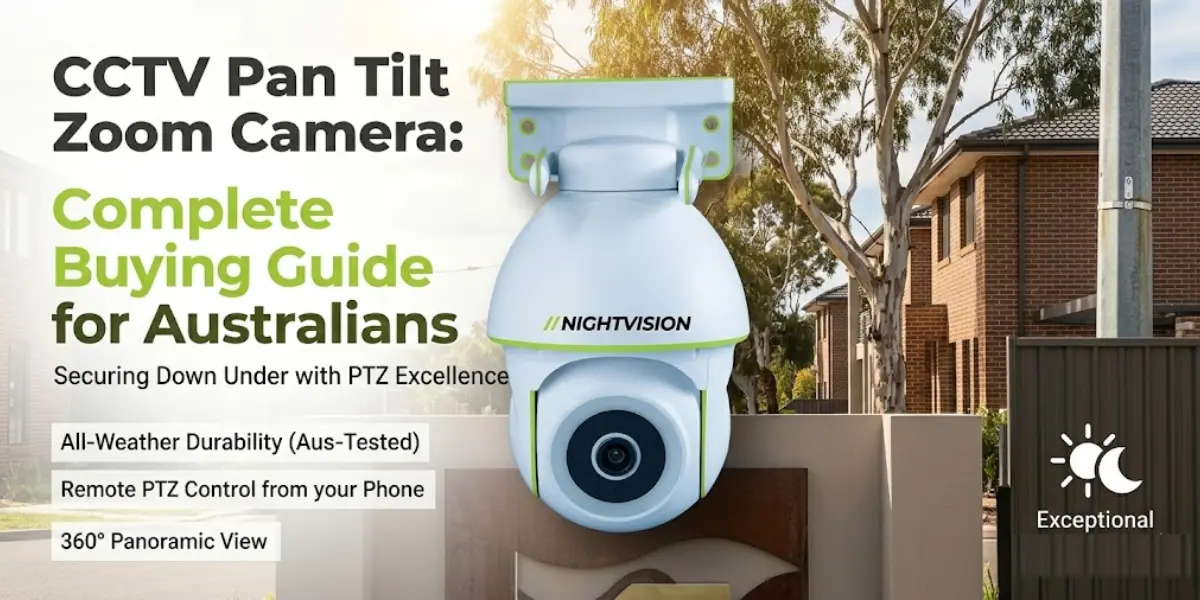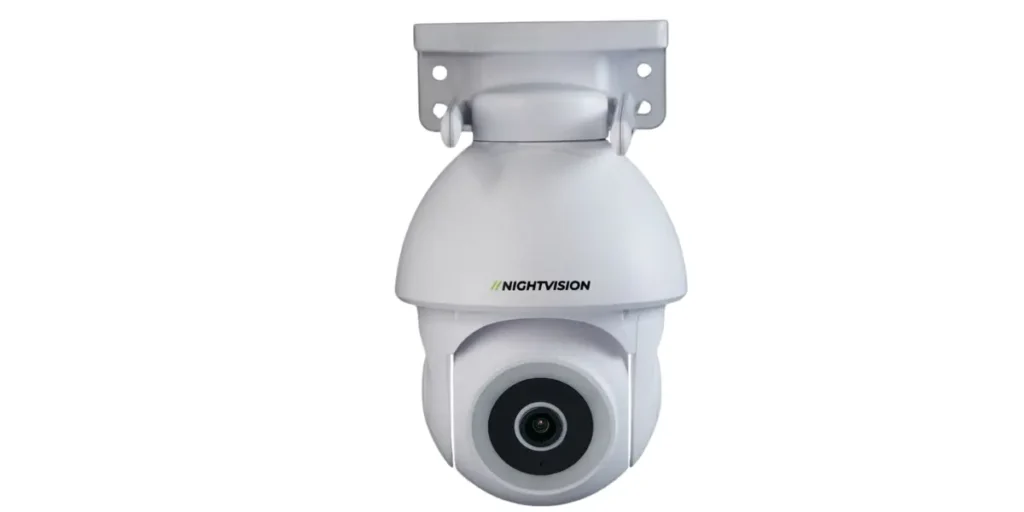
NV NightVision G11 PTZ security camera featured for Adelaide homes in the 2026 SA security camera buying guide

Security Cameras Adelaide 2026: SA Buying Guide

Adelaide’s summers are the reason a lot of outdoor security cameras fail within a year of being installed. South Australia’s capital regularly pushes past 40°C across its northern and eastern suburbs in January and February, and that kind of heat, combined with dry inland dust, is hard on plastic housings and cheap seals. If you’re comparingsecurity cameras adelaide buyers actually need right now, the weather is the first thing to plan around, not the last.

Break-in rates in South Australia have actually been falling. According to the SA Attorney-General’s Department, the state recorded a further drop in households experiencing break-ins and attempted break-ins in the most recent reporting year. That’s good news, but it doesn’t mean Adelaide homes and small businesses can skip security planning. It means the cameras people are installing are doing their job, and a clear buying decision matters more than a scare campaign.

This guide walks through what actually matters when you’re choosing security cameras in Adelaide: weatherproofing for SA’s climate, what South Australian law says about pointing a camera at your street or your neighbour’s yard, wired versus wireless for Adelaide’s spread-out suburbs and hills, what installation costs, and where NV NightVision’s own range fits into the decision.

Key Highlights:

  • Adelaide’s heat and dust mean an IP66 or IP67 rating matters more here than in milder capital cities
  • South Australia’s Surveillance Devices Act 2016 restricts recording private conversations and footage aimed at private areas, not general street-facing footage of your own property
  • Wireless security cameras suit most Adelaide homes, but outer suburbs and rural-fringe properties with patchy Wi-Fi may need a wired or hybrid setup
  • Renters can usually install a no-drill wireless camera in South Australia without needing landlord sign-off, provided nothing is fixed to the structure
  • A single well-placed outdoor camera with a genuine weatherproof rating, AI human detection, and a built-in siren covers most Adelaide homes without needing a full multi-camera system

Security Cameras Adelaide Buyers Need: Why Climate Comes First

Adelaide’s problem isn’t rain. It’s dry heat, direct UV and dust, and that combination shortens the life of budgetoutdoor camera south australia buyers install faster than almost any other Australian capital. A camera housing rated only for splash resistance will often survive a Melbourne winter fine and still crack or fog up after one Adelaide summer.

Look for a genuine IP66 or IP67 weatherproofing rating on the camera housing, not just marketing language that says “weatherproof.” IP67 covers both dust ingress and short-term submersion, which matters in Adelaide because dust protection is doing as much work as water resistance. Check the operating temperature range separately from the IP rating too, since the two specs measure different things and a camera can be well-sealed against dust and still struggle above 40°C.

The NV T5P-Ratri Bullet Outdoor Wi-Fi CCTV Camera is built for exactly this kind of exposure, with a metal outdoor housing, AI human detection and a built-in siren as standard. If your property faces west or gets long afternoon sun, mounting under eaves rather than on an exposed wall will add years to any outdoor camera’s working life, NV NightVision’s included or not.

Where You Can Point a Security Camera Under South Australian Law

South Australia’s surveillance law is more specific than most people assume, and it’s worth understanding before you mount anything. The Surveillance Devices Act 2016 (SA) restricts recording someone’s private conversation or private activities without consent, but it doesn’t stop you from filming your own front yard, driveway or the street outside your property.

The practical line is privacy, not property. A camera aimed at your own porch or gate is standard practice. One deliberately angled into a neighbour’s bedroom window or backyard, or fitted with a microphone that picks up conversations next door, is where SA law starts to bite. According to the Office of the Australian Information Commissioner, footage that captures a neighbour incidentally, because they happen to walk past your gate, is treated very differently from footage deliberately aimed at their property.

If you’re setting up a camera with two-way audio, be mindful of this. Audio recording of a private conversation without consent is where South Australian law is strictest, well beyond simple video footage of a public-facing area. Angle your camera at your own entry points, and you’ll stay well inside the rules while still getting useful coverage. For a broader look at how this compares to camera law elsewhere in the country, NV NightVision’s security camera laws guide covers the state-by-state basics.

Wired or Wireless: What Actually Works Across Adelaide’s Suburbs and Hills

Most Adelaide homes do fine with a wireless security camera. Suburbs like Norwood, Unley and the inner east tend to have strong, stable home broadband, which is exactly what a Wi-Fi camera like the NV T5P needs to send alerts and stream footage reliably.

Adelaide Hills properties and larger acreage blocks are the exception. Weak or patchy internet out past Stirling or Mount Barker can make a purely cloud-dependent wireless system frustrating, dropping alerts right when you need them. A camera that saves footage locally to an SD card, rather than relying entirely on a live cloud connection, keeps working even if your internet has a bad night.

For most Adelaide properties, a plug-and-play wireless setup with local storage and no ongoing subscription gives you the easiest installation and a backup that doesn’t depend on your internet staying up. If your property genuinely has unreliable connectivity, a wired camera with a dedicated NVR is worth the extra installation effort.

What a Full Security Camera Setup Actually Costs in Adelaide

Installation costs vary a lot depending on whether you’re doing a single camera or a full multi-camera system, and whether you’re installing it yourself or paying for professional fitting. NV NightVision’s own installation cost breakdown puts professional installation in Australia at roughly $1,500 to $3,500, covering what changes when you add wiring, an NVR, or professional labour on top of the hardware itself.

A single wireless outdoor camera is the cheapest and fastest way into home security, since it’s plug-and-play and doesn’t need an electrician. Multi-camera systems with a dedicated recorder cost more upfront but suit larger Adelaide properties, acreage blocks in the Hills, or small businesses covering several entry points at once.

Whatever budget you’re working with, don’t assume the most expensive system is automatically the most effective one. A single, well-placed camera covering your main entry point often does more for actual security than three cameras pointed at areas nobody’s likely to approach.

Renting in Adelaide: What You Can Install Without Voiding Your Lease

South Australian tenancy law allows most renters to install a no-drill, no-fix security camera without needing landlord approval, as long as nothing is permanently attached to walls, doors or window frames. A battery or plug-in wireless camera mounted with adhesive strips or a freestanding bracket typically falls well inside this line.

Where it gets more complicated is drilling into brick, rendering or timber for a hardwired outdoor camera. That almost always needs landlord sign-off first, since it’s a permanent modification to the property. NV NightVision’s renters guide covers the state-by-state detail if you’re moving between rentals or unsure what your specific lease allows.

If you’re renting an apartment or unit in Adelaide’s inner suburbs, an indoor or door-mounted camera is usually the simplest option, since it avoids the external mounting question entirely.

Smart Features Worth Paying For in an Adelaide Security Camera

Not every feature marketed on a security camera box actually earns its place. AI human detection is one that does. It filters out false alerts from blowing leaves, passing cars or your own cat, and only pushes a notification to your phone when an actual person is on the property. For Adelaide’s windy spring afternoons, this alone cuts down on notification fatigue significantly.

A built-in siren is the other feature worth prioritising. It turns a camera from a passive recording device into an active deterrent, letting you or the camera itself sound an alert the moment it detects someone where they shouldn’t be. Two-way audio pairs well with this, since it lets you speak directly through the camera from the NV NightVision app.

If your household already runs Alexa or Google Assistant, checking smart home compatibility before you buy saves you from ending up with a camera that sits outside your existing setup instead of inside it.

NV NightVision’s Pick for Adelaide Properties

For most Adelaide homes, the NV T5P-Ratri Bullet Outdoor Wi-Fi CCTV Camera is the strongest fit. It’s built with a metal outdoor housing rated for genuine weather exposure, AI human detection to cut false alerts, a built-in siren, two-way audio and H.265 compression to keep local storage efficient. Designed in Australia, NV NightVision builds its outdoor range around exactly the kind of harsh sun and dust exposure that Adelaide sees every summer.

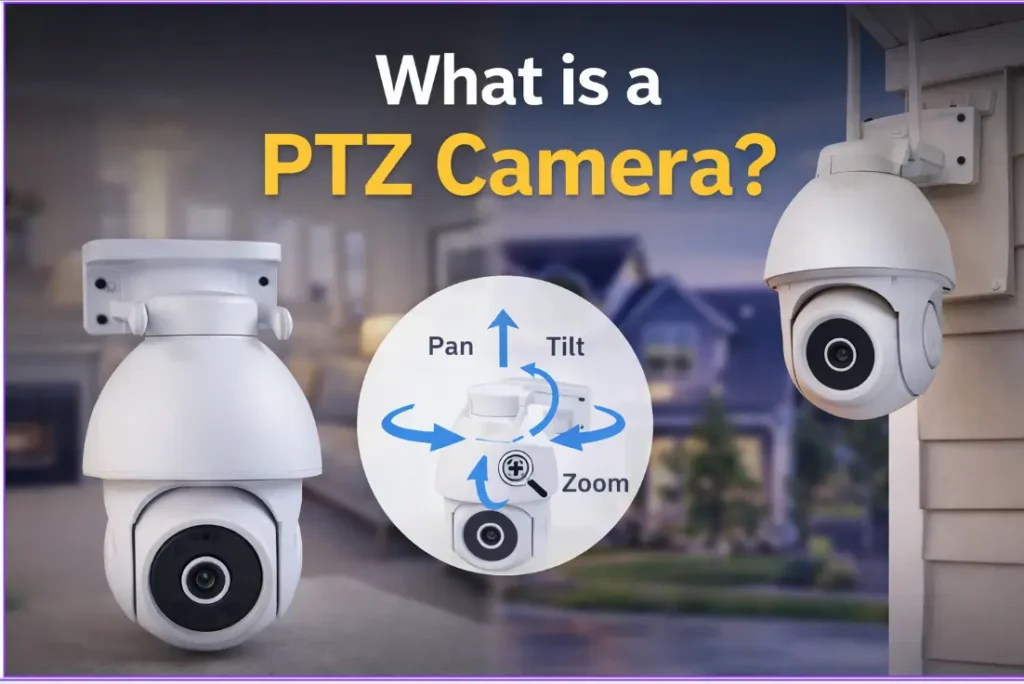
If your property needs wider coverage, such as a larger driveway, a Hills acreage block, or a small business entrance with more than one approach angle, the NV Ratri G11 adds pan-tilt-zoom control so a single camera can cover a much wider area instead of needing two fixed units.

Pricing isn’t listed here since it can change. Head to the product page directly for current pricing before you decide. NV NightVision backs the range with a 1-year manufacturer warranty, on top of the automatic consumer guarantees every product carries under Australian Consumer Law.

What to Do Next If You’re Buying in Adelaide This Year

If there’s one thing to take from all of this, it’s that Adelaide’s climate should shape your decision before price or extra features do. A cheap camera with a weak housing rating will cost you more in replacements than a properly weatherproofed one costs upfront.

Whatever you choose, remember you’re covered by the same Australian Consumer Law protections as any other electronics purchase in South Australia, regardless of the specific manufacturer warranty attached to the product. That’s worth checking before you buy, not after something fails.

Start with the area that matters most, usually your main entry point, and build out from there. Browse NV NightVision’s full range or compare it against other Australian options in the wider buying guide before you decide. A security camera only earns its place on your wall if it’s still working properly next summer, not just the day it’s installed.

Common Questions About Security Cameras in Adelaide

Do I need council or police permission to install a security camera in Adelaide?

No. You don’t need council or SA Police approval to install a security camera on your own residential or business property. The only legal limits relate to what the camera records and where it’s pointed, covered under the Surveillance Devices Act 2016 (SA), not to installing the hardware itself.

Can I record my neighbour’s yard with a security camera in South Australia?

No, not deliberately. Footage that incidentally captures a neighbour’s property because they’re visible from your own is treated differently from a camera intentionally angled into their yard or window. Keep your camera’s field of view focused on your own entry points to stay well within SA privacy rules.

What IP rating do I need for an outdoor camera to survive an Adelaide summer?

Look for IP66 or IP67 as a minimum. Adelaide’s combination of dry heat, UV exposure and dust is harder on cheap housings than rain-heavy climates, so dust protection matters here as much as water resistance. Check the operating temperature range separately, since it’s a different spec from the IP rating.

Is a wired or wireless security camera better for Adelaide homes?

Wireless suits most inner and metro Adelaide suburbs with stable broadband. Properties in the Adelaide Hills or on rural-fringe blocks with patchy internet often do better with local SD card storage or a wired system, so footage isn’t lost the moment the connection drops out for a while.

Do renters in Adelaide need landlord permission to install a security camera?

Not for a no-drill, wireless camera mounted with adhesive or a freestanding bracket. Anything that involves drilling into brick, render or timber for a hardwired camera does need landlord approval first, since it permanently alters the property.

How much does it cost to install a security camera system in Adelaide?

Professional installation across Australia generally runs $1,500 to $3,500 depending on camera count and wiring complexity. A single plug-and-play outdoor camera you install yourself avoids that cost entirely.

What warranty am I entitled to on a security camera bought in South Australia?

Every product sold in Australia, including security cameras bought in South Australia, comes with automatic consumer guarantees under Australian Consumer Law regardless of any separate manufacturer warranty. According to the ACCC, these guarantees exist whether or not the seller offers an additional warranty on top.

Can Adelaide’s dry heat and dust actually damage an outdoor security camera?

Yes, more than most buyers expect. Budget cameras with only splash-resistant housings can crack, fog or fail electronically after repeated exposure to Adelaide’s 40°C-plus summer days and dusty inland winds. A genuine IP66 or IP67-rated metal housing holds up considerably longer under these conditions.

Do NV NightVision cameras need an ongoing monthly plan to work?

No. NV NightVision cameras record locally to an SD card and connect through the NV NightVision app over your existing Wi-Fi, so there’s no mandatory monthly plan required for the camera to function, send alerts or let you check live footage from your phone.

What’s the difference between a bullet camera and a PTZ camera for an Adelaide property?

A bullet camera like the NV T5P covers one fixed, focused area, which suits most single entry points such as a front door or driveway. A pan-tilt-zoom camera like the NV G11 can move and cover a much wider field, which suits larger properties or businesses needing one camera to watch several angles.


NV NightVision CCTV camera for renters in Victoria, Australia with wireless security and no-drill installation

CCTV for Renters in Victoria: What’s Actually Allowed

If you are living as a renter in Victoria, your lease probably says you can’t drill, glue or permanently fix anything to the walls without approval first. That single clause is usually what stops renters from looking into cctv for renters victoria rules would actually allow.

It doesn’t have to work that way. Victoria’s rental laws use different terms to most other states. Since the 2021 reforms, a landlord is officially a “rental provider” and a tenant is a “renter,” and under those same reforms, a removable, non-hardwired security camera counts as a prescribed minor modification, not a structural alteration. According to Consumer Affairs Victoria, renters can generally make prescribed minor modifications to a rental property without asking their rental provider first.

That’s good news if you’ve been putting off securing your rental because you assumed CCTV wasn’t an option. This guide walks through what Victorian law actually allows, where the Surveillance Devices Act 1999 draws the line on pointing a camera at a neighbour, and which no-drill cameras genuinely suit a Victorian rental, whether that’s a freestanding house, a terrace, or a unit with a shared driveway or entry.

Quick Summary

  • A wireless, removable camera is usually a prescribed minor modification under Victoria’s rental laws and doesn’t need rental provider approval
  • It must not be hardwired, must stay easily removable, and can’t be pointed at a neighbouring property
  • Hardwired systems and anything that damages the property count as a modification your rental provider can’t unreasonably refuse, but you still need to ask first
  • The Surveillance Devices Act 1999 limits pointing a camera or microphone at a neighbour’s private space without consent
  • Different rental layouts suit different cameras, a front door, a shared driveway, and an apartment balcony aren’t the same problem
  • Tell your rental provider anyway, even when you’re not legally required to, and photograph the wall before you mount anything
  • If you and your rental provider disagree, Rental Dispute Resolution Victoria (RDRV) or VCAT can step in

Renters Face Real Restrictions on Installing Security Cameras in Victoria

Most standard Victorian tenancy agreements ban permanent fixtures, and that clause exists for a practical reason. Repairing drill holes and reattaching plaster costs money once a renter moves out, and a rental provider can deduct that cost from your bond if the damage goes beyond fair wear and tear.

For anyone weighing up a security camera rental property victoria solution, that clause is the first hurdle. Wired CCTV falls under “modification” in most leases, and so does a bracket screwed straight into brick veneer or weatherboard cladding. Anything needing an electrician to run cabling through a wall sits in the same category.

CCTV for renters doesn’t have to mean wired CCTV, though. A battery or solar-powered camera with an adhesive pad, a magnetic base or a freestanding stand sidesteps the permanent fixture problem completely, because none of those mounting methods touch the actual structure of the property.

That distinction changes what you’re actually required to ask for. A drilled outdoor bracket needs your rental provider’s consent before it goes up, even though they can’t unreasonably refuse it. A camera sitting on a windowsill or clipped to an existing hook doesn’t carry that same step.

Before you buy anything, reread your specific lease rather than assuming the general rule applies. Some Victorian agreements go further than the standard terms, and properties on the Victorian Heritage Register can carry extra restrictions on modifications, so it’s worth checking your specific listing status if you’re unsure.

It also helps to think about the practical side before you commit to a mounting method. A camera that needs to come down and go back up every time you move flat isn’t much use, so weigh up how long you’re actually planning to stay before choosing between a semi-permanent bracket and something fully freestanding.

For a broader look at renter-friendly options across the country, NV NightVision’s national renters’ guide covers the state-by-state basics before you dig into the Victorian specifics below.

Victorian Law Treats a Removable Security Camera as a Prescribed Minor Modification

Under the Residential Tenancies Act 1997 and the Residential Tenancies Regulations 2021, renters can make certain prescribed minor modifications to a rental property without asking their rental provider first. A removable, non-hardwired security camera is one of them.

According to Regulation 26 of the Residential Tenancies Regulations 2021, the list of prescribed minor modifications covers changes that don’t damage the property and can be reversed. Security lights, alarm systems and security cameras generally qualify, provided they aren’t hardwired, stay easily removable and don’t face a neighbouring property.

That’s a meaningful shift for anyone searching for renter cctv rules vic information. A no drill camera melbourne setup, mounted with a bracket, suction cup or adhesive pad, is usually within your rights as a renter, no written approval required.

What Counts as a Prescribed Minor Modification in Victoria

A prescribed minor modification needs to be reversible and cause no lasting damage, and it can’t affect the property’s structure or safety. A camera on a magnetic mount, an adhesive strip or its own screw-in bracket ticks those boxes without much argument.

Drilling directly into brick or timber cladding sits in a different category. So does running cable through a wall, or hardwiring a doorbell camera into an existing power point. Those changes count as a “modification” under the reforms, which means your rental provider’s consent is required, though it can’t be unreasonably refused. Skipping that step can put your bond at risk.

Full details on what a rental provider can and can’t refuse are set out in Consumer Affairs Victoria’s guidance on renters making changes to a property, worth reading in full if your specific situation sits close to the line.

Renting a unit rather than a house? Check your building’s owners corporation rules too, which is Victoria’s version of strata by-laws. Some buildings add their own rules about balcony cameras and common-area sightlines on top of the standard tenancy rules, and those rules can be stricter than what the Residential Tenancies Act allows on its own.

Where You Point Your Camera Matters Just as Much as What You Install

Getting the mounting right solves half the problem. The other half is where the lens actually points, and that’s where Victorian privacy law gets involved.

The Surveillance Devices Act 1999 regulates the use of optical surveillance devices in Victoria, and it’s the law that matters most once your camera is up and running. The Act restricts using a device to observe or record a private activity without the consent of the people involved, and the same reasonable-expectation-of-privacy test that applies to a permanent home applies to a rental.

In practice, a camera aimed at your own front door or balcony is fine. A camera angled into a neighbour’s yard, window or courtyard is a different story, even when you didn’t mean to capture anything private.

That last part trips up more renters than you’d expect. A wide-angle outdoor camera mounted near a shared fence line, a common driveway or an adjoining balcony in an inner-Melbourne apartment block can easily pick up a slice of next door’s space without you realising, simply because of how far the lens sees rather than where you deliberately pointed it. It’s also the reason the prescribed minor modification rule specifically excludes a camera that faces a neighbouring property, so getting the angle right protects your legal position as well as your neighbour’s privacy.

If you’re renting a house with a shared driveway, this is worth extra care. NV NightVision’s guide to driveway and gate cameras covers the coverage-type decision, wide versus fixed, in more depth, and the same field-of-view discipline applies whether you own the property or you’re renting it.

For a security camera rental property victoria install, aim for your own entry points first and check the live view before you finalise the mount. Use a narrower field of view rather than a wide-angle lens if your unit backs onto a neighbouring property, and let anyone who shares the space know a camera is going up.

Audio recording adds another layer worth understanding. Two-way audio is a common feature on modern cameras, but recording a private conversation without the consent of everyone involved is treated separately, and more strictly, under the same legislation. It’s worth checking your camera’s audio settings match what you’re actually allowed to capture, particularly if the microphone picks up sound from a shared hallway or an adjoining balcony.

For a broader look at where Victorian law draws these lines outside the tenancy context, NV NightVision’s security camera laws guide has more detail on filming public areas versus private property.

The Right No-Drill Camera Options for a Victorian Rental

Once you know what Victorian law allows, the next question is which camera works without hardware you’re not permitted to use. The short answer is wireless, but which wireless camera depends on what you’re actually covering.

A battery or solar-powered camera with an adhesive base, a magnetic mount or a freestanding stand covers most rental situations. It doesn’t matter whether you’re in an inner-suburban Melbourne terrace, a Geelong weatherboard or a high-rise unit in the CBD, the same no-drill approach applies. What changes is the specific camera suited to the space.

Outdoor Security Cameras That Mount Without Damage

For a front door or a single entry point, a bracket-mounted wireless camera like the NV T5P attaches with screws into its own mounting bracket rather than the wall structure itself, so nothing permanent goes into brick, render or weatherboard.

If you’re renting a house with a wider driveway or a longer approach, a fixed camera only sees one angle, which isn’t much use if the driveway is longer than a single doorway. The NV G11 PTZ camera covers 355 degrees of pan from a single bracket mount, useful if you’re covering a shared driveway or a wider yard without wanting to install two or three separate cameras across a rental you don’t own.

Look for cameras genuinely built for Victorian conditions. NV NightVision’s outdoor range is rated for -20°C to 50°C with up to 95 percent humidity tolerance, which matters given how much Melbourne’s weather can shift in a single day, from a damp, overcast morning to a hot, dry afternoon and back to rain by evening.

A weatherproof rating on paper is one thing, but where you mount the camera still matters. Under eaves, a verandah or a balcony overhang keeps direct rain off the lens and extends the life of any wireless camera, drilled or not.

Indoor Security Cameras for Apartments and Units

Inside a rental, a compact wireless camera that sits on a shelf or clips to an existing fixture avoids the drilling question entirely. The NV Y1-Ratri Dome suits this well, a freestanding indoor unit that covers a front door or living area without needing a bracket screwed into anything.

That’s a practical option if you want to check on a unit while you’re out, without touching a single wall. A hallway shelf, a bookcase facing the front door or a windowsill in a living room all work as placement spots that need nothing more than the camera’s own stand, which suits the smaller footprint of a lot of inner-Melbourne apartments.

Whatever you choose, confirm it connects over Wi-Fi rather than needing a wired NVR, and confirm it doesn’t require an ongoing subscription just to save footage. NV NightVision’s guide to no-subscription cameras is worth a look here specifically, since a renter moving flats every year or two is exactly the kind of buyer who benefits most from footage that stays local rather than locked behind a recurring cloud plan tied to one account.

What to Do Before You Mount Anything

A few simple steps protect your bond and your relationship with your rental provider, even when the law is already on your side.

Tell your rental provider or agent in writing before you install anything, even a prescribed minor modification. You don’t need approval for a genuine minor modification, but a quick email avoids confusion later and gives you a paper trail if a dispute ever needs resolving.

Photograph the wall, window or balcony before you attach anything. If there’s ever a question about pre-existing marks, you’ve got proof of the property’s condition beforehand, and it takes about thirty seconds on your phone.

Read your specific lease wording rather than relying on the general rule. Some agreements address cameras directly, and a small number restrict them regardless of mounting method.

Living in a unit changes the checklist slightly. Owners corporation rules sit separately from your tenancy agreement, and a body corporate can set its own camera and balcony rules on top of the Residential Tenancies Act. Ask your property manager for a copy of the current rules if you haven’t seen them, since they’re not always included with the standard lease paperwork.

Keep a note of the make and model too. If a fault ever comes up down the track, having the model name on hand makes it far quicker to check warranty terms or lodge a support request.

Matching the Camera to the Rental, Not Just the Rulebook

The right no-drill camera depends on what you’re actually renting. A NV T5P suits a single front door or entry point on a bracket mount. A NV G11 suits a house with a driveway or wider approach where one camera needs to cover more ground than a fixed lens allows. A NV Y1-Ratri Dome suits an apartment or unit where drilling isn’t an option and a freestanding indoor camera does the job just as well.

AI human detection is built in as standard across the range, so you’re getting alerts when an actual person walks up rather than every time a possum, a magpie or a passing car sets off the motion sensor. That matters for a renter who doesn’t want a notification going off every ten minutes.

Outdoor models also carry a built-in siren and two-way audio. That means you can respond to someone at the door without opening it, or trigger an audible warning straight from the app when something feels off.

Footage records locally to a microSD card rather than depending on a cloud plan, so there’s nothing ongoing to manage and your recordings stay on the device by default, useful in apartment buildings where internet connections can be shared or inconsistent.

NV NightVision is designed in Australia, with a range rated for local conditions from Melbourne’s damp winters through to a dry, dusty summer. For a renter moving between rentals every year or two, that durability matters as much as the no-drill mount does.

Every NV NightVision camera comes with a 1-year warranty, and your rights don’t stop when that period ends. According to the ACCC’s guidance on consumer rights and guarantees, consumer guarantees exist automatically under the Australian Consumer Law, part of the Competition and Consumer Act 2010, and don’t expire just because a manufacturer’s warranty does.

Want to compare the full range before deciding? The outdoor camera range and the indoor camera range are both worth a look side by side before you commit to one model.

Secure Your Rental Without Risking Your Bond

Renting doesn’t mean choosing between security and getting your bond back. Victoria’s rental reforms already treat a removable wireless camera as a prescribed minor modification, and the cameras built for that job have caught up with the rules.

Start with what you’re actually allowed to install, point it at your own entry points and keep the paperwork simple with a quick note to your rental provider before you begin.

From there, choosing between an outdoor bullet camera, a wider PTZ, and an indoor unit comes down to which part of the property actually worries you. Someone in a ground-floor unit with a shared entry might lean indoor first, a renter in a standalone house with a single front door suits a fixed bullet camera, while a renter with a longer shared driveway usually needs the wider coverage a PTZ camera provides.

If you’re ready to compare specific models, the full NV NightVision range covers indoor and outdoor options built for this kind of no-fuss installation. Whichever camera you pick, your consumer guarantees under Australian Consumer Law travel with the product long after the box warranty runs out.

Common Questions About CCTV for Renters in Victoria

Can I install a security camera in my Victorian rental without asking my rental provider?

Yes, in most cases. A removable, non-hardwired camera is usually a prescribed minor modification under Victoria’s rental laws, meaning you don’t need approval as long as it doesn’t damage the property or face a neighbouring premises.

What counts as a prescribed minor modification in Victoria?

A prescribed minor modification is reversible, causes no lasting damage and doesn’t affect the property’s structure or safety. Adhesive, magnetic or bracket-mounted cameras usually qualify, while drilled brackets and hardwired systems need your rental provider’s consent first.

Can my rental provider make me remove a camera I installed?

Where there’s a genuine reason, a rental provider can raise a concern, and for modifications that did require consent, they can ask for it to be removed and any damage repaired at the end of the tenancy. Disputes over reasonableness can go to Rental Dispute Resolution Victoria or VCAT.

Is it legal to point a camera at my neighbour’s yard in Victoria?

No, not without their consent. The Surveillance Devices Act 1999 restricts observing or recording a private activity without agreement from the people involved. Keep your camera’s field of view on your own entry points rather than a shared fence line or a neighbour’s window.

Do I need to tell my rental provider if I install a camera, even if I don’t need permission?

It isn’t legally required for a genuine prescribed minor modification, but written notice protects you if a dispute comes up later. A short email before installation is enough on its own and creates a useful record.

What’s the best type of camera for a Victorian rental property?

A wireless, battery or solar-powered camera with an adhesive pad, magnetic base or its own mounting bracket. Which specific model suits you depends on the property, a fixed bullet camera for a single door, a PTZ camera for a wider driveway, or an indoor unit for an apartment.

Can I install CCTV in a rented apartment or unit in Victoria?

Yes, with one extra check. Alongside your tenancy agreement, review your building’s owners corporation rules, since a body corporate can set its own rules about balcony cameras and shared-area sightlines on top of state tenancy law.

Does recording audio on my camera change the legal rules?

Yes. Recording a private conversation without the consent of everyone involved is treated separately, and more strictly, under the Surveillance Devices Act 1999. Check your camera’s audio settings if you’re unsure what your two-way audio feature is capturing.

Does the camera’s warranty cover me if it stops working after 12 months?

The manufacturer’s warranty period is typically 1 year, but that’s separate from your rights under Australian Consumer Law. Consumer guarantees apply automatically and can still entitle you to a repair, replacement or refund after the warranty ends.

What happens if my rental provider and I disagree about a camera installation?

Since the November 2025 reforms, Rental Dispute Resolution Victoria (RDRV) handles most common tenancy disputes, including disagreements over modifications, as a free service operating under the VCAT framework. Where RDRV can’t resolve it, VCAT can make a final decision.

NV NightVision CCTV for renters in NSW showing a wireless outdoor security camera with no-drill installation, local storage and live viewing.

CCTV for Renters in NSW: What You’re Allowed to Install

If you rent in NSW, your lease probably says you can’t drill, glue, or permanently attach anything to the walls without written approval. That single clause stops most tenants from even looking into CCTV for renters NSW landlords would actually allow. It doesn’t have to work that way. Under NSW tenancy rules, a wireless removable camera counts as a minor change, not a structural alteration. According to theNSW Government, tenants can usually install a removable, wireless security camera without landlord consent, provided it doesn’t involve drilling, cabling or permanent fixtures to the property.

That’s good news if you’ve been putting off securing your rental because you assumed CCTV wasn’t an option. This guide walks through what NSW law actually allows, where the Surveillance Devices Act 2007 draws the line on pointing a camera at a neighbour, and which no-drill cameras genuinely suit a rental property.

Quick Summary

A wireless, removable camera is usually a minor change under NSW tenancy law and doesn’t need landlord approval.
Hardwired systems, drilled brackets and anything that damages the property still need written consent first.
The Surveillance Devices Act 2007 limits pointing a camera or microphone at a neighbour’s private space without consent.
Battery, solar and adhesive-mount cameras like the NV T5P avoid the drilling problem altogether.
Tell your landlord anyway, even when you’re not legally required to, and photograph the wall before you mount anything.

Renters Face Real Restrictions on Installing Security Cameras

Most standard NSW tenancy agreements ban permanent fixtures, and that clause exists for a practical reason. Repairing drill holes and reattaching plaster costs money once a tenant moves out, and a landlord can deduct that cost from your bond if the damage goes beyond fair wear and tear.

For anyone weighing up a security camera rental property NSW solution, that clause is the first hurdle. Wired CCTV falls under “permanent alteration” in most leases, and so does a bracket screwed straight into brick or timber cladding. Anything needing an electrician to run cabling through a wall sits in the same category.

CCTV for renters doesn’t have to mean wired CCTV, though. A battery or solar-powered camera with an adhesive pad, a magnetic base or a freestanding stand sidesteps the permanent fixture problem completely, because none of those mounting methods touch the actual structure of the property.

That distinction changes what you’re actually required to ask for. A drilled outdoor bracket needs written landlord approval before it goes up, and that request can take a week or two to come back depending on your agent. A camera sitting on a windowsill or clipped to an existing hook doesn’t carry that same delay.

Before you buy anything, reread your specific lease rather than assuming the general rule applies. Some NSW agreements go further than standard terms and restrict cameras outright, even removable ones, particularly in older-style leases that predate the current minor-changes guidance.

It also helps to think about the practical side before you commit to a mounting method. A camera that needs to come down and go back up every time you move flat isn’t much use, so weigh up how long you’re actually planning to stay before choosing between a semi-permanent bracket and something fully freestanding.

For a broader look at renter-friendly options across the country, NV NightVision’snational renters’ guide covers the state-by-state basics before you dig into the NSW specifics below.

NSW Law Lets You Install a Removable Wireless Camera Without Landlord Permission

Under the Residential Tenancies Act, tenants can make “minor changes” to a rental property without asking the landlord first. NSW Government guidance treats a removable wireless security camera as one of those minor changes.

According to theNSW Government, a change that doesn’t involve drilling, cabling or damage to the structure usually sits in this category.

That’s a meaningful shift for anyone searching for renter cctv rules nsw information. A no drill camera setup, mounted with a bracket, suction cup or adhesive pad, is usually within your rights as a tenant.

Landlords can still object where there’s a genuine reason, and you can be asked to remove the camera and make good any minor damage at the end of the tenancy. NSW Fair Trading handles the first round of any dispute, and the NSW Civil and Administrative Tribunal, known as NCAT, steps in when it won’t resolve directly between you and the landlord.

What Counts as a Minor Change Under NSW Tenancy Rules

A minor change needs to be reversible and cause no lasting damage. It also can’t affect the property’s structure or safety. A cctv camera on a magnetic mount or adhesive strip ticks those boxes without much argument.

Drilling a bracket into brick veneer doesn’t. Running cable through a wall doesn’t either, and neither does hardwiring a doorbell camera into an existing power point. Those changes usually need written approval first, and skipping that step can put your bond at risk.

Renting a unit rather than a house? Check your strata by-laws too. Some buildings add their own rules about balcony cameras and common-area sightlines on top of the standard tenancy rules, and those by-laws can be stricter than what the Residential Tenancies Act allows on its own.

Where You Point Your Camera Matters Just as Much as What You Install

Getting the mounting right solves half the problem. The other half is where the lens actually points, and that’s where NSW privacy law gets involved.

The Surveillance Devices Act 2007 regulates the use of optical surveillance devices in NSW, and it’s the law that matters most once your camera is up and running. According to theNSW Parliamentary Counsel’s Office, the Act restricts using a device to observe or record a private activity without the consent of the people involved.

In practice, a camera aimed at your own front door or balcony is fine. A camera angled into a neighbour’s yard is a different story, even when you didn’t mean to capture anything private.

That last part trips up more renters than you’d expect. A wide-angle outdoor camera mounted near a shared fence line or a common driveway can easily pick up a slice of next door’s yard without you realising, simply because of how far the lens sees rather than where you deliberately pointed it.

For a security camera rental property NSW install, aim for your own entry points first and check the live view before you finalise the mount. Use a narrower field of view rather than a wide-angle lens if your unit backs onto a neighbouring property, and let anyone who shares the space know a camera is going up.

Audio recording adds another layer worth understanding. Two-way audio is a common feature on modern cameras, but recording a private conversation without consent is treated separately under the same legislation. It’s worth checking if your cctv camera’s audio settings match what you’re actually allowed to capture, particularly if the microphone picks up sound from a shared hallway or an adjoining balcony.

For a broader look at where NSW law draws these lines outside the tenancy context, NV NightVision’ssecurity camera laws guide has more detail on filming public areas versus private property.

The Right No-Drill Camera Options for a NSW Rental

Once you know what NSW law allows, the next question is which camera works without hardware you’re not permitted to use. The short answer is wireless.

A battery or solar-powered camera with an adhesive base, a magnetic mount or a freestanding stand covers most rental situations. It doesn’t much matter whether you’re in a Federation-era terrace, a 1990s townhouse or a high-rise unit in the inner city, the same no-drill approach applies.

Outdoor CCTV Cameras That Mount Without Damage

For a front door or driveway, a bracket-mounted wireless camera like theNV T5P attaches with screws into its own mounting bracket rather than the wall structure itself, so nothing permanent goes into brick, render or cladding.

Look for cameras genuinely built for outdoor conditions. NV NightVision’s outdoor range is rated for -20°C to 50°C with up to 95 percent humidity tolerance, which matters given how far a NSW climate can swing between coastal humidity in Sydney or Newcastle and inland heat further west.

A weatherproof rating on paper is one thing, but where you mount the camera still matters. Under eaves or an awning keeps direct rain off the lens and extends the life of any wireless camera, drilled or not.

Indoor CCTV Cameras for Apartments and Units

Inside a rental, a compactwireless camera that sits on a shelf or clips to an existing fixture avoids the drilling question entirely.

That’s a practical option if you want to check on a unit while you’re out, without touching a single wall. A hallway shelf, a bookcase facing the front door or a windowsill in a living room all work as placement spots that need nothing more than the camera’s own stand.

Whatever you choose, confirm it connects over Wi-Fi rather than needing a wired NVR, since that’s the setup consistent with the no drill camera nsw approach this guide is built around.

What to Do Before You Mount Anything

A few simple steps protect your bond and your relationship with your landlord, even when the law is already on your side.

Tell your landlord or agent in writing before you install anything, even a removable camera. You don’t need approval for a genuine minor change, but a quick email avoids confusion later and gives you a paper trail if a dispute ever reaches NCAT.

Photograph the wall, window or balcony before you attach anything. If there’s ever a question about pre-existing marks, you’ve got proof of the property’s condition beforehand, and it takes about thirty seconds on your phone.

Read your specific lease wording rather than relying on the general rule. Some agreements address cameras directly, and a small number restrict them regardless of mounting method.

Living in a unit changes the checklist slightly. Strata by-laws sit separately from your tenancy agreement, and a body corporate can set its own camera and balcony rules on top of the Residential Tenancies Act. Ask your property manager for a copy of the current by-laws if you haven’t seen them, since they’re not always included with the standard lease paperwork.

Keep a note of the make and model too. If a fault ever comes up down the track, having the model name on hand makes it far quicker to check warranty terms or lodge a support request.

Why the NV T5P Suits Renters Who Need a No-Drill Outdoor Security Camera

For a renter weighing up options, theNV T5P-Ratri Bullet Outdoor Wi-Fi Camera is built around exactly this problem. It mounts on its own bracket rather than requiring holes in brick or cladding, and it connects over Wi-Fi with a plug-and-play setup that doesn’t need an electrician or a technician visit.

AI human detection is built in as standard, so you’re getting alerts when an actual person walks up the driveway rather than every time a possum or a passing car sets off the motion sensor. That matters for a renter who doesn’t want a notification going off every ten minutes.

It also carries a built-in siren and two-way audio. That means you can respond to someone at the door without opening it, or trigger an audible warning straight from the app when something feels off.

NV NightVision is designed in Australia, with an outdoor range rated for local conditions from coastal humidity through to inland heat. For a renter moving between rentals every year or two, that durability matters as much as the no-drill mount does.

Every NV NightVision camera comes with a 1-year warranty, and your rights don’t stop when that period ends. According to theACCC, consumer guarantees exist automatically under the Australian Consumer Law, part of the Competition and Consumer Act 2010, and don’t expire just because a manufacturer’s warranty does.

Want to compare the full range before deciding? Theoutdoor camera range and theindoor camera range are both worth a look side by side before you commit to one model.

Secure Your Rental Without Risking Your Bond

Renting doesn’t mean choosing between security and getting your bond back. NSW law already treats a removable wireless camera as a minor change, and the cameras built for that job have caught up with the rules.

Start with what you’re actually allowed to install, point it at your own entry points and keep the paperwork simple with a quick note to your landlord before you begin.

From there, choosing between an outdoor bullet camera and an indoor unit comes down to which part of the property actually worries you. Someone in a ground-floor unit with a shared entry might lean indoor first, while a renter in a standalone house with a long driveway usually starts outside.

If you’re ready to compare specific models, thefull NV NightVision range covers indoor and outdoor options built for this kind of no-fuss installation. Whichever camera you pick, your consumer guarantees under Australian Consumer Law travel with the product long after the box warranty runs out.

Common Questions About CCTV for Renters in NSW

Can I install a security camera in my NSW rental without asking my landlord?

Yes, in most cases. A removable wireless camera is usually treated as a minor change under NSW tenancy rules, meaning you don’t need written approval as long as it involves no drilling, cabling or permanent damage to the property.

What counts as a minor change under NSW tenancy law?

A minor change is reversible, causes no lasting damage and doesn’t affect the property’s structure or safety. Adhesive, magnetic or bracket-mounted cameras usually qualify, while drilled brackets and hardwired systems need written landlord consent first.

Can my landlord make me remove a camera I installed?

Yes, where there’s a genuine reason. Landlords can ask for a minor change to be removed and any damage repaired at the end of the tenancy. Disputes over reasonableness can go to the NSW Civil and Administrative Tribunal.

Is it legal to point a camera at my neighbour’s yard?

No, not without their consent. The Surveillance Devices Act 2007 restricts observing or recording a private activity without agreement from the people involved. Keep your camera’s field of view on your own entry points rather than a shared fence line or a neighbour’s window.

Do I need to tell my landlord if I install a camera, even if I don’t need permission?

It isn’t legally required for a genuine minor change, but written notice protects you if a dispute comes up later. A short email before installation is enough on its own and creates a useful record.

What’s the best type of camera for a rental property?

A wireless, battery or solar-powered camera with an adhesive pad, magnetic base or its own mounting bracket. This avoids drilling into the property entirely and can be removed and taken with you at lease end.

Can I install CCTV in a rented apartment or unit?

Yes, with one extra check. Alongside your tenancy agreement, review your building’s strata by-laws, since body corporates can set their own rules about balcony cameras and shared-area sightlines on top of state tenancy law.

Does recording audio on my camera change the legal rules?

Yes. Recording a private conversation without the consent of everyone involved is treated separately under the Surveillance Devices Act 2007. Check your camera’s audio settings if you’re unsure what your two-way audio feature is capturing.

Does the camera’s warranty cover me if it stops working after 12 months?

The manufacturer’s warranty period is typically 1 year, but that’s separate from your rights under Australian Consumer Law. Consumer guarantees apply automatically and can still entitle you to a repair, replacement or refund after the warranty ends.

NV NightVision security camera mounted outside a Melbourne home, showing AI human detection monitoring a residential driveway against the Melbourne city skyline. Camera name: NV Ratri G11 PTZ Camera

Security Cameras Melbourne 2026: Complete WiFi Buying Guide

Victoria Police’s most recent figures show 31,851 vehicles were stolen across the state in the past year, the highest number since 2001-02 and more than double what it was four years ago. A lot of that theft starts in exactly the place you’d expect: a driveway, a street frontage, somewhere close to home where a car sits unattended overnight. If you’re weighing up security cameras, Melbourne genuinely has a wide range of options, and the right one comes down to what you’re actually trying to cover, not which brand has the loudest marketing.

This guide walks through what matters for Melbourne conditions specifically: what Victorian law allows, how the local climate affects camera choice, the real difference between a house and an apartment setup, and how self-install actually works once the box arrives.

Quick summary

  • Vehicle theft in Victoria is at its highest point since 2001-02, even as overall recorded crime eased slightly
  • Victoria’s Surveillance Devices Act 1999 differs from other states in a few meaningful ways
  • Melbourne’s changeable weather makes a genuine weatherproof rating worth checking, not assuming
  • Houses and apartments need different coverage approaches, and Owners Corporation rules can apply to shared areas
  • Most Wi Fi cameras in this category are self-install, no electrician or installer required

Why Melbourne homeowners are adding a camera right now

It’s worth being honest about the actual crime picture rather than reaching for a generic “crime is rising” line, because the real data doesn’t support that framing cleanly. Total recorded offences across Victoria were down 0.2 per cent in the year to March 2026, the first decrease in almost four years, according to the Crime Statistics Agency Victoria. Criminal incidents overall fell by a full percentage point. On the numbers that matter most broadly, Victoria’s crime trend is actually easing.

Vehicle theft tells a sharply different story, and it’s the one worth paying attention to if you’re deciding whether a camera is worth the money. At 31,851 vehicles stolen in the past year, it’s the highest figure recorded in over two decades. Victoria Police notes that a meaningful share of these thefts now involve key-mimicking or cloning technology, used to bypass modern car security systems without needing to break a window or force a door. That technology works from close range, which means it’s typically deployed right outside a home, in a driveway or on the street directly in front of a property, rather than in a car park or shopping center.

Theft more broadly, across all categories, actually rose 5.6 per cent to become the single largest recorded crime category in the state. None of this adds up to “Melbourne is unsafe.” It adds up to something more specific: a genuinely elevated risk to one particular thing, a vehicle parked outside a home, at a moment when overall crime is trending in the opposite direction. That’s a more useful way to think about whether a camera makes sense for your property than a vague sense of rising danger.

What Victorian law actually allows

Victoria’s Surveillance Devices Act 1999 governs how cameras can be installed and used across the state, and it’s worth knowing upfront that it isn’t identical to the rules in other Australian states. One of the more practically relevant differences: Victoria generally permits recording a conversation you’re a party to without needing consent from everyone else involved in it. Some other states, like NSW, generally require consent from all parties to a recorded conversation, which makes Victoria’s rules somewhat more permissive on that specific point.

What doesn’t change, regardless of which state you’re in, is that you can’t point a camera at a neighbours private areas, their windows, their backyard, anywhere they’d reasonably expect privacy, without their consent. Recording your own property, including your own front yard, driveway, and entry points, is generally permitted without needing to ask anyone.

If you live in an apartment, townhouse, or any property governed by an Owners Corporation, there’s an extra layer worth checking before you install anything. It’s worth confirming with your Owners Corporation whether a camera facing shared or common property, a hallway, a car park, or a building exterior needs approval before you mount it. Many buildings already have their own policies covering this, on top of whatever the state law says, so checking your specific building’s rules is the more reliable first step than assuming the state law alone covers you.

How Melbourne’s climate should shape your camera choice

Melbourne’s weather has a reputation for a reason, and “four seasons in one day” isn’t just a saying; it’s a genuine planning consideration for anyone mounting a camera outdoors.

Weatherproofing that covers both extremes

 A camera rated for outdoor use in Melbourne needs to handle cold, wet winter conditions and hot, dry summer days, sometimes within the same week. Look for a rating that’s explicitly tested across both temperature and humidity ranges, rather than one that only mentions a single climate condition in its marketing copy.

AI human detection over basic motion sensing

Melbourne’s tree-lined suburban streets, combined with genuinely variable wind conditions, generate a lot of movement that has nothing to do with a person approaching your property. A branch shifting, a possum crossing the yard, a gust catching a loose gate, all of it triggers basic motion detection. A camera that sends you ten false alerts a day quickly trains you to ignore every notification, which defeats the purpose of having a camera at all. AI human detection filters specifically for actual human movement, which keeps every alert you do get meaningful.

Local storage as the sensible default

 A camera that records to a local SD card keeps working even if your internet connection drops, which matters during Melbourne’s occasional severe weather events when connectivity can be the first thing to go. Cloud-only storage, by contrast, stops recording the moment your connection does, right when you might need it most.

Adequate night vision range

 Look for at least 8 to 10 meters of infrared coverage. That’s enough to clearly identify a vehicle or a person at typical Melbourne street-frontage and driveway distances, which covers the vast majority of suburban properties without needing to pay for a longer range most homes won’t use.

No mandatory ongoing subscription

 A camera that works fully on local storage, with cloud backup available as an optional extra rather than a requirement, keeps your costs predictable. This matters more than it might seem, given how much attention subscription fatigue has attracted as a genuine consumer frustration across unrelated product categories in recent years.

Understanding Wi Fi cameras versus a wired system

It’s worth being clear about what a Wi Fi camera actually is and isn’t, since a lot of security camera content conflates it with a full wired NVR system, and the two solve genuinely different problems.

A wired system, cameras connected via cable to a Network Video Recorder, is the more traditional professional setup. It offers continuous recording without any dependency on Wi Fi signal strength, and it’s generally the better fit for a large commercial property, a multi-camera warehouse setup, or a homeowner who wants a fully integrated system with alarm and access control tied in. It also typically requires a licensed installer for any electrical work, and professional installation costs scale with the number of cameras and the complexity of the cable runs involved.

A Wi Fi camera is a different proposition entirely. It connects to your existing home network, sets up through a mobile app, and generally takes around ten minutes to get live once it’s mounted. There’s no cabling, no NVR box to configure, and no need to schedule an installer visit. The trade-off is a dependency on your home’s Wi Fi signal strength at the mount point, which is worth checking before you buy, particularly if you’re covering a spot further from your router than usual, like the far end of a driveway or a detached garage.

For most Melbourne homes and apartments, where the goal is covering a front door, a driveway, or a specific entry point rather than running a full commercial-grade system, a Wi Fi camera does the job at a fraction of the cost and complexity. It’s a genuinely legitimate standalone choice, not just a cheaper starting point on the way to something bigger.

Choosing the right setup for a house or an apartment

A freestanding house with a driveway has different coverage needs to an apartment with a single entry point, and it’s worth being specific about that rather than recommending the same setup for every Melbourne property type.

For houses with a driveway, wide coverage matters more given how concentrated the current vehicle theft numbers are on exactly that space. A camera capable of panning across the full width of a driveway, rather than one fixed angle, covers considerably more of the area where this specific, well-documented risk actually shows up. This matters particularly for properties with a long driveway or a wide frontage, where a single fixed camera would only ever see a fraction of the relevant area.

For a single fixed point, a front door, a side gate, a garage entry, a fixed camera set once during installation is simpler and generally more cost-effective than a pan-tilt-zoom unit. If you only need to watch one specific spot and that spot never changes, there’s little practical benefit to paying for wide-angle hardware you won’t use.

For apartments and units, coverage needs are usually smaller in scope, typically just a front door or a balcony facing a street or courtyard. A compact, fixed camera covering that single point is generally sufficient, and it avoids the added complexity and cost of trying to cover an area you don’t actually have.

For townhouses with shared driveways or entries, keep your camera’s field of view focused on your own allocated space rather than a neighbours, both as a matter of courtesy and to stay within the bounds of Victorian surveillance law discussed earlier. If your entry faces a shared hallway, car park, or other common area, that’s the specific point to check with your Owners Corporation before mounting anything.

The two cameras built for Melbourne conditions

For driveway coverage, where the current vehicle theft numbers make the strongest case for wider coverage, the NV G11 PTZ camera pans across a wide field of view with AI auto-tracking, built to follow movement across a full driveway width from a single mount point rather than requiring two or three fixed cameras to achieve the same coverage.

For a single fixed point, whether that’s a front door, a side gate, or an apartment entry, the NV T5P bullet camera holds a permanent, weatherproof view of that spot once installed. Designed in Australia, it’s built with local outdoor conditions in mind, rather than adapted from a generic overseas spec sheet, which matters given how specifically Melbourne’s climate swings across a typical year.

Both connect over WiFi through a straightforward mobile app setup, with no installer or electrician required for a standard installation. Current pricing for each model is listed directly on its product page, since promotional pricing shifts from time to time and isn’t worth quoting here as a fixed figure that may already be out of date by the time you’re reading this.

Setting up your camera once it arrives

Most of the setup process, regardless of which camera you choose, follows a similar pattern. You mount the camera at your chosen position, connect it to your home WiFi network through the manufacturer’s app, and you’re typically live and recording within about ten minutes. There’s no drilling required beyond whatever bracket the camera needs, and no need to run any cable back to a central recording unit, since footage is recorded locally on the camera’s SD card.

It’s worth checking two things before you order: your WiFi signal strength at the actual planned mount point, not just inside your living room, and whether there’s a nearby power source if the camera you’re considering isn’t battery-powered. Both are quick checks that take a few minutes and can save you the hassle of discovering a mounting problem after the camera’s already arrived.

If your property has a more complex setup, a mount point genuinely out of WiFi range, or no accessible power source nearby, it’s worth working through that before buying rather than after, since it will affect which specific camera type actually suits your situation.

Choosing the right camera for your Melbourne property

The clearest case for a camera in Melbourne right now isn’t a general sense that crime is rising everywhere, since the broader picture is actually easing. It’s the specific, well-documented rise in vehicle theft, and a camera covering your driveway or entry point is one of the more direct, affordable responses available to a homeowner or renter.

Under the Competition and Consumer Act 2010, any camera you buy in Australia carries automatic consumer guarantees regardless of the seller’s own returns policy. NV NightVision’s outdoor security camerarange covers both the wide-driveway and fixed-point options discussed throughout this guide. Whichever you choose, the goal isn’t the most expensive camera on the page. It’s knowing what’s happening at your own front door, without paying for more camera than your specific property actually needs.

Frequently asked questions about Melbourne security cameras

How much does a security camera cost in Melbourne?

Pricing varies by camera type and features. WiFi cameras with self-install setup are typically far cheaper than a professionally installed wired system, since there’s no cabling or installer labour involved. Check individual product pages for current pricing.

Is it legal to have a security camera facing the street in Victoria?

Generally yes, provided it’s capturing your own property and public areas like the street or footpath, rather than a neighbour’s private space. Victoria’s Surveillance Devices Act 1999 governs the specifics.

Do I need a permit or licence to install a security camera in Melbourne?

No permit is required for a standard WiFi camera on your own property. If you’re in an apartment, it’s worth checking with your Owners Corporation first if the camera faces any shared or common area.

Can I install a WiFi security camera myself in Melbourne?

Yes, most WiFi cameras in this category are designed for self-installation through a mobile app, generally within about ten minutes, no electrician or installer required.

What camera setup handles Melbourne’s weather best?

Look for a camera rated for both cold, wet conditions and hot, dry summer heat, since Melbourne regularly produces both within short periods. Check the specific weatherproof rating before buying.

Do apartments and units in Melbourne allow security cameras?

Generally yes, for a camera covering your own entry point like a front door or balcony. Cameras facing shared or common property may need Owners Corporation approval first.

Does my Owners Corporation need to approve a camera facing common property?

Often, yes, particularly for anything mounted on or facing shared building areas like a foyer or car park. It’s worth checking your building’s specific rules before installing.

Do Melbourne security cameras need a subscription to work?

No, not if the camera supports local SD card storage, which most current WiFi models do. Cloud subscriptions are usually optional, not required for the camera to function.

What’s the difference between a WiFi camera and a wired security system?

A WiFi camera connects to your home network and installs without cabling, generally in around ten minutes. A wired system connects cameras to a central recorder via cable and usually requires professional installation, better suited to larger or commercial properties.

Can I cover a whole driveway with just one camera?

Often, yes, with a PTZ camera capable of wide pan coverage. A fixed camera generally can’t, since it only sees one direction, which is why the choice between the two matters so much before you buy.


NV NightVision security cameras featured in a Brisbane 2026 QLD buying guide banner, showing PTZ, bullet, and indoor Wi‑Fi cameras with the Brisbane skyline, Story Bridge, and a modern Queensland home at dusk.

Security cameras Brisbane 2026: QLD buying guide

Unlawful entry offences across Queensland fell for the second consecutive year in 2024-25, down 9.9 per cent in rate, according to the Queensland Government Statistician’s Office Crime Report. That’s genuinely good news. It’s worth knowing the full picture too: while non-violent break-ins declined, violent unlawful entry offences actually rose 6.4 per cent over the same period, a reminder that the state-wide number doesn’t tell the whole story for every household. If you’re looking at security cameras Brisbane has a genuinely different legal and climate picture to the rest of the country, and it’s worth understanding both before you buy.

This guide covers what Queensland law actually allows, how Brisbane’s subtropical climate should shape your camera choice, the difference between a WiFi camera and the solar or 4G options you’ll also see marketed locally, and what to look for regardless of which housing style you’re covering.

Quick summary

  • Unlawful entry in Queensland is declining overall, though violent break-ins bucked that trend
  • Queensland doesn’t have a dedicated camera surveillance law like NSW or Victoria, current rules come from a mix of privacy and criminal law
  • Brisbane’s humidity and storm season make weatherproofing a genuine requirement, not a marketing checkbox
  • WiFi suits most standard suburban blocks with existing home internet, while solar or 4G cameras solve a different, more off-grid problem
  • Queenslander homes, post-war houses, and apartments each call for slightly different coverage
  • Most WiFi cameras in this category are self-install, no local installer required

Why Brisbane homeowners are looking at security cameras

The Queensland Government Statistician’s Office’s most recent Crime Report shows unlawful entry offences down 7.9 per cent in count and 9.9 per cent in rate for 2024-25, the second straight year of decline. That decline was driven mostly by fewer non-violent break-ins. Violent unlawful entry with intent, offences where the intruder used or threatened force, actually increased 6.4 per cent over the same period, to 1,025 recorded offences, even as the broader category fell.

Separately, “other theft,” which covers stealing from dwellings, shops, and vehicles, remains the single largest category of property offence in the state, making up more than half, 52.1 per cent, of all recorded property crime in 2024-25, despite a 2.5 per cent decrease in count. None of this points to a crisis. It does point to theft, rather than forced entry specifically, being the more common everyday risk for most Brisbane households, which is worth knowing when you’re deciding what a camera actually needs to cover, and where.

What Queensland law actually says about security cameras

This is genuinely different territory to New South Wales or Victoria, and worth understanding clearly rather than assuming the rules are the same everywhere in Australia.

Queensland doesn’t have a dedicated surveillance devices act covering cameras the way NSW’s 2007 Act or Victoria’s 1999 Act do. The state’s Invasion of Privacy Act 1971 covers audio, listening devices and private conversations, but it doesn’t extend to visual surveillance. Camera use in Queensland instead falls under Section 227A of the Criminal Code Act 1899, which the Queensland Office of the Information Commissioner’s own community guide confirms makes it an offence to video record someone without consent in a place they’d reasonably expect privacy, a bedroom, bathroom, or changeroom being the clearest examples.

For a standard home camera aimed at your own front door, driveway, or yard, this isn’t something you need to worry about. The same OIC guide is straightforward on positioning: cameras shouldn’t have an impact on people in neighbouring properties, and it’s worth assessing your camera’s field of view carefully before mounting it. Best practice, echoed across several legal guides on this topic, is to frame your camera so its view is effectively cut off at your own boundary fence, rather than capturing a neighbour’s yard, pool, or windows even incidentally.

Worth knowing too: the Queensland Law Reform Commission has an active review underway looking at introducing more comprehensive surveillance device regulation for the state. This is an area of law that may see more specific rules added in the future rather than staying exactly as it currently stands, so it’s worth a periodic check if you’re installing a camera with a long working life ahead of it.

How Brisbane’s climate should shape your camera choice

Brisbane’s subtropical climate brings a different set of conditions to Sydney or Melbourne, and it’s worth choosing a camera with that specifically in mind rather than relying on a generic national buying guide.

Humidity and heat.

Brisbane’s humidity, particularly through summer, puts real stress on outdoor electronics over time. A camera without a genuinely tested weatherproof rating can fog internally or degrade faster than the same unit would in a drier climate. This isn’t a one-off event either, it’s a sustained condition across several months of the year, every year.

Storm season.

Roughly November through April, Brisbane sees regular heavy rain and occasional severe hail. An outdoor camera needs a mounting position and housing rated to handle sudden, heavy rainfall, not just light drizzle, and a mounting spot that offers at least some overhang protection from direct hail impact where possible.

UV exposure.

Queensland’s sun is genuinely harsher than in the country’s southern states, and prolonged UV exposure can degrade plastic housings faster over a camera’s lifespan. This is worth checking on a spec sheet, even though it’s less commonly advertised than a basic weatherproof rating. A camera housing that looks fine after twelve months can show visible wear, brittleness, or discolouration after a few full Brisbane summers if it wasn’t built with this specifically in mind.

WiFi, solar, or 4G: choosing the right category for your property

This is a genuine decision Brisbane buyers face more than buyers in most other Australian cities, because all three camera categories get marketed locally, often without a clear explanation of which actually suits which property.

A WiFi camera connects to your existing home internet and is the simplest, most cost-effective option for a standard suburban block with reliable WiFi coverage reaching the mount point. Setup runs through a mobile app, generally live within about ten minutes, with no ongoing data cost since it rides on your existing internet connection.

Solar and 4G cameras solve a different problem: genuinely off-grid coverage, a rural property boundary, a large acreage block, or a site with no mains power or WiFi reach at all. These are legitimate, useful products for that specific situation, but they’re a different category with different trade-offs, generally higher upfront cost, and in the case of 4G, an ongoing data cost that a WiFi camera doesn’t carry.

For the great majority of Brisbane and South East Queensland homes, standard suburban blocks with home internet already reaching most of the property, a WiFi camera is the simpler, more cost-effective choice. If your specific situation genuinely involves no WiFi reach at the camera’s intended position, that’s worth solving with a WiFi extender first before assuming you need a different camera category entirely.

What to look for before you buy

A handful of features matter more than the rest for Brisbane conditions specifically:

  • A genuine weatherproof rating, tested for heavy rain and humidity rather than just listed as “outdoor rated” without specifics
  • AI human detection, since Brisbane’s storm season brings plenty of wind-driven motion, palm fronds, loose debris, that trips basic motion sensors constantly
  • Local SD storage as the default, so recording continues through the connectivity drops that sometimes come with severe weather
  • A night vision range of at least 8 to 10 metres, sufficient for a typical Brisbane suburban driveway or front yard
  • No mandatory subscription, keeping ongoing costs predictable regardless of how long you own the camera

NV NightVision’s range of no-subscription security cameras is built around exactly this checklist as the default, not an upgrade option.

Choosing the right camera for Queenslanders, houses, and apartments

Brisbane’s housing mix is genuinely more varied than a lot of other Australian cities, and the right camera setup should reflect that rather than assuming one placement works everywhere.

Queenslander-style homes, elevated on stumps or posts with a wide front verandah and stairs, have a natural, obvious camera position: covering the front stairs and verandah approach, which is the actual entry point for most visitors and, unfortunately, most intruders too. A camera mounted under the eave at the top of the stairs typically covers this well, often with some natural weather protection from the verandah roof itself.

Post-war brick and modern houses with a more standard front-door layout suit a more conventional fixed camera at the entry, paired with wider driveway coverage if the block has a longer approach or a side gate that also needs watching. For this layout, wider driveway coverage from a single PTZ mount point is often more practical than two or three separate fixed cameras.

Apartments and units, common across inner-Brisbane and increasingly through suburbs like South Brisbane, Fortitude Valley, and New Farm, generally need simpler coverage, a front door or balcony. A compact indoor-outdoor camera like the NV Y1-Ratri Dome suits this scale well, covering a single entry point without the wider hardware a house setup would need. If you’re in a property governed by a Body Corporate under the Body Corporate and Community Management Act 1997, check your by-laws before mounting anything facing common areas like a shared hallway, lift lobby, or car park, since this is the relevant law for shared-property cameras in Queensland, distinct from how NSW or Victoria handle the same situation.

A camera built for Brisbane conditions

NV NightVision’s outdoor security cameras are built with genuine weatherproofing for exactly this kind of climate variability, tested across humidity and heavy rain conditions rather than just labelled “outdoor use.” Designed in Australia, the range includes both wide-coverage PTZ options for houses with driveways and fixed cameras suited to a single entry point, a Queenslander’s front stairs, or an apartment balcony.

For wider coverage across a driveway or a larger Queenslander block, the NV G11 PTZ camera pans across 355 degrees with AI auto-tracking. For a single fixed point, the NV T5P bullet camera holds a permanent, weatherproof view of a front door, verandah, or gate. If you’re covering an apartment entry or balcony rather than a house, the NV Y1-Ratri Dome is a better-scaled option than either of the outdoor-focused models above.

Setup runs through a mobile app over WiFi, with no installer required, and current pricing for each model is listed on the product page directly, since promotional pricing changes from time to time. You can browse the full range if you’d like to compare every model side by side before deciding.

Choosing the right camera for your Brisbane property

Queensland’s legal framework for cameras is different to the rest of the country, and its climate demands more from your equipment than a cooler state would. Getting both right, along with matching the camera category to your actual property type, matters more here than in most other Australian cities.

Under the Competition and Consumer Act 2010, any camera you buy in Australia carries automatic consumer guarantees regardless of the seller’s return policy. NV NightVision’s outdoor security cameras range is built with Brisbane’s specific conditions in mind, and the team can help if you’re unsure which setup suits your property. Whichever camera you choose, the goal is straightforward: reliable coverage that actually holds up through a Brisbane summer, not just the display model in a showroom.

FAQs about Brisbane security cameras

Is it legal to install a security camera at my Brisbane home?

Yes. There’s no permit required for a standard camera on your own property, provided it’s not capturing places someone would reasonably expect privacy, like a neighbour’s bedroom window.

Does Queensland have the same camera laws as NSW or Victoria?

No. Queensland doesn’t have dedicated surveillance devices like those states. Camera use falls under the Criminal Code’s privacy provisions instead, which work differently to NSW and Victoria’s specific legislation.

How does Brisbane’s climate affect camera choice?

Humidity, storm season, and strong UV exposure all put more stress on outdoor electronics than in cooler, drier states. Look for a camera with a genuinely tested weatherproof rating rather than a generic “outdoor” label.

Should I get a WiFi camera or a solar/4G camera in Brisbane?

WiFi suits most standard suburban blocks with existing home internet reaching the camera’s position. Solar or 4G cameras suit genuinely off-grid sites, rural boundaries, or large acreage blocks without power or WiFi reach.

Can I install a camera myself in Brisbane, or do I need an electrician?

Most WiFi cameras are designed for self-installation through a mobile app, generally within about ten minutes. An electrician is only needed for hardwired systems.

Do apartments in Brisbane allow security cameras?

Generally yes, for a camera covering your own entry point. Cameras facing shared common areas may need Body Corporate approval under Queensland’s community management laws.

Is unlawful entry rising or falling in Queensland?

Falling overall, down 9.9 per cent in the latest financial year. Violent unlawful entry specifically increased 6.4 per cent over the same period, so the picture varies depending on which category you look at.

Do Brisbane security cameras need a subscription?

No, not if the camera supports local SD card storage, which most current WiFi models do. Cloud subscriptions are usually optional add-ons.

What’s the best camera for a Queenslander-style home?

A camera covering the verandah or front stairs, the common entry point on this housing style, paired with wider driveway coverage if the block has a longer approach, generally covers most Queenslander properties well.

How much does professional installation cost compared to self-install in Brisbane?

Professional installation through a local company generally runs into the hundreds to low thousands of dollars depending on camera count. A self-install WiFi camera avoids that cost entirely, generally set up within about ten minutes per camera.

Banner showing NV NightVision security cameras with the Sydney skyline, promoting a 2026 buyer's guide for choosing home security cameras in NSW.

Security cameras Sydney 2026: a buyer’s guide for NSW homes

NSW’s break-and-enter rate sits 30 per cent below the national average, among the lowest of any Australian state. That’s genuinely good news if you live in Sydney, and it’s not a reason to skip a security camera. If anything, it’s a sign that deterrents like visible cameras, already common across the city, are doing part of that work.

This guide covers what actually matters if you’re buying a security camera in Sydney: what NSW law allows, what to look for given the local climate, the difference between apartment and house setups, and how self-install actually works.

Quick summary

  • NSW has comparatively low crime, but retail theft in Greater Sydney is genuinely rising, worth knowing before you assume the risk picture is flat
  • The NSW Surveillance Devices Act 2007 governs what you can point a camera at and where
  • Sydney’s humidity and storm season make weatherproofing a real requirement, not a nice-to-have
  • Apartment and strata properties need a different approach to freestanding houses
  • Most cameras in this category are self-install over WiFi, no electrician required

Why Sydney homeowners still choose to install a camera

Low crime rates and no reason to bother with a camera aren’t the same thing. Property crime staying low in Sydney doesn’t mean it’s evenly distributed. It varies suburb to suburb, and a single break-in on an otherwise quiet street still costs the household it happens to. A camera doesn’t change the citywide statistic, but it does change the odds for the specific property it’s watching.

There’s also a category worth knowing about that isn’t home break-ins. Retail theft across Greater Sydney has risen 13.5 per cent over the past two years, according to the NSW Bureau of Crime Statistics and Research. That’s a different category to residential burglary, and it’s not a reason for a homeowner to panic, but it’s a useful reminder that “crime is low” isn’t the whole picture. Different offence types move in different directions at the same time.

Sydney’s housing mix adds another layer. A large share of the city lives in apartments and townhouses rather than freestanding houses, which changes what “installing a camera” actually looks like. A house in the Sutherland Shire has different coverage needs to a unit in Zetland, and the right camera setup reflects that rather than assuming every Sydney property looks the same.

What NSW law says about installing a security camera

The Surveillance Devices Act 2007 (NSW) is the law that governs CCTV installation and use across the state. In short: you can install cameras on your own property, but you can’t point them at a neighbour’s yard, windows, or anywhere someone has a reasonable expectation of privacy, and you can’t record private conversations without consent from everyone involved.

If you’re in a strata property, there’s an extra layer. Body corporates can set their own rules about where cameras go and what they can capture, particularly for anything facing common areas like hallways, car parks, or shared entrances. Check your by-laws before mounting anything that isn’t entirely within your own unit’s boundary.

For the full breakdown of what’s allowed and what isn’t, see our NSW security camera laws guide, which covers this in more depth than makes sense to repeat here.

What to look for before you buy a CCTV camera?

A handful of features matter more than the rest for Sydney conditions specifically.

Weatherproofing

 Sydney summers bring genuine humidity, especially closer to the coast, and storm season brings heavy, sudden rain. A camera rated for outdoor use needs to handle both without water ingress or lens fogging becoming a recurring problem.NV NightVision’s outdoor range is rated from -20°C to 50°C with humidity tolerance up to 95%, which covers the range Sydney actually produces across a year.

AI human detection over basic motion detection

Sydney properties near trees, busy streets, or shared driveways generate a lot of movement that isn’t a person. Wind, possums, passing traffic. Basic motion detection triggers on all of it. AI human detection filters most of that out, so the alerts you get are ones actually worth checking.

Night vision range

Look for at least 8 to 10 metres of infrared coverage. That’s enough for a typical suburban driveway, front yard, or apartment balcony approach, and it’s the standard spec across most cameras worth considering in this category.

No ongoing subscription

A camera that records to local SD storage rather than requiring a paid cloud plan keeps costs predictable, which matters more in a market where subscription fatigue is a real, widely discussed frustration.

WiFi reliability at the mount point

Sydney apartment buildings in particular can have patchy WiFi at balcony edges or building perimeters. Check signal strength at the actual planned camera position before buying, not just inside the living room.

Choosing the right camera for a house versus an apartment

A freestanding house in the outer suburbs has different coverage needs to an apartment in the inner city, and it’s worth being specific about that rather than recommending one camera for every Sydney property.

For houses with driveways or yards, aPTZ camera with wide pan coverage does more with fewer units. NV NightVision’s G11 covers 355 degrees of pan with AI auto-tracking, which suits a property where one camera needs to watch a driveway, side gate, and yard from a single mount point rather than needing three fixed cameras to do the same job.

For a single fixed point, like a front door, side gate, or garage entry, a fixed bullet camera is simpler and does the job without the extra cost of pan-tilt hardware. The T5P-Ratri Bullet is built for exactly this, weatherproofed and straightforward to mount once and leave.

For apartments and units, coverage needs are usually smaller in scope, often just a front door or a balcony. An indoor or compact outdoor camera covering that single access point is generally enough, and it avoids the complexity of trying to cover a wide area you don’t actually have.

For shared or strata entries, check your by-laws first. A camera covering only the inside of your own front door, rather than the shared hallway beyond it, generally avoids the common-area issues strata rules are designed to prevent.

Buying and setting up a security camera in Sydney

Most cameras in this category, including NV NightVision’s range, are designed for self-installation rather than requiring a licensed electrician or professional installer. Setup generally follows the same pattern: mount the camera, connect it to your WiFi through the manufacturer’s app, and you’re live within about ten minutes.

That’s worth knowing upfront if “installation” makes you picture a tradesperson visit, since for most WiFi cameras in this price range, it doesn’t work that way. If your specific property has a more complex setup, such as a mount point with no nearby power source or a WiFi dead zone, that’s worth checking before you buy rather than after, since it’ll affect which camera type actually works for your situation.

Current pricing for individual models is listed on each product page, since promotional pricing shifts from time to time and isn’t worth quoting here as a fixed figure.

Choosing the right security camera for your Sydney property

The right camera for a Sydney property depends more on what you’re covering than on any single “best” model. A house with a driveway needs different coverage to an apartment with a single front door, and getting that distinction right matters more than chasing the highest resolution or the longest feature list.

Under the Competition and Consumer Act 2010, any camera you buy in Australia carries automatic consumer guarantees, regardless of the seller’s own returns policy. If you want to compare the full outdoor range side by side, NV NightVision’s outdoor security cameras page has the specs laid out together, and our team can help if you’re not sure which setup suits your property.

Sydney’s crime rate being comparatively low is a good thing, not a reason to skip a camera altogether. It’s simply a reason to buy the right one for what you’re actually covering, rather than the most expensive one on the shelf.

FAQs about buying a security camera in Sydney

Do I need a permit to install a security camera in Sydney?

No permit is required to install a standard WiFi security camera on your own property in NSW. Strata properties may have their own by-laws on camera placement, so check those first if you’re in an apartment or townhouse complex.

Can my Sydney neighbour make me remove a camera pointed at my own yard?

Generally, no, as long as the camera is on your own property and isn’t capturing their private areas like windows or backyard. If there’s a dispute, the Surveillance Devices Act 2007 and general nuisance law both come into play, and a direct conversation is usually the simplest first step.

What’s the best camera for a Sydney apartment balcony?

A compact outdoor-rated camera covering just the balcony door or entry point is usually enough. Wide-coverage PTZ cameras are built for larger areas like driveways and yards, which most apartments don’t have.

Do security cameras work during Sydney’s summer storms?

A properly weatherproof-rated camera, rated for heavy rain and humidity, continues working through storm conditions. Check the specific rating before buying if you’re mounting somewhere fully exposed rather than under eaves.

How much does a security camera cost in Sydney?

Pricing varies by camera type and features, with promotional pricing changing regularly. Check individual product pages for current pricing rather than relying on a fixed figure that may be outdated by the time you’re reading this.

Can I install a security camera myself in Sydney, or do I need an electrician?

Most WiFi security cameras, including NV NightVision’s range, are designed for self-installation through a mobile app, no electrician required. An electrician is really only necessary for hardwired systems, which is a different category to most residential setups.

Is it legal to record my front door if it faces a shared driveway?

Generally yes, provided the camera’s field of view is focused on your own entry point rather than capturing your neighbour’s use of the shared space in detail. If the driveway is shared under a strata scheme, check your by-laws as well.

What camera setup suits a Sydney terrace house?

Terrace houses often have a narrow, defined frontage, which suits a fixed bullet camera covering the front door well. If there’s rear laneway access, a second fixed camera covering that entry point is often more practical than trying to cover both with one wide-angle unit.

Do I need a subscription to use a security camera in Sydney?

No, not if the camera supports local SD card storage, which most current models do. Subscription plans are usually optional, adding cloud backup rather than being required for the camera to function.

How do I know if my WiFi will reach my camera’s mount point?

Check the signal strength on your phone standing at the actual planned camera location, not just inside the house. If it’s weak, a WiFi extender positioned partway between the router and the camera usually resolves it.

CCTV Pan Tilt Zoom Camera

CCTV Pan Tilt Zoom Camera: Complete Buying Guide

Security cameras across the world are evolving at a rapid pace, and therefore, there are many types of CCTV cameras available in modern times. With this change, people across the globe, including those in Australia, are seeking modern and advanced cameras. One such type of camera that meets this requirement is the CCTV Pan Tilt Zoom Camera (PTZ camera). This form of camera offers dynamic coverage, remote control and the ability to focus on what matters the most in real time.

In this blog, we shall provide you with insights on various aspects of PTZ camera including aspects such as key features to look out for, where they are commonly used in Australia, and more.

What is a PTZ camera?

what is ptz camera

A PTZ camera is a type of CCTV camera where you can remotely control the camera to move in different directions and zoom in. Unlike traditional forms of fixed cameras, these cameras can move left and right, up and down, and zoom in or out depending on your needs, as per your control.

This flexibility allows users such as yourself to monitor a wide area with a single camera quickly and respond to anything unusual. PTZ cameras are commonly used in areas and situations where you need active monitoring and precise control. Needless to say, the advanced control that you get from installing a PTZ camera makes it a very versatile form of camera.

On top of this, many modern PTZ cameras come with features such as auto-tracking, preset patrol routes, and integration with mobile apps or control systems. These advanced features allow you to set the camera for automatic follow movement, follow predefined viewpoints, or monitor everything in real time, depending on your needs. Because of this, CCTV pan-tilt-zoom cameras are highly efficient for residential and commercial security tips.

Key features of a PTZ camera

When purchasing a CCTV Pan Tilt Zoom camera in Australia, there are a few things that you should look out for. Knowing what key features to look out for ensures that you get the best PTZ security camera Australia for your needs. Pan, tilt and zoom functionalities are among the features you should be looking for.

Pan Tilt and Zoom

PTZ cameras are characterised by their ability to pan, tilt and zoom. It gives you full control of the camera’s view. This allows you to monitor large spaces without needing several fixed cameras. You can also quickly adjust the angle in order to follow a movement or to focus on specific events as they occur.

Optical zoom

Cameras that use optical zoom can magnify distant images without sacrificing quality. Contrary to digital zoom, which can cause footage to look pixelated and blurry, optical zoom maintains sharpness and details. This is particularly important when you have to see faces, number plates or suspicious activity at a distance.

Remote Control Access

One of the biggest advantages of PTZ cameras is the ability to access them remotely. You have the ability to control the camera’s direction and zoom level anywhere you are by using my smartphone, tablet, or computer. This gives you the ability to monitor my house even if you are not physically present.

High-Resolution Video

Most PTZ cameras are also high-definition or 4K resolution. When reviewing recordings or taking evidence, this level of detail is crucial.

Night Vision Low Light Performance

PTZ cameras have been designed to operate effectively in low-light environments. Most PTZ cameras come equipped with infrared or low-light sensor technology. This will enable you to record quality video in complete darkness. This ensures you can monitor your home or business 24/7, regardless of the light.

Weatherproof Design

PTZ cameras, particularly those designed for outdoor use, normally come with a weatherproof design. This means that the cameras can withstand harsh weather and other elements. The cameras can withstand rain, wind, and even extreme temperatures.

Smart Integration

The PTZ cameras can be integrated with other security gadgets, which include motion sensors and smart home gadgets. This ensures that you can set up a smart security system in which different gadgets can work in harmony to provide maximum security.

Two-Way Audio (Optional)

The PTZ cameras have the ability to provide two-way communication through the presence of speakers and microphones. This ensures that you can speak to someone through the camera. This can be used to communicate with guests or even to warn them of intruders.

Where are PTZ cameras commonly used in Australia?

With such a wide range of features, this form of CCTV camera is widely used in Australia. The areas where PTZ cameras can be found in Australia vary from commercial places to sport venues. By utilising the PTZ Camera in Australia, there is more flexibility in the control of the area of interest. The key areas where wireless cctv pan tilt zoom camera can be found in Australia various from:

  • Commercial Properties and Retail Stores: Commercial places such as shops, malls, offices, and warehouses utilise PTZ cameras for monitoring the areas of interest. Instead of purchasing more than one camera for the area of interest, you can utilise the PTZ camera for more coverage.
  • Public Spaces and Urban Surveillance: Across the major cities of Australia, PTZ cameras can be found in streets, parks, parking areas, and transport venues. Local authorities use them for crowd monitoring, traffic control, and improving public safety, especially in busy urban areas. Manufacturing Facilities and Building Zones: PTZ cameras can be very important in safety and control management in different facilities, including factories, building zones, and huge industrial areas. It is possible to control everything within the facilities from one central point. This can help in the reduction of possible hazards.
  • Residential Properties and Large Homes:PTZ cameras can be used by homeowners, especially those living in large homes. It is possible to zoom in on different areas within the home using the PTZ cameras. Unlike the situation where many cameras would be installed around the home, this can be done easily.
  • Farms and Rural Properties:PTZ cameras can be used in rural areas, especially on farms. They can be very important in keeping track of everything within the farms without the need to physically check everything.
  • Transport Hubs and Airports: Airports, train stations, and bus stations rely on the use of PTZ cameras. It is possible to zoom in on everything within the respective areas. This is important in the maintenance of security.
  • Sports Venues and Event Spaces:PTZ cameras can also be used in different venues, including sports venues. They can be important in the maintenance of security and can be used to capture important moments.

Common mistakes to avoid when purchasing a PTZ camera

CCTV Pan Tilt Zoom Cameras are gaining in popularity, and therefore their sales are going up as well. That said, it is easy to make mistakes when purchasing these cameras. Knowing these common mistakes are some of the best ways to avoid them. Some of the common mistakes to avoid when purchasing cctv pan tilt zoom camera with Wi-Fi or any PTZ camera Australia include:

  • Choosing digital zoom over optical zoom
  • Ignoring coverage needs and blind spots
  • Overlooking low-light or night vision performance
  • Not checking weatherproofing for outdoor use
  • Skipping auto-tracking and smart features
  • Underestimating installation requirements
  • Not considering control, apps, or system compatibility
  • Focusing only on price instead of overall value
  • Ignoring the internet and network requirements for remote access
  • Not planning for future expansion or additional cameras

Best PTZ camera in Australia – Ratri G11 CCTV Camera

Ratri G11 CCTV Camera Ptz securtity camera
  • Image Sensor: 1/2.8″ 4 MP CMOS (Quad HD 2560×1440)
  • Lens: 4 mm, f/1.6 aperture
  • Video Resolution: 4 MP (Quad HD)
  • Frame Rate: 20 fps
  • Night Vision: 8–10 m range with 8 IR LEDs + 12 LED lights
  • Pan Range: 355°
  • Connectivity: Wi-Fi (IEEE 802.11 b/g/n)
  • Audio: Two‑way audio (built‑in mic + speaker)
  • Built‑in Siren: Yes
  • Smart Features: Motion tracking, human body detection, privacy mode, app push notifications, Alexa & Google Assistant support
  • Video Compression: H.265
  • Noise Reduction: 3D‑NR (3D noise reduction)
  • Storage: microSD card up to 256 GB (not included)
  • Operating Conditions: –20 °C to 50 °C; humidity 10%–95% non‑condensing
  • Protocols: ONVIF support

The Ratri G11 CCTV Camera is a wireless cctv pan tilt zoom camera built for reliable everyday monitoring at homes, offices, and small business spaces. The camera has a 4MP QuadHD sensorthat delivers detailed and crisp video footage, both at night and during the day. The camera’s wide-angle, pan and tilt design allows you to cover a large area using a single device, which reduces blind spots and gives flexible control of what you are monitoring. Two-way audio, a siren and other built-in features lets you communicate with or deter potential intruders. The G11 is equipped with smart alerts such as motion tracking, human body detection and other features. It’s a great choice for enhanced safety without constant manual supervision.

The Ratri G11 is built to survive Australian conditions. It operates reliably at a range of temperatures and supports SD cards up to 128 GB. Ratri G11 is a versatile indoor or outdoor surveillance camera that balances performance with usability. It has ONVIF compatible, 3D noise-reduction, and efficient H.265 compressed video.

If you want to know about similar products, find them here

Indoor wifi security camera

Wifi security camera Outdoor

Conclusion

CCTV Pan Tilt Zoom Camera is a powerful and versatile surveillance solution that is ideal for anyone looking to improve their security. These cameras are ideal for monitoring businesses, homes and public areas. They come with features like remote control, zoom, pan and tilt functionality, night vision and smart integration. Ratri G11 PTZ cameras provide HD footage with intelligence alerts and reliable performance under all conditions. So, it does not matter if you are using this form of camera for large area surveillance, or noting a specific point of interest; they make it easier for you to stay in control and avoid mistakes.

In this blog, we provided you with insights on PTZ camera. We hope you found this helpful. If you seek further insights into the various aspects of the camera, do check out some of our other blogs. And if you want the best PTZ camera in Australia, look no further than Night Vision. Thank you for reading till the end.

FAQ on PTZ camera

Are PTZ cameras accessible remotely?

Yes, most PTZ cameras, such as the Ratri G11 camera you have, are accessible remotely via a smartphone, tablet, or computer. You can access the camera and view the video from anywhere you have internet access. This is very convenient for you and helps you monitor my property even if you are not around.

How far do PTZ cameras see at night?

Most PTZ cameras have night vision capabilities via infrared or LED lights. This helps you see a clear video even in low-light conditions. The Ratri G11 camera you have provides night vision capabilities of up to 8-10 meters.youcan monitor my property even at night without losing any important information.

Are PTZ cameras good for outdoor use in Australia?

Yes, PTZ cameras are good for outdoor use in Australia because most PTZ cameras are made of durable materials and are waterproof. The PTZ camera you have is also weather-resistant and can work in a wide range of temperatures from -20°C to 50°C.


How to Reduce the Glare on a CCTV Camera alongside reflection -Night vision

How to Reduce the Glare on a CCTV Camera alongside reflection?

CCTV cameras are one of the major aspects of modern security. Over the years, these cameras have become more secure and resistant to wear and tear. That said, there are still some issues that are present if you do not take care of them. One such group of issues is glare and reflection from the sun or any other light sources. One of the ever-existing questions that CCTV camera owners have to answer is: how to reduce the glare on a CCTV camera alongside reflection? There are many ways to handle this. Some of the most common methods include positioning the camera closer to windows, leaving outside light on, getting an IR illumination light, or simply installing shades and blinds to minimise the external light reflections. But just knowing the name of these few methods is not enough.

That’s why, in this blog, we provide you with insights regarding the definition and causes of glare/reflection and how to reduce the glare on a CCTV camera alongside reflection. So, keeping this in mind, let’s get started!

Definition and Causes: Glare and Reflection

Glares and reflections are two of the most common causes of unclear footage from a CCTV camera. They can cause the footage to look blurry, washed out, and noisy. But what are glares and reflections? And what are their causes?

What is a glare, and what are its causes?

In simple words, a glare is defined as when a strong light source is directly aimed at the camera’s lens or hits it at a very harsh angle. In this case, the lens is unable to balance the brightness of the light, and as a result, some parts of the image appear too bright or hazy. This can result in details such as faces, license plates, and movements in the said specific area becoming hard to identify. The key causes of glare include:

Cameras face direct sunlight.

  • Strong indoor lights shine toward the lens.
  • Vehicle headlights point at outdoor cameras.
  • Spotlights or floodlights are installed near the camera.

Do note that the stronger the light source is, the worse the glare.

What are the causes of reflection?

When light bounces back off a surface, it enters the lens of the camera. The camera records both the scene and the reflected light. This creates ghost images, double visions or shiny overlays. Reflections can be caused by a variety of factors.

  • Glass doors and windows
  • Polished tiles or glossy tiles
  • Metal or shiny walls
  • Mirrors and display screens

Installing a camera behind a window indoors is a common practice. The infrared light from the camera hits the glass at night and bounces straight back into its lens. This creates a bright, white haze.

How to Reduce the Glare on a CCTV Camera Alongside Reflection ?

Reflection and glare can ruin otherwise excellent CCTV footage. However, the solution is often simple. The majority of problems are caused by camera placement, lighting and some settings that were overlooked. Here are some practical tips to keep your surveillance footage clean and clear.

Check the current position of your security camera

Start by looking at what the camera sees both during daylight and at night. Look for shiny surfaces or bright lights in the camera’s field of vision. A slight angle can create strong reflections and lens flare. The direction of the sun may be to blame for glare at certain times.

Bring Your Camera Closer to a Windows

If you have a camera installed inside and it is pointed through a window, try to get as close as possible. If you leave space between your lens and the glass, infrared lights will bounce back and create a haze or white glare. Closer positioning reduces internal reflections, improving clarity.

You can use another location for your surveillance

Relocation is sometimes the best solution. If vehicles, lights or reflective surfaces are constantly interfering with the image, moving the camera to another corner or height of mounting can fix the problem. The image quality can be improved by a small change in position, rather than a costly upgrade.

Keep an outside light on

In low-light conditions, cameras are forced to use infrared (night vision), which can reflect from nearby surfaces. Using a light source outdoors can reduce the need for IR and help the camera capture colour footage without glare.

Disable Night Vision Mode

Night vision is not recommended if your camera is hidden behind glass. Infrared lights reflect off of glass to create a white, bright fog. It is often much clearer to use ambient lighting instead of night vision.

Buy an IR Illumination light.

Use an external IR illuminator if you need to see at night. It should be placed away from the camera to ensure that the infrared spreads out across the entire area, rather than bouncing back into the lens. This will improve night footage and eliminate reflections.

Consider Investing In An Outdoor CCTV Camera

Outdoor CCTV cameras are built to handle changing light conditions and eliminate glass interference. Outdoor CCTV cameras are designed to eliminate interference from glass and can handle changing lighting conditions. This can reduce glare, reflections and glare problems.

Book Professional CCTV Installation

Poor footage is often caused by improper installation. Professionals are familiar with camera angles, lighting balance and reflection control. Installing the system correctly ensures that you get optimal coverage and clear images.

Use Anti-Reflective Glass Coating

Anti-reflective films can be used to reduce light reflection when shooting through glass. These coatings reduce glare, improve transparency and help the camera to capture better footage through glass or windows.

Diminish Brightness and Contrast in Camera Settings

A video that is overexposed can make the glare even worse. By lowering brightness, contrast or exposure, you can balance out strong light sources. Wide Dynamic Range (WDR), a feature of many modern cameras, can also be used to compensate for uneven lighting.

Install blinds or shades to minimise external light reflection

The reflection of sunlight off glass is an issue that occurs frequently during the day. Blinds, curtains, and shades can help reduce reflections by controlling the incoming light. This simple fix will improve the quality of indoor surveillance.

Also Read

How to Connect CCTV to Different Devices in 2026 – Step-by-Step Guide

Conclusion

Even though glare and reflectance may seem like minor technical problems, they can decrease the effectiveness of a CCTV camera system. These issues are easy to resolve. By moving your camera or changing its settings, you can eliminate glare. You don’t even need an expert to help you.

This blog provides you with some information and insight into how to reduce the glare on a CCTV camera alongside reflection. See our other blogs for additional information on CCTV cameras. And if you want the best CCTV camera in Australia, contact Night Vision, as we offer the best CCTV cameras available in Australia.

FAQs for reducing glare on CCTV Film

Can glare permanently harm my CCTV camera?

Glare on the camera hardware is not permanent. By exposing the sensor to direct sunlight, it can become strained. This will decrease the quality. This affects the appearance of your camera as well as its ability to record clearly.

Can I mount a camera in front of a glass door?

Can it? Yes, but this can cause reflections and glare, especially when used at night. The infrared rays of the night vision system can reflect off glass and create a white mist that will block your view. If you need to put it behind glass, keep the lens close to the windows and turn off your night vision.

Does anti-glare technology improve the quality of CCTV footage?

Simple anti-glare techniques improve video clarity. By changing camera angles, controlling lighting, and applying surfaces that reduce reflections, you can reduce unwanted light interference. The footage will be sharper and more reliable.


How to connect a night vision CCTV camera to a mobile app

How to connect a night vision CCTV camera to a mobile app?

Night vision CCTV cameras play an important role in home and business security across Australia, especially for monitoring properties after dark. You not only have to be safe from human intruders, but in the outback, you also need to be wary of the wildlife. When connected to the mobile app, these night vision cameras allow you to check live footage, receive motion alerts, and manage camera settings directly from the smartphone. But to do this, you need to know how to connect a night vision CCTV camera to a mobile app. For many users, setting up CCTV cameras with mobile apps can be confusing. This is exactly what we are here to clarify.

In this guide, we explain how you can connect a Night Vision CCTV camera to a mobile app step-by-step. We cover aspects such as downloading the correct app, connecting the camera to Wi-Fi or router, configuring the right settings, and more.

How to connect a night vision cctv camera to a mobile app?

Step to connect CCTV to mobile app Night vision CCTV cameras play an important role in home and business security across Australia, especially for monitoring properties after dark. You not only have to be safe from human intruders, but in the outback, you also need to be wary of the wildlife. When connected to the mobile app, these night vision cameras allow you to check live footage, receive motion alerts, and manage camera settings directly from the smartphone. But to do this, you need to know how to connect a night vision CCTV camera to a mobile app. For many users, setting up CCTV cameras with mobile apps can be confusing. This is exactly what we are here to clarify.

Connecting a night vision CCTV camera to a mobile app usually takes only a few minutes when each step is followed correctly. While the exact screens may differ slightly depending on the brand, the overall process remains the same for most cameras used in Australian homes and businesses. Following is a guide on How to connect a night vision cctv camera to a mobile app.

Download the Correct Mobile App

Night Vision CCTV comes with its own remote viewing app. To download the app, you can visit the Apple App Store or Google Play Store and search for “Smart Life-Smart Living”. Ensure that the name of the app is exactly as we have stated before in order to avoid downloading an incorrect app.

Power and Connect the Camera

The installation of the application is followed by powering up and connecting the camera. Plug the camera into a power source with the help of the adapter that came with the camera. In the case of outdoor camera installations, the power connection should be secured in a manner that is environmentally sealed so as to conform to local power supply safety standards.

Connecting to Wi-Fi or a router

You can connect the camera, depending on what it is, either to your Wi-Fi connection or via an Ethernet cable to your router. Most wireless cameras need a steady 2.4 GHz Wi-Fi connection, which is usually provided by Australian home routers.

Indicator Light

Our cameras come with LED lights to indicate connection status. The blinking of an LED light is an indication that the camera is ready to be connected, while a steady light indicates a successful connection. Refer to the user manual for the exact light behaviour, as this can vary by brand. Add the Camera to the App

After powering the camera, open the mobile app to add the device.

Creating or logging into an account

Our CCTV app requires you to create an account using an email address. If you already have an account, you simply need to sign in. Manually adding the device or scanning via a QR code.

In the app, choose the option for adding a new device. Some camera models enable you to scan a QR code shown on the camera or its packaging, whereas in other models, you have to manually key in the device ID.

Entering Wi-Fi passwords

Type in your Wi-Fi SSID and passcode when asked. Please make sure that the phone is close to the camera during the process. The camera should now be online when viewed within the app.

Configuring Night Vision Settings

With the camera properly connected, one needs to configure the night vision settings. Get access to the camera settings on the app and turn on the infrared night vision or smart night mode. The smart night mode feature allows the device to switch from colour mode to infrared mode depending on the lighting conditions.

Sensitivity

You can change motion sensitivity, IR intensity, and brightness to adapt to your environment. This will allow you to eliminate false alarms produced by insects, cars, and changing lighting conditions.

Common Problems and How to Fix Them

Comon problem while connecting mobile app t o cctv

Even with the proper setup of Night Vision CCTV cameras, sometimes CCTV cameras can experience connection or performance issues. Despite this, most of these issues are relatively simple to resolve using only a few checks. Some of the most prevalent issues and their resolutions include the following:

Camera Not Going Online

 If the camera is also showing as offline within the mobile application, begin by looking at the connectivity to the power source. Verify the camera is properly connected to the wall plug and that the plug is functioning. Next, reset both the camera and your internet modem, as sometimes network connectivity can cause both the modem and cameras to become offline. Then, make sure your internet is on and functioning properly. Most likely, your cameras connect to 2.4 GHz networks. To check if this is the case, see if the camera is connecting to the 5 GHz network instead of the 2.4 GHz network. Restart the camera and reconnect it through the app if the above issue has been fixed.

App Not Detecting the Camera

If the app has problems finding the camera during setup, make sure that the camera is in pairing or setup mode. This is normally denoted by the light flashing. If the light is not flashing, the camera will need to be reset.

Also, ensure that you are using the right mobile application as advised by the manufacturer. Your phone should remain near the camera when preparing the setup, and the mobile data should be turned off to ensure that the application uses Wi-Fi.

Night Vision Not Turning On

If the night vision feature will not turn on, check using the app that IR Night Vision or Smart Night Vision is turned on for the camera. It may occasionally revert to a Manual mode instead of being an Auto mode.

It is also advisable not to fix reflective surfaces, such as walls or glass, near the camera lens, as this could affect the infrared rays. Testing the device in low-light conditions will ensure that the night vision functionality is functioning properly.

Slow or Lagging Video Feed

In most cases, poor bandwidth is the reason for delay or slow motion on video. Checking the internet speed and limiting the devices connected to the network might help. Moving the camera near the router and using a wired connection might provide improvements. In-app video resolution or frame rate may be lowered to reduce lag, especially for remote viewing. Periodic firmware updates of the camera and the mobile app contribute a lot to stable performance.

Conclusion

Connecting a Night Vision CCTV camera to a mobile app is easy, provided one follows the steps in the right order. Beginning with the installation of the appropriate app and linking the camera to adjusting night vision settings, an effective configuration guarantees dependable surveillance during both day and night. So for homes and businesses in Australia, especially with regard to areas that have low light, remote locations, and critical activity of wildlife, having access to CCTV cameras remotely adds an extra layer of security. Once connected, your camera allows you to stay informed, respond quickly to alerts, and monitor your property from anywhere using your smartphone.

As one of the best CCTV cameras in Australia, Night Vision provides you with some of the best night vision cameras with a robust build and a seamless app. This ensures that you can stay connected with your surveillance system regardless of where you are. If you seek further information regarding CCTV cameras, you can also check out some of our other blogs as well. Thank you for reading till the end.

FAQs on Connecting CCTV Cameras to Night Vision App.

Can I connect a night vision CCTV camera to my mobile phone without the internet?

You can view live footage locally without the internet if your camera and phone are connected to the same Wi-Fi network. However, to access the camera remotely, receive alerts, and view recordings when you are away from the property, an active internet connection is required.

Does a night vision CCTV camera work on both Android and iOS?

True, most night vision models from a CCTV camera manufacturer will be compatible with both Android and iOS systems via their respective mobile applications. You would only need to download the right app from either the Google Play Store or the Apple App Store, based on the brand of your camera model.

Why is a 2.4 GHz Wi-Fi connection necessary in my camcorder when 5 GHz is available?

Most CCTV cameras are optimised to work on the 2.4 GHz Wi-Fi frequency, as range and connectivity are much better. Most domestic Wi-Fi routers in Australian homes are dual-band and work at 2.4 GHz and 5 GHz. The Wi-Fi camera needs to be connected to the 2.4 GHz network.

Can multiple smartphones connect to a single night vision CCTV camera?

Indeed, yes, most CCTV apps allow more than one user to view the same camera. It is made easier to do so through the application’s sharing or device management features, so you can grant access to your family members or employees.


Back to Top
Product has been added to your cart
Compare (0)