

Best Security Camera for a Small Office or Retail Store
Retail theft now accounts for 45 percent of all recorded thefts in Australia, up from 32 percent in 2010, according to theAustralian Bureau of Statistics. If you run a small shop, café, warehouse or office, that trend alone is a reason to take a proper look at an office security camera before something goes missing on your watch. This guide walks through what actually matters when you’re choosing a shop security camera or wider small business CCTV Australia setup, from where to mount a camera to what the law says about recording staff and customers.
You don’t need a full commercial install to get solid coverage. A well-placed WiFi camera at the till, the stockroom door and the front entry covers most of the risk a small office or retail store actually faces day to day.
Quick summary
- Most small offices and shops need 2 to 4 cameras, not a full multi-camera system, to cover entries, the till and stock areas.
- A dome-style office security camera suits a ceiling mount over a counter or corridor, while a bullet or PTZ camera suits an exterior entry or loading dock.
- NSW employers must give staff 14 days’ written notice before workplace camera surveillance begins, under the Workplace Surveillance Act 2005.
- Visible cameras and clear signage do more for deterrence than a hidden setup, and they’re part of doing this properly under Australian privacy guidance.
- Look for AI human detection, a built-in siren and two-way audio, since these separate a genuinely useful retail security camera from a basic recorder.
What a Small Business Actually Needs From an Office Security Camera
A café, a two-desk office and a hardware shop don’t need the same small business CCTV setup a shopping centre does. Most small businesses get real coverage from two to four security cameras, placed at the points where risk is highest: the front entry, the till or point of sale, the stockroom or storage area, and any rear or side door staff use after hours.
A WiFi camera with local SD storage is often the simplest starting point for a shop security camera setup, since there’s no cabling and no NVR to configure. If your office has an existing network and more than four or five points to cover, a wired PoE system with a central recorder is worth the extra setup because it avoids relying on WiFi signal strength across a larger floor.
Resolution matters more in retail than most owners expect. A camera pointed at a till needs to resolve a face or a banknote clearly, not just show that someone was standing there. Look for at least 1080p, and ideally the 4MP resolution common across current WiFi security cameras, paired with genuine night vision rather than a marketing claim.
Where to Position a Retail Security Camera or Office Camera
Placement decides whether footage is actually useful later. Cover the front entry so every person entering is recorded face-on, not from behind. Cover the till or register at an angle that catches both the operator and the customer side of the counter. Cover stockroom or storeroom doors, since internal shrinkage is a real cost for small retailers and is easy to overlook when the focus is on shoplifting alone.
Aceiling-mount dome camera works well over a counter, corridor or open-plan office floor because it sits flush and covers a wide arc without drawing attention. A pan-tilt camera suits a single open room where one mount needs to sweep the whole space. For an exterior entry, loading dock or car park, aweatherproof outdoor camera rated for Australian conditions, from coastal humidity to summer heat, holds up better than an indoor unit adapted for outside use.
Some areas are off limits regardless of business type. Staff bathrooms, change rooms and any area where a reasonable person expects privacy cannot be covered by a camera under any state surveillance law, and this applies to a small office just as much as a large one.
The Legal Side of Workplace and Retail Surveillance
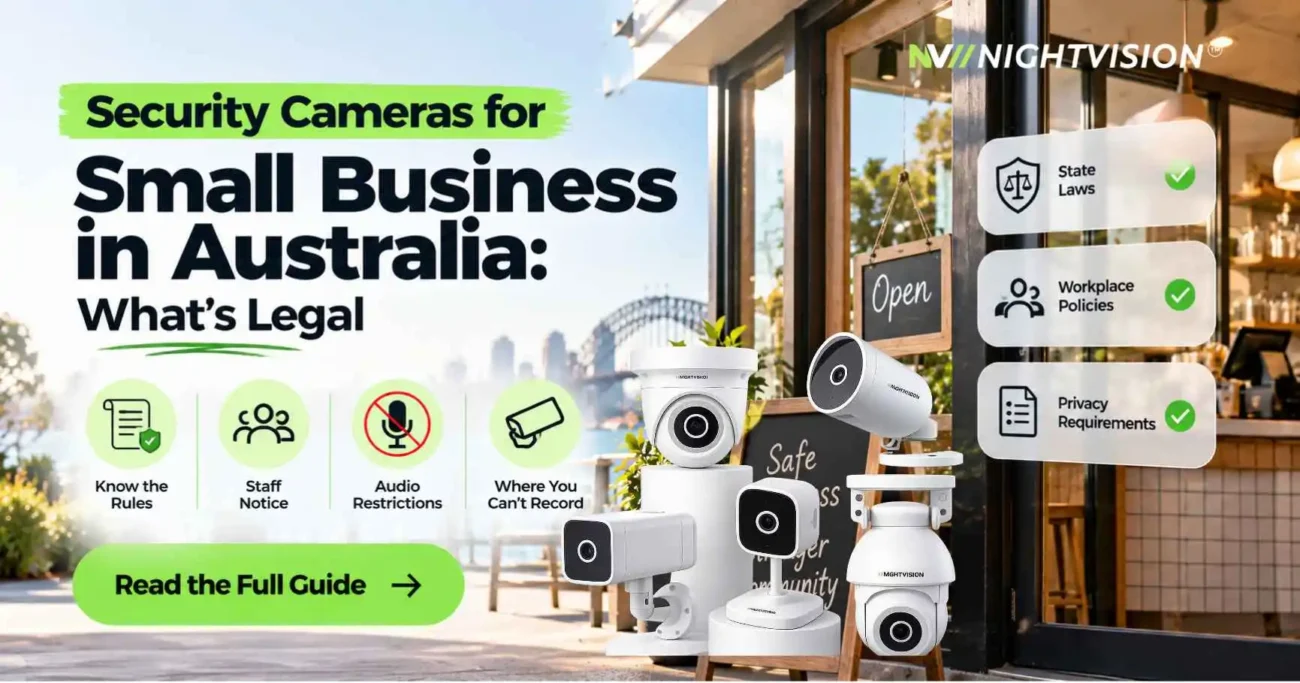
Camera surveillance of a workplace is regulated differently to a home setup, and the rules genuinely vary by state. In NSW, theWorkplace Surveillance Act 2005 requires an employer to give staff written notice at least 14 days before camera surveillance starts, and cameras used for ongoing workplace monitoring must be clearly visible with signage in place, not hidden.
Victoria takes a different approach under the Surveillance Devices Act 1999, which focuses on prohibiting the recording of private activity without consent rather than a fixed notice period, but the outcome is similar: staff need to know a surveillance camera is there before it goes live. If your small business operates across more than one state, check the current rule for each location rather than assuming NSW notice periods apply everywhere.
Customer-facing footage sits under separate guidance from theOffice of the Australian Information Commissioner, which recommends clear signage stating that CCTV is in operation, why footage is collected, and how long it’s kept. A simple sign at the entry covers most of this for a retail security camera setup, and footage that’s no longer needed should be deleted rather than kept indefinitely.
A Visible Camera Changes Behaviour, Even If It Won’t Stop Every Theft
Given how much retail theft has grown, the honest answer is that a camera alone won’t stop every incident, but a visible one changes behaviour. A dome camera mounted where it’s obviously watching the till, paired with a sign confirming CCTV is active, removes the assumption that nobody’s looking. Pairing the camera with a built-in siren adds a second layer, since a loud, audible response to detected motion after hours does more to interrupt an incident in progress than silent recording ever will.
AI human detection matters here too. A basic motion sensor triggers on a passing car’s headlights or a moth near the lens, which trains staff to ignore alerts. A camera that distinguishes a person from background movement sends fewer, more useful notifications, which is the difference between an alert you actually check and one you learn to swipe away.
Features Worth Paying For in a Small Business CCTV Setup
Not every feature on a spec sheet earns its place in a small business CCTV setup for a small office or shop. A few genuinely change how useful the camera is day to day.
- Two-way audio lets you speak through the camera directly, useful for a “we’re closed, please come back at 9” moment or checking in with a staff member working alone.
- Local SD card recording keeps footage on-site and under your control, which matters if you ever need to hand a clip to police without waiting on a third party.
- App-based remote viewing means you can check the shop or office from home before opening, which matters more for a sole trader than a business with an on-site manager.
- Compatibility with Google Home or Amazon Alexa is a genuine convenience for an owner who already runs a smart office setup, letting you pull up a live view with a voice command.
None of this needs to be complicated to install. Most current WiFi security cameras connect to your existing network in minutes, without an electrician or a wiring job, which is part of why a shop security camera has become a realistic DIY purchase rather than a trade job.
NV NightVision’s Pick for an Office or Retail Store
For a counter, corridor or open-plan office floor, theNV Y1 dome camera is built for this exact setting, with a 355-degree pan and 90-degree tilt that covers a wide arc from a single ceiling mount. It ships with AI human detection, a built-in siren and two-way audio as standard, so you’re not paying extra to unlock the features that actually matter in a shop or office. Designed in Australia, the range is built with local business conditions in mind, from till-side placement to after-hours stock areas.
If your space is a single open room rather than a corridor or counter, theNV F7 pan-tilt camera covers a larger floor from one wall mount, which suits a small open-plan office better than a fixed-angle dome. For an exterior entry, loading dock or car park, theNV G11 PTZ camera is rated for Australian outdoor conditions and covers 355 degrees, which is useful where one camera needs to watch more than a single fixed angle. Every model connects through the NV NightVision app and stores footage locally by default, and the full range is available through theshop.
Getting Your Office Security Camera Set Up the Right Way
Start with the entry, the till and the stockroom door. Confirm the notice and signage requirement for your state before switching the camera on, and check the NSW Workplace Surveillance Act 2005 or your relevant state equivalent if you employ staff. EveryNV NightVision CCTV cameracomes with a 1-year warranty, and this sits on top of the consumer guarantees you already have under Australian Consumer Law regardless of the manufacturer’s warranty period. The Australian Competition and Consumer Commission has aplain-language guide to those rights worth reading before you buy any electronics for your business, not just a camera.
An office security camera is a small, one-off decision that pays off the first time it actually matters, whether that’s a till discrepancy, a break-in attempt, or just knowing the shop is covered when you’re not standing in it.
FAQs About Office and Retail Security Cameras
How many security cameras does a small office or retail store need?
Most small offices and shops get solid coverage from two to four cameras placed at the front entry, the till or point of sale, and the stockroom door. A larger open-plan floor may need one additional pan-tilt camera to remove blind spots, but a full multi-camera system is rarely necessary for a business under a few hundred square metres.
Do I need a licence to install security cameras in my business in Australia?
No security licence is required to install a standard CCTV or WiFi camera system in most Australian states. A licence typically only becomes relevant if you’re installing a monitored alarm system connected to an external monitoring service, which is a separate product to a standalone office security camera.
Is it legal to record employees at work in NSW?
Yes, but only with proper notice. Under the Workplace Surveillance Act 2005, NSW employers must give staff written notice at least 14 days before camera surveillance begins, and the cameras must be clearly visible rather than hidden, except in specific covert cases requiring separate authority.
Where can I legally point a security camera in a retail store?
You can point a camera at entries, the till, stock areas and public-facing floor space. You cannot point a camera into staff bathrooms, change rooms, or any area where a reasonable person expects privacy, and this rule applies regardless of business size or state.
Do WiFi security cameras work well for a shop or small office?
Yes, for most small offices and shops a WiFi camera is genuinely sufficient, provided your WiFi signal reaches every camera point reliably. For a larger space with more than four or five cameras, a wired system avoids the signal drop-off that WiFi can suffer over distance and through stock shelving.
What’s the difference between a dome camera and a pan-tilt camera for a business?
A dome camera suits a fixed, wide-arc view over a counter or corridor and mounts flush to the ceiling. A pan-tilt camera suits a single open room where one camera needs to actively sweep a larger area, which makes it a better fit for an open-plan office floor.
Does a visible security camera actually reduce shop theft?
A visible camera paired with clear signage changes behaviour, even though it won’t prevent every incident on its own. Adding a built-in siren and AI human detection increases the deterrent effect further, since an audible response to a detected person after hours does more than silent recording alone.
Do I need to tell customers or staff that CCTV is recording?
Yes. Clear signage at the entry stating that CCTV is in operation is expected under Australian privacy guidance for any business recording customers or staff, and staff must also receive formal notice under state workplace surveillance laws where they apply.
What’s the difference between local SD storage and cloud storage for a business camera?
Local SD storage keeps footage on the camera itself, under your control, and is the default on most current WiFi security cameras. Cloud storage backs footage up off-site automatically, which adds convenience but depends on the provider’s own storage terms and ongoing access arrangements.


Add a review
Your email address will not be published. Required fields are marked *