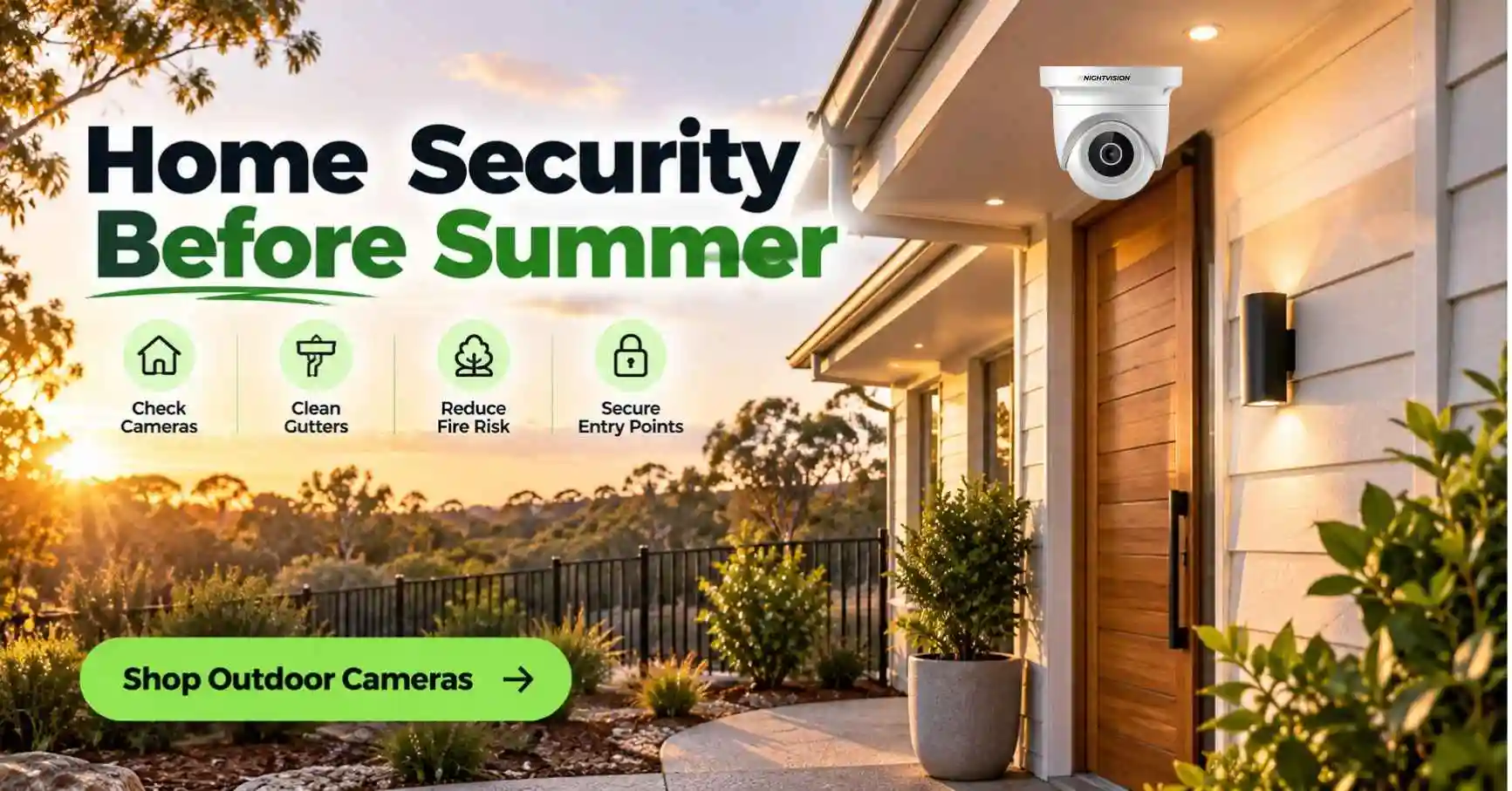
A tidy Australian weatherboard home at golden hour with a cleared, low-fuel garden and gutters, an NV NightVision outdoor bullet camera mounted under the eave beside the front door, bushland softly visible behind the fence line, calm and reassuring mood.

Home Security Before Summer: Bushfire Season Checklist

The first hot weekend of the season has a pattern. The car gets packed, the garage door comes down, and a house that has been lived in all year sits empty for a fortnight. Getting home security summer Australia style right means dealing with that gap before you leave.

Summer also brings bushfire season, which asks different questions of a camera. Heat, smoke, embers and patchy power all matter if you live near bushland or on a rural block.

This checklist covers both jobs. You’ll see what to do around the property, how to choose a security camera bushfire zone Australia owners can rely on, and how to set up a weatherproof camera summer heat won’t wear out early.

Key Highlights:

  • Walk your property before summer and fix the easy gaps, from gutters to gate latches.
  • Make the house look lived in with timers, tidy bins and a neighbour who checks in.
  • Pick a camera with a wide operating temperature range and a clear weatherproof rating.
  • Mount cameras in shade where you can, and keep the lens on your own property.
  • Test alerts and local recording before you leave, not from the airport.

Home Security Summer Australia Planning Starts Before the First Hot Weekend

Most security advice reads the same all year. Home security summer Australia advice deserves its own list, because the risks change with the calendar.

Empty Homes Are the Summer Risk You Can Actually Control

School holidays and long weekends mean more houses stand empty for longer. A property that looks unattended is easier to read for anyone walking past.

According to Allianz to secure your home, locks and windows make sure all doors and windows are securely locked. Cameras sit on that same list as a deterrent. None of these steps costs much. Together they change how a house reads from the street.

Bushfire Season Adds a Second Job to Your Checklist

If you live in or near a bushfire-prone area, your summer list has two halves. One protects the house from people. The other protects it from fire, and the two overlap more than you’d expect.

A tidy, well-maintained block is harder to read as abandoned and easier to defend. The same weekend of raking and gutter cleaning helps both goals.

A Property Security Summer AU Checklist You Can Finish in a Weekend

Good property security summer AU habits are mostly small jobs. Set aside one Saturday and work through the property in a loop, starting at the street.

Walk the Boundary and Tidy the Block

Start at the front gate and walk the whole boundary. Look for overgrown shrubs that hide a doorway, loose palings, and anything a person could stand on to reach a window.

TheNSW Rural Fire Service recommends clearing dead leaves and undergrowth, cleaning gutters, and fitting fine metal mesh to windows and doors. Those jobs also remove hiding spots and make the property look cared for.

Rules differ by state, so check your own fire authority for local requirements. The principle applies nationwide.

Lock, Light and Make the House Look Lived In

Check every lock, latch and window catch. Sliding doors are the usual weak point, so drop a bar or a cut-off broomstick into the track.

Put lamps on timers and vary the on and off times. A single light that switches on at exactly 6pm every night can look staged.

Motion sensor lights over side gates and back doors add a cheap second layer. Point them so they don’t spill onto a neighbour’s bedroom window.

Sort Out Your Mail, Bins and Neighbours

Overflowing letterboxes and bins left on the kerb all week are the classic signs of an empty house. Ask a neighbour to collect mail and wheel the bins in.

Tell one trusted person your dates and give them a contact number. Skip the public social media post about your departure, because a status update can tell strangers exactly when the house is empty.

Bushfire Season Changes What You Need From a Camera

A camera can’t stop a fire and it won’t replace your bushfire plan. Its job in the fire season is narrower, and understanding that keeps your expectations honest.

Embers and Gaps Matter More Than Flames

The Australian Government’s Your Home guide explains thatembers can travel well ahead of a fire front. They can enter a building through gaps and ignite debris in gutters, on roofs and under raised floors.

That matters when you mount equipment. A camera fixed beside a gutter full of dry leaves sits in the same spot embers like to land. Clear the area around the mount and keep cable runs tidy.

What a Security Camera Bushfire Zone Australia Owners Choose Should Offer

A security camera bushfire zone Australia buyers shortlist needs to handle heat first. Look for a stated operating temperature range that covers your hottest days with room to spare.

Check the housing material and the seals too. Plastic that has spent years in direct summer sun can turn brittle, so shade helps a lot.

Wi-Fi range matters on larger blocks. A camera at a far shed or gate may need a mesh node or a spot closer to the router.

Power and Internet Can Drop During a Fire Event

Be realistic about power. If the grid goes down during a fire, a plug-in camera stops working unless it has a backup supply.

Local SD card recording keeps saving clips while the camera has power, even when the internet drops. That gives you footage to review afterwards, though it won’t help if the power is cut.

If a shed or far gate has no power point, read oursolar security cameras guide before you buy.

A Weatherproof Camera Summer Setup Depends on Rating and Placement

Marketing copy loves the word weatherproof. What you want is a specific rating and a specific temperature range, both written on the product page.

Read the Ingress Protection Rating Properly

The International Electrotechnical Commission definesIngress Protection ratings, which grade how well an enclosure resists dust and water. The code is the letters IP followed by two digits, one for solids and one for liquids.

A higher first digit means better dust protection. A higher second digit means better protection against water.

Before you buy, find the exact rating on the listing. If a product page only says weatherproof, ask the seller for the number.

Check the Temperature Range Against Your Hottest Day

Australian summer afternoons regularly pass 40 degrees, and the surface of a wall in full sun runs hotter than the air. A camera rated to 50 degrees has a smaller margin than it first appears.

Shade helps more than most people expect. A mount under an eave or awning keeps the housing cooler and cuts glare on the lens.

Choose the Mounting Spot Before You Drill

Place cameras where they can see the approach paths: the front door and the driveway, plus the side gate if it’s a separate approach. Face them away from the afternoon sun where you can.

Keep them out of easy reach, though not so high that faces become tiny. Around two and a half to three metres is a sensible starting point for most doorways.

Angle the lens down slightly so the ground in front of the door fills the frame. Sky makes for dull footage and confuses exposure.

Cameras Help Police More Than They Scare Off Burglars, So Layer Your Defences

It’s tempting to treat a camera as a force field. The evidence doesn’t back that up.

RecentABC News reporting says more cameras than ever are being installed, yet experts say it isn’t clear whether they deter criminals. Police do rely on the footage when they investigate.

That’s a useful reality check. Treat the camera as one layer that records what happens and alerts you fast, and keep locks, lighting and a watchful neighbour in place alongside it.

Visible deterrents still make sense, and our guide toactive deterrence security cameras explains how a siren and two-way audio give you a way to respond in the moment.

Setting Up Before You Leave Takes One Afternoon

Do the install a week before you travel, not the night before. That gives you time to fix a weak signal or a false alert, which is the difference between home security summer Australia plans that work and ones that only look good on paper.

Install Without a Technician

A Wi-Fi camera mounts with a few screws and pairs with your phone over your home network. OurDIY security camera set-up guide walks through the tools you need and how to pair the app.

Test the Wi-Fi signal at the mounting spot first. Hold your phone where the camera will sit and watch the bars.

Test Alerts and Recording Before You Go

Walk past the camera and confirm the alert reaches your phone. Then check that a clip saved to the SD card and plays back properly.

Turn on AI human detection if your camera has it. It filters out branches, pets and passing cars, so the alerts you do get are worth opening.

Set sensible detection zones. Exclude the footpath and the neighbour’s driveway so you aren’t woken by every passer-by.

Sheds, Gates and Outbuildings Need Their Own Property Security Summer AU Plan

The house gets most of the attention, but tools, bikes and a spare fridge usually live in the shed. A detached garage or a granny flat at the back of the block is often out of sight of the street and the neighbours.

Treat each outbuilding as its own small property. Fit a decent lock, keep the door lit at night, and point a camera at the entry rather than trying to stretch one lens across the whole yard.

Rural blocks add long driveways and gates that nobody watches. A camera near the gate gives you a timestamped record of who arrived and when, which is useful evidence if something goes missing.

Long distances weaken Wi-Fi, so test the signal at every outbuilding before you buy a camera. A cheap mesh node or a short extender often solves the problem.

Finally, photograph valuables and note serial numbers before you leave. It takes ten minutes and makes any insurance claim far simpler.

Privacy Rules Still Apply When You’re on Holiday

Each state and territory has its own surveillance devices law. Keep your cameras pointed at your own property and avoid neighbours’ windows and yards.

Think carefully before recording audio of conversations you aren’t part of. Oursecurity camera laws guide covers the basics, and you should confirm the rules for your own state before you install.

Renters need the landlord’s written consent for anything that marks a wall. A freestanding or adhesive-mount camera may avoid that problem.

NV NightVision Cameras for a Summer Property Checklist

NV NightVision CCTV cameras are Designed in Australia, and the currentoutdoor security cameras range is where a summer checklist usually ends up.

The T5P-Ratri Bullet Outdoor Wi-Fi CCTV Camera watches one fixed area such as a driveway or front entry. It has AI human detection, a built-in siren, two-way audio and H.265 compression, with local SD card recording up to 256GB.

The Ratri G11 is the outdoor pan-tilt-zoom camera in the range, with 355 degree pan coverage, so one unit can sweep a corner block or a wide yard. It shares the siren, two-way audio and AI human detection.

For colour footage after dark, the NV V6Z adds full-colour night vision when some ambient light is present, alongside standard infrared.

The listings state an operating range of minus 20 to 50 degrees Celsius and humidity tolerance of 10 to 95 percent, non-condensing. Check each product page for the current specification and price before you buy.

Every NV NightVision camera carries a 1-year warranty. Australian Consumer Law guarantees apply separately and automatically, so your rights don’t depend on any brand’s warranty.

Decide Your One-Page Plan Before the Holiday Starts

Your home security summer Australia plan only works if it’s written down. Do that today. List the dates you’ll be away, the neighbour who’ll check the house, the lights on timers, and the camera checks you’ll finish a week early.

If you live near bushland, add your fire authority’s checklist to the same page. Keep both where the whole household can see them.

When you’re ready to compare security cameras, thefull NV NightVision range lists every current model with its specifications. Australian Consumer Law protects you on any CCTV camera you buy, whichever brand you choose.

A safe summer isn’t about watching everything. It’s about knowing you’ve done the sensible things and can enjoy the break.

Common Questions About Summer Home Security in Australia

When should I start preparing my home for summer?

Start at least a few weeks before school holidays or bushfire season begins. That leaves time to clear gutters, test cameras and arrange a neighbour to check the house. Late preparation is where most gaps appear, so put dates in your calendar early.

Do I need a security camera in a bushfire zone?

You don’t strictly need one, but a camera can record activity and alert you if the property is unattended. It won’t protect against fire itself. Prioritise your bushfire plan and property preparation first, then add a camera as one extra layer.

What temperature range should an outdoor camera handle?

Choose a CCTV camera whose stated operating range comfortably covers your hottest days with room to spare. Surfaces in direct sun run hotter than the air, so leave a margin. NV NightVision listings state minus 20 to 50 degrees Celsius, and shade improves longevity further.

What does an IP rating on a camera mean?

An IP rating is a two-digit code that shows how well an enclosure resists dust and water. The first digit covers solids and the second covers liquids. Always find the exact rating on the product page rather than trusting the word weatherproof.

Will my camera keep recording if the internet drops?

Yes, if it records to a local SD card, it keeps saving clips while it has power. Live viewing and phone alerts pause until the connection returns. If the power itself fails, a plug-in camera stops unless it has a backup supply.

Can I point a camera at my neighbour’s property?

No, you shouldn’t. State surveillance devices laws restrict recording private activities, and aiming a lens at a neighbour’s windows or yard can breach them. Keep the view on your own entry points and driveway, and check your state’s rules before installing anything.

How can I make my house look occupied while I’m away?

Use timers on lamps, have a neighbour collect mail and wheel bins in, and keep the lawn and garden tidy. Avoid posting your travel dates publicly. Small signs of normal life make a house much harder to read as empty from the street.

What consumer protections apply when I buy a camera?

Australian Consumer Law gives you automatic guarantees that the product is of acceptable quality and matches its description. These apply separately from any warranty you hold. NV NightVision also provides a 1-year warranty on its cameras, on top of your statutory rights.

Best security cameras in Melbourne for home and driveway protection

Vehicle theft in Victoria has hit a two-decade high

Victoria Police’s most recent figures show 31,851 vehicles were stolen across the state in the past year, the highest number since 2001-02 and more than double what it was four years ago. A lot of that theft starts in exactly the place you’d expect: a driveway, a street frontage, somewhere close to home where a car sits unattended overnight. If you’re weighing up security cameras, Melbourne genuinely has a wide range of options, and the right one comes down to what you’re actually trying to cover, not which brand has the loudest marketing.

This guide walks through what matters for Melbourne conditions specifically: what Victorian law allows, how the local climate affects camera choice, the real difference between a house and an apartment setup, and how self-install actually works once the box arrives.

Quick summary

  • Vehicle theft in Victoria is at its highest point since 2001-02, even as overall recorded crime eased slightly
  • Victoria’s Surveillance Devices Act 1999 differs from other states in a few meaningful ways
  • Melbourne’s changeable weather makes a genuine weatherproof rating worth checking, not assuming
  • Houses and apartments need different coverage approaches, and Owners Corporation rules can apply to shared areas
  • Most Wi Fi cameras in this category are self-install, no electrician or installer required

Why Melbourne homeowners are adding a camera right now

It’s worth being honest about the actual crime picture rather than reaching for a generic “crime is rising” line, because the real data doesn’t support that framing cleanly. Total recorded offences across Victoria were down 0.2 per cent in the year to March 2026, the first decrease in almost four years, according to the Crime Statistics Agency Victoria. Criminal incidents overall fell by a full percentage point. On the numbers that matter most broadly, Victoria’s crime trend is actually easing.

Vehicle theft tells a sharply different story, and it’s the one worth paying attention to if you’re deciding whether a camera is worth the money. At 31,851 vehicles stolen in the past year, it’s the highest figure recorded in over two decades. Victoria Police notes that a meaningful share of these thefts now involve key-mimicking or cloning technology, used to bypass modern car security systems without needing to break a window or force a door. That technology works from close range, which means it’s typically deployed right outside a home, in a driveway or on the street directly in front of a property, rather than in a car park or shopping center.

Theft more broadly, across all categories, actually rose 5.6 per cent to become the single largest recorded crime category in the state. None of this adds up to “Melbourne is unsafe.” It adds up to something more specific: a genuinely elevated risk to one particular thing, a vehicle parked outside a home, at a moment when overall crime is trending in the opposite direction. That’s a more useful way to think about whether a camera makes sense for your property than a vague sense of rising danger.

What Victorian law actually allows

Victoria’s Surveillance Devices Act 1999 governs how cameras can be installed and used across the state, and it’s worth knowing upfront that it isn’t identical to the rules in other Australian states. One of the more practically relevant differences: Victoria generally permits recording a conversation you’re a party to without needing consent from everyone else involved in it. Some other states, like NSW, generally require consent from all parties to a recorded conversation, which makes Victoria’s rules somewhat more permissive on that specific point.

What doesn’t change, regardless of which state you’re in, is that you can’t point a camera at a neighbours private areas, their windows, their backyard, anywhere they’d reasonably expect privacy, without their consent. Recording your own property, including your own front yard, driveway, and entry points, is generally permitted without needing to ask anyone.

If you live in an apartment, townhouse, or any property governed by an Owners Corporation, there’s an extra layer worth checking before you install anything. It’s worth confirming with your Owners Corporation whether a camera facing shared or common property, a hallway, a car park, or a building exterior needs approval before you mount it. Many buildings already have their own policies covering this, on top of whatever the state law says, so checking your specific building’s rules is the more reliable first step than assuming the state law alone covers you.

How Melbourne’s climate should shape your camera choice

Melbourne’s weather has a reputation for a reason, and “four seasons in one day” isn’t just a saying; it’s a genuine planning consideration for anyone mounting a camera outdoors.

Weatherproofing that covers both extremes

 A camera rated for outdoor use in Melbourne needs to handle cold, wet winter conditions and hot, dry summer days, sometimes within the same week. Look for a rating that’s explicitly tested across both temperature and humidity ranges, rather than one that only mentions a single climate condition in its marketing copy.

AI human detection over basic motion sensing

Melbourne’s tree-lined suburban streets, combined with genuinely variable wind conditions, generate a lot of movement that has nothing to do with a person approaching your property. A branch shifting, a possum crossing the yard, a gust catching a loose gate, all of it triggers basic motion detection. A camera that sends you ten false alerts a day quickly trains you to ignore every notification, which defeats the purpose of having a camera at all. AI human detection filters specifically for actual human movement, which keeps every alert you do get meaningful.

Local storage as the sensible default

 A camera that records to a local SD card keeps working even if your internet connection drops, which matters during Melbourne’s occasional severe weather events when connectivity can be the first thing to go. Cloud-only storage, by contrast, stops recording the moment your connection does, right when you might need it most.

Adequate night vision range

 Look for at least 8 to 10 meters of infrared coverage. That’s enough to clearly identify a vehicle or a person at typical Melbourne street-frontage and driveway distances, which covers the vast majority of suburban properties without needing to pay for a longer range most homes won’t use.

No mandatory ongoing subscription

 A camera that works fully on local storage, with cloud backup available as an optional extra rather than a requirement, keeps your costs predictable. This matters more than it might seem, given how much attention subscription fatigue has attracted as a genuine consumer frustration across unrelated product categories in recent years.

Understanding Wi Fi cameras versus a wired system

It’s worth being clear about what a Wi Fi camera actually is and isn’t, since a lot of security camera content conflates it with a full wired NVR system, and the two solve genuinely different problems.

A wired system, cameras connected via cable to a Network Video Recorder, is the more traditional professional setup. It offers continuous recording without any dependency on Wi Fi signal strength, and it’s generally the better fit for a large commercial property, a multi-camera warehouse setup, or a homeowner who wants a fully integrated system with alarm and access control tied in. It also typically requires a licensed installer for any electrical work, and professional installation costs scale with the number of cameras and the complexity of the cable runs involved.

A Wi Fi camera is a different proposition entirely. It connects to your existing home network, sets up through a mobile app, and generally takes around ten minutes to get live once it’s mounted. There’s no cabling, no NVR box to configure, and no need to schedule an installer visit. The trade-off is a dependency on your home’s Wi Fi signal strength at the mount point, which is worth checking before you buy, particularly if you’re covering a spot further from your router than usual, like the far end of a driveway or a detached garage.

For most Melbourne homes and apartments, where the goal is covering a front door, a driveway, or a specific entry point rather than running a full commercial-grade system, a Wi Fi camera does the job at a fraction of the cost and complexity. It’s a genuinely legitimate standalone choice, not just a cheaper starting point on the way to something bigger.

Choosing the right setup for a house or an apartment

A freestanding house with a driveway has different coverage needs to an apartment with a single entry point, and it’s worth being specific about that rather than recommending the same setup for every Melbourne property type.

For houses with a driveway, wide coverage matters more given how concentrated the current vehicle theft numbers are on exactly that space. A camera capable of panning across the full width of a driveway, rather than one fixed angle, covers considerably more of the area where this specific, well-documented risk actually shows up. This matters particularly for properties with a long driveway or a wide frontage, where a single fixed camera would only ever see a fraction of the relevant area.

For a single fixed point, a front door, a side gate, a garage entry, a fixed camera set once during installation is simpler and generally more cost-effective than a pan-tilt-zoom unit. If you only need to watch one specific spot and that spot never changes, there’s little practical benefit to paying for wide-angle hardware you won’t use.

For apartments and units, coverage needs are usually smaller in scope, typically just a front door or a balcony facing a street or courtyard. A compact, fixed camera covering that single point is generally sufficient, and it avoids the added complexity and cost of trying to cover an area you don’t actually have.

For townhouses with shared driveways or entries, keep your camera’s field of view focused on your own allocated space rather than a neighbours, both as a matter of courtesy and to stay within the bounds of Victorian surveillance law discussed earlier. If your entry faces a shared hallway, car park, or other common area, that’s the specific point to check with your Owners Corporation before mounting anything.

The two cameras built for Melbourne conditions

For driveway coverage, where the current vehicle theft numbers make the strongest case for wider coverage, the NV G11 PTZ camera pans across a wide field of view with AI auto-tracking, built to follow movement across a full driveway width from a single mount point rather than requiring two or three fixed cameras to achieve the same coverage.

For a single fixed point, whether that’s a front door, a side gate, or an apartment entry, the NV T5P bullet camera holds a permanent, weatherproof view of that spot once installed. Designed in Australia, it’s built with local outdoor conditions in mind, rather than adapted from a generic overseas spec sheet, which matters given how specifically Melbourne’s climate swings across a typical year.

Both connect over Wi Fi through a straightforward mobile app setup, with no installer or electrician required for a standard installation. Current pricing for each model is listed directly on its product page, since promotional pricing shifts from time to time and isn’t worth quoting here as a fixed figure that may already be out of date by the time you’re reading this.

Setting up your camera once it arrives

Most of the setup process, regardless of which camera you choose, follows a similar pattern. You mount the camera at your chosen position, connect it to your home Wi Fi network through the manufacturer’s app, and you’re typically live and recording within about ten minutes. There’s no drilling required beyond whatever bracket the camera needs, and no need to run any cable back to a central recording unit, since footage is recorded locally on the camera’s SD card.

It’s worth checking two things before you order: your Wi Fi signal strength at the actual planned mount point, not just inside your living room, and whether there’s a nearby power source if the camera you’re considering isn’t battery-powered. Both are quick checks that take a few minutes and can save you the hassle of discovering a mounting problem after the camera’s already arrived.

If your property has a more complex setup, a mount point genuinely out of Wi Fi range, or no accessible power source nearby, it’s worth working through that before buying rather than after, since it will affect which specific camera type actually suits your situation.

Choosing the right camera for your Melbourne property

The clearest case for a camera in Melbourne right now isn’t a general sense that crime is rising everywhere, since the broader picture is actually easing. It’s the specific, well-documented rise in vehicle theft, and a camera covering your driveway or entry point is one of the more direct, affordable responses available to a homeowner or renter.

Under the Competition and Consumer Act 2010, any camera you buy in Australia carries automatic consumer guarantees regardless of the seller’s own returns policy. NV NightVision’s  outdoor security camerarange covers both the wide-driveway and fixed-point options discussed throughout this guide. Whichever you choose, the goal isn’t the most expensive camera on the page. It’s knowing what’s happening at your own front door, without paying for more camera than your specific property actually needs.

Frequently asked questions about Melbourne security cameras

How much does a security camera cost in Melbourne?

Pricing varies by camera type and features. Wi Fi cameras with self-install setup are typically far cheaper than a professionally installed wired system, since there’s no cabling or installer labor involved. Check individual product pages for current pricing.

Is it legal to have a security camera facing the street in Victoria?

Generally yes, provided it’s capturing your own property and public areas like the street or footpath, rather than a neighbour’s private space. Victoria’s Surveillance Devices Act 1999 governs the specifics.

Do I need a permit or licence to install a security camera in Melbourne?

No permit is required for a standard Wi Fi camera on your own property. If you’re in an apartment, it’s worth checking with your Owners Corporation first if the camera faces any shared or common area.

Can I install a Wi Fi security camera myself in Melbourne?

Yes, most Wi Fi cameras in this category are designed for self-installation through a mobile app, generally within about ten minutes, no electrician or installer required.

What camera setup handles Melbourne’s weather best?

Look for a camera rated for both cold, wet conditions and hot, dry summer heat, since Melbourne regularly produces both within short periods. Check the specific weatherproof rating before buying.

Do apartments and units in Melbourne allow security cameras?

Generally yes, for a camera covering your own entry point like a front door or balcony. Cameras facing shared or common property may need Owners Corporation approval first.

Does my Owners Corporation need to approve a camera facing common property?

Often, yes, particularly for anything mounted on or facing shared building areas like a foyer or car park. It’s worth checking your building’s specific rules before installing.

Do Melbourne security cameras need a subscription to work?

No, not if the camera supports local SD card storage, which most current Wi Fi models do. Cloud subscriptions are usually optional, not required for the camera to function.

What’s the difference between a Wi Fi camera and a wired security system?

A Wi Fi camera connects to your home network and installs without cabling, generally in around ten minutes. A wired system connects cameras to a central recorder via cable and usually requires professional installation, better suited to larger or commercial properties.

Can I cover a whole driveway with just one camera?

Often, yes, with a PTZ camera capable of wide pan coverage. A fixed camera generally can’t, since it only sees one direction, which is why the choice between the two matters so much before you buy.

Back to Top
Product has been added to your cart
Compare (0)