

When a 4G Security Camera in Australia Makes Sense
The 4G security camera Australia market is growing fast, and the marketing behind these cameras makes the choice sound obvious. Better range. Works anywhere. No Wi-Fi needed. All true, but only relevant if your install location actually has a Wi-Fi problem to solve.
Here is the honest answer most guides skip: the majority of Australian homeowners asking about a 4G security camera do not need one. Buying a camera that requires a monthly SIM data plan when your router already reaches the install location is spending money on a problem that does not exist on your property.
That does not mean 4G cameras are wrong for everyone. The 4G vs WiFi camera question has a clear answer once you know which side of the line your property falls on. This guide gives you that answer, without pushing you toward either option.
What This Guide Covers
- What a 4G security camera actually is and how it differs from a Wi-Fi camera
- The four specific situations where a 4G camera is genuinely the right choice in Australia
- Why most suburban Australian homeowners are better served by a Wi-Fi camera
- The real monthly data cost difference between 4G and Wi-Fi setups in Australia
- How to check whether your install location needs 4G before spending a dollar
How a 4G Security Camera Works and What Sets It Apart
A 4G security camera connects to the internet through Australia’s mobile network using a SIM card, exactly the way your smartphone does. It does not need a home router, a broadband connection, or a Wi-Fi password at the install location. As long as there is mobile coverage where the camera is mounted, it works and sends alerts directly to your phone.
Carrier choice matters more for a 4G camera than it does for a smartphone. Telstra has the widest mobile network in Australia, covering 99.7% of the population and reaching deep into regional and rural areas where Optus and Vodafone coverage becomes patchy. For a farm gate in western Queensland or a shed on a rural property in regional New South Wales, Telstra or a Telstra MVNO is the practical default. Before purchasing any 4G security camera, check the Telstra coverage map for the specific install location, not just the nearest town, but the exact position where the camera will be mounted.
Checking signal strength has become more straightforward recently. According to new ACMA standards that came into effect in June 2026, Australian carriers are now required to label 4G signal strength as Good, Moderate, Basic, or No Coverage. This means buyers can now assess whether 4G will actually perform reliably at a remote install location, rather than just whether a signal technically exists.
Most 4G cameras save footage to a local SD card on the camera itself. Recording continues locally even if the mobile signal drops temporarily, and no cloud subscription is required to access saved footage.
The Real Difference Between a 4G Camera and a Wi-Fi Camera in Australia
The technical difference is the connection type. Everything else, footage quality, resolution, AI human detection, two-way audio, and motion-triggered recording, depends on the camera model, not whether it uses 4G or Wi-Fi.
| 4G Camera | Wi-Fi Camera | |
|---|---|---|
| Connection type | SIM card, mobile network | Home router, broadband |
| Installation | Works anywhere with mobile signal | Needs Wi-Fi signal at install point |
| Best for | Rural, remote, off-grid locations | Suburban homes, businesses with Wi-Fi |
| Ongoing cost | $10 to $15 per month data plan | Zero after purchase |
| Reliability | Depends on carrier signal strength | Depends on router and internet quality |
| AU carrier dependency | Telstra recommended for rural AU | None |
The ongoing data cost is worth understanding before you commit. A 4G security camera running on motion-triggered recording uses approximately 2 to 5 GB of data per month in Australia. A prepaid SIM data plan costs around $10 to $15 per month for most setups. Over three years that adds up to $360 to $540 per camera in data costs alone. Money well spent if Wi-Fi genuinely does not reach the location, and entirely avoidable if it does.
One practical note on SIM cards: many standard prepaid SIM plans are technically not intended for use in surveillance cameras under the carrier’s terms of service. An IoT or data-only SIM plan avoids this issue and is often better value for a camera that does not need voice or SMS capability.
Four Property Types Where a 4G Security Camera Is the Right Choice in Australia
There are four scenarios where a 4G security camera is not just useful but the only practical option. These are the situations the technology was built for.
- Rural and regional properties with no fixed broadband. If the property has no NBN or ADSL connection, there is no home Wi-Fi to connect to. A 4G camera is the only wireless monitoring option. This is the primary use case for stations and acreage properties across rural Queensland, Western Australia, and the Northern Territory where mobile coverage exists but fixed-line internet does not reach.
- Install locations beyond Wi-Fi range on any property. A detached shed 80 metres from the house, a boundary fence at the far end of a large suburban block, a farm gate at the edge of a semi-rural property, or a caravan parked away from the house router can all fall outside practical Wi-Fi range. If a Wi-Fi extender or mesh node cannot close the gap economically, a 4G camera is the right call.
- Temporary or relocatable monitoring needs. Construction sites, vacant land during a building project, or any situation where the camera needs to move between locations regularly all benefit from 4G. There is no router to configure and the camera works anywhere with mobile signal. For caravans travelling across regional New South Wales or Queensland, a 4G camera can monitor the van wherever it parks.
- Properties with unreliable broadband. In some outer-suburban and rural areas, NBN connections drop regularly. A Wi-Fi camera that loses its internet connection during a storm stops sending alerts at exactly the moment security matters most. A 4G camera on the mobile network operates independently of the home broadband connection entirely.
Quick Tips Before You Buy
- Test your phone’s signal at the exact install location before purchasing a 4G camera. One bar of mobile coverage is not enough for reliable video transmission and alert delivery.
- For rural Australian properties, Telstra has the widest network coverage and is the safest carrier choice for 4G camera compatibility in remote and regional areas.
- Use an IoT or data-only SIM plan in a 4G camera rather than a standard prepaid SIM. Many carriers’ terms of service restrict regular SIMs in surveillance devices.
- If Wi-Fi reaches the install location, a Wi-Fi camera saves you $10 to $15 per month in data costs with no compromise in footage quality or detection performance.
- Check that any 4G camera you buy supports the LTE frequency bands used by Australian carriers. Cameras bought from US or UK retailers may not be compatible with AU networks.
- All security cameras sold in Australia carry automatic consumer guarantees under the Competition and Consumer Act 2010, regardless of where the camera was manufactured or purchased.
Why Most Suburban Australian Homeowners Do Not Need a 4G Camera
If the intended install location has reliable Wi-Fi signal reaching it, the front door, driveway, side gate, or backyard, a 4G camera adds monthly cost without adding any meaningful benefit. That covers the large majority of suburban homes in Sydney, Melbourne, Brisbane, Perth, and Adelaide.
The footage quality point is worth stating plainly. A 4G camera does not produce better video than a Wi-Fi camera. The cellular modem handles connectivity only. Resolution, night vision range, and AI human detection all depend on the camera sensor and processing, not the connection type. A 4MP Wi-Fi camera and a 4MP 4G camera with identical sensors produce identical footage.
What about Wi-Fi dropping overnight? A quality outdoor Wi-Fi camera with local SD card storage keeps recording continuously regardless of internet connectivity. Push alerts and live viewing pause until the connection restores, but footage is never lost. For most suburban Australian homes, internet outages are brief and infrequent enough that this is not a genuine concern.
For buyers who have confirmed Wi-Fi reaches the install location, the do-it-yourself security cameras guide covers everything you need to know about setting up a plug-and-play Wi-Fi outdoor camera without trade assistance.
NV NightVision Wi-Fi Outdoor Cameras for Properties with Coverage at the Install Location
NV NightVision cameras are outdoor Wi-Fi cameras, not 4G units. If you have confirmed reliable Wi-Fi reaching the install location, here is what makes sense from the NV NightVision range. No SIM card, no data plan, and no ongoing monthly cost after purchase.
Designed in Australia, the T5P-Ratri Bullet is the fixed-angle outdoor Wi-Fi camera in the range. It runs 4MP Quad HD resolution, AI human detection that filters human movement from background noise, a built-in siren that activates on detection, two-way audio for real-time communication through the camera, and H.265 compression that keeps more days of footage on the SD card. Plug-and-play Wi-Fi setup with no technical configuration required. It suits driveways, front entries, and side gates where the coverage zone is fixed and a visible deterrent presence matters. The current sale price is $125.59. Verify the live price on the product page before purchasing as promotional pricing may change.
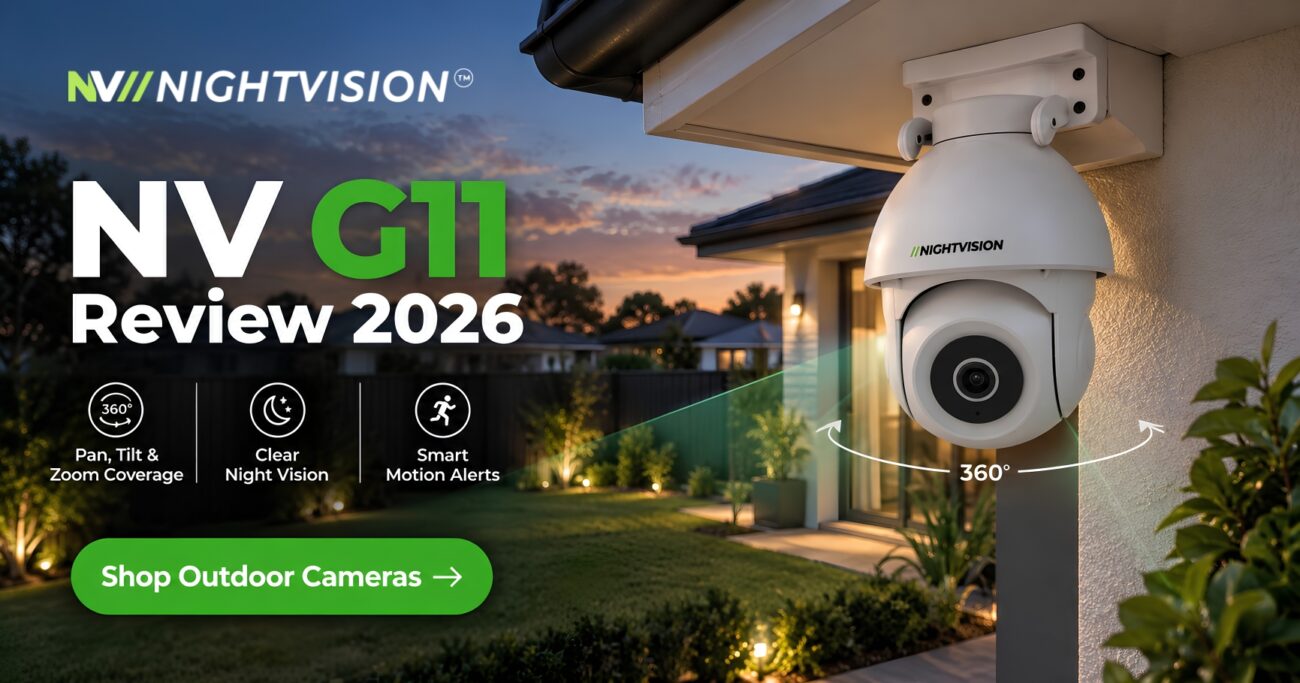
For buyers who need wider coverage from a single mount point, the Ratri G11 is the flagship PTZ outdoor camera with 355-degree pan coverage, 4MP resolution, AI human detection, and a built-in siren. One unit handles driveways, yards, and wide approach paths that would otherwise need two or three fixed cameras. Verify the current AUD price on the product page before purchasing.
Both cameras store footage locally on SD card with no subscription required. If you want to compare the full no-subscription range before deciding, the best security cameras without subscription guide covers every relevant comparison point for Australian buyers. Browse the full range of outdoor security cameras to match specs to your install location.
Wi-Fi Reaches Your Install Location?
Skip the SIM card costs. Browse NV NightVision’s outdoor Wi-Fi cameras — plug-and-play, no subscription, no ongoing data fees.
How to Decide Between a 4G Camera and a Wi-Fi Camera Before You Buy
The decision is simpler than the marketing makes it sound. Walk to the intended install location with your phone and check the Wi-Fi signal. If it reaches reliably, a Wi-Fi camera handles the job at lower cost and without a monthly SIM plan. That is the right answer for most Australian suburban homeowners.
If Wi-Fi does not reach, the next step is checking 4G coverage at that exact location using the carrier’s coverage map. If Telstra shows Good or Moderate coverage at the install point, a 4G camera is a practical solution. If coverage shows Basic or absent, neither option is ideal and a Wi-Fi extender or mesh node to bridge the gap deserves consideration before committing to a 4G data plan.
Before purchasing any security camera in Australia, know your rights. Under the Competition and Consumer Act 2010, all products sold in Australia carry automatic consumer guarantees. If a camera fails to perform as described, you are entitled to a repair, replacement, or refund regardless of what the retailer’s own returns policy states. No seller can override those protections.
If you have confirmed Wi-Fi coverage at the install location, browse the full range of NV NightVision outdoor cameras and use the product pages to match specs to your specific position. The right camera for your property is the one that actually fits the location, not the one with the most impressive specification list.
Common Questions About 4G Security Cameras in Australia
Do 4G security cameras need Wi-Fi to work?
No. A 4G security camera connects directly to Australia’s mobile network using a SIM card and does not need a Wi-Fi router or broadband connection at the install location. This makes it the right choice for farms, rural properties, remote sheds, and any location where Wi-Fi signal does not reliably reach the camera position.
How much data does a 4G security camera use per month in Australia?
A 4G security camera running on motion-triggered recording uses approximately 2 to 5 GB of data per month. A prepaid SIM or data-only plan costs around $10 to $15 per month for most setups, which is enough data for standard residential monitoring. Continuous live streaming uses significantly more data and will increase that monthly cost.
Which is the best carrier for a 4G security camera in rural Australia?
Telstra is the recommended carrier for rural Australian 4G camera setups. Telstra’s network covers 99.7% of the Australian population and reaches further into regional and remote areas than Optus or Vodafone. Check the Telstra coverage map for the exact install location before purchasing any 4G camera for rural use.
What is the difference between a 4G camera and a Wi-Fi camera?
The difference is the connection type only. A 4G camera uses a SIM card and mobile network. A Wi-Fi camera uses a home router and broadband connection. Footage quality, resolution, and detection features depend on the camera sensor and processor, not the connectivity method. Both types can store footage locally on an SD card with no subscription required.
Is a 4G security camera worth it for a suburban Australian home?
No, for most suburban homes. If Wi-Fi reliably reaches the install location, a Wi-Fi camera delivers identical footage quality and detection performance with zero ongoing data cost. A 4G camera adds $10 to $15 per month in SIM data costs without any meaningful security benefit over a Wi-Fi model in that setting.
Can you use a 4G security camera without a monthly data plan?
No. A 4G camera requires an active SIM with a data plan to transmit alerts, stream live footage, and access motion-triggered clips remotely. Without a data plan the camera cannot send push notifications or connect to the app. Local SD card recording continues without data, but remote access and alerts will not function.
Do 4G cameras work everywhere in Australia?
No. A 4G security camera only works where mobile network coverage exists. Remote outback areas, deep valleys, and locations outside all carrier coverage zones have no signal for the camera to use. Check carrier coverage maps for the specific install location before purchasing. Telstra provides the widest rural coverage but does not reach every remote corner of the country.
What happens to a 4G camera if mobile signal is lost?
Local SD card recording continues uninterrupted if the camera loses signal. Footage is saved to the card on the camera itself. Push alerts, live viewing, and remote access pause until the signal restores. For rural properties where signal drops are occasional, local storage means no footage is lost during temporary outages.
Can I install a 4G security camera myself?
Yes. Most 4G security cameras are designed for DIY installation. The camera mounts to a wall or bracket, and the SIM card is inserted and activated through the camera’s app. No electrician and no network configuration is required beyond inserting the SIM. Most buyers complete installation in under an hour.
Is a Wi-Fi camera cheaper to run than a 4G camera over time?
Yes, consistently. A Wi-Fi camera has zero ongoing running cost once purchased, assuming you already have home broadband. A 4G camera costs $10 to $15 per month in SIM data fees, which adds up to $360 to $540 over three years per camera. Where Wi-Fi reaches the install location, a Wi-Fi camera is always the more cost-effective choice.

Add a review
Your email address will not be published. Required fields are marked *