

Wired vs wireless security camera: what’s actually better
The honest answer to wired vs wireless security camera is that both have genuine strengths, and the right choice depends on your property more than either technology being universally superior. It’s worth knowing upfront that NV NightVision sells wireless cameras, not wired systems, so weigh that as you read the sections below where wired genuinely comes out ahead.
This guide walks through where each option actually wins, clears up a common misunderstanding about what “wireless” really means, looks at how the two options actually compare on cost once installation is factored in, and covers how a new Australian cybersecurity standard changes the security question for wireless cameras in 2026.
Quick summary
- Wired systems are more reliable for acreage, multi-building properties, and areas with patchy internet
- Wireless cameras still need mains power in most cases, “wireless” usually just means wireless data
- For a standard suburban home with decent WiFi, wireless is the simpler, more cost-effective choice
- Installation cost, not just hardware cost, is where the real gap between the two options usually shows up
- Local SD storage avoids the subscription costs that make some wireless setups feel unreliable
- A new mandatory cybersecurity standard, effective March 2026, sets a genuine baseline for smart camera security in Australia
- Hybrid setups exist for properties that don’t fit neatly into either category
Where wired genuinely wins
There’s no honest case for dismissing wired systems, because for certain properties they’re simply the better technical choice.
For wired vs wireless cctv australia decisions on acreage blocks, multi-building properties, or a shed, granny flat, or back paddock, WiFi often can’t reach reliably no matter how good your router is. A Power over Ethernet camera connected directly to a Network Video Recorder doesn’t depend on a wireless signal reaching that distance at all. The cable itself carries both data and power in a single run, which is part of why PoE has become the standard approach for larger, professionally installed systems.
NBN variability is a genuine Australian-specific factor too. Fixed Wireless connections in particular can slow down during busy evening hours, right when a wireless camera needs bandwidth to stream or upload footage. A wired system sidesteps this completely, since footage travels over a dedicated cable rather than competing with every other device on your home network for the same connection.
Picture quality benefits from this too. A PoE camera doesn’t have to compress footage as aggressively or share airtime with phones, smart TVs, and laptops the way a WiFi camera does, which can mean sharper footage with fewer dropped frames, particularly at the exact moment something actually happens. For a business relying on footage as evidence, or a household that simply wants the highest possible reliability regardless of cost, this is a genuine, defensible reason to choose wired.
Continuous, uninterrupted recording is another point in wired’s favour. A large NVR-based system can be configured to record continuously across many terabytes of storage, rather than relying on motion-triggered clips the way most consumer wireless cameras do. For a property that genuinely needs a complete, unbroken record, that’s a meaningful difference, not just a marketing point.
Wireless still needs wired power, the clarification nobody makes
This is worth understanding before comparing anything else: “wireless” almost always refers to data, not power. Most WiFi security cameras still need a mains power point nearby, either plugged in directly or via a low-voltage cable run to the mount point. Genuinely battery-only cameras exist, but they trade that convenience for a real, recurring task, recharging or swapping batteries on a schedule, and that task gets more frequent the more the camera actually detects and records.
This matters because it reframes the actual decision. Wifi vs wired cctv isn’t really about avoiding cables altogether, since a wireless camera still needs power in most setups. It’s specifically about avoiding a data cable, which is where the real installation simplicity comes from, no need to run cabling back to a central recorder, no need to engage a registered cabler for concealed wiring work, and no need to plan cable routes through walls or ceiling cavities before you commit to a camera position.
It’s a small distinction, but it changes how you should actually compare the two options. The question isn’t “cables or no cables.” It’s “which cable, and how much does running it actually cost you in time, money, and flexibility.”
What wired and wireless actually cost once installation is included
Hardware price alone is a misleading way to compare the two, since installation is where the real cost gap usually shows up.
A single wireless camera is close to the cheapest way into home security available. There’s no cabling, no NVR to buy separately, and no installer visit required, since setup runs through a mobile app and generally takes well under an hour from unboxing to live footage. For a renter, or a homeowner covering one or two specific points like a front door or driveway, this is genuinely the lower-cost path, both upfront and over time.
A wired system’s costs stack differently. Beyond the cameras themselves, you’re paying for cable, a recorder, and in most cases labour, particularly if any of the cabling needs to be concealed inside walls or run through a ceiling cavity, which usually calls for a registered cabler under Australian wiring standards. That labour cost scales with the number of cameras and the complexity of the property, so a simple two-camera system costs meaningfully less to install than a full eight-camera commercial-grade setup.
Ongoing costs matter too, and this is where the comparison gets more nuanced than either side likes to admit. A wired NVR system typically has no recurring subscription cost once installed, similar to a local-storage wireless camera. But a wireless camera built around a cloud subscription model can end up costing more over several years than the wired system’s higher upfront installation cost would have, simply through accumulated monthly fees. This is exactly why the type of wireless camera you choose matters as much as the wired-versus-wireless decision itself.
Where wireless genuinely wins
For most Australian homes, standard suburban blocks with decent, stable WiFi coverage reaching the intended camera position, wireless is genuinely the simpler and more practical choice. There’s no cabling to run, no need to engage a registered cabler, and setup generally takes minutes through a mobile app rather than requiring a scheduled installer visit that has to work around your calendar.
Renters are the clearest case. A wireless camera mounted with a bracket, adhesive pad, or magnetic base avoids drilling into a property entirely, which matters a great deal when a wired system’s cabling would count as a permanent modification most rental agreements don’t allow without approval first. For anyone moving between rentals every year or two, a camera that comes down as easily as it went up is worth more than the marginal reliability gain a wired system might offer.
Flexibility is a genuine, underrated advantage too. Repositioning a wireless camera, whether that’s because you’ve reorganised your yard, added a shed, or simply realised your first mounting spot wasn’t quite right, takes minutes. Repositioning a wired camera means rerunning cable, which is a far bigger job to undertake for what might just be a few metres of difference.
Where wireless can genuinely fall short is dense apartment buildings, where WiFi congestion from dozens of nearby networks can degrade footage quality or cause dropped frames, similar to what happens with a strained NBN connection during peak hours. This isn’t a universal win for wireless. It’s a genuine trade-off worth knowing about before you buy, not after you’ve already mounted a camera that struggles to keep a stable connection.
The subscription question most comparisons skip
A lot of the criticism aimed at wireless cameras, unreliable, expensive, frustrating, actually traces back to a specific design choice some brands make, not wireless technology itself. Many consumer wireless cameras are built around a cloud subscription as the default way to save footage, which means the camera itself is cheap but ongoing access to your own recordings isn’t. Over a few years, that recurring cost can add up to more than a comparable wired system would have cost to install in the first place.
Local SD card storage sidesteps this entirely. Footage records directly to the camera, no subscription required, no cloud dependency, and no ongoing fee standing between you and your own footage. It also means your recordings continue even during an internet outage, since local storage doesn’t depend on a live connection to a cloud server the way subscription-based systems generally do.
NV NightVision’s no-subscription, local storage cameras are built around this from the outset, which is the specific, honest case for this type of wireless camera, rather than a claim about wireless cameras generally. Not every wireless camera avoids the subscription trap, and it’s worth checking this specifically before assuming “wireless” and “no ongoing cost” mean the same thing.
Is a wireless camera secure from hacking in 2026?
This is a fair question, and it now has a genuinely current, concrete answer rather than just a reassurance. From 4 March 2026, mandatory cybersecurity standards for smart devices took effect in Australia under the Cyber Security Act 2024, and security cameras are explicitly covered as connectable smart devices under these rules.
Under the new standards, connectable smart devices sold in Australia can no longer ship with common or shared default passwords, a change specifically aimed at the kind of mass exploitation that’s affected poorly secured IP cameras and routers in the past. Manufacturers must also provide a clear, accessible way for security researchers and customers to report vulnerabilities, and they must disclose how long security updates will actually be provided for the device, so buyers aren’t left guessing when support ends. This is a genuine, government-backed baseline, not a marketing claim, and it applies to any compliant wireless camera sold in Australia manufactured from that date onward.
That said, basic buyer hygiene still matters regardless of the new rules. Set a strong, unique password rather than relying on whatever the camera shipped with, keep firmware updated when prompted, and avoid reusing a password from another account on your camera’s app login. The new standard raises the baseline considerably, but it doesn’t remove the need for ordinary care on the buyer’s end.
Are hybrid setups worth considering?
Not every property fits neatly into an all-wired or all-wireless category, and it’s worth knowing that a mixed approach is a genuinely common, sensible option rather than a compromise.
A typical hybrid setup might use wired cameras for a driveway or main entry point close to the house, where cable runs are straightforward, paired with a wireless camera covering a shed or gate further from the house where running cable would be impractical or expensive. This lets a property get the reliability benefit of wired coverage where it’s easy to achieve, without paying for a full cable run to every corner of a larger block.
For most standard suburban homes, this level of complexity isn’t necessary, one camera type covers the whole property well enough. It becomes more relevant as property size or layout complexity increases, which is worth knowing if your situation sits somewhere between the two clear-cut cases described above.
A wireless camera built for the majority use case
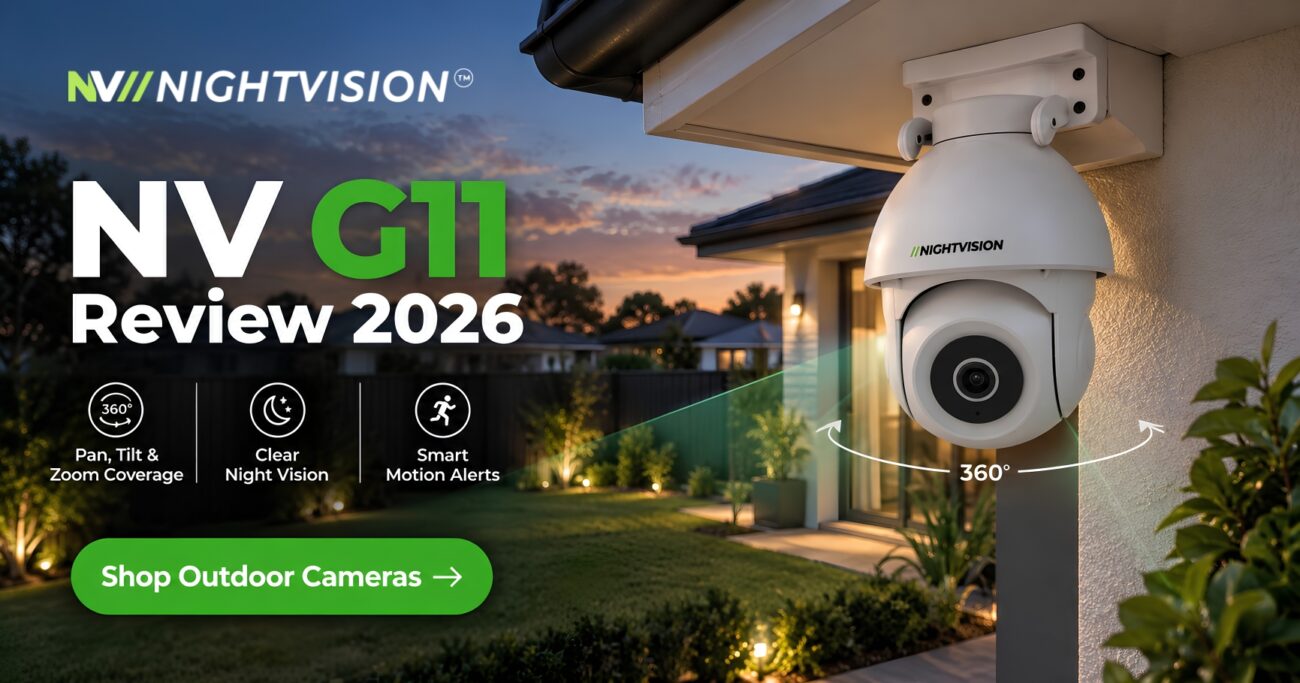
For a standard suburban home with decent WiFi reaching the front door, driveway, or yard, the NV G11 is a solid fit, covering 355 degrees of pan with AI human detection, all connecting over WiFi with no cabling required and no registered cabler needed for installation.
It’s worth being upfront here too: if your property is acreage, spans multiple buildings, or has known WiFi or NBN reliability issues, a wired system is the more honest recommendation, and that’s not what NV NightVision sells. Designed in Australia, the outdoor security cameras range is built for the majority case, a single residential property with normal home internet, not every property type, and it’s worth being clear about that rather than stretching the recommendation to fit a property it genuinely isn’t suited to.
Choosing based on your property, not a marketing claim
The honest answer to wired versus wireless isn’t a universal winner, it’s whichever fits your actual property. Acreage, multiple buildings, and known connectivity issues point toward wired. A standard suburban home with decent WiFi points toward wireless, particularly a local-storage option that avoids the subscription costs some wireless setups carry over time.
Under the Competition and Consumer Act 2010, any camera you buy in Australia carries automatic consumer guarantees regardless of which type you choose. If wireless suits your property, NV NightVision’s full range is worth a look. If it doesn’t, a wired system from a specialist installer is the more honest recommendation, and that’s worth knowing before you buy either one rather than after.
Common questions about wired and wireless security cameras
Is a wired or wireless security camera more reliable?
It depends on the property. Wired is generally more reliable for acreage, multi-building properties, and areas with patchy internet. Wireless is reliable enough for most standard suburban homes with decent WiFi coverage.
Does a wireless security camera still need a power point?
In most cases, yes. “Wireless” typically refers to data transmission, not power. Most WiFi cameras still need mains power nearby, either plugged in directly or via a cable run to the mount point.
Do wired cameras work during a power outage?
Only with a backup power source like a UPS. Without one, a wired system connected to mains power stops recording during an outage, the same as most wireless cameras would.
Is a wireless security camera secure from hacking?
More so than before. From March 2026, mandatory Australian cybersecurity standards require smart devices, including cameras, to avoid default passwords and disclose vulnerability reporting processes and update timelines.
What’s the best camera type for a large or acreage property?
Generally wired. WiFi often can’t reliably reach a shed, granny flat, or back paddock, while a PoE camera connected to a central recorder doesn’t depend on wireless signal strength at all.
Do wireless cameras need a subscription to work?
Not necessarily. Some brands default to a paid cloud plan, but cameras built around local SD card storage record and save footage with no subscription required at all.
Can I install a wired camera myself in Australia?
Sometimes, but concealed cabling work often requires a registered cabler under Australian wiring standards, which is part of why wired systems typically cost more to install than a self-install wireless camera.
Does WiFi congestion affect security camera footage quality?
It can, particularly in dense apartment buildings with many overlapping networks. This can show up as softer footage or dropped frames, similar to what a strained internet connection can cause on a wired system too.
Is a hybrid wired-and-wireless setup a good option?
For larger or more complex properties, yes. Wired cameras can cover points close to the house where cable runs are easy, while wireless covers harder-to-reach spots like a shed or gate, without the cost of running cable everywhere.
How much more does a wired system cost to install than wireless?
Considerably more in most cases, since wired systems require cable, a recorder, and often professional labour for concealed cabling, while a wireless camera is largely a self-install cost only.


Pingback: Smart Home Security Cameras Australia: 2026 Guide