Wired vs wireless security cameras comparison showing CCTV camera systems, WiFi camera, and key benefits for Australian homes and businesses

Wired vs wireless security camera: what’s actually better

The honest answer to wired vs wireless security camera is that both have genuine strengths, and the right choice depends on your property more than either technology being universally superior. It’s worth knowing upfront that NV NightVision sells wireless cameras, not wired systems, so weigh that as you read the sections below where wired genuinely comes out ahead.

This guide walks through where each option actually wins, clears up a common misunderstanding about what “wireless” really means, looks at how the two options actually compare on cost once installation is factored in, and covers how a new Australian cybersecurity standard changes the security question for wireless cameras in 2026.

Quick summary

  • Wired systems are more reliable for acreage, multi-building properties, and areas with patchy internet
  • Wireless cameras still need mains power in most cases, “wireless” usually just means wireless data
  • For a standard suburban home with decent WiFi, wireless is the simpler, more cost-effective choice
  • Installation cost, not just hardware cost, is where the real gap between the two options usually shows up
  • Local SD storage avoids the subscription costs that make some wireless setups feel unreliable
  • A new mandatory cybersecurity standard, effective March 2026, sets a genuine baseline for smart camera security in Australia
  • Hybrid setups exist for properties that don’t fit neatly into either category

Where wired genuinely wins

There’s no honest case for dismissing wired systems, because for certain properties they’re simply the better technical choice.

For wired vs wireless cctv australia decisions on acreage blocks, multi-building properties, or a shed, granny flat, or back paddock, WiFi often can’t reach reliably no matter how good your router is. A Power over Ethernet camera connected directly to a Network Video Recorder doesn’t depend on a wireless signal reaching that distance at all. The cable itself carries both data and power in a single run, which is part of why PoE has become the standard approach for larger, professionally installed systems.

NBN variability is a genuine Australian-specific factor too. Fixed Wireless connections in particular can slow down during busy evening hours, right when a wireless camera needs bandwidth to stream or upload footage. A wired system sidesteps this completely, since footage travels over a dedicated cable rather than competing with every other device on your home network for the same connection.

Picture quality benefits from this too. A PoE camera doesn’t have to compress footage as aggressively or share airtime with phones, smart TVs, and laptops the way a WiFi camera does, which can mean sharper footage with fewer dropped frames, particularly at the exact moment something actually happens. For a business relying on footage as evidence, or a household that simply wants the highest possible reliability regardless of cost, this is a genuine, defensible reason to choose wired.

Continuous, uninterrupted recording is another point in wired’s favour. A large NVR-based system can be configured to record continuously across many terabytes of storage, rather than relying on motion-triggered clips the way most consumer wireless cameras do. For a property that genuinely needs a complete, unbroken record, that’s a meaningful difference, not just a marketing point.

Wireless still needs wired power, the clarification nobody makes

This is worth understanding before comparing anything else: “wireless” almost always refers to data, not power. Most WiFi security cameras still need a mains power point nearby, either plugged in directly or via a low-voltage cable run to the mount point. Genuinely battery-only cameras exist, but they trade that convenience for a real, recurring task, recharging or swapping batteries on a schedule, and that task gets more frequent the more the camera actually detects and records.

This matters because it reframes the actual decision. Wifi vs wired cctv isn’t really about avoiding cables altogether, since a wireless camera still needs power in most setups. It’s specifically about avoiding a data cable, which is where the real installation simplicity comes from, no need to run cabling back to a central recorder, no need to engage a registered cabler for concealed wiring work, and no need to plan cable routes through walls or ceiling cavities before you commit to a camera position.

It’s a small distinction, but it changes how you should actually compare the two options. The question isn’t “cables or no cables.” It’s “which cable, and how much does running it actually cost you in time, money, and flexibility.”

What wired and wireless actually cost once installation is included

Hardware price alone is a misleading way to compare the two, since installation is where the real cost gap usually shows up.

A single wireless camera is close to the cheapest way into home security available. There’s no cabling, no NVR to buy separately, and no installer visit required, since setup runs through a mobile app and generally takes well under an hour from unboxing to live footage. For a renter, or a homeowner covering one or two specific points like a front door or driveway, this is genuinely the lower-cost path, both upfront and over time.

A wired system’s costs stack differently. Beyond the cameras themselves, you’re paying for cable, a recorder, and in most cases labour, particularly if any of the cabling needs to be concealed inside walls or run through a ceiling cavity, which usually calls for a registered cabler under Australian wiring standards. That labour cost scales with the number of cameras and the complexity of the property, so a simple two-camera system costs meaningfully less to install than a full eight-camera commercial-grade setup.

Ongoing costs matter too, and this is where the comparison gets more nuanced than either side likes to admit. A wired NVR system typically has no recurring subscription cost once installed, similar to a local-storage wireless camera. But a wireless camera built around a cloud subscription model can end up costing more over several years than the wired system’s higher upfront installation cost would have, simply through accumulated monthly fees. This is exactly why the type of wireless camera you choose matters as much as the wired-versus-wireless decision itself.

Where wireless genuinely wins

For most Australian homes, standard suburban blocks with decent, stable WiFi coverage reaching the intended camera position, wireless is genuinely the simpler and more practical choice. There’s no cabling to run, no need to engage a registered cabler, and setup generally takes minutes through a mobile app rather than requiring a scheduled installer visit that has to work around your calendar.

Renters are the clearest case. A wireless camera mounted with a bracket, adhesive pad, or magnetic base avoids drilling into a property entirely, which matters a great deal when a wired system’s cabling would count as a permanent modification most rental agreements don’t allow without approval first. For anyone moving between rentals every year or two, a camera that comes down as easily as it went up is worth more than the marginal reliability gain a wired system might offer.

Flexibility is a genuine, underrated advantage too. Repositioning a wireless camera, whether that’s because you’ve reorganised your yard, added a shed, or simply realised your first mounting spot wasn’t quite right, takes minutes. Repositioning a wired camera means rerunning cable, which is a far bigger job to undertake for what might just be a few metres of difference.

Where wireless can genuinely fall short is dense apartment buildings, where WiFi congestion from dozens of nearby networks can degrade footage quality or cause dropped frames, similar to what happens with a strained NBN connection during peak hours. This isn’t a universal win for wireless. It’s a genuine trade-off worth knowing about before you buy, not after you’ve already mounted a camera that struggles to keep a stable connection.

The subscription question most comparisons skip

A lot of the criticism aimed at wireless cameras, unreliable, expensive, frustrating, actually traces back to a specific design choice some brands make, not wireless technology itself. Many consumer wireless cameras are built around a cloud subscription as the default way to save footage, which means the camera itself is cheap but ongoing access to your own recordings isn’t. Over a few years, that recurring cost can add up to more than a comparable wired system would have cost to install in the first place.

Local SD card storage sidesteps this entirely. Footage records directly to the camera, no subscription required, no cloud dependency, and no ongoing fee standing between you and your own footage. It also means your recordings continue even during an internet outage, since local storage doesn’t depend on a live connection to a cloud server the way subscription-based systems generally do.

NV NightVision’s no-subscription, local storage cameras are built around this from the outset, which is the specific, honest case for this type of wireless camera, rather than a claim about wireless cameras generally. Not every wireless camera avoids the subscription trap, and it’s worth checking this specifically before assuming “wireless” and “no ongoing cost” mean the same thing.

Is a wireless camera secure from hacking in 2026?

This is a fair question, and it now has a genuinely current, concrete answer rather than just a reassurance. From 4 March 2026, mandatory cybersecurity standards for smart devices took effect in Australia under the Cyber Security Act 2024, and security cameras are explicitly covered as connectable smart devices under these rules.

Under the new standards, connectable smart devices sold in Australia can no longer ship with common or shared default passwords, a change specifically aimed at the kind of mass exploitation that’s affected poorly secured IP cameras and routers in the past. Manufacturers must also provide a clear, accessible way for security researchers and customers to report vulnerabilities, and they must disclose how long security updates will actually be provided for the device, so buyers aren’t left guessing when support ends. This is a genuine, government-backed baseline, not a marketing claim, and it applies to any compliant wireless camera sold in Australia manufactured from that date onward.

That said, basic buyer hygiene still matters regardless of the new rules. Set a strong, unique password rather than relying on whatever the camera shipped with, keep firmware updated when prompted, and avoid reusing a password from another account on your camera’s app login. The new standard raises the baseline considerably, but it doesn’t remove the need for ordinary care on the buyer’s end.

Are hybrid setups worth considering?

Not every property fits neatly into an all-wired or all-wireless category, and it’s worth knowing that a mixed approach is a genuinely common, sensible option rather than a compromise.

A typical hybrid setup might use wired cameras for a driveway or main entry point close to the house, where cable runs are straightforward, paired with a wireless camera covering a shed or gate further from the house where running cable would be impractical or expensive. This lets a property get the reliability benefit of wired coverage where it’s easy to achieve, without paying for a full cable run to every corner of a larger block.

For most standard suburban homes, this level of complexity isn’t necessary, one camera type covers the whole property well enough. It becomes more relevant as property size or layout complexity increases, which is worth knowing if your situation sits somewhere between the two clear-cut cases described above.

A wireless camera built for the majority use case

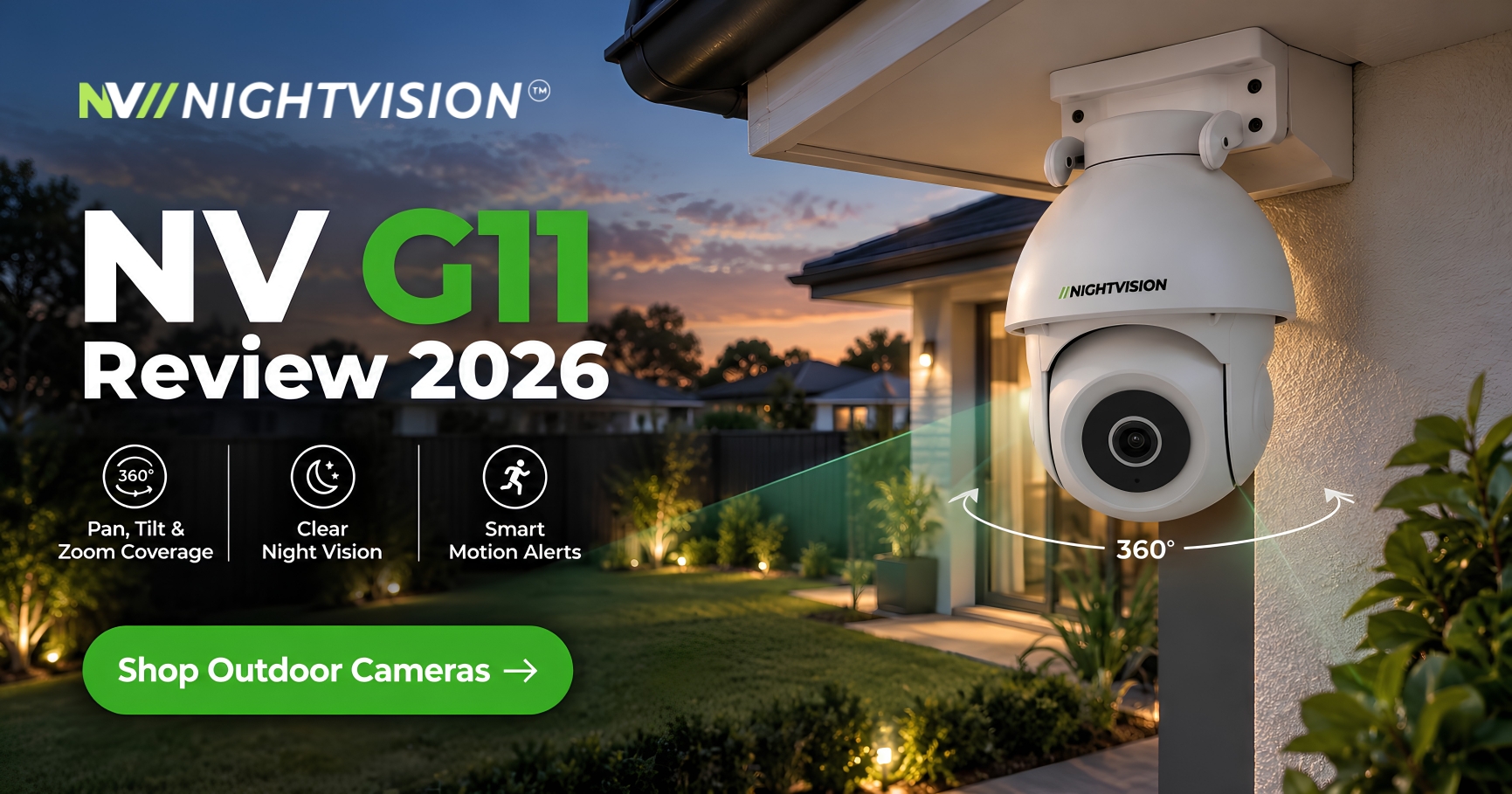
For a standard suburban home with decent WiFi reaching the front door, driveway, or yard, the NV G11 is a solid fit, covering 355 degrees of pan with AI human detection, all connecting over WiFi with no cabling required and no registered cabler needed for installation.

It’s worth being upfront here too: if your property is acreage, spans multiple buildings, or has known WiFi or NBN reliability issues, a wired system is the more honest recommendation, and that’s not what NV NightVision sells. Designed in Australia, the outdoor security cameras range is built for the majority case, a single residential property with normal home internet, not every property type, and it’s worth being clear about that rather than stretching the recommendation to fit a property it genuinely isn’t suited to.

Choosing based on your property, not a marketing claim

The honest answer to wired versus wireless isn’t a universal winner, it’s whichever fits your actual property. Acreage, multiple buildings, and known connectivity issues point toward wired. A standard suburban home with decent WiFi points toward wireless, particularly a local-storage option that avoids the subscription costs some wireless setups carry over time.

Under the Competition and Consumer Act 2010, any camera you buy in Australia carries automatic consumer guarantees regardless of which type you choose. If wireless suits your property, NV NightVision’s full range is worth a look. If it doesn’t, a wired system from a specialist installer is the more honest recommendation, and that’s worth knowing before you buy either one rather than after.

Common questions about wired and wireless security cameras

Is a wired or wireless security camera more reliable?

It depends on the property. Wired is generally more reliable for acreage, multi-building properties, and areas with patchy internet. Wireless is reliable enough for most standard suburban homes with decent WiFi coverage.

Does a wireless security camera still need a power point?

In most cases, yes. “Wireless” typically refers to data transmission, not power. Most WiFi cameras still need mains power nearby, either plugged in directly or via a cable run to the mount point.

Do wired cameras work during a power outage?

Only with a backup power source like a UPS. Without one, a wired system connected to mains power stops recording during an outage, the same as most wireless cameras would.

Is a wireless security camera secure from hacking?

More so than before. From March 2026, mandatory Australian cybersecurity standards require smart devices, including cameras, to avoid default passwords and disclose vulnerability reporting processes and update timelines.

What’s the best camera type for a large or acreage property?

Generally wired. WiFi often can’t reliably reach a shed, granny flat, or back paddock, while a PoE camera connected to a central recorder doesn’t depend on wireless signal strength at all.

Do wireless cameras need a subscription to work?

Not necessarily. Some brands default to a paid cloud plan, but cameras built around local SD card storage record and save footage with no subscription required at all.

Can I install a wired camera myself in Australia?

Sometimes, but concealed cabling work often requires a registered cabler under Australian wiring standards, which is part of why wired systems typically cost more to install than a self-install wireless camera.

Does WiFi congestion affect security camera footage quality?

It can, particularly in dense apartment buildings with many overlapping networks. This can show up as softer footage or dropped frames, similar to what a strained internet connection can cause on a wired system too.

Is a hybrid wired-and-wireless setup a good option?

For larger or more complex properties, yes. Wired cameras can cover points close to the house where cable runs are easy, while wireless covers harder-to-reach spots like a shed or gate, without the cost of running cable everywhere.

How much more does a wired system cost to install than wireless?

Considerably more in most cases, since wired systems require cable, a recorder, and often professional labour for concealed cabling, while a wireless camera is largely a self-install cost only.


NV NightVision F7 vs Y1 security camera comparison showing both cameras mounted on the ceiling with smart security features

NV F7 vs NV Y1: Wall-Mount or Ceiling Dome

Most Australians shopping for an indoor security camera get stuck on one question before they even open a product page: wall-mount or ceiling dome. It sounds like a small detail. It changes what the camera can see, how it fits into a room, and how much of your ceiling or wall you’re willing to give up for it.

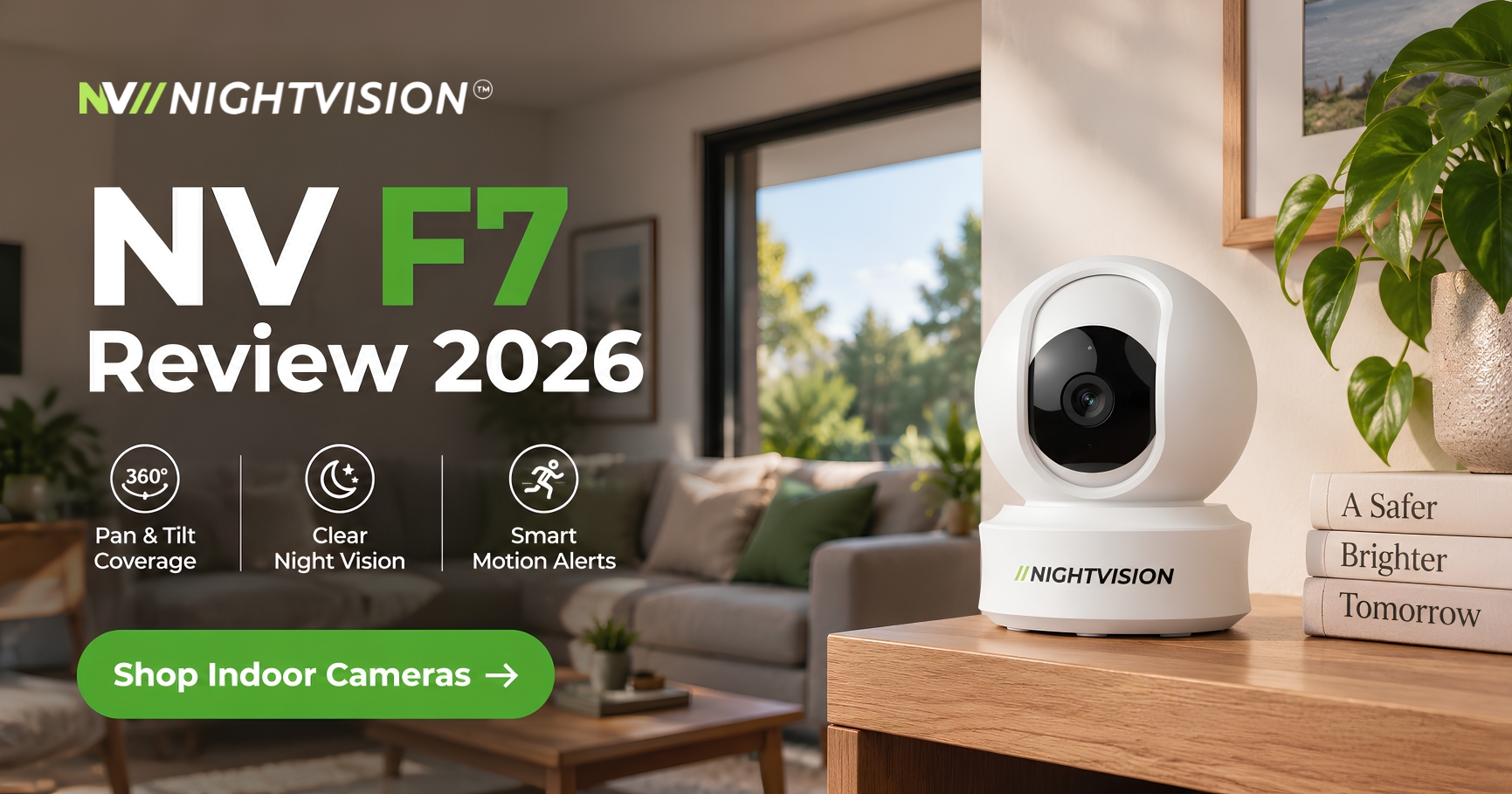
NV NightVision makes one of each for indoor use. TheNV F7 is a wall-mount pan-tilt camera. TheNV Y1 is a ceiling dome. Both cover a full room from a single mount, and both connect over Wi-Fi with no wiring. That makes them suit Australian homes just as easily as a small office, whether you’re renting or own the place outright. The difference between an NV F7 vs NV Y1 setup comes down to where you’re willing to fix a camera and what you need it to watch.

This guide walks through the pan tilt vs dome camera decision using the actual specs of both models, then breaks down which one suits which room. If you’ve been searching for an honest indoor camera comparison australia buyers can actually use, this is built for that.

Key Highlights:

  • The NV F7 wall-mounts and pans 355° with 75° tilt, best for a fixed wall position with wide room coverage.
  • The NV Y1 ceiling-mounts as a dome, sitting flush overhead in corridors and offices where a wall camera would be awkward.
  • Both record to local SD storage as well as cloud, both support two-way audio, and both work with Google Home and Amazon Alexa.
  • Neither camera requires drilling into brick or masonry, which matters if you’re renting.
  • Price isn’t listed here. Check current pricing on theNV NightVision indoor camera range before you buy.

What Separates a Pan-Tilt Wall Camera From a Ceiling Dome Indoors

A pan-tilt camera sits on a wall or shelf and rotates to follow movement or cover a wider arc than a fixed lens allows. A dome camera sits flush against a ceiling and points downward, giving a bird’s-eye view of the room below it.

Neither format is better on its own. The right choice depends on the room. A pan-tilt camera works well where you have one clear wall facing the space you want to watch, like a living room facing a front door or a hallway. A dome suits rooms where a wall mount would block a walkway or look out of place, such as a reception area, a shopfront, or a narrow hallway.

This is the core of the pan tilt vs dome camera debate for indoor use. It isn’t about which technology is newer. It’s about which shape fits your ceiling height, your wall layout and how obvious you want the camera to be.

NV F7: Wall-Mount Pan-Tilt Camera Specifications

The NV F7-Netra is NV NightVision’s wall-mount indoor camera. It’s built for a single mounting point that needs to cover as much of a room as possible.

Key specifications:

  • 355° pan and 75° tilt, controlled live from the app
  • CMOS sensor delivering 2560 x 1440 resolution
  • Infrared night vision to 15 metres
  • Two-way audio for real-time conversations through the camera
  • Local SD card storage up to 256GB, plus cloud backup
  • Motion-triggered alerts sent straight to your phone

Because it wall-mounts, the NV F7 works best where you have a corner or a high wall that already faces most of the room. A living room, a home office, or a small retail counter are typical spots. The full spec sheet and current stock sit on theindoor security camera range.

NV Y1: Ceiling Dome Camera Specifications

The NV Y1-Ratri is the ceiling-mount option. It sits flush against the ceiling rather than projecting off a wall, which matters in tighter spaces or anywhere a wall camera would get knocked or blocked.

Key specifications:

  • 355° pan for wide room coverage from directly overhead
  • 4MP sensor with a 1/2.8-inch CMOS chip and 20fps video
  • 8 infrared and 12 LED lights, giving night vision to roughly 8 to 10 metres
  • Two-way audio, the same as the F7
  • Local SD storage and cloud backup, up to 256GB
  • Compatible with Google Home and Amazon Alexa for voice-triggered live view

The dome shape means fewer blind spots directly below the mount, which is why NV NightVision positions the Y1 for corridors, offices, retail floors and reception areas as well as homes with open-plan ceilings.

NV F7 vs NV Y1: Side-by-Side Comparison

Feature NV F7 (Wall-Mount) NV Y1 (Ceiling Dome)
Mount type Wall or shelf Ceiling, flush mount
Pan range 355° 355°
Tilt range 75° Wide vertical tilt (check current listing for exact spec)
Resolution 2560 x 1440 4MP, 20fps
Night vision range Up to 15m infrared Roughly 8 to 10m (8 IR + 12 LED lights)
Two-way audio Yes Yes
Storage SD card (up to 256GB) + cloud SD card (up to 256GB) + cloud
Smart home App control Google Home + Amazon Alexa
Best for One wall covering a wide room Ceilings, corridors, offices, reception areas

Both models share the same storage approach and the same two-way audio, so neither one wins on those points. The real difference is mount position and how each one handles low light, with the F7’s longer stated infrared range against the Y1’s wider light array.

Choosing Between Wall-Mount and Ceiling Dome for Your Space

If you’re renting, this decision often gets made for you. A wall-mount camera like the NV F7 usually sits on an existing shelf, picture rail or adhesive mount rather than a drilled bracket, which keeps you inside the rules most Australian leases set for fixtures.

According to NSW Fair Trading,tenants need the landlord’s written permission before making alterations to a rental property in most cases, including fixed installations. A camera that clips onto an existing surface avoids that conversation entirely.

Ceiling domes like the NV Y1 need a stable ceiling point. That’s more common in owned homes and commercial fit-outs than it is in shared houses. If you’re setting up a small office or shopfront, the dome format also reads as less intrusive to staff and customers than a camera visibly pointed along a wall.

Think about what the room actually needs before you commit. A nursery or living room usually only needs one clear angle, which the F7 covers well from a single wall. A corridor, stairwell or open-plan office benefits from the dome’s overhead view because it avoids the long, narrow blind spot a wall camera leaves behind it.

Whichever you choose, check theGoogle Home and Alexa compatible camera guide if voice control matters to you, and thetwo-way audio comparison if talking through the camera is a priority feature rather than an afterthought.

NV NightVision Product Recommendation

For most Australian living rooms, home offices and single-room setups, the NV F7 wall-mount camera is the simpler starting point. It covers a full room from one fixed point, and the 355° pan means you’re not stuck if you rearrange furniture later. See current specs and stock on theNV F7 indoor camera listing.

If you’re covering a hallway, small office floor or reception area, the NV Y1 ceiling dome is the better fit. Its overhead position avoids the blind spots a wall camera leaves in narrow spaces, and the wider light array helps in rooms with mixed lighting. Browse theindoor camera range to compare it against the F7 directly.

Designed in Australia, both cameras carry a 1-year warranty and connect through the same app, so switching between them or running both in the same property doesn’t mean learning two different systems.

Deciding Between the F7 and the Y1 for Your Room

The honest answer is that neither camera is the universal winner. TheNV F7 is the easier choice for a single room with one obvious wall. TheNV Y1 is the better fit anywhere a wall camera would get in the way, such as ceilings and narrow corridors.

If you’re still not sure, think about the room shape first and the feature list second. A long, narrow hallway favours the dome’s overhead angle. A living room or bedroom with one clear wall favours the pan-tilt’s flexibility to follow movement across the space. The best indoor NV camera for your place is whichever one matches that room test, not whichever one looks better on a spec sheet.

Under Australian Consumer Law,products sold in Australia carry automatic consumer guarantees regardless of the manufacturer’s own warranty terms, so you’re covered if a unit arrives faulty. That’s worth knowing before you commit to either model.

Compare both cameras side by side on theindoor security camera range and pick based on the room you’re actually covering, not just the spec sheet.

Common Questions About Indoor Camera Setup in Australia

What is the main difference between a pan-tilt camera and a dome camera indoors?

A pan-tilt camera like the NV F7 mounts on a wall and rotates to follow movement across a room. A dome camera like the NV Y1 mounts on the ceiling and looks down, which removes the blind spot a wall camera leaves directly behind it.

Can the NV F7 and NV Y1 be controlled remotely from a phone?

Yes. Both cameras connect through the NV NightVision app over Wi-Fi, so you can pan, tilt, check live footage and talk through the two-way audio from anywhere with a mobile signal or Wi-Fi connection.

Do the NV F7 and NV Y1 record without an ongoing monthly plan?

Both cameras save footage locally to an SD card of up to 256GB, alongside cloud backup. You can rely on local storage day to day and treat cloud backup as the optional extra rather than a requirement.

Is the NV Y1 dome camera suitable for a rental property?

It can be, provided the ceiling mount doesn’t require drilling that breaches your lease terms. Check with your landlord or property manager first, since alterations to a rental usually need written approval under state tenancy rules.

How far can the NV F7 and NV Y1 see in the dark?

The NV F7 is rated to roughly 15 metres of infrared night vision. The NV Y1 uses a mix of 8 infrared and 12 LED lights rated to roughly 8 to 10 metres. Both are built for typical indoor room distances rather than open outdoor space.

Do the NV F7 and NV Y1 work with Google Home and Alexa?

Yes. Both models connect to Google Home and Amazon Alexa, so you can pull up a live feed or fold the camera into a broader smart home routine using voice commands.

What warranty comes with NV NightVision’s indoor cameras?

NV NightVision backs its indoor range, including the F7 and Y1, with a 1-year warranty. Keep your order confirmation as proof of purchase in case you need to make a claim.

Which camera suits a small office or reception area better?

The NV Y1 ceiling dome tends to suit offices and reception areas better, since its overhead view covers foot traffic in corridors and open floors without the blind spot a wall-mounted camera leaves behind the lens.

Can I use the NV F7 or NV Y1 to watch a nursery or living room?

Both work for this. The F7’s wall mount suits a room with one clear sightline, like a nursery corner. The Y1’s ceiling mount suits open-plan living areas where you want coverage from above rather than from one wall.

What should I check before buying an indoor security camera in Australia?

Check the mount type against your space, whether you’re renting or own the property, the night vision range against the room size, and whether local SD storage meets your needs before relying on cloud backup. Confirm current pricing and stock directly on the product page rather than a cached listing.


NV NightVision G11 vs T5P outdoor security camera comparison showing the G11 pan-tilt-zoom camera and T5P fixed bullet camera with wide coverage, AI human detection, built-in siren and local SD card storage

NV G11 vs NV T5P: Which Outdoor Camera Do You Need

Picking between two outdoor CCTV cameras from the same brand (NV NightVision or Night Vision) sounds like it should be simple, right up until you land on the product pages for theNV Ratri G11 and theNV T5Pand realise they’re built to solve different problems. One camera covers a wide arc. The other holds a single steady angle. Getting this choice wrong usually means buying a second camera later to cover the gap the first one left.


This guide puts the NV G11 vs NV T5P question side by side, covering what each camera actually does, which property shapes suit each one, and where the specs genuinely differ rather than just sounding different in the marketing copy. It’s part of NV NightVision’s broader outdoor camera comparison Australia buyers can use before choosing between a PTZ and a fixed outdoor camera.


Key Highlights:

  • The NV T5P is a fixed outdoor bullet camera built for one reliable angle, such as a driveway, front door or side gate.
  • The NV G11 is a pan-tilt-zoom (PTZ) camera that covers 355 degrees, suited to corner blocks and larger yards.
  • Both carry AI human detection and a built-in siren as standard.
  • The G11 adds colour night vision, while the T5P uses standard infrared night vision.
  • Both connect over WiFi, record locally to microSD, and carry NV NightVision’s 1-year warranty on top of automatic consumer guarantees under Australian Consumer Law.

The NV T5P Holds One Reliable Angle, Not a Wide Arc

TheNV T5P is a fixed outdoor bullet camera. It points at one spot and stays there, which is exactly what you want when that spot is a driveway, a front entry or a side gate.

Because the lens doesn’t move, the T5P gives you a consistent, predictable frame every time you check the app. There’s no risk of the camera panning away from the one angle that actually matters on your property.

It carries AI human detection as standard, so it can tell a person walking up the path from a bin lid flapping in the wind. A built-in siren gives you an active deterrent option straight from the camera, not just a recorded clip after the fact. Two-way audio means you can speak through the camera directly if someone’s on the property, without walking outside first.

Night vision on the T5P uses standard infrared, producing a clear black and white picture once the light drops. For a single fixed angle like a driveway or entry, that’s normally all a homeowner needs to identify a person or a vehicle after dark.

If a driveway or gate is genuinely the only spot you need watched, NV NightVision’sdriveway camera guide walks through mounting height and angle in more detail than we’ll cover here, since this article is focused on choosing between the two models rather than installation specifics.

The NV G11 Trades a Fixed View for 355 Degrees of Coverage

TheNV G11 is apan-tilt-zoom camera, meaning the lens itself moves instead of staying fixed in one frame. It covers 355 degrees, close to a full circle around the mounting point.

That matters most on a property with more than one angle to watch. A corner block, a long driveway with a bend in it, or a yard with a shed at the back are all situations where a fixed camera leaves a gap a PTZ camera can cover from one mounting point.

Like the T5P, the G11 includes AI human detection and a built-in siren. Where it goes further is colour night vision, keeping the picture in colour after dark rather than switching to black and white infrared.

That extra colour detail can matter if you need to describe clothing or a vehicle colour from footage, not just confirm that someone was there. The trade off is a slightly more involved setup, since you’re choosing pan positions rather than relying on a single fixed frame.

Side by Side: What Actually Separates These Two Outdoor Cameras

Laid out side by side, the difference between these two cameras comes down to movement and light rather than build quality. Both are outdoor-rated WiFi cameras built for the same climate and the same app.

Spec NV T5P NV G11
Coverage Fixed, single angle Pan-tilt-zoom, 355 degrees
Night vision Infrared (black and white) Colour night vision
AI human detection Yes Yes
Built-in siren Yes Yes
Two-way audio Yes Yes
Connectivity WiFi WiFi
Storage Local microSD Local microSD
Best suited to Driveway, front door, side gate Corner blocks, larger yards, multiple angles
Warranty 1-year (NV NightVision) 1-year (NV NightVision)

Everything above AI human detection and the built-in siren is shared between the two models. What changes is how much of your property one camera alone can see, and how that footage looks after the sun goes down.

What Else Comes Standard on Both Cameras

Beyond coverage angle and night vision, the T5P and G11 share the same core feature set, which is worth knowing before you assume one model is more capable than the other.

Both control through the same Smart Life app, and both work with Alexa and Google Assistant if you want voice control or want the camera feed showing up on a smart display in the kitchen or hallway.

Motion detection sends a push alert to your phone the moment either camera picks up movement in its field of view, and a privacy mode lets you switch the lens off manually when you don’t want the camera recording, such as when tradespeople are working in the yard.

Video on both models is encoded in H.265, which keeps footage files smaller without losing picture quality, so a microSD card lasts longer before it needs clearing or swapping out.

Match the Camera to How Your Property Is Shaped

A Single Driveway, Gate or Front Door

If there’s one clear approach to your home, a fixed camera does the job without extra complexity. The T5P holds that one angle permanently, so you’re not relying on the camera being pointed the right way when something actually happens.

This is also the more straightforward setup for renters, since there’s nothing to reposition and no pan settings to double check after a WiFi reconnect.

A Corner Block, Wraparound Yard or Multiple Access Points

Corner blocks are the clearest case for the G11. With street frontage on two sides, a fixed bullet camera often leaves one approach uncovered, and adding a second fixed camera costs more than one PTZ unit doing the same job.

The same logic applies to a long backyard, a granny flat with separate access, or a driveway that bends around the side of the house. One G11, mounted well, can cover ground that would otherwise need two fixed cameras working together.

Apartments and Units

For a balcony or a single front door, the calculation is simpler again. A fixed T5P usually covers everything that needs watching, and there’s rarely a second angle on a unit that justifies the wider reach of a PTZ camera.

How Many Cameras Most Australian Properties Actually Need

A lot of buyers start by asking which camera is better, when the more useful question is how many angles a property genuinely needs covered before comparing individual specs.

A standard single-storey home with one driveway and a side gate usually needs two points of coverage at most, a T5P on the entry and driveway, and a second camera on the side access if that’s a separate approach to the house.

Larger blocks, rural-fringe properties, and homes with a shed or detached garage on a separate access point usually do better with a dedicated second camera rather than stretching one unit across a large area. Trying to make a single fixed camera cover everything is the most common reason buyers end up disappointed with coverage after installation, regardless of which brand they’ve bought.

Properties in bushfire-prone regions or on acreage often add a third camera further from the house, watching a shed, a gate at the road boundary, or a water tank. In that setup, a T5P at the road gate paired with a G11 covering the main yard usually works out cheaper than fitting two PTZ units where one fixed angle would do the job just as well.

Weatherproofing and Night Vision Matter More Than the Model Name

Both cameras are built for outdoor use in Australian conditions, which means the housing has to survive UV, heat and dust, not just rain. An outdoor security camera’s ingress protection rating, commonly written as anIP code, is the standard way manufacturers describe how sealed a device is against dust and water. For Australian conditions, from tropical North Queensland humidity to the dry heat of inland South Australia and Western Australia, look for a genuine outdoor rating rather than marketing language that simply says weatherproof.

The night vision difference between the two cameras is worth understanding before you buy rather than after. Infrared night vision, the T5P’s approach, uses IR LEDs to light a scene once it’s too dark for a normal sensor, producing a black and white image that’s reliable in full darkness.

The G11’s colour night vision keeps the picture in colour after dark, which depends on some ambient or supplemental light being available nearby, such as a porch light or a nearby streetlight. Neither approach is better across the board. They suit different mounting spots and different reasons for wanting footage in the first place.

Setting Up Either Camera Without an Electrician

Both the T5P and G11 are WiFi CCTV cameras, so neither needs cabling run through brick veneer or across a patio. Mounting is a drill and screw job, and the camera pairs with the NV NightVision app over your existing home network in a few minutes.

That matters for renters as much as homeowners. A WiFi security camera isn’t a fixed installation the way hardwired CCTV is, so it can come with you if you move, and it avoids the kind of structural change that raises questions under a tenancy agreement.

Both models record locally to microSD, so footage keeps saving even if your home internet drops out mid-recording, which matters more in outer suburban and regional areas where connections can be less consistent.

Camera placement still has a legal side wherever you live in Australia. Keeping either camera angled at your own entrances, driveway and garden, rather than a neighbour’s yard or windows, avoids most of the privacy questions that come up with outdoor cameras.

Why NV NightVision Backs Both Cameras the Same Way

Designed in Australia, NV NightVision builds both the T5P and G11 around the same outdoor conditions this guide has covered: sustained UV, heat and dust that wear out a cheap housing fast.

Whichever camera fits your property, NV NightVision backs it with a 1-year warranty. That sits on top of the automatic consumer guarantees every purchase in Australia carries under Australian Consumer Law, which exist regardless of any separate manufacturer warranty. According to theACCC, these guarantees can’t be taken away by anything a business says or does, and can outlast the stated warranty period.

Both models run through the same NV NightVision app, so switching between checking a fixed feed and a PTZ feed doesn’t mean learning two separate systems. Current pricing for theNV T5P andNV G11 is available on their product pages rather than listed here, since prices can change.

Pick the Camera That Matches Your Blind Spot, Not the Spec Sheet

The NV G11 vs NV T5P decision isn’t really about which camera is better. It’s about which one matches the angle your property actually needs covered.

A single driveway, gate or front door calls for the T5P’s fixed reliability. A corner block, wraparound yard or property with more than one approach calls for the G11’s wider reach.

Whichever direction you land on, both cameras carry the same weatherproof housing standard, the same AI human detection, and the same 1-year warranty. Browse the fullNV NightVision range to compare current specs and pricing before you decide.

A camera that actually covers your blind spot beats a longer feature list every time.

Choosing Between the NV G11 and NV T5P?

What’s the main difference between the NV G11 and NV T5P?

The T5P is a fixed bullet camera covering one steady angle, while the G11 is a pan-tilt-zoom camera covering 355 degrees. The T5P suits a single driveway or entry, while the G11 suits corner blocks and larger yards that need wider coverage from one mounting point.

Does the NV G11 have colour night vision and the T5P doesn’t?

Yes. The G11 uses colour night vision, keeping footage in colour after dark when some ambient light is available nearby. The T5P uses standard infrared night vision, producing a clear black and white image once light drops too low for a normal sensor.

Which camera suits a corner block better?

The NV G11 is the better fit for a corner block in most cases. Its 355-degree pan coverage can watch both street frontages from one mounting point, where a fixed camera like the T5P would usually need a second unit to cover the second approach properly.

Do both cameras have AI human detection?

Yes, AI human detection is standard on both the NV T5P and NV G11. It helps the camera tell the difference between a person approaching and a false trigger, such as a tree branch moving in the wind or a passing car’s headlights.

Do both cameras include a built-in siren?

Yes. Both the T5P and G11 include a built-in siren as standard, giving you an active deterrent option triggered directly from the camera rather than relying only on a recorded clip reviewed after something has already happened on the property.

Do I need an electrician to install either camera?

No. Both the T5P and G11 are WiFi cameras that mount with a straightforward drill and screw job, then pair with the NV NightVision app over your existing home network. There’s no cabling to run and no electrician required for a standard install.

What warranty do the NV G11 and NV T5P carry?

Both cameras carry NV NightVision’s 1-year warranty, on top of the automatic consumer guarantees every Australian purchase carries under Australian Consumer Law. Those guarantees exist regardless of the stated warranty period and can’t be taken away by anything a business says.

Which camera is better for renters?

The T5P is usually the simpler choice for renters, since it’s a fixed installation with nothing to reposition. The G11 works for renters too, though its pan position is worth checking after any WiFi reconnection to confirm the coverage angle hasn’t shifted.

Can I use one NV G11 and one NV T5P together on the same property?

Yes. Pairing a fixed T5P on a driveway or entry with a G11 covering a wider corner or backyard is a common setup for properties with more than one angle to watch, giving you steady coverage and wide coverage from two purpose-built cameras.

AI-powered NV NightVision G11 PTZ security camera detecting a person outside a modern Australian home at dusk, demonstrating on-device AI human detection, local storage, and smart security monitoring.

How AI Detection Actually Works on Security Cameras

According to the Australian Bureau of Statistics, the share of households broken into rose from 1.8% to 2.1% between 2022-23 and 2023-24, an extra 32,000 homes across the country (ABS, Property crime rises). That is the backdrop most people are thinking about when they start looking at an AI security camera instead of a basic motion-sensor model.

The word “AI” gets used loosely in camera marketing, so it is worth being precise. An AI security camera does not just notice that something moved. It works out what moved, and that single difference changes almost everything about how useful the camera is day to day.

This guide breaks down how AI detection actually works, what it can and cannot tell apart, where the processing happens, and what Australian law says about using one at home. We will also look at smart detection security camera features more broadly, since AI detection rarely works alone.

Key Highlights:

  • An AI security camera classifies what caused motion (person, vehicle, animal) instead of just flagging that something moved.
  • Traditional motion detection reacts to pixel changes, which is why it is triggered by rain, shadows, and moving trees.
  • Most consumer AI cameras, including NV NightVision models, process detection on the device itself rather than sending raw footage to the cloud first.
  • AI human detection cuts false alerts significantly, but poor lighting, unusual angles, and partial obstruction can still cause it to miss things.
  • Using a camera with AI detection at home is legal in Australia, provided you follow state surveillance rules around neighbouring properties and audio recording.

What “AI Detection” Actually Means on a Camera

Every AI security camera runs a small piece of trained software, usually a neural network, that has learned what a human being looks like from thousands of reference images. When motion is picked up, that software analyses the shape before deciding whether to send an alert.

This is object classification, and it is the core of what separates an AI camera from an older motion-only model. The camera is not asking “did something move,” it is asking “what moved, and is that worth telling someone about.”

Most AI security cameras extend this into a few categories: person, vehicle, and animal, with some models adding parcel or face recognition on top. NV NightVision cameras focus on reliable human detection as the primary trigger, since that is what actually matters for a break-in alert.

AI Detection vs Traditional Motion Detection

Traditional motion detection compares pixels between video frames. If enough pixels change between one frame and the next, the camera assumes something moved and sends an alert, regardless of what actually caused the change.

That is why an older camera will happily notify you about a possum crossing the fence, a shadow shifting as clouds pass, or a gum tree swaying in the wind. None of that is useful, and after a week of it most people stop checking their notifications entirely.

An AI camera keeps the same motion sensor as a starting point but adds a classification step before the alert goes out. Distinguishing a person from a swaying branch is what actually stops a camera app becoming background noise you tune out.

What an AI Security Camera Can Tell Apart

Object classification on a consumer AI camera generally sorts movement into three broad groups: human, vehicle, and animal. The system is trained to recognise the general shape, proportions, and movement pattern typical of each.

A person walking upright and an animal moving low to the ground produce very different silhouettes, and that is largely how the software tells them apart. It is pattern recognition rather than anything resembling actual understanding.

This is where smart detection security camera features become genuinely practical. Instead of a blanket “motion detected” push notification, you get “person detected at the front gate,” which is the difference between an alert you act on and one you swipe away.

NV NightVision’sactive deterrence approach builds directly on this. Once a camera classifies a detection as a person, it can trigger a built-in siren or two-way audio warning automatically, rather than waiting for you to review footage after the fact.

Where the AI Processing Actually Happens

There are two ways an AI camera can run its detection software: on the device itself, or by sending footage to a cloud server for analysis first. Both approaches are used across the market, and the difference matters more than most buyers realise.

On-device processing means the camera’s own chip runs the detection model locally, without needing to upload raw video anywhere before deciding whether an event matters. This tends to mean faster alerts and less dependence on a fast, always-on internet connection.

Cloud-based processing can offer more advanced classification since it is not limited by the camera’s onboard hardware. The trade-off is a small delay while footage uploads, plus a reliance on the service staying online and the connection holding up.

NV NightVision cameras run AI human detection on the device, which keeps alerts fast and functional even during a patchy home internet connection, a genuinely common issue in regional Australia.

Why Fewer False Alerts Actually Matters

Alert fatigue is a real, well-documented problem. When a camera sends dozens of irrelevant notifications a week, most people either mute the app or stop checking it, which defeats the entire purpose of having a camera.

AI detection is the fix for that specific problem. By filtering out cars, trees, weather, and pets before a notification ever reaches your phone, the alerts you do get are far more likely to represent something worth your attention.

This is also what makes acamera with a built-in siren genuinely useful rather than a gimmick. A siren that only fires on confirmed human detection, not on every passing cat, is one people actually leave switched on.

What AI Detection Still Gets Wrong

AI detection is not flawless, and any brand that claims otherwise is overselling it. Poor lighting, an awkward camera angle, or a person partially hidden behind a car can all cause a missed detection or an incorrect one.

Fast movement close to the lens can also confuse classification, since the software has less time and less clean image data to work with. This is one reason camera placement still matters as much as the detection technology itself.

Good night vision range helps here more than people expect, because the AI model needs a reasonably clear image to classify accurately. A camera with strong low-light performance gives its own AI detection a genuinely better chance of getting it right.

AI Detection and Your Privacy Rights in Australia

Running an AI security camera at home is legal across Australia, but the footage it captures is still covered by ordinary privacy expectations. According to theOffice of the Australian Information Commissioner, footage that identifies a person is treated as personal information once an organisation covered by the Privacy Act 1988 is involved.

For a private household, the bigger day-to-day issue is state-based surveillance law rather than the federal Privacy Act. Camera placement and audio recording are the two areas where homeowners most often get caught out, and the rules differ by state, so it pays to check thesecurity camera laws that apply where you live.

Renters face an extra layer of consideration on top of this, since installation itself can be restricted by a lease. If that applies to you, our guide tosecurity cameras for renters covers no-drill options that still support full AI human detection.

AI Detection Built for Australian Conditions

AI detection is only as good as the camera running it, and Australian conditions are genuinely demanding on outdoor electronics. Harsh UV exposure, coastal salt air, and summer heat all put real stress on a camera’s housing and internals over time.

NV NightVision’s outdoor range is rated from -20°C to 50°C with up to 95% humidity tolerance, which covers everything from a Tasmanian winter to a tropical North Queensland wet season without the camera needing to be brought indoors.

That weatherproofing matters directly for AI accuracy too. A camera lens fogged with condensation or glaring from direct sun gives the detection software a worse image to classify, so reliable weatherproofing is part of what makes AI detection work consistently, not a separate spec sheet item.

Smart Features That Work Alongside AI Detection

AI detection rarely operates in isolation. It usually sits inside a broader smart camera system that includes app alerts, voice assistant integration, and two-way audio, all working from the same human detection trigger.

NV NightVision cameras supportGoogle Home and Alexa compatible setups, so a confirmed person detection can announce on a smart speaker as well as push a phone alert, which matters if you are in another room without your phone nearby.

NV NightVision’s Pick for AI Detection: The G11

If AI detection accuracy is the priority, the NV Ratri G11 is the strongest option in the NV NightVision range. It is a pan-tilt-zoom camera with 355-degree coverage, AI auto-tracking, and 4MP resolution, and you can see the full model alongside NV NightVision’s otheroutdoor security cameras to compare specs side by side.

Because the G11 physically follows a confirmed human detection with its pan-tilt motor, it keeps a moving person in frame rather than losing them at the edge of a fixed lens. That is a meaningfully different result to a static camera relying on AI classification alone.

Designed in Australia, the G11 pairs its AI detection with a built-in siren, two-way audio, and H.265 compression to keep storage efficient. Current pricing is not confirmed here, so check the product page directly rather than relying on a figure that may be out of date.

Every NV NightVision camera, including the G11, is backed by a 1-year warranty, and that sits on top of the automatic consumer guarantees every product sold in Australia carries under the Australian Consumer Law regardless of what any individual manufacturer warranty states (ACCC, Warranties).

For a broader comparison across the whole range, ourfull comparison of the best security cameras in Australia is worth reading before you decide which model fits your property.

Picking a Camera Whose AI Detection You Can Actually Trust

The honest takeaway is that AI detection is genuinely useful, but it is not magic. It works by classifying motion rather than understanding a scene, and its accuracy still depends heavily on lighting, placement, and camera build quality.

Before buying, check whether detection runs on-device or in the cloud, what the camera’s weatherproofing rating actually is, and whether false-alert filtering is backed by real specs rather than a marketing claim.

If you are ready to compare specific models,browse the full NV NightVision range and check current specs and pricing directly on each product page.

Common Questions About AI Security Cameras in Australia

What does AI detection mean on a security camera?

AI detection means the camera analyses motion to work out what caused it, typically sorting movement into human, vehicle, or animal categories. Instead of alerting on every pixel change, it only notifies you once it classifies the movement as something worth flagging, usually a person.

How is AI detection different from regular motion detection?

Regular motion detection reacts to any pixel change between frames, including rain, shadows, and moving trees. AI detection adds a classification step on top of that same trigger, filtering out irrelevant movement so alerts represent an actual person, vehicle, or animal rather than background noise.

Can AI cameras tell the difference between a person and an animal?

Yes, that is the core function of AI human detection. The software is trained on the general shape, height, and movement pattern typical of a person versus an animal, which is usually accurate in good lighting but can occasionally misclassify in poor conditions.

Does AI detection process footage on the camera or in the cloud?

It depends on the model. NV NightVision cameras run detection on-device, which keeps alerts fast without depending on uploading raw footage first. Other brands process detection in the cloud, which can offer more advanced classification at the cost of a small delay.

Will an AI security camera actually reduce false alerts?

Significantly, yes. By filtering out weather, pets, and passing traffic before sending a notification, AI detection cuts the volume of irrelevant alerts compared to a plain motion-sensor camera, which is the main reason most buyers upgrade to one.

What can cause an AI camera to miss a real event?

Poor lighting, an obstructed view, an unusual camera angle, or very fast movement close to the lens can all reduce classification accuracy. Good night vision range and sensible camera placement both help the AI model work with a clearer image.

Is it legal to use AI detection cameras at home in Australia?

Yes, home security cameras with AI detection are legal across Australia. State-based surveillance rules still apply around not filming private areas of a neighbouring property and around recording audio without consent, so it is worth checking your state’s specific rules.

Do AI security cameras record audio as well as video?

Most models with two-way audio can record sound, though audio recording without consent of everyone involved can breach state surveillance laws in Australia. Check your camera’s audio settings and your state’s rules before relying on audio capture.

Does AI detection still work at night or in bad weather?

It can, but accuracy depends on image quality. Strong night vision range and weatherproofing that keeps the lens clear of fog or glare both give the AI model a better image to classify, which is why those specs matter as much as the AI software itself.

Which NV NightVision camera has the strongest AI detection?

The NV Ratri G11 pairs AI human detection with a pan-tilt motor that physically tracks a confirmed person across its 355-degree range, which keeps moving subjects in frame in a way a fixed-lens camera cannot match.

Comparison graphic showing NV NightVision 4MP vs 4K security cameras, featuring PTZ, bullet, and indoor Wi-Fi cameras alongside a side-by-side night surveillance view to help homeowners choose the right CCTV resolution.

4MP vs 4K security cameras: what you actually need

Camera resolution is one of those specs that’s easy to assume bigger automatically means better. When you’re weighing up 2k vs 4k security camera options, the honest answer is more specific than that: 4K genuinely wins in a few real situations, and 4MP is the smarter, more practical choice in most others. Neither is universally right, and a lot of the content comparing them is written by companies selling one tier over another.

This guide breaks down what the numbers actually mean, where the extra resolution of 4K genuinely earns its keep, and where it’s mostly just a bigger number on a spec sheet.

Quick summary

  • 4MP (2560×1440) and 4K (3840×2160) are both genuinely sharp, the difference is smaller in daily use than the numbers suggest
  • 4K matters most for large properties, long-distance identification, and reading license plates at range
  • 4MP is the practical sweet spot for most homes, using meaningfully less storage and bandwidth
  • 4MP can actually outperform cheap 4K cameras at night, for a real, physical reason
  • Higher resolution isn’t free, it costs more in storage, bandwidth, and often price

What 4MP and 4K actually mean in pixels

A 4MP camera captures 2560×1440 pixels, sometimes labelled QHD or 2K. A 4K camera captures 3840×2160 pixels, technically 8 megapixels, roughly double the pixel count of 4MP and about four times that of an older 1080p camera.

Distance is where this actually matters. As a rough guide, at 40 feet a 1080p camera delivers around 48 pixels per foot of detail, a 4MP camera around 64, and a 4K camera around 96. More pixels per foot means more usable detail at that distance, faces, plates, distinguishing features. Whether that extra detail actually matters for your setup depends far more on how far your camera sits from what it’s watching than on the resolution number alone.

Where 4K genuinely earns its keep

There’s no honest case for pretending 4K doesn’t offer real advantages, because it does, in specific situations.

If you’re covering a large property, a long driveway, a wide yard, or a commercial car park, 4K’s extra pixel density means you can identify faces and read details at a greater distance than 4MP allows. License plate capture is the clearest example: reading a plate accurately at 15 to 20 metres genuinely benefits from the extra resolution 4K provides.

If digital zoom matters to you, reviewing footage after the fact and zooming in on a specific detail, 4K holds up better under zoom before the image turns to visible pixels, simply because there’s more raw data to zoom into.

Where 4MP is the smarter choice

For most homes, a front door, a driveway of typical suburban length, an indoor room, 4MP is genuinely the more sensible choice, and it’s worth being clear about why rather than just asserting it.

The clarity jump from an older 1080p camera to 4MP is real and noticeable, sharper faces, more legible detail, better colour reproduction. The further jump from 4MP to 4K is smaller in everyday viewing than the doubled pixel count suggests, because most home security footage is viewed at typical screen sizes, not zoomed to maximum on a large monitor.

4MP also handles bandwidth and storage far more gracefully, which matters more than it might seem for a WiFi camera specifically, since every extra bit of resolution has to travel over your home network before it’s stored or streamed. A camera that struggles to keep up with your WiFi produces choppy footage regardless of how sharp each individual frame technically is.

Why 4K can actually perform worse at night

This is the part most resolution comparisons skip, and it’s worth understanding because it genuinely surprises most buyers.

Image sensors inside security cameras are often close to the same physical size regardless of resolution. A 4MP sensor spreads roughly 4 million pixels across that surface, giving each individual pixel more room to absorb light. An 8MP sensor of the same physical size packs twice as many pixels into the same space, meaning each pixel captures less light. In good daylight, this difference barely matters. After dark, it can matter a lot: a well-built 4MP camera with larger pixels often produces a cleaner, brighter night image than a budget 4K camera cramming more pixels onto a similar-sized sensor.

This isn’t an argument against 4K generally, well-built 4K cameras with genuinely larger sensors avoid this problem. It’s a reason not to assume the higher megapixel number automatically means better footage, particularly after dark, which is exactly when home security footage tends to matter most.

The storage and bandwidth reality

This is where the resolution decision has real, ongoing consequences rather than just being a one-time spec comparison.

A 4K camera roughly doubles the file size of the same footage compared to 4MP, using the same compression standard. Over weeks of continuous recording, that difference adds up fast, meaning a 4K setup either needs a larger SD card, more frequent overwrites of older footage, or a paid cloud plan with more storage included.

4MP cameras, particularly ones using efficient H.265 compression, strike a genuinely useful balance: enough detail to be useful, without demanding constant SD card upgrades or higher-tier subscription plans just to keep a reasonable amount of footage history available.

It’s not just about the megapixel number

Resolution matters, but it’s not the only factor determining how clear your footage actually looks. Field of view changes effective pixel density considerably: a 4MP camera with a narrower field of view can deliver comparable clarity, at the subject point, to an 8MP camera with a much wider field of view spreading the same pixel count across more area.

This is worth knowing before assuming the highest megapixel number on the box is automatically the better camera for your specific situation.

Cameras built around the practical choice

NV NightVision’s G11, V6Z, and T5P are all built at 4MP QuadHD resolution, a deliberate choice rather than a cost-cutting one. For the driveway, front door, and indoor coverage most Australian homes actually need, 4MP delivers real clarity, including genuinely solid night performance, without the storage and bandwidth overhead that comes with 4K, and without the higher price tag that typically comes with it too.

If your property genuinely needs long-distance license plate capture across a large yard or commercial space, that’s a legitimate case for looking at 4K specifically. For most homes, though, 4MP is the resolution doing the actual work.

Choosing the resolution that actually suits your home

The right resolution isn’t the highest number available, it’s the one that matches what you’re actually covering. For most Australian homes, that’s 4MP: enough clarity to matter, genuinely solid night performance, without the storage and bandwidth cost that comes with 4K.

Under the Competition and Consumer Act 2010, any camera you buy in Australia carries automatic consumer guarantees regardless of resolution or price point. If you want to compare the full range, NV NightVision’s shop has the specs for every model listed side by side. Whichever resolution you choose, the goal is the same one it’s always been: clear enough footage to actually be useful when it matters.

Frequently asked questions about camera resolution

Is 4K worth it for a home security camera?

For most homes, not necessarily. 4K’s advantages show up most clearly on large properties or when reading details at long range. For a typical front door or driveway, 4MP delivers comparable everyday clarity using less storage and bandwidth.

What’s the difference between 4MP and 4K?

4MP captures 2560×1440 pixels, while 4K captures 3840×2160 pixels, roughly double the pixel count. The practical difference is smaller in everyday viewing than the raw numbers suggest, most noticeable when zooming into footage after the fact.

Does higher resolution mean I need more storage?

Yes. A 4K camera roughly doubles file size compared to 4MP using the same compression, which means more frequent SD card overwrites or a larger storage plan for the same length of recording history.

Will a 4K camera work better on my home WiFi?

Not necessarily better, just more demanding. Higher resolution footage requires more bandwidth to stream and store, which can strain a weaker WiFi connection more than a 4MP camera would.

Is 2K the same as 4MP?

Broadly yes, 4MP (2560×1440) is often marketed as 2K or QHD. It’s worth checking the actual pixel dimensions on a spec sheet rather than relying on marketing labels alone, since terminology varies between brands.

Does higher resolution mean worse night vision?

Sometimes, yes. If the extra megapixels are packed onto a similarly sized sensor, each individual pixel absorbs less light, which can produce grainier night footage than a well-built lower-resolution camera with larger pixels.

Can a 4MP camera still read a car’s license plate?

Often, yes, at typical driveway distances. Reading a plate reliably at longer range, 15 to 20 metres or more, is where 4K’s extra resolution genuinely starts to matter more.

Does field of view affect how much resolution I actually need?

Yes. A narrower field of view concentrates the same pixel count on a smaller area, effectively increasing clarity at the subject point, while a wide field of view spreads those same pixels more thinly across the frame.

Do You Actually Need a 4G Security Camera in Australia

When a 4G Security Camera in Australia Makes Sense

The 4G security camera Australia market is growing fast, and the marketing behind these cameras makes the choice sound obvious. Better range. Works anywhere. No Wi-Fi needed. All true, but only relevant if your install location actually has a Wi-Fi problem to solve.

Here is the honest answer most guides skip: the majority of Australian homeowners asking about a 4G security camera do not need one. Buying a camera that requires a monthly SIM data plan when your router already reaches the install location is spending money on a problem that does not exist on your property.

That does not mean 4G cameras are wrong for everyone. The 4G vs WiFi camera question has a clear answer once you know which side of the line your property falls on. This guide gives you that answer, without pushing you toward either option.

What This Guide Covers

  • What a 4G security camera actually is and how it differs from a Wi-Fi camera
  • The four specific situations where a 4G camera is genuinely the right choice in Australia
  • Why most suburban Australian homeowners are better served by a Wi-Fi camera
  • The real monthly data cost difference between 4G and Wi-Fi setups in Australia
  • How to check whether your install location needs 4G before spending a dollar

How a 4G Security Camera Works and What Sets It Apart

A 4G security camera connects to the internet through Australia’s mobile network using a SIM card, exactly the way your smartphone does. It does not need a home router, a broadband connection, or a Wi-Fi password at the install location. As long as there is mobile coverage where the camera is mounted, it works and sends alerts directly to your phone.

Carrier choice matters more for a 4G camera than it does for a smartphone. Telstra has the widest mobile network in Australia, covering 99.7% of the population and reaching deep into regional and rural areas where Optus and Vodafone coverage becomes patchy. For a farm gate in western Queensland or a shed on a rural property in regional New South Wales, Telstra or a Telstra MVNO is the practical default. Before purchasing any 4G security camera, check the Telstra coverage map for the specific install location, not just the nearest town, but the exact position where the camera will be mounted.

Checking signal strength has become more straightforward recently. According to new ACMA standards that came into effect in June 2026, Australian carriers are now required to label 4G signal strength as Good, Moderate, Basic, or No Coverage. This means buyers can now assess whether 4G will actually perform reliably at a remote install location, rather than just whether a signal technically exists.

Most 4G cameras save footage to a local SD card on the camera itself. Recording continues locally even if the mobile signal drops temporarily, and no cloud subscription is required to access saved footage.

The Real Difference Between a 4G Camera and a Wi-Fi Camera in Australia

The technical difference is the connection type. Everything else, footage quality, resolution, AI human detection, two-way audio, and motion-triggered recording, depends on the camera model, not whether it uses 4G or Wi-Fi.

4G Camera Wi-Fi Camera
Connection type SIM card, mobile network Home router, broadband
Installation Works anywhere with mobile signal Needs Wi-Fi signal at install point
Best for Rural, remote, off-grid locations Suburban homes, businesses with Wi-Fi
Ongoing cost $10 to $15 per month data plan Zero after purchase
Reliability Depends on carrier signal strength Depends on router and internet quality
AU carrier dependency Telstra recommended for rural AU None

The ongoing data cost is worth understanding before you commit. A 4G security camera running on motion-triggered recording uses approximately 2 to 5 GB of data per month in Australia. A prepaid SIM data plan costs around $10 to $15 per month for most setups. Over three years that adds up to $360 to $540 per camera in data costs alone. Money well spent if Wi-Fi genuinely does not reach the location, and entirely avoidable if it does.

One practical note on SIM cards: many standard prepaid SIM plans are technically not intended for use in surveillance cameras under the carrier’s terms of service. An IoT or data-only SIM plan avoids this issue and is often better value for a camera that does not need voice or SMS capability.

Four Property Types Where a 4G Security Camera Is the Right Choice in Australia

There are four scenarios where a 4G security camera is not just useful but the only practical option. These are the situations the technology was built for.

  1. Rural and regional properties with no fixed broadband. If the property has no NBN or ADSL connection, there is no home Wi-Fi to connect to. A 4G camera is the only wireless monitoring option. This is the primary use case for stations and acreage properties across rural Queensland, Western Australia, and the Northern Territory where mobile coverage exists but fixed-line internet does not reach.
  2. Install locations beyond Wi-Fi range on any property. A detached shed 80 metres from the house, a boundary fence at the far end of a large suburban block, a farm gate at the edge of a semi-rural property, or a caravan parked away from the house router can all fall outside practical Wi-Fi range. If a Wi-Fi extender or mesh node cannot close the gap economically, a 4G camera is the right call.
  3. Temporary or relocatable monitoring needs. Construction sites, vacant land during a building project, or any situation where the camera needs to move between locations regularly all benefit from 4G. There is no router to configure and the camera works anywhere with mobile signal. For caravans travelling across regional New South Wales or Queensland, a 4G camera can monitor the van wherever it parks.
  4. Properties with unreliable broadband. In some outer-suburban and rural areas, NBN connections drop regularly. A Wi-Fi camera that loses its internet connection during a storm stops sending alerts at exactly the moment security matters most. A 4G camera on the mobile network operates independently of the home broadband connection entirely.

Quick Tips Before You Buy

  • Test your phone’s signal at the exact install location before purchasing a 4G camera. One bar of mobile coverage is not enough for reliable video transmission and alert delivery.
  • For rural Australian properties, Telstra has the widest network coverage and is the safest carrier choice for 4G camera compatibility in remote and regional areas.
  • Use an IoT or data-only SIM plan in a 4G camera rather than a standard prepaid SIM. Many carriers’ terms of service restrict regular SIMs in surveillance devices.
  • If Wi-Fi reaches the install location, a Wi-Fi camera saves you $10 to $15 per month in data costs with no compromise in footage quality or detection performance.
  • Check that any 4G camera you buy supports the LTE frequency bands used by Australian carriers. Cameras bought from US or UK retailers may not be compatible with AU networks.
  • All security cameras sold in Australia carry automatic consumer guarantees under the Competition and Consumer Act 2010, regardless of where the camera was manufactured or purchased.

Why Most Suburban Australian Homeowners Do Not Need a 4G Camera

If the intended install location has reliable Wi-Fi signal reaching it, the front door, driveway, side gate, or backyard, a 4G camera adds monthly cost without adding any meaningful benefit. That covers the large majority of suburban homes in Sydney, Melbourne, Brisbane, Perth, and Adelaide.

The footage quality point is worth stating plainly. A 4G camera does not produce better video than a Wi-Fi camera. The cellular modem handles connectivity only. Resolution, night vision range, and AI human detection all depend on the camera sensor and processing, not the connection type. A 4MP Wi-Fi camera and a 4MP 4G camera with identical sensors produce identical footage.

What about Wi-Fi dropping overnight? A quality outdoor Wi-Fi camera with local SD card storage keeps recording continuously regardless of internet connectivity. Push alerts and live viewing pause until the connection restores, but footage is never lost. For most suburban Australian homes, internet outages are brief and infrequent enough that this is not a genuine concern.

For buyers who have confirmed Wi-Fi reaches the install location, the do-it-yourself security cameras guide covers everything you need to know about setting up a plug-and-play Wi-Fi outdoor camera without trade assistance.

NV NightVision Wi-Fi Outdoor Cameras for Properties with Coverage at the Install Location

NV NightVision cameras are outdoor Wi-Fi cameras, not 4G units. If you have confirmed reliable Wi-Fi reaching the install location, here is what makes sense from the NV NightVision range. No SIM card, no data plan, and no ongoing monthly cost after purchase.

Designed in Australia, the T5P-Ratri Bullet is the fixed-angle outdoor Wi-Fi camera in the range. It runs 4MP Quad HD resolution, AI human detection that filters human movement from background noise, a built-in siren that activates on detection, two-way audio for real-time communication through the camera, and H.265 compression that keeps more days of footage on the SD card. Plug-and-play Wi-Fi setup with no technical configuration required. It suits driveways, front entries, and side gates where the coverage zone is fixed and a visible deterrent presence matters. The current sale price is $125.59. Verify the live price on the product page before purchasing as promotional pricing may change.

For buyers who need wider coverage from a single mount point, the Ratri G11 is the flagship PTZ outdoor camera with 355-degree pan coverage, 4MP resolution, AI human detection, and a built-in siren. One unit handles driveways, yards, and wide approach paths that would otherwise need two or three fixed cameras. Verify the current AUD price on the product page before purchasing.

Both cameras store footage locally on SD card with no subscription required. If you want to compare the full no-subscription range before deciding, the best security cameras without subscription guide covers every relevant comparison point for Australian buyers. Browse the full range of outdoor security cameras to match specs to your install location.

Wi-Fi Reaches Your Install Location?

Skip the SIM card costs. Browse NV NightVision’s outdoor Wi-Fi cameras — plug-and-play, no subscription, no ongoing data fees.

Shop Outdoor Cameras

How to Decide Between a 4G Camera and a Wi-Fi Camera Before You Buy

The decision is simpler than the marketing makes it sound. Walk to the intended install location with your phone and check the Wi-Fi signal. If it reaches reliably, a Wi-Fi camera handles the job at lower cost and without a monthly SIM plan. That is the right answer for most Australian suburban homeowners.

If Wi-Fi does not reach, the next step is checking 4G coverage at that exact location using the carrier’s coverage map. If Telstra shows Good or Moderate coverage at the install point, a 4G camera is a practical solution. If coverage shows Basic or absent, neither option is ideal and a Wi-Fi extender or mesh node to bridge the gap deserves consideration before committing to a 4G data plan.

Before purchasing any security camera in Australia, know your rights. Under the Competition and Consumer Act 2010, all products sold in Australia carry automatic consumer guarantees. If a camera fails to perform as described, you are entitled to a repair, replacement, or refund regardless of what the retailer’s own returns policy states. No seller can override those protections.

If you have confirmed Wi-Fi coverage at the install location, browse the full range of NV NightVision outdoor cameras and use the product pages to match specs to your specific position. The right camera for your property is the one that actually fits the location, not the one with the most impressive specification list.

Common Questions About 4G Security Cameras in Australia

Do 4G security cameras need Wi-Fi to work?

No. A 4G security camera connects directly to Australia’s mobile network using a SIM card and does not need a Wi-Fi router or broadband connection at the install location. This makes it the right choice for farms, rural properties, remote sheds, and any location where Wi-Fi signal does not reliably reach the camera position.

How much data does a 4G security camera use per month in Australia?

A 4G security camera running on motion-triggered recording uses approximately 2 to 5 GB of data per month. A prepaid SIM or data-only plan costs around $10 to $15 per month for most setups, which is enough data for standard residential monitoring. Continuous live streaming uses significantly more data and will increase that monthly cost.

Which is the best carrier for a 4G security camera in rural Australia?

Telstra is the recommended carrier for rural Australian 4G camera setups. Telstra’s network covers 99.7% of the Australian population and reaches further into regional and remote areas than Optus or Vodafone. Check the Telstra coverage map for the exact install location before purchasing any 4G camera for rural use.

What is the difference between a 4G camera and a Wi-Fi camera?

The difference is the connection type only. A 4G camera uses a SIM card and mobile network. A Wi-Fi camera uses a home router and broadband connection. Footage quality, resolution, and detection features depend on the camera sensor and processor, not the connectivity method. Both types can store footage locally on an SD card with no subscription required.

Is a 4G security camera worth it for a suburban Australian home?

No, for most suburban homes. If Wi-Fi reliably reaches the install location, a Wi-Fi camera delivers identical footage quality and detection performance with zero ongoing data cost. A 4G camera adds $10 to $15 per month in SIM data costs without any meaningful security benefit over a Wi-Fi model in that setting.

Can you use a 4G security camera without a monthly data plan?

No. A 4G camera requires an active SIM with a data plan to transmit alerts, stream live footage, and access motion-triggered clips remotely. Without a data plan the camera cannot send push notifications or connect to the app. Local SD card recording continues without data, but remote access and alerts will not function.

Do 4G cameras work everywhere in Australia?

No. A 4G security camera only works where mobile network coverage exists. Remote outback areas, deep valleys, and locations outside all carrier coverage zones have no signal for the camera to use. Check carrier coverage maps for the specific install location before purchasing. Telstra provides the widest rural coverage but does not reach every remote corner of the country.

What happens to a 4G camera if mobile signal is lost?

Local SD card recording continues uninterrupted if the camera loses signal. Footage is saved to the card on the camera itself. Push alerts, live viewing, and remote access pause until the signal restores. For rural properties where signal drops are occasional, local storage means no footage is lost during temporary outages.

Can I install a 4G security camera myself?

Yes. Most 4G security cameras are designed for DIY installation. The camera mounts to a wall or bracket, and the SIM card is inserted and activated through the camera’s app. No electrician and no network configuration is required beyond inserting the SIM. Most buyers complete installation in under an hour.

Is a Wi-Fi camera cheaper to run than a 4G camera over time?

Yes, consistently. A Wi-Fi camera has zero ongoing running cost once purchased, assuming you already have home broadband. A 4G camera costs $10 to $15 per month in SIM data fees, which adds up to $360 to $540 over three years per camera. Where Wi-Fi reaches the install location, a Wi-Fi camera is always the more cost-effective choice.

Active deterence Security cameras - NIghtvision - Nightvision cctv

Active deterrence security cameras: A smart choice for Home safety

Security is now more than surveillance and recording. You can even take active security measures. With advanced features including two-way messaging, smart alerts, and notifications via mobile, you can now actively prevent threats at your house. You have a wide range of options for active deterrence security cameras. There are some cameras that have exceptional features.

In this blog post, we’ll provide some extra information and some insights on some of the best active deterrence camera security systems. These additional facts include details such as active deterrence camera types, how they function, their key features, etc.

What are active deterrence security cameras and Security Cameras?

what are active deterrence - Nightvision cctv

Active deterrence surveillance cameras are sophisticated cameras designed to actively stop unwanted activity around your home. These cameras, unlike traditional CCTV cameras, respond in real-time to a possible threat. In order to do this, these cameras come with built-in features such as a siren and two-way communication. These cameras have a simple goal – deterring a potential danger through sound. You will receive alerts and be able to take appropriate action before it escalates.

How Active Deterrence Cams Work

Active deterrence technology combines motion detection and smart technologies. When motion is detected within the field of vision, the system immediately analyzes it in order to determine whether the movement is something dangerous, such as a person or vehicle.

Once the camera has identified a potential danger, it automatically activates its deterrent functions. The deterrence features can include a bright light, a loud siren, or pre-recorded messages. At the same time, you will receive an instant notification on your mobile phone, which you can use to check out the live feed.

Some systems have two-way audio communication capabilities, so you are able to talk directly with the person who is on the other side. Active deterrence is highly effective for preventing security breaches because of the combination of instant detection and automated response.

Key Features: Active Deterrence Security Cameras

You should note that when looking for an active-deterrence security camera for home use, the entire deterrence comes from its built-in features. Prior to making any purchases, it is vital that you consider the key features of these cameras. You should be on the lookout for these key features in active deterrence surveillance cameras.

Audible Alarms and Sirens

One of the features that is most noticeable is the alarm system. When the camera detects potential intruders, it can immediately trigger a siren. This sudden noise attracts attention. It creates a sense of urgency that often causes trespassers and intruders to leave. Some systems even allow you to activate the alarm manually via a mobile app.

Two-Way Audio Communication

Two-way sound adds human elements to your home security system. With the microphones and speakers built in, you are able to speak directly with your phone through the camera. This way, you can alert an intruder to their presence, provide instructions to a visiting visitor, and even check in on your family. As the system can be spoken to in real-time, it feels more alive and responsive than just an observer.

AI Smart Detection

AI-powered detectors are what make these cameras truly intelligent. The system does not react to every movement. It can distinguish between people or vehicles and motions that are less important, such as wind-blown objects, animals, or even other animals. This greatly minimizes false alarms and provides meaningful alerts. Thus, you won’t have to deal with unnecessary notifications anymore. This will enable you to concentrate on serious threats to your safety.

Night Vision

Having advanced night vision is crucial since security does not cease after sunset. Active deterrence security cameras are often equipped with full-colour infrared (or infrared) night vision. They can therefore capture clear video even in very low levels of light. Some models boost visibility further when they activate built-in LEDs in response to motion. This allows them to easily identify faces, vehicle details, and more during nighttime incidents.

Real-Time Mobile Alerts

Real-time security alerts are essential for staying connected to your system. Upon detecting a suspicious event, an alert will be delivered to your smartphone. You can examine recorded videos or even trigger alarms like voice alerts or sirens. This level of control will ensure that you always know what is going on at your property, regardless of where you are.

The benefits of active deterrence CCTV  cameras for home security

Benefit of active deterrence cctv camera - Nightvision cctv

The old system of recording only is no longer sufficient when it comes to protecting your home. However, the good news is that with these features, active deterrence security cameras, such as those that have two-way audio communication, can provide many benefits. Some of the benefits include:

  • Preventing crime before it happens: Instead of simply capturing video, these cameras actively deter intruders through sirens. lights and warnings. Most intruders will retreat as soon as they notice they have been caught.
  • Continuous Monitoring: Your home is constantly guarded with continuous monitoring features and an immediate response.
  • Elimination of false alarms: The use of AI to detect reduces the possibility of false alarms from the presence of animals or environmental movement.
  • Immediate awareness and control: Receive real-time notifications for any activity that occurs. You can see the video and respond immediately to anything happening.
  • Better visual deterrence: The flashing lights and installation of the camera make your house more visible, reducing the chances of anyone breaking into your property.
  • Higher-quality evidence: Using higher resolution and better lighting allows for the capture of higher-quality videos that could help identify anyone involved.
  • Cost-saving measure:With one system providing security and surveillance needs, there is no need to introduce any other security feature, such as having security personnel or alarms.
  • Peace of mind: Having peace of mind knowing that your home will always be guarded and monitored wherever you may be.

Where can active deterrence security cameras be used?

It is also important to consider where these cameras can be used in your home. You can choose from a variety of locations, depending on the design and layout of your house. However, there are some key locations that you can use to deterrence with a siren alarm and/or deterrence motion detection cameras. Some of the key locations that you can use active deterrence include:

Entrances to the main entrances: Front doors are one of the main entry points. Installing an outdoor camera will allow you to keep track of visitors and instantly alert anyone who may be suspicious.

  • Driveways, parking lots, and other areas: They are attractive to unwanted attention, especially at night. A visible camera, with lights and alarms, can help prevent theft and unauthorized entry.
  • Backyards or Side Areas: These spots are often harder to see and more vulnerable to burglars. These spots are more secure with active deterrence.
  • Garages and Storage Areas: The storage of tools, vehicles, and valuables is common. Cameras provide an additional layer of protection.
  • Blind Spots for Windows: You can easily gain access to hidden corners or ground-floor windows. Place your cameras here to eliminate weak points in your home.
  • Gates and Perimeter Areas:You can prevent intruders from getting close to your home by keeping an eye on the perimeter of your house.
  • Indoor Entry Points (Optional): It is possible to monitor certain areas, such as the hallways near main entrances, for additional security.

Why Active Discrimination Cameras Are A Smart Choice

Selecting the best security system isn’t just about coverage; it’s about effectiveness. Active deterrence cams are more than simple recorders. They respond to potential threats and are therefore a more intelligent choice for modern security.

They are a solid investment for the following reasons:

  • One System Combines surveillance and prevention: You benefit from monitoring as well as immediate action. Instead of relying upon separate systems, the entire system works together to detect real-time threats and take action.
  • Overall safety and peace of Mind is improved: It is comforting to know that you can rely on your camera to send out an instant alert or warning, whether at home or while away.
  • Smart Homes: A Smart Solution for Modern Homes: preventioThese cameras are easily integrated into mobile apps and smart devices. They give you access to your camera anywhere.
  • Works Well With Integrated Security Systems: Active deterrence cams can be used as part of an integrated security system, including alarms, sensors, and smart locks.

Overall, these systems offer a more proactive approach to security. Instead of merely watching what occurs, they work to prevent any incidents from occurring in the future.

The Best Active Security Cameras for Australia

Among the large variety of active-deterrence security camera models, some are more impressive than others. These cameras feature high-quality specs, including recording quality and range of view. They also include advanced features to help deter crime. These cameras include the following:

CCTV Netra Camera – Outdoor Security Camera Built with Sirens and Alarm

The CCTV Netra V6Z Camera provides powerful outdoor protection for your property. This CCTV security camera with built in siren reacts to threats immediately by activating a loud alert and spotlight.

It combines AI-powered alerts with motion detection technology. With the two-way technology, you can notify intruders in real time, and you will receive instant updates via mobile notifications. With its night vision, it is possible to monitor clearly even when the light is completely dark.

Smart Indoor PT Camera Featuring Warning System, F7 Netra Indoor PT Camera

The F7 Netra Indoor PT Camerafeatures a compact, powerful, and smart security camera. It has an alarm system that goes off in case there are any unusual motions detected by the camera.

The advanced intelligent detection technology helps to detect any possible dangers and cuts down on false alarms. Two-way voice communication enables conversation through the video feed, while real-time mobile alerts ensure constant connectivity. Night vision and pan-tilt provide complete coverage.

CCTV Netra 8 Camera – Compact Security Camera with Built-In Alarm

The CCTV Netra S8 Camerafeatures a compact, efficient CCTV camera and a built-in siren. It is perfect for indoor monitoring. It functions as a motion detector deterrence, triggering instant alerts and warnings when suspicious activities are detected.

The smart camera featuring the alarm function includes voice technology, enabling real-time communication. The smart camera featuring the alarm function includes voice technology, enabling real-time communication. Notifications powered by artificial intelligence assist in minimizing false alarms, and alerts are dispatched to smartphones.

Ratri G11 Camera – Advanced Outdoor Deterrent – PTZ Camera

Ratri G11 Camera is a high-tech outdoor deterrent surveillance camera. It provides greater coverage and active security. This security camera is equipped as well with a siren. It is a smart monitoring system that combines the latest motion detection and deterrence technology with intelligent tracking of human movement. The two-way sound feature allows for direct interaction, while the mobile notifications provide real-time information. With its powerful night vision, this smart security system camera ensures visibility even in low-lighting environments.

Y1 Ratri Dome – Indoor Motion Detection Deterrence Camera

The Y1 Ratri is a motion detection camera that can be used indoors. It comes with a CCTV and a built-in horn that alerts you to suspicious activities, helping you prevent accidents before they occur. It’s a smart video security camera that has a warning system. This allows real-time interaction. AI-powered technology ensures that alerts are accurate, while mobile notifications update you instantly. It offers indoor security that is consistent thanks to its flexible coverage and infrared (night) vision.

T5P Ratri Bullet Camera Outdoor Security Camera with Siren & Alarm

The T5P Ratri Bulletis a tough outdoor deterrent camera built to handle real-world situations. This security cam with alarm and siren reacts instantly to motion. With two-way audio communication, you can react instantly. Smart human detection will provide accurate alerts. You can stay in charge at any time with mobile notifications that are sent to you instantly. This camera is reliable for outdoor surveillance because of its strong night-vision performance.

Conclusion

Security cameras are designed to record footage and monitor your surroundings so you can see the events of a specified place at a specified time. However, modern needs are more than just surveillance and recording – you need a camera that can deter intruders and threats as well. The good news here is that with cameras such as T5P-Ratri Bullet Camera, Y1-Ratri Dome Camera, and more, you have plenty of options to choose from. These cameras come with advanced features such as two-way communication for notifying threats that they are under surveillance, sirens to deter them, and a combination of smart detections and mobile notifications to notify you of any suspicious activity before they progress.

In this blog, we provided you with various insights on some of the best active deterrence security cameras, in addition to some additional information. We hope you found this helpful. If you seek further insights into the various aspects of security cameras, do check out some of our other blogs. And if you want the best active deterrent security camera for your home, look no further than Night Vision.

Frequently Asked Questions

What makes active deterrence security cameras different from normal CCTV cameras?

Active deterrence security cameras do more than just record footage. Unlike traditional CCTV systems that only capture events, these cameras actively respond to threats in real time. They use features like sirens, flashing lights, and two-way communication to scare off intruders and prevent incidents before they happen. It means that they are more of a proactive security system than simply a surveillance camera.

Are active deterrence security cameras operational at night or under dim lighting conditions?

Active deterrence security cameras often have better capabilities when it comes to night vision; there are either infrared or color night vision features. Night-time videos will be recorded by the camera due to these features. Moreover, there are some active deterrence security cameras that activate their lights when motion is detected.

Will I be informed of anything unusual happening at my place?

Of course, you will. You will receive immediate notifications sent to your phone if there is any movement or something suspicious happening around your premises.

Best cctv camera for elderly monitoring - Nightvision cctv aus

Best Camera for Elderly monitoring with two-way audio and pan-tilt features

The elderly are among some of the wisest people out there. They have lived their entire lives while we are still trying to live ours. But at the same time, it is also important to keep an eye on them as they are prone to accidents and accidental harm. Because of this reason, modern families across Australia are trying to keep an eye on elderly loved ones while respecting their independence. The elderly in question can be anyone, ranging from an aging parent living alone to a family member in need of extra support. One of the best ways to keep an eye on your beloved elderly person is by setting up a two-way audio camera with a wide view range. But this begs the question – what is the best camera for elderly monitoring with both of these features? The obvious answer is – the ones from Night Vision.

In this blog, we provide you with insight into the best camera for elderly monitoring with two-way audio and pan-tilt features. We shall also provide you with information such as the importance of two-way audio and pan-tilt for elderly monitoring as well.

Why Does Elderly Monitoring Matters?

Before we begin, you do have to note that although cameras do aid in monitoring elderly, these devices are not a substitute for nurses, showing up to elderly and parents, or a replacement for neighbours. They are simply devices which aid you. It is also important to note that while elderly people are wise and experienced, they do become prone to accidents. Therefore, if you have an elderly person who is not living with you, taking their care can become a tough task. Despite the toughness of the task, monitoring the elderly provides you with a critical protective layer, allowing them to be independent at home while also providing you with peace of mind. Some of the key reasons as to why elder monitoring matters include:

  • We can quickly detect falls, slips, or unusual movement and respond before things get worse.
  • In case of health issues like strokes or heart problems, a faster response can save lives.
  • Elderly people can stay in their own homes longer without constant physical supervision.
  • We stay informed about their safety without needing to check in constantly.
  • Changes in habits like eating, sleeping, or movement can signal health concerns early.
  • We can make better decisions based on real-time insights and behavior patterns.

Features To Look Out For In An Elderly Monitoring Camera

Features to look out for an elderly monitoring camera

While purchasing the best camera for elderly monitoring, or an elderly security camera, it is important to note that the said camera must have a specific set of features. These key features allow the camera to monitor the elderly in question with ease without intruding on their daily life. Security cameras for the elderly should have:

High Quality Video and Night Vision

It is important to have a clear video for effective monitoring. It is important to choose cameras that have at least HD resolution so we can notice the small but crucial details, such as changes in behavior or movement. It is important to have night vision because many incidents happen in low-light conditions. A camera that is reliable should provide consistent clarity, both at night and during daylight hours.

Smart Motion Detection

Smart motion detection keeps us informed without the need to watch the feed constantly. We are alerted in real-time when movement is detected. This allows us to react quickly. Modern systems can differentiate between background activity and human movement, reducing the number of notifications.

Pan and Tilt

With a camera with wide coverage, we can be sure that nothing is missed. Using features like pan and tilt, we can control the viewing angles remotely and scan an entire room. This allows for a better view of larger areas without the need to install multiple cameras.

Controlling Your App with Ease

The task will become easy for you when you have a mobile app that is easy to operate. Our smartphones need to allow us to watch our live feed and manipulate the cameras. Besides, the phones must communicate with the system.

Communication in Two Ways

A two-way video allows you to communicate with those at home as you can talk and hear what is being said. This is not merely a monitor but helps to give instructions and take actions without delay.

Two-Way Sound

This feature is powered by two-way audio. A built-in speaker and microphone allow us to speak and hear each other in real time. This feature makes it easy to check-in or offer assistance without having a phone conversation.

Privacy and Security Features

In order to protect the privacy of individuals, these cameras must be placed in their personal space. Strong encryption helps prevent unauthorized access to video data. Privacy modes allow us the option of pausing monitoring when needed. We need to select a system where we have full control over access to the camera.

Importance of Two-Way Audio for Elderly Monitoring

One of the key aspects of elderly monitoring is two-way communication. Having this feature in your CCTV camera allows you to communicate in real time with the person on the other end. This is very helpful, especially to make the elderly feel loved and cared for, making the camera feel less like monitoring and more like being in constant call. Among other things, here are some of the main benefits of having audio capabilities that would facilitate elderly care:

  • One can converse with seniors using live audio communication.
  • The person can be assured that everything is alright and advised if anything goes wrong.
  • One can make seniors feel relaxed and comfortable by hearing a familiar voice.
  • One can remind elders to take medications or have meals.
  • One can keep track of them without being dependent on phone calls all the time.
  • Several family members or caregivers can be in touch and informed.
  • It is not necessary for elderly people to use phones since they can converse using audio.
  • One can get to know about the situation right away before taking action.
  • Seniors can rest assured knowing that help will be only a voice call away.
  • One can reassure the elders who are confused or stressed about something.
  • One can communicate with others, for example, guests or service workers, on their behalf.
  • One can prevent minor problems from turning into serious situations.

Why Pan and Tilt Matter for Elderly Monitoring?

Alongside two-way audio, the pan and tilt feature of a CCTV camera is just as important. Although this feature has less to do with making the elderly feel comfortable and more with enhancing the efficiency of monitoring. A camera with good pan and tilt range allows you to view more areas with the same camera, reducing the blind spots and seeing what matters when it matters without needing extra cameras. Alongside this, some of the key reasons why pan and tilt matter for elderly monitoring include:

  • Wider coverage:We can view the entire room instead of being limited to a single fixed angle.
  • Reduced blind spots: We can adjust the camera to check corners or areas that are usually out of view.
  • Real-time tracking: We can follow movement if our loved one is walking around the room.
  • Fewer cameras needed: One pan and tilt camera can replace multiple static cameras.
  • Better incident monitoring: We can quickly move the camera to check what is happening during unusual activity.
  • Remote control convenience: We can adjust the view anytime through a mobile app without being physically present.
  • Improved nighttime monitoring: We can reposition the camera to get a clearer view even in low-light conditions.
  • Flexible room coverage: Ideal for larger spaces like living rooms, bedrooms, or shared areas.
  • Enhanced safety checks: We can scan the environment to ensure everything is safe and in place.
  • Cost-effective solution: Reduces the need for additional cameras and installation costs.Key

Placement Tips for Effective Monitoring

Features to look out for an elderly monitoring camera

The placement of the security cameras is just as important as the camera itself when determining the best security camera for elderly monitoring. Placement of elderly security cameras is crucial to ensure that you have the best viewing area and can communicate easily with them. Here are some suggestions on how to effectively monitor elderly people:

  • Place the cam at a higher corner to enjoy a wider angle of view.
  • It is best to centre it in the space when you can, as this will help reduce blind spots.
  • Place it near the bed to ensure nighttime monitoring and safety.
  • It should cover all seating areas in which the elderly spend a lot of time.
  • Mount it away from windows to avoid backlighting.
  • You should keep the device away from fans and air conditioners, which may obscure your view.
  • Choose a spot that allows for easy rotation if the pan and incline features are used often.
  • You want to make sure the device is not too intrusive and that it provides comfort.
  • Place it away from the floor, where pets or items may interfere with the view.
  • Test different angles for coverage before final installation.

Avoiding Common Mistakes

In order to install a camera that will monitor elderly persons, it is important to choose the right device. Installing cameras correctly is crucial, as even top-notch brands of cameras can have problems. It is possible to make small errors that can cause blind spots, poor video or missed alerts. To avoid these errors and to ensure reliable monitoring, it’s important to be familiar with the most common ones. Some of your most common mistakes to avoid include:

  • Installing a camera without checking the live view angle.
  • Don’t ignore the night and assume that the performance during daylight is sufficient.
  • Unstable connectivity can be caused by placing it too far apart from the WiFi router.
  • Neglecting the privacy concerns and needs of older people can cause them to be uncomfortable.
  • Mounting in a cluttered place where objects are blocking movement detection.
  • Checking live footage only when motion alerts are not available.
  • When you fail to update your firmware, it can impact performance and security.
  • Weak passwords or leaving the default login options unchanged.
  • Installing multiple cameras without planning the proper coverage zone.
  • It is important to consider glare when using lights, TVs or surfaces with reflective surfaces.

Best cameras for elderly monitoring

After learning about the common errors and adding a few more details, you’re ready to purchase the best camera for elderly monitoring. There are many different models available. Here are some of the most popular models:

Ratri G11 – CCTV Camera

Ratri G11 Smart Indoor/Outdoor Cameraprovides superior coverage and monitoring. It provides 4MP Ultra-clear Video Quality, 355 ° Pan Support, Motion Tracking, and Two-Way Audio Communication, allowing us the ability to interact with older family members whenever we want. With its strong night vision and instant alerts on mobile devices, we can monitor the elderly day and evening without missing anything important. Ideal for living areas and family spaces that need full-room visibility.

CCTV Netra V6Z Camera

The Netra V6Z features a camera with a lot of useful features. It is designed for clear monitoring, and it also has smart detection. It is equipped with a 4MP sensor, tilt and pan functionality, an inbuilt siren and two-way audio. AI-based Motion Detection helps reduce false alarms while making sure we are instantly alerted to real movements. This camera can be used in bedrooms and other medium-sized indoor areas where there is a requirement for constant monitoring.

CCTV Netra S8 Camera

The Netra S8 has been designed to be a budget-friendly and simple option for elder monitoring. It comes with HD/Quad views, motion detection, up to 10 meters of night vision, and two-way sound, which makes it ideal for home setups. Fixed wide-angle viewing ensures coverage of key areas such as the bedroom or the living room without complicated installation.

F7 Netra Indoor PT WiFi Camera

The F7 Netra indoor modelfeatures pan and tilt movements, mobile apps, motion alerts and real-time two-way communications. It is possible to adjust the viewing angle remotely. This allows us easier tracking of movement in the room by the elderly family. This is a great option for people who want to monitor their home with ease.

T5P Ratri Bullet Outdoor WiFi Camera

The T5P outdoor camera has more features and is better suited for areas such as entrances, boundary lines, and other outdoor spaces. The camera features night vision, pan and tilt control, two-way audio, and motion detection. Its rugged design allows it to perform even in changing conditions.

Y1 Ratri Dome Indoor WiFi Camera

The Y1 Ratri Dome indoor camerawill come in handy for indoor monitoring of the elderly where you can place it in rooms like the living room and bedroom. This camera has features such as night vision, rotation, two-way talk, and motion detection, which make sure you never get disconnected. The camera’s wide viewing area in addition to its rotating feature makes it easy for it to eliminate any blind spots in your home.

Conclusion

Choosing the best camera to monitor elderly people is about finding the balance between safety and privacy. The best way to achieve this is to choose a camera that has a decent video quality and a wide video range. It should also have advanced features like night vision and two-way communications. Night Vision CCTV cameras are the best among many available.

This blog will give you some insight into the best cameras to monitor elderly people. Hope you found this blog helpful. Check out our other blogs if you want to learn more about the different aspects of CCTV cameras. If you are looking for the best CCTV cameras in Australiato monitor the elderly, then look no further than Night Vision.

Frequently Asked Questions

Why is it important to have two-way audio in elderly monitoring cameras?

The two-way audio feature allows for real-time communication between elderly family members. This makes it easy to monitor their safety. This helps to reduce loneliness because it allows them to hear familiar voices and remain emotionally connected. This allows for quick guidance and reassurance in times of confusion, stress or minor emergencies.

Is it essential to use cameras with pan and tilt functions in home monitoring?

Pan and tilt are useful since they allow one camera to cover a bigger space. This eliminates blind spots in the room. The user is able to control the camera angles. One can easily monitor using just one camera instead of installing several.

Where should the best places be for the installation of camera monitoring for older adults?

Install your cameras from an elevation or central location in order to ensure good visibility in the monitored space. Cameras should be placed where older adults tend to spend their time.

Security Camera With SD Card - night vision cctv

Security Camera With SD Card

Security cameras have come a long way from the days of relying on bulky storage devices. Now, you can store your data on either cloud or mini storage devices known as SD cards. Both of these are valid options. That said, if you do not want to rely on the internet for storage, an SD card is the best option for you. Furthermore, many modern cameras come with built-in SD card support, which allows you to store footage internally in a more reliable, private, and affordable way. But is this all there is to security camera with SD cards?

In this blog, we provide you with insights on security cameras with SD cards, including insights regarding aspects such as what these devices are, types of cameras with SD cards, and more. So, keeping this in mind, let’s get started!

What is an SD Card Security Camera?

In simple words, a security camera with an SD card or an SD card security camera is just a surveillance camera that can support an SD memory card. This camera records and stores the video footage directly into the memory card within it. Rather than relying entirely on external recorders or cloud storage, the cameras store the footage locally. Modern cameras typically store microSD cards and record as per the settings. As the storage is inside the camera, the installation becomes a bit easier as there are no monthly fees unless optional online backup is enabled.

​Why Choose a Security Camera with SD Card Recording?

Security Camera with SD Card Recording In this blog, we provide you with insights on security cameras with SD cards, including insights regarding aspects such as what these devices are, types of cameras with SD cards, and more. So, keeping this in mind, let’s get started!

Security cameras with SD card recording provide you with a practical and budget-friendly way to manage video surveillance. They store footage directly inside the camera and remove the need for bulky recording systems while also reducing dependence on paid cloud services. While they do have a storage limit, the benefits outweigh this small drawback. Keeping track, some of the key reasons to choose a security camera with SD card recording include:

They help save money in the long run because there is no need for expensive cloud subscriptions or external recording devices. It is very simple and convenient to install this device.

  • The footage is stored in the device itself, and the user has full control and privacy.
  • If your internet connection fails, the camera will still record the footage. This way, there will be no interruptions in surveillance.
  • It provides protection for your sensitive footage from any hacking and breaches in the cloud.
  • They are ideal for rental properties, homes, offices, and small shops.
  • Many models come with expandable SD cards that allow for increased storage capacity when recording requirements increase.
  • Smart recording features like motion detection and scheduled recording optimise storage, making it easier to review footage.
  • Loop recording is a feature of some SD card cameras that automatically overwrites the oldest footage, ensuring continuous recording without any manual intervention.
  • The portable, easy-to-move devices can be adjusted to meet changing security requirements.
  • Offline recording is a great way to protect your footage from third parties.

Types of cameras that accept SD cards

Note that not all cameras have SD cards. There are different kinds of cameras that support SD cards. Therefore, it is vital to know this before buying any camera. The security cameras that are available and support SD cards include:

  • Bullet Cameras: Bullet cameras are cylindrical in shape and are long in size. They are normally fixed either to the ceiling or the walls of buildings. They are very easy to point and are also weather-resistant, making them very useful for outdoor use.
  • Dome Cameras: The dome camera is compact in size and rounded in shape, which makes it blend in very well with its environment and also discourages any form of interference or tampering.
  • PTZ Cameras (Pan-Tilt-Zoom): PTZ cameras let you pan, tilt and zoom remotely. SD cards allow them to capture large areas and zoom in on details. This is ideal for properties with larger spaces or active monitoring.
  • Indoor Wi-Fi Cameras:These cameras are ideal for use in indoor areas such as living rooms, hallways and offices. These cameras often feature motion and audio alerts as well as two-way audio. SD cards can store video without any subscription fees.
  • Outdoor Wi-Fi Cameras: These cameras are built to withstand the elements and weather. They connect via Wi-Fi and record footage directly to an SD card. These cameras are perfect for porches and driveways as well as gardens and other outdoor areas.
  • Battery-Powered Security Cams: Wireless cameras do not require constant power, and many include SD cards for local recording. They are portable and can be installed anywhere that you require temporary or flexible surveillance.
  • Solar-Powered Cameras With SD Card Slots: These cameras are powered by solar panels and can be operated without electrical wiring. These cameras are especially useful in remote areas, such as farms, cabins or construction sites, because they can store data on SD cards.

Looking for Reliable CCTV Cameras?
Protect your home or business with high-quality indoor and outdoor security cameras with SD card support.

Explore a wide range of security cameras including:

Indoor WiFi Cameras
Outdoor Security Cameras
PTZ Cameras
Dome Cameras
Bullet Cameras
Smart WiFi Cameras with Mobile Monitoring

Explore Our Complete Security Camera Collection

Things To Look Out For In a Security Camera with an SD Card

In addition to the types of cameras, you should also look out for the key features specific to the SD card when purchasing the device. To stay in context, we shall focus on the three key features that you should consider when purchasing a security camera with an SD card. These key features include:

Capacity

Make sure the camera supports larger SD card sizes so you can retain more footage. Higher capacity also means that the camera can record video for a longer period before the older video is overwritten by the new video. For instance, a camera that can use 128 GB or 256 GB cards can hold much more video than a camera that can only use 32 GB cards, especially if the camera is not removed often.

Read/Write Speed

SD cards come in different speeds, and this ensures that video recording is smoother, especially for cameras with high-resolution video recording capabilities. If the SD card is slow, video recording may be affected, and this may lead to recording errors or loss of frames in the video being recorded. Therefore, it is important to purchase an SD card that can be used for video recording/video surveillance.

Durability

Security cameras are exposed to extreme temperatures, humidity, and even dust or moisture in certain areas, and the SD card used in the camera must be able to withstand such extreme conditions without failing. SD cards used in security cameras are designed to withstand frequent writing and rewriting, extreme temperatures, shock, and long-term usage, unlike regular SD cards used in consumer electronics.

Best Security Cameras With SD Card

There are many CCTV cameras that support SD cards available on the market. That said, there are a few that stand out among the rest. These are the cameras from Night Vision. Night Vision CCTV cameras have advanced features such as night and low light vision, motion detection, motion zone, two-way communication, and more, in addition to supporting internal SD cards. The best CCTV cameras with SD card from Night Vision, alongside their price, include:

Camera Price
CCTV Netra S8 Camera $47.96
CCTV Netra V6Z Camera $103.99
F7-Netra Indoor PT Wi-Fi CCTV Camera $63.19
Ratri G11 CCTV Camera $132.79
T5P-Ratri Bullet Outdoor Wi-Fi CCTV Camera $125.59
Y1-Ratri Dome Indoor Wi-Fi CCTV Camera $119.99

Conclusion

Security Cameras with SD cards offer convenient and reliable storage. By storing footage locally, the SD card provides greater privacy, seamless recording, and flexibility without relying on cloud services. There are many types of cameras available, including PT and battery-powered options. In addition to looking at the camera types, you should also choose the features of SD card capacity, read/write speed, and durability. By combining these two aspects along with the features that you want within a camera, you can choose the best CCTV camera for your needs.

In this blog, we provided you with insights into security cameras with SD cards. We hope you found this helpful. If you seek further insights into the various aspects of CCTV cameras,  do check out some of our other blogs. And if you want the best CCTV camera in Australia, look no further than Night Vision. Thank you for reading till the end.

Also Read

Best Security cameras without subscription in Australia

Security Camera with Built-In Siren Alarm

FAQ on Security Camera with SD Card

Can all security cameras use an SD card?

Not all security cameras support SD cards, so it’s important to check the specifications before purchasing. Some cameras have built-in SD card slots, while others depend solely on the cloud and DVR/NVR recording methods. Always ensure that the type of camera you choose is compatible with the type and size of the SD card you want to install.

How much storage do I need for my SD card security camera?

The type and number of storage devices needed will vary based on the video resolution of the security camera, the type of recording, and the length of the video you need to record and save. Security cameras with higher video resolutions, such as 1080p and 4K, require more memory space in the SD card to allow the security camera to record video continuously.

Can SD card security cameras record without the internet?

Yes, one of the biggest advantages of using SD card security cameras is that they can record without the need for the internet. The security cameras can record video directly to the SD card, and the recording will continue without the need for the internet.


security camera with alarm and built in siren

Security Camera with Built-In Siren Alarm

Security cameras aren’t just for recording anymore. A security camera with alarm goes beyond capturing footage — it can alert you immediately if something unusual occurs, helping you respond quickly. With features like motion detection, sirens, and real-time notifications, these cameras make it easier to prevent incidents before they escalate. Because of their added safety benefits, security cameras with alarms are becoming a preferred choice for homeowners, small business owners, and offices that want reliable, proactive protection.

In this blog, we provide you with insight regarding various aspects of security cameras with alarms and built-in sirens. But, before we go any deeper into the various aspects of these devices, let’s start with the basic definition first.

What is a Security Camera With Alarm?

A security camera with alarm records video footage and responds actively to suspicious activities in real-time. Security cameras with alarms are designed to detect movement or potential intrusions and trigger an immediate alert. These cameras use smart AI and motion sensors to detect humanmovement, vehicles and/or abnormal activity in the coverage area.

This camera will automatically activate the alarm when it detects any threat. The alarms may include a loud siren, flashing lights, or instant notifications that are sent directly to your phone or remote access device. These same models also often support two-way audio, allowing you to speak through the camera remotely. These models record incidents and help prevent them from happening at the same time.

Advantages of Using a Security Camera with Alarm

Security cameras with an alarm come with a wide range of benefits. The first benefit itself is that you get notifications when something goes wrong. There are also many other advantages. Here are some of the most important:

  • Real-Time deterrence:The flashing lights and siren were activated when suspicious activity was detected. This helps scare away intruders instantly.
  • Instant Mobile Notifications:Receive real-time alerts via your smartphone. This allows you to react quickly, no matter where you’re located.
  • Remote Monitoring: Mobile apps and live viewing allow you to monitor your home or office at any time.
  • Two-Way Audio Communication:You can speak directly into the camera to warn trespassers or communicate with visitors.
  • Reduced False Alarms: Intelligent AI can distinguish between different vehicles, people, and movements, thereby reducing false alarms.
  • All-in-One Security Solution: The device allows for smart monitoring, surveillance, and alarm systems to be included in one product, creating a more secure system overall.
  • Active Crime Prevention: The combination of visible cameras, flashing lights, and loud alarms discourages criminals from even attempting to enter.
  • 24/7 Continuous Protection:The system monitors your property around the clock to provide you with round-the-clock security.
  • Customisable alarm settings: You can customise the sensitivity level, duration of alarms, and notification preferences according to your needs.
  • Integration with Other Security Systems: Many cameras are compatible with NVRs or smart home systems. They can also be connected to access control systems. You can save money by upgrading your security system to a cost-effective device.
  • Weather-Resistant Design:Outdoor alarm cameras are designed to perform reliably in all weather conditions.

What is the best security camera with an alarm to consider?

It is important to maximise the use of your security camera by choosing the best one out of the many available. But what is the best alarm system for security cameras in Australia? Some of the best ones include:

Ratri G11 CCTV Camera

Ratri G11 CCTV Camera

Original price was: $165.99.Current price is: $132.79.
(0 Reviews)
Sku:
  • Image Sensor: 1/2.8″, 4 MP CMOS
  • Storage: SD card up to 256 GB
  • Night Vision / IR Range: ~8–10 m; Infrared: 8 pcs IR + 12 pcs LED
  • Connectivity: wifi (IEEE 802.11 b/g/n)
  • Audio: Two‑way audio (built-in mic + speaker)
  • Built‑in Siren: Yes
  • Operating Conditions: –20 °C to 50 °C; Humidity 10%–95% non‑condensing
  • Lens: 4 mm
  • Aperture: f/1.6
  • Video Compression: H.265
  • Frame Rate: 20 fps
  • Noise Reduction: 3D-NR (3D Noise Reduction)
  • Protocol Support: ONVIF
  • Power Input: DC 5V, 1A
  • Night Mode: Yes

The Ratri G11 CCTV Camerais a product. It is important to maximise the use of your security camera by choosing the best one out of the many available. It is a powerful CCTV camera with audio alarm designed for advanced home and business protection. This model works perfectly as an outdoor security camera with alarm, featuring intelligent motion detection and sound detection that trigger its built-in siren instantly. With wireless connectivity and remote monitoring, it also functions seamlessly within a wireless security camera system with a recorder for complete surveillance coverage.

T5P-Ratri Bullet Outdoor Wi-Fi CCTV Camera

T5P-Ratri Bullet Outdoor Wi-Fi CCTV Camera

Original price was: $156.99.Current price is: $125.59.
(0 Reviews)
Sku:
  • Image Sensor: 1/2.8” 4 MP CMOS
  • Storage: up to 256 GB via an SD card
  • Night Vision / IR Range: ~8–10 m with 8 pcs infrared + 12 pcs LED
  • Connectivity: WiFi, IEEE 802.11 b/g/n
  • Audio: Two-way audio; built-in mic + speaker
  • Built-in Siren: Yes
  • Operating Conditions: Temperature −20 °C to 50 °C; Humidity 10%–95% non-condensing
  • Lens: 4 mm
  • Aperture: f/1.6
  • Video Compression: H.265
  • Frame Rate: 20 fps
  • Noise Reduction: 3D-NR, or 3D Noise Reduction
  • Supported Protocols: ONVIF
  • Power Input: DC 5 V, 1 A
  • Night Mode: Yes

The T5P-Ratri Bullet Outdoor Wi-Fi CCTV camerais a durable outdoor security camera with an alarm built for perimeter protection. As a wireless security camera featuring an alarm, it provides simple installation and can be incorporated into a complete wireless security camera system with a recorder.

Y1 Ratri Dome Indoor Wi-Fi CCTV

Y1-Ratri Dome Indoor Wi-Fi CCTV Camera

Original price was: $149.99.Current price is: $119.99.
(0 Reviews)
Sku:
  • Image Sensor: 1/2.8″, 4 MP CMOS
  • Storage: microSD (up to 256 GB) + cloud
  • Night Vision / IR Range: ~10–15 m
  • Connectivity: Wi-Fi, IEEE 802.11 b/g/n
  • Audio: Two‑way audio (built‑in mic + speaker)
  • Built‑in Siren: Yes
  • Operating Conditions: –20 °C to 50 °C; Humidity 10%–95% (non‑condensing)
  • Lens: 3.6 mm
  • Aperture: f/1.6
  • Video compression: H.265
  • Frame Rate: 20 fps
  • Noise Reduction: 3D‑NR (3D Noise Reduction)
  • Protocol Support: ONVIF
  • Power Input: DC 5V, 1 A

Y1 Ratri Dome Indoor Wi-Fi CCTVcamera with alarm comes with a flexible wireless camera with an alarm designed for surveillance. It offers motion detection, sound detection, and an audio alarm that is activated by a sensor. It is an independent unit, as well as a part of a wireless camera system.

CCTV Netra V6Z

CCTV Netra V6Z Camera

Original price was: $129.99.Current price is: $103.99.
(0 Reviews)
Sku:
  • Image Sensor: 1/2.8″, 4 MP CMOS
  • Storage: Supports SD card up to 256 GB
  • Night Vision / IR Range: ~8–10 m (with 8 pcs infrared + 12 pcs LED)
  • Connectivity: WiFi, IEEE 802.11 b/g/n
  • Audio: Two-way audio (built-in mic + speaker)
  • Built-in Siren: Yes
  • Operating Conditions: –20 °C to 50 °C; Humidity 10%–95% non-condensing
  • Lens: 4 mm
  • Aperture: f/1.6
  • Video Compression: H.265
  • Frame Rate: 20 fps
  • Noise Reduction: 3D-NR (3D Noise Reduction)
  • Protocol Support: ONVIF
  • Power Input: DC 5V, 1A
  • Night Mode: Yes

The Netra CCTV V6Zsecurity camera is equipped with a motion and sound detector. It provides proactive surveillance. With its built-in siren, this is one of the best CCTV cameras for driveways, commercial spaces, and entrances. It can be used as a stand-alone unit or in a wireless system with a recorder to provide centralised monitoring.

F7 Netra Indoor PT Wi-Fi CCTV Camera

F7-Netra Indoor PT Wi-Fi CCTV Camera

Original price was: $78.99.Current price is: $63.19.
(1 Review)
Sku:
  • Image Sensor: 1/2.8″, 3 MP CMOS
  • Storage: Supports microSD up to 256 GB and cloud
  • Night Vision / IR Range: 10–15 m
  • Connectivity: Wi-Fi, IEEE 802.11 b/g/n
  • Audio: Two-way audio (built-in mic + speaker)
  • Built-in Siren: Yes
  • Operating Conditions: Temperature –20 °C to 50 °C; Humidity 10%–95%, non-condensing
  • Lens: 4 mm
  • Aperture: f/1.6
  • Video Compression: H.265
  • Frame Rate: 20 fps
  • Noise Reduction: 3D-NR (3D Noise Reduction)
  • Protocol Support: ONVIF
  • Power Input: DC 5V, 1A
  • Night Mode: Not supported / NA

The F7 Indoor PT Wi-Fi CCTV Camera is a versatile wireless security camera for alarm systems, which can be used effectively to offer wide coverage within an indoor setting. The wireless security cameras, apart from offering motion, sound, and audio detection, enable alarm systems. It works smoothly as a stand-alone unit or within a wireless security camera system with a recorder for centralised monitoring.

CCTV Netra S8 camera

CCTV Netra S8 Camera

Original price was: $59.95.Current price is: $47.96.
(0 Reviews)
Sku:
  • Image Sensor: 1/2.8″ 3 MP CMOS
  • Storage: Supports SD card up to 256 GB
  • Night Vision / IR Range: 8–10 m with 6 pcs 850 nm IR LEDs
  • Connectivity: Wi-Fi support, IEEE 802.11 b/g/n
  • Audio: Two-way audio (built-in mic + speaker)
  • Built-in Siren: Yes
  • Operating Conditions: Temperature −20 °C to 50 °C, Humidity 10 %–95% non-condensing
  • Smart Features: Human body detection, motion tracking, app push notifications, supports Alexa & Google Assistant, privacy mode, picture flip, night mode
  • Lens: 3.6 mm fixed lens
  • Aperture: f/1.6
  • Video Compression: H.265
  • Frame Rate: 20 fps recording
  • Noise Reduction: 3D DNR
  • Protocol Support: ONVIF compatible
  • Power Input: DC 5V 1A
  • Night Mode: Auto day/night switching (Smart Night Mode)

The CCTV Netra S8 camerais designed to provide indoor security for daily use. The built-in alarm is activated instantly by the motion and sound detectors. This helps prevent incidents from escalating. It is a lightweight wireless camera with an alarm that can be easily installed and connected to a wireless system with a recorder to provide complete coverage.

How to Install Your Security Camera with Alarm?

After discussing the advantages and providing you with the list of some of the best CCTV cameras with alarm, let’s now quickly cover how to install these devices. The step-by-step guide on how to install your security camera with alarm is as follows:

  • Choose the Optimal Installation Location:Select the location such that a good view of the area can be made. Install such cameras at a place where heavy rainfall or direct sunlight does not fall directly, and which will allow their strength to last longer.
  • Secure the mounting bracket:Screw the bracket tightly to the ceiling or wall using screws with a drill. Install the camera and then set the angle for maximum coverage. Make sure to screw it tight to prevent any kind of vibration or shifting.
  • Power up the device:Connect the camera with an adaptor to a power outlet. Make sure the cable is long and flexible enough to reach the power outlet without strain. Before going to the next step, ensure that the wireless security camera with alarm gets powered up appropriately.
  • Connect the WiFi to the Alarm and configure it: You are required to follow the instructions that appear on the screen to connect your camera to your smartphone. The application will guide you to connect the camera to your WiFi network. Connect the device to your WiFi network. You may now activate motion detection or sound detection. You may also adjust alarm sensitivity.
  • Test and Adjust the System: The App allows you to view the live feed and confirm the video coverage. The alarm system should also be tested via the front of the camera. The settings of the alarm system, if necessary, can also be fine-tuned.

Why choose Night Vision CCTV?

In the modern world, choosing the right CCTV camera provider is crucial, especially in Australia, where wildlife is a threat. Night Vision offers advanced security cameras that have alarms and sirens built in. They are designed to provide proactive protection. These cameras feature smart motion detection and sound detection. The cameras also feature high-quality videos and instant mobile alerts.

If you are looking for the best security camera in Australia, then Night Vision is your choice. Please browse our other blogs to find out more about security and CCTV cameras.

FAQs on Security Cameras With Built-in Alarms and Sirens

Are security cameras equipped with alarms?

Many modern security cameras have built-in alarms. Such alarms include sirens, flashing lights, and mobile phone notifications. The alarm is triggered if the camera detects motion, sound, or unusual activity. This acts as a deterrent for the intruders. Some of the cameras have the feature of two-way sound. This enables you to talk using the camera even as the alarm is going off.

What is the best security camera system?

There are a number of camera alarm systems available, depending on your specific requirements. The requirements encompass indoor use, outdoor use, and coverage and compatibility with other devices, among others. Some of the key models in this suite of devices are the Ratri G11 and the T5P-Ratri Bullet. Night Vision CCTV systems combine the best of both worlds in Australia. They offer advanced surveillance and proactive alarm features.

Do I need an Alarm System if I already have cameras?

Alarms can deter intruders while cameras are recording footage. Alarms and cameras can alert you immediately to suspicious activity, giving you time for action. Your security system will be more effective if you combine monitoring with prevention.

What is the difference between security alarms and CCTV?

Alarms respond actively to security threats, but CCTV cameras capture video footage that is only used for monitoring and reviewing. Security cameras that offer alarm systems combine these two security features. They can incorporate everything from alarms and flashing lights.


Back to Top
Product has been added to your cart
Compare (0)