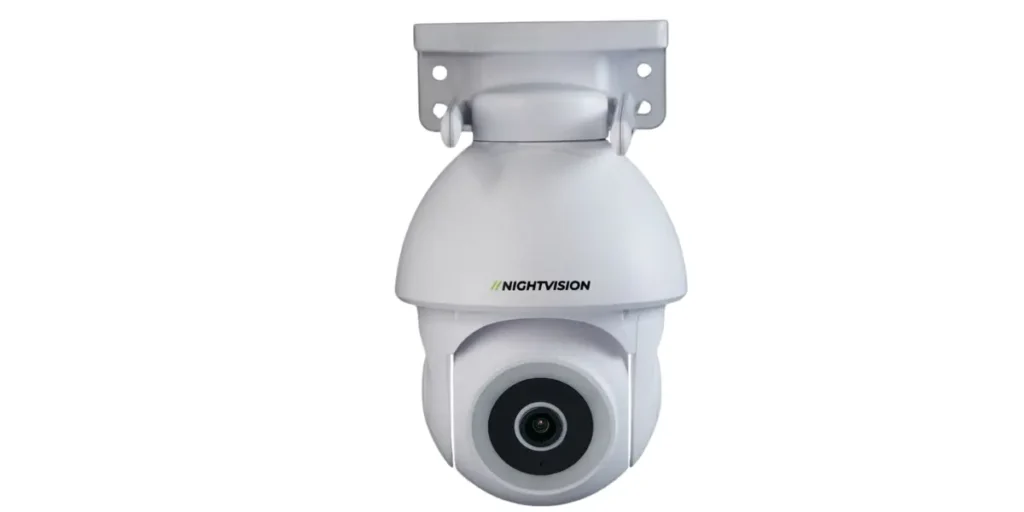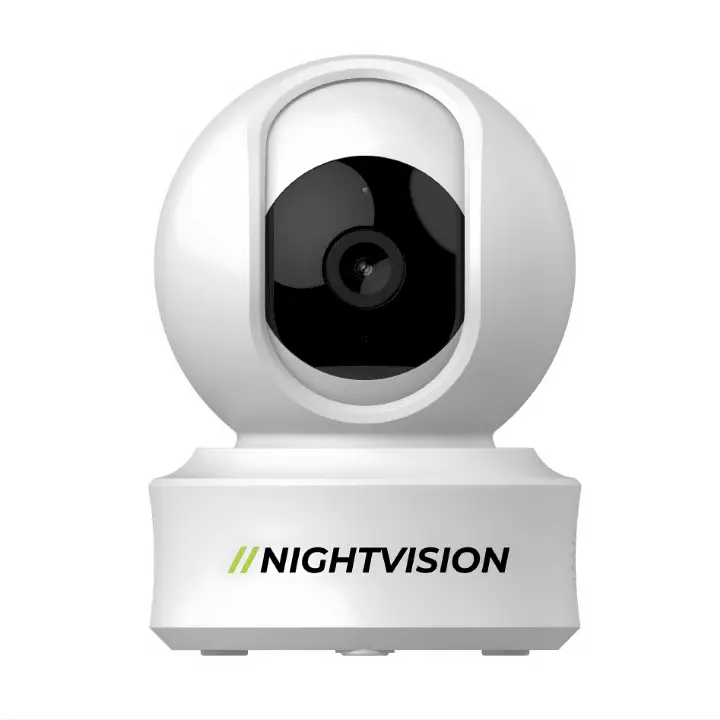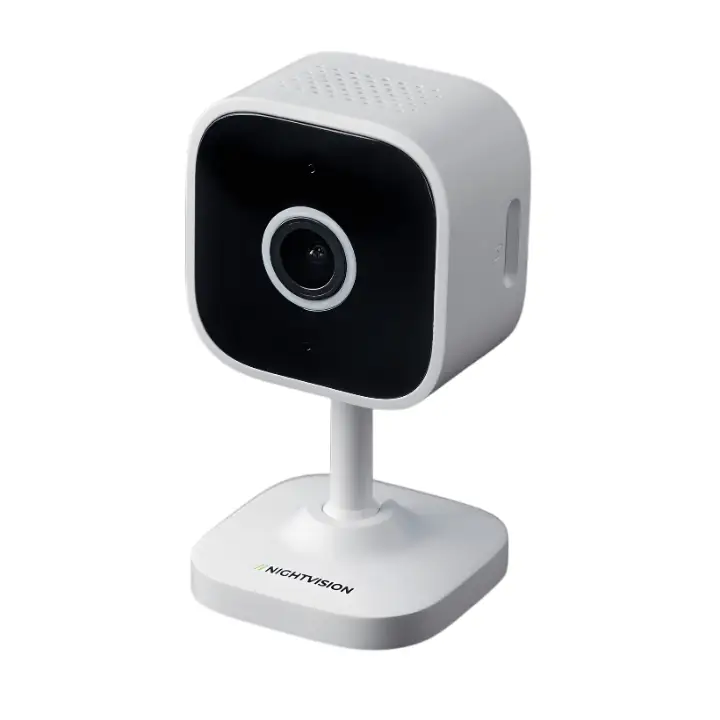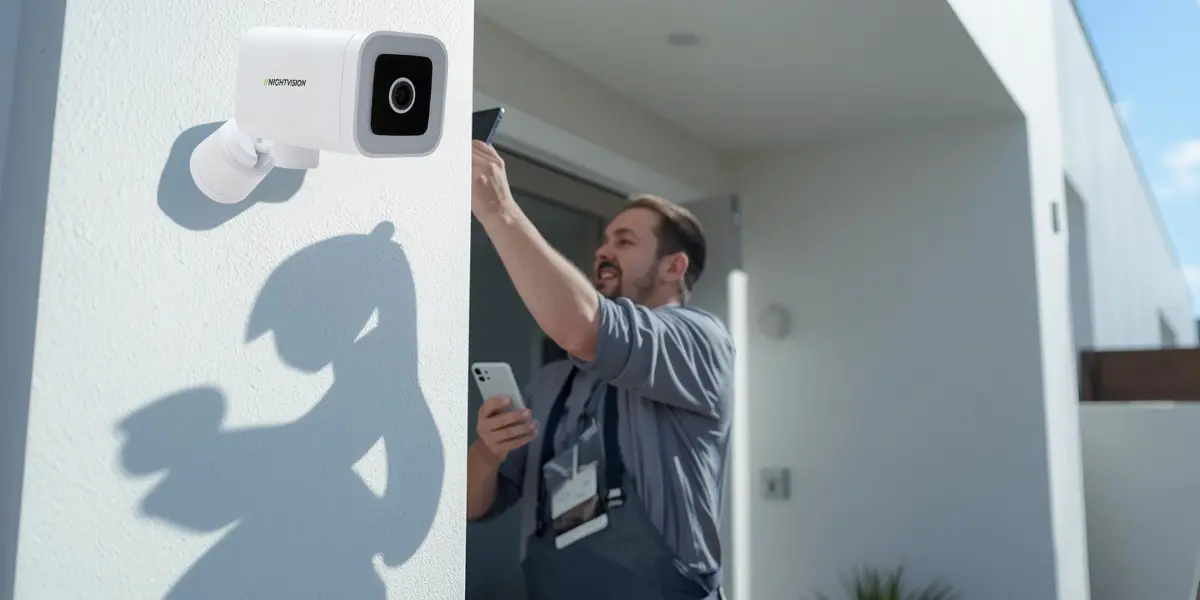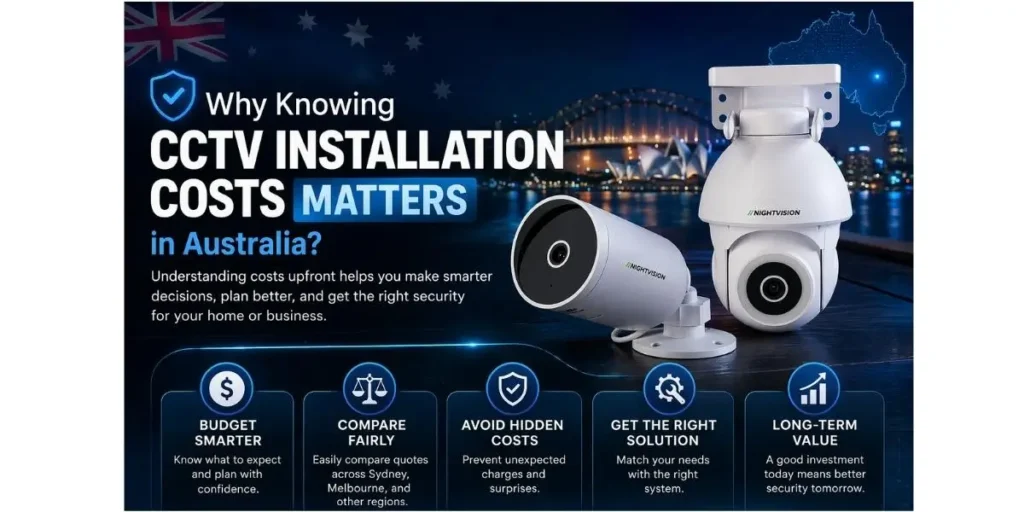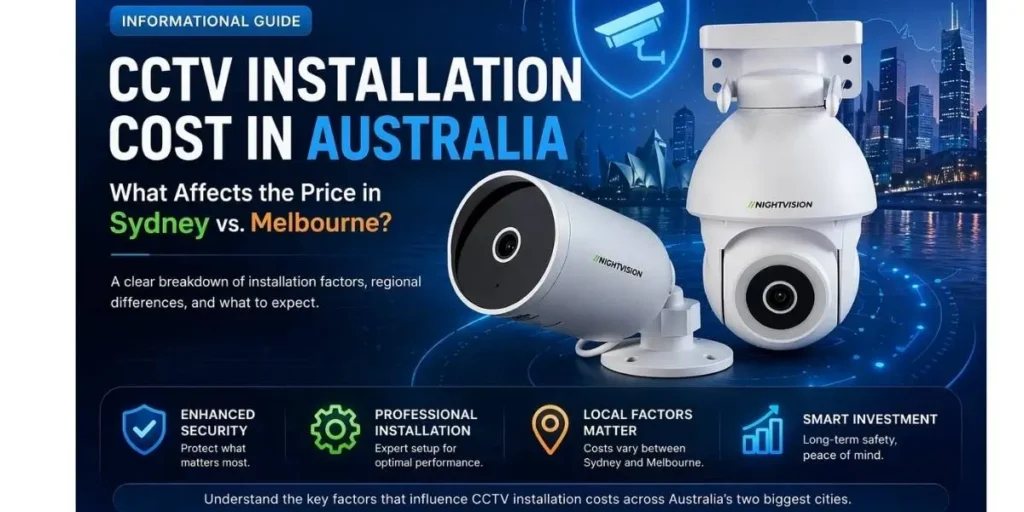
NV NightVision security camera mounted outside a Melbourne home, showing AI human detection monitoring a residential driveway against the Melbourne city skyline. Camera name: NV Ratri G11 PTZ Camera

Security Cameras Melbourne 2026: Complete WiFi Buying Guide

Victoria Police’s most recent figures show 31,851 vehicles were stolen across the state in the past year, the highest number since 2001-02 and more than double what it was four years ago. A lot of that theft starts in exactly the place you’d expect: a driveway, a street frontage, somewhere close to home where a car sits unattended overnight. If you’re weighing up security cameras, Melbourne genuinely has a wide range of options, and the right one comes down to what you’re actually trying to cover, not which brand has the loudest marketing.

This guide walks through what matters for Melbourne conditions specifically: what Victorian law allows, how the local climate affects camera choice, the real difference between a house and an apartment setup, and how self-install actually works once the box arrives.

Quick summary

  • Vehicle theft in Victoria is at its highest point since 2001-02, even as overall recorded crime eased slightly
  • Victoria’s Surveillance Devices Act 1999 differs from other states in a few meaningful ways
  • Melbourne’s changeable weather makes a genuine weatherproof rating worth checking, not assuming
  • Houses and apartments need different coverage approaches, and Owners Corporation rules can apply to shared areas
  • Most Wi Fi cameras in this category are self-install, no electrician or installer required

Why Melbourne homeowners are adding a camera right now

It’s worth being honest about the actual crime picture rather than reaching for a generic “crime is rising” line, because the real data doesn’t support that framing cleanly. Total recorded offences across Victoria were down 0.2 per cent in the year to March 2026, the first decrease in almost four years, according to the Crime Statistics Agency Victoria. Criminal incidents overall fell by a full percentage point. On the numbers that matter most broadly, Victoria’s crime trend is actually easing.

Vehicle theft tells a sharply different story, and it’s the one worth paying attention to if you’re deciding whether a camera is worth the money. At 31,851 vehicles stolen in the past year, it’s the highest figure recorded in over two decades. Victoria Police notes that a meaningful share of these thefts now involve key-mimicking or cloning technology, used to bypass modern car security systems without needing to break a window or force a door. That technology works from close range, which means it’s typically deployed right outside a home, in a driveway or on the street directly in front of a property, rather than in a car park or shopping center.

Theft more broadly, across all categories, actually rose 5.6 per cent to become the single largest recorded crime category in the state. None of this adds up to “Melbourne is unsafe.” It adds up to something more specific: a genuinely elevated risk to one particular thing, a vehicle parked outside a home, at a moment when overall crime is trending in the opposite direction. That’s a more useful way to think about whether a camera makes sense for your property than a vague sense of rising danger.

What Victorian law actually allows

Victoria’s Surveillance Devices Act 1999 governs how cameras can be installed and used across the state, and it’s worth knowing upfront that it isn’t identical to the rules in other Australian states. One of the more practically relevant differences: Victoria generally permits recording a conversation you’re a party to without needing consent from everyone else involved in it. Some other states, like NSW, generally require consent from all parties to a recorded conversation, which makes Victoria’s rules somewhat more permissive on that specific point.

What doesn’t change, regardless of which state you’re in, is that you can’t point a camera at a neighbours private areas, their windows, their backyard, anywhere they’d reasonably expect privacy, without their consent. Recording your own property, including your own front yard, driveway, and entry points, is generally permitted without needing to ask anyone.

If you live in an apartment, townhouse, or any property governed by an Owners Corporation, there’s an extra layer worth checking before you install anything. It’s worth confirming with your Owners Corporation whether a camera facing shared or common property, a hallway, a car park, or a building exterior needs approval before you mount it. Many buildings already have their own policies covering this, on top of whatever the state law says, so checking your specific building’s rules is the more reliable first step than assuming the state law alone covers you.

How Melbourne’s climate should shape your camera choice

Melbourne’s weather has a reputation for a reason, and “four seasons in one day” isn’t just a saying; it’s a genuine planning consideration for anyone mounting a camera outdoors.

Weatherproofing that covers both extremes

 A camera rated for outdoor use in Melbourne needs to handle cold, wet winter conditions and hot, dry summer days, sometimes within the same week. Look for a rating that’s explicitly tested across both temperature and humidity ranges, rather than one that only mentions a single climate condition in its marketing copy.

AI human detection over basic motion sensing

Melbourne’s tree-lined suburban streets, combined with genuinely variable wind conditions, generate a lot of movement that has nothing to do with a person approaching your property. A branch shifting, a possum crossing the yard, a gust catching a loose gate, all of it triggers basic motion detection. A camera that sends you ten false alerts a day quickly trains you to ignore every notification, which defeats the purpose of having a camera at all. AI human detection filters specifically for actual human movement, which keeps every alert you do get meaningful.

Local storage as the sensible default

 A camera that records to a local SD card keeps working even if your internet connection drops, which matters during Melbourne’s occasional severe weather events when connectivity can be the first thing to go. Cloud-only storage, by contrast, stops recording the moment your connection does, right when you might need it most.

Adequate night vision range

 Look for at least 8 to 10 meters of infrared coverage. That’s enough to clearly identify a vehicle or a person at typical Melbourne street-frontage and driveway distances, which covers the vast majority of suburban properties without needing to pay for a longer range most homes won’t use.

No mandatory ongoing subscription

 A camera that works fully on local storage, with cloud backup available as an optional extra rather than a requirement, keeps your costs predictable. This matters more than it might seem, given how much attention subscription fatigue has attracted as a genuine consumer frustration across unrelated product categories in recent years.

Understanding Wi Fi cameras versus a wired system

It’s worth being clear about what a Wi Fi camera actually is and isn’t, since a lot of security camera content conflates it with a full wired NVR system, and the two solve genuinely different problems.

A wired system, cameras connected via cable to a Network Video Recorder, is the more traditional professional setup. It offers continuous recording without any dependency on Wi Fi signal strength, and it’s generally the better fit for a large commercial property, a multi-camera warehouse setup, or a homeowner who wants a fully integrated system with alarm and access control tied in. It also typically requires a licensed installer for any electrical work, and professional installation costs scale with the number of cameras and the complexity of the cable runs involved.

A Wi Fi camera is a different proposition entirely. It connects to your existing home network, sets up through a mobile app, and generally takes around ten minutes to get live once it’s mounted. There’s no cabling, no NVR box to configure, and no need to schedule an installer visit. The trade-off is a dependency on your home’s Wi Fi signal strength at the mount point, which is worth checking before you buy, particularly if you’re covering a spot further from your router than usual, like the far end of a driveway or a detached garage.

For most Melbourne homes and apartments, where the goal is covering a front door, a driveway, or a specific entry point rather than running a full commercial-grade system, a Wi Fi camera does the job at a fraction of the cost and complexity. It’s a genuinely legitimate standalone choice, not just a cheaper starting point on the way to something bigger.

Choosing the right setup for a house or an apartment

A freestanding house with a driveway has different coverage needs to an apartment with a single entry point, and it’s worth being specific about that rather than recommending the same setup for every Melbourne property type.

For houses with a driveway, wide coverage matters more given how concentrated the current vehicle theft numbers are on exactly that space. A camera capable of panning across the full width of a driveway, rather than one fixed angle, covers considerably more of the area where this specific, well-documented risk actually shows up. This matters particularly for properties with a long driveway or a wide frontage, where a single fixed camera would only ever see a fraction of the relevant area.

For a single fixed point, a front door, a side gate, a garage entry, a fixed camera set once during installation is simpler and generally more cost-effective than a pan-tilt-zoom unit. If you only need to watch one specific spot and that spot never changes, there’s little practical benefit to paying for wide-angle hardware you won’t use.

For apartments and units, coverage needs are usually smaller in scope, typically just a front door or a balcony facing a street or courtyard. A compact, fixed camera covering that single point is generally sufficient, and it avoids the added complexity and cost of trying to cover an area you don’t actually have.

For townhouses with shared driveways or entries, keep your camera’s field of view focused on your own allocated space rather than a neighbours, both as a matter of courtesy and to stay within the bounds of Victorian surveillance law discussed earlier. If your entry faces a shared hallway, car park, or other common area, that’s the specific point to check with your Owners Corporation before mounting anything.

The two cameras built for Melbourne conditions

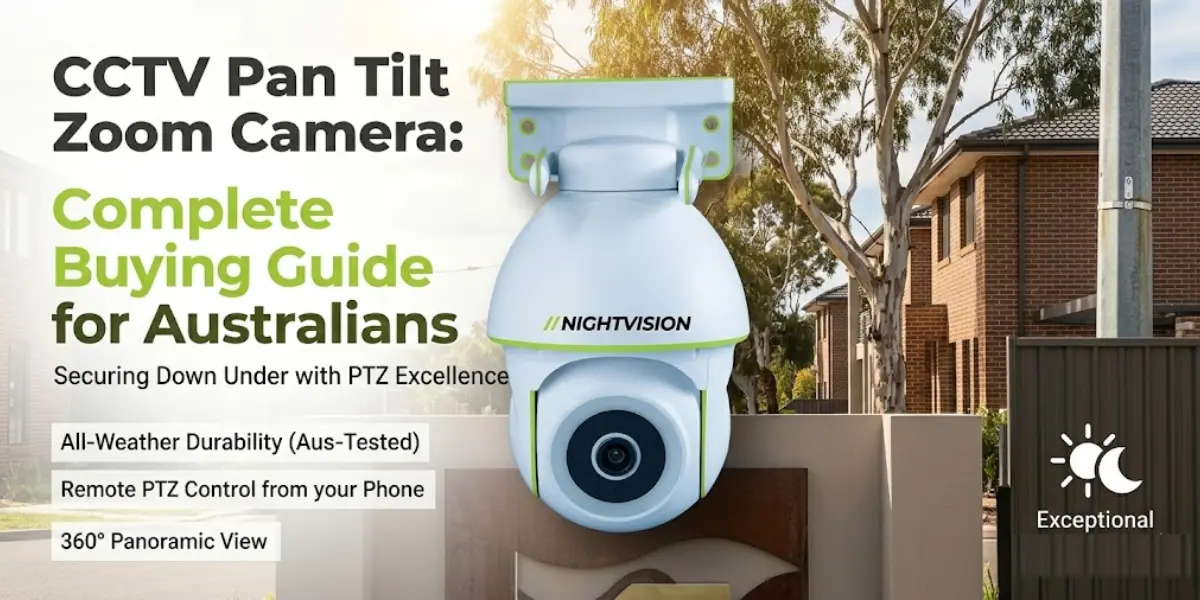
For driveway coverage, where the current vehicle theft numbers make the strongest case for wider coverage, the NV G11 PTZ camera pans across a wide field of view with AI auto-tracking, built to follow movement across a full driveway width from a single mount point rather than requiring two or three fixed cameras to achieve the same coverage.

For a single fixed point, whether that’s a front door, a side gate, or an apartment entry, the NV T5P bullet camera holds a permanent, weatherproof view of that spot once installed. Designed in Australia, it’s built with local outdoor conditions in mind, rather than adapted from a generic overseas spec sheet, which matters given how specifically Melbourne’s climate swings across a typical year.

Both connect over WiFi through a straightforward mobile app setup, with no installer or electrician required for a standard installation. Current pricing for each model is listed directly on its product page, since promotional pricing shifts from time to time and isn’t worth quoting here as a fixed figure that may already be out of date by the time you’re reading this.

Setting up your camera once it arrives

Most of the setup process, regardless of which camera you choose, follows a similar pattern. You mount the camera at your chosen position, connect it to your home WiFi network through the manufacturer’s app, and you’re typically live and recording within about ten minutes. There’s no drilling required beyond whatever bracket the camera needs, and no need to run any cable back to a central recording unit, since footage is recorded locally on the camera’s SD card.

It’s worth checking two things before you order: your WiFi signal strength at the actual planned mount point, not just inside your living room, and whether there’s a nearby power source if the camera you’re considering isn’t battery-powered. Both are quick checks that take a few minutes and can save you the hassle of discovering a mounting problem after the camera’s already arrived.

If your property has a more complex setup, a mount point genuinely out of WiFi range, or no accessible power source nearby, it’s worth working through that before buying rather than after, since it will affect which specific camera type actually suits your situation.

Choosing the right camera for your Melbourne property

The clearest case for a camera in Melbourne right now isn’t a general sense that crime is rising everywhere, since the broader picture is actually easing. It’s the specific, well-documented rise in vehicle theft, and a camera covering your driveway or entry point is one of the more direct, affordable responses available to a homeowner or renter.

Under the Competition and Consumer Act 2010, any camera you buy in Australia carries automatic consumer guarantees regardless of the seller’s own returns policy. NV NightVision’s outdoor security camera range covers both the wide-driveway and fixed-point options discussed throughout this guide. Whichever you choose, the goal isn’t the most expensive camera on the page. It’s knowing what’s happening at your own front door, without paying for more camera than your specific property actually needs.

Frequently asked questions about Melbourne security cameras

How much does a security camera cost in Melbourne?

Pricing varies by camera type and features. WiFi cameras with self-install setup are typically far cheaper than a professionally installed wired system, since there’s no cabling or installer labour involved. Check individual product pages for current pricing.

Is it legal to have a security camera facing the street in Victoria?

Generally yes, provided it’s capturing your own property and public areas like the street or footpath, rather than a neighbour’s private space. Victoria’s Surveillance Devices Act 1999 governs the specifics.

Do I need a permit or licence to install a security camera in Melbourne?

No permit is required for a standard WiFi camera on your own property. If you’re in an apartment, it’s worth checking with your Owners Corporation first if the camera faces any shared or common area.

Can I install a WiFi security camera myself in Melbourne?

Yes, most WiFi cameras in this category are designed for self-installation through a mobile app, generally within about ten minutes, no electrician or installer required.

What camera setup handles Melbourne’s weather best?

Look for a camera rated for both cold, wet conditions and hot, dry summer heat, since Melbourne regularly produces both within short periods. Check the specific weatherproof rating before buying.

Do apartments and units in Melbourne allow security cameras?

Generally yes, for a camera covering your own entry point like a front door or balcony. Cameras facing shared or common property may need Owners Corporation approval first.

Does my Owners Corporation need to approve a camera facing common property?

Often, yes, particularly for anything mounted on or facing shared building areas like a foyer or car park. It’s worth checking your building’s specific rules before installing.

Do Melbourne security cameras need a subscription to work?

No, not if the camera supports local SD card storage, which most current WiFi models do. Cloud subscriptions are usually optional, not required for the camera to function.

What’s the difference between a WiFi camera and a wired security system?

A WiFi camera connects to your home network and installs without cabling, generally in around ten minutes. A wired system connects cameras to a central recorder via cable and usually requires professional installation, better suited to larger or commercial properties.

Can I cover a whole driveway with just one camera?

Often, yes, with a PTZ camera capable of wide pan coverage. A fixed camera generally can’t, since it only sees one direction, which is why the choice between the two matters so much before you buy.


NV NightVision security cameras featured in a Brisbane 2026 QLD buying guide banner, showing PTZ, bullet, and indoor Wi‑Fi cameras with the Brisbane skyline, Story Bridge, and a modern Queensland home at dusk.

Security cameras Brisbane 2026: QLD buying guide

Unlawful entry offences across Queensland fell for the second consecutive year in 2024-25, down 9.9 per cent in rate, according to the Queensland Government Statistician’s Office Crime Report. That’s genuinely good news. It’s worth knowing the full picture too: while non-violent break-ins declined, violent unlawful entry offences actually rose 6.4 per cent over the same period, a reminder that the state-wide number doesn’t tell the whole story for every household. If you’re looking at security cameras Brisbane has a genuinely different legal and climate picture to the rest of the country, and it’s worth understanding both before you buy.

This guide covers what Queensland law actually allows, how Brisbane’s subtropical climate should shape your camera choice, the difference between a WiFi camera and the solar or 4G options you’ll also see marketed locally, and what to look for regardless of which housing style you’re covering.

Quick summary

  • Unlawful entry in Queensland is declining overall, though violent break-ins bucked that trend
  • Queensland doesn’t have a dedicated camera surveillance law like NSW or Victoria, current rules come from a mix of privacy and criminal law
  • Brisbane’s humidity and storm season make weatherproofing a genuine requirement, not a marketing checkbox
  • WiFi suits most standard suburban blocks with existing home internet, while solar or 4G cameras solve a different, more off-grid problem
  • Queenslander homes, post-war houses, and apartments each call for slightly different coverage
  • Most WiFi cameras in this category are self-install, no local installer required

Why Brisbane homeowners are looking at security cameras

The Queensland Government Statistician’s Office’s most recent Crime Report shows unlawful entry offences down 7.9 per cent in count and 9.9 per cent in rate for 2024-25, the second straight year of decline. That decline was driven mostly by fewer non-violent break-ins. Violent unlawful entry with intent, offences where the intruder used or threatened force, actually increased 6.4 per cent over the same period, to 1,025 recorded offences, even as the broader category fell.

Separately, “other theft,” which covers stealing from dwellings, shops, and vehicles, remains the single largest category of property offence in the state, making up more than half, 52.1 per cent, of all recorded property crime in 2024-25, despite a 2.5 per cent decrease in count. None of this points to a crisis. It does point to theft, rather than forced entry specifically, being the more common everyday risk for most Brisbane households, which is worth knowing when you’re deciding what a camera actually needs to cover, and where.

What Queensland law actually says about security cameras

This is genuinely different territory to New South Wales or Victoria, and worth understanding clearly rather than assuming the rules are the same everywhere in Australia.

Queensland doesn’t have a dedicated surveillance devices act covering cameras the way NSW’s 2007 Act or Victoria’s 1999 Act do. The state’s Invasion of Privacy Act 1971 covers audio, listening devices and private conversations, but it doesn’t extend to visual surveillance. Camera use in Queensland instead falls under Section 227A of the Criminal Code Act 1899, which the Queensland Office of the Information Commissioner’s own community guide confirms makes it an offence to video record someone without consent in a place they’d reasonably expect privacy, a bedroom, bathroom, or changeroom being the clearest examples.

For a standard home camera aimed at your own front door, driveway, or yard, this isn’t something you need to worry about. The same OIC guide is straightforward on positioning: cameras shouldn’t have an impact on people in neighbouring properties, and it’s worth assessing your camera’s field of view carefully before mounting it. Best practice, echoed across several legal guides on this topic, is to frame your camera so its view is effectively cut off at your own boundary fence, rather than capturing a neighbour’s yard, pool, or windows even incidentally.

Worth knowing too: the Queensland Law Reform Commission has an active review underway looking at introducing more comprehensive surveillance device regulation for the state. This is an area of law that may see more specific rules added in the future rather than staying exactly as it currently stands, so it’s worth a periodic check if you’re installing a camera with a long working life ahead of it.

How Brisbane’s climate should shape your camera choice

Brisbane’s subtropical climate brings a different set of conditions to Sydney or Melbourne, and it’s worth choosing a camera with that specifically in mind rather than relying on a generic national buying guide.

Humidity and heat. 

Brisbane’s humidity, particularly through summer, puts real stress on outdoor electronics over time. A camera without a genuinely tested weatherproof rating can fog internally or degrade faster than the same unit would in a drier climate. This isn’t a one-off event either, it’s a sustained condition across several months of the year, every year.

Storm season. 

Roughly November through April, Brisbane sees regular heavy rain and occasional severe hail. An outdoor camera needs a mounting position and housing rated to handle sudden, heavy rainfall, not just light drizzle, and a mounting spot that offers at least some overhang protection from direct hail impact where possible.

UV exposure. 

Queensland’s sun is genuinely harsher than in the country’s southern states, and prolonged UV exposure can degrade plastic housings faster over a camera’s lifespan. This is worth checking on a spec sheet, even though it’s less commonly advertised than a basic weatherproof rating. A camera housing that looks fine after twelve months can show visible wear, brittleness, or discolouration after a few full Brisbane summers if it wasn’t built with this specifically in mind.

WiFi, solar, or 4G: choosing the right category for your property

This is a genuine decision Brisbane buyers face more than buyers in most other Australian cities, because all three camera categories get marketed locally, often without a clear explanation of which actually suits which property.

A WiFi camera connects to your existing home internet and is the simplest, most cost-effective option for a standard suburban block with reliable WiFi coverage reaching the mount point. Setup runs through a mobile app, generally live within about ten minutes, with no ongoing data cost since it rides on your existing internet connection.

Solar and 4G cameras solve a different problem: genuinely off-grid coverage, a rural property boundary, a large acreage block, or a site with no mains power or WiFi reach at all. These are legitimate, useful products for that specific situation, but they’re a different category with different trade-offs, generally higher upfront cost, and in the case of 4G, an ongoing data cost that a WiFi camera doesn’t carry.

For the great majority of Brisbane and South East Queensland homes, standard suburban blocks with home internet already reaching most of the property, a WiFi camera is the simpler, more cost-effective choice. If your specific situation genuinely involves no WiFi reach at the camera’s intended position, that’s worth solving with a WiFi extender first before assuming you need a different camera category entirely.

What to look for before you buy

A handful of features matter more than the rest for Brisbane conditions specifically:

  • A genuine weatherproof rating, tested for heavy rain and humidity rather than just listed as “outdoor rated” without specifics
  • AI human detection, since Brisbane’s storm season brings plenty of wind-driven motion, palm fronds, loose debris, that trips basic motion sensors constantly
  • Local SD storage as the default, so recording continues through the connectivity drops that sometimes come with severe weather
  • A night vision range of at least 8 to 10 metres, sufficient for a typical Brisbane suburban driveway or front yard
  • No mandatory subscription, keeping ongoing costs predictable regardless of how long you own the camera

NV NightVision’s range of no-subscription security cameras is built around exactly this checklist as the default, not an upgrade option.

Choosing the right camera for Queenslanders, houses, and apartments

Brisbane’s housing mix is genuinely more varied than a lot of other Australian cities, and the right camera setup should reflect that rather than assuming one placement works everywhere.

Queenslander-style homes, elevated on stumps or posts with a wide front verandah and stairs, have a natural, obvious camera position: covering the front stairs and verandah approach, which is the actual entry point for most visitors and, unfortunately, most intruders too. A camera mounted under the eave at the top of the stairs typically covers this well, often with some natural weather protection from the verandah roof itself.

Post-war brick and modern houses with a more standard front-door layout suit a more conventional fixed camera at the entry, paired with wider driveway coverage if the block has a longer approach or a side gate that also needs watching. For this layout, wider driveway coverage from a single PTZ mount point is often more practical than two or three separate fixed cameras.

Apartments and units, common across inner-Brisbane and increasingly through suburbs like South Brisbane, Fortitude Valley, and New Farm, generally need simpler coverage, a front door or balcony. A compact indoor-outdoor camera like the NV Y1-Ratri Dome suits this scale well, covering a single entry point without the wider hardware a house setup would need. If you’re in a property governed by a Body Corporate under the Body Corporate and Community Management Act 1997, check your by-laws before mounting anything facing common areas like a shared hallway, lift lobby, or car park, since this is the relevant law for shared-property cameras in Queensland, distinct from how NSW or Victoria handle the same situation.

A camera built for Brisbane conditions

NV NightVision’s outdoor security cameras are built with genuine weatherproofing for exactly this kind of climate variability, tested across humidity and heavy rain conditions rather than just labelled “outdoor use.” Designed in Australia, the range includes both wide-coverage PTZ options for houses with driveways and fixed cameras suited to a single entry point, a Queenslander’s front stairs, or an apartment balcony.

For wider coverage across a driveway or a larger Queenslander block, the NV G11 PTZ camera pans across 355 degrees with AI auto-tracking. For a single fixed point, the NV T5P bullet camera holds a permanent, weatherproof view of a front door, verandah, or gate. If you’re covering an apartment entry or balcony rather than a house, the NV Y1-Ratri Dome is a better-scaled option than either of the outdoor-focused models above.

Setup runs through a mobile app over WiFi, with no installer required, and current pricing for each model is listed on the product page directly, since promotional pricing changes from time to time. You can browse the full range if you’d like to compare every model side by side before deciding.

Choosing the right camera for your Brisbane property

Queensland’s legal framework for cameras is different to the rest of the country, and its climate demands more from your equipment than a cooler state would. Getting both right, along with matching the camera category to your actual property type, matters more here than in most other Australian cities.

Under the Competition and Consumer Act 2010, any camera you buy in Australia carries automatic consumer guarantees regardless of the seller’s return policy. NV NightVision’s outdoor security cameras range is built with Brisbane’s specific conditions in mind, and the team can help if you’re unsure which setup suits your property. Whichever camera you choose, the goal is straightforward: reliable coverage that actually holds up through a Brisbane summer, not just the display model in a showroom.

FAQs about Brisbane security cameras

Is it legal to install a security camera at my Brisbane home?

Yes. There’s no permit required for a standard camera on your own property, provided it’s not capturing places someone would reasonably expect privacy, like a neighbour’s bedroom window.

Does Queensland have the same camera laws as NSW or Victoria?

No. Queensland doesn’t have dedicated surveillance devices like those states. Camera use falls under the Criminal Code’s privacy provisions instead, which work differently to NSW and Victoria’s specific legislation.

How does Brisbane’s climate affect camera choice?

Humidity, storm season, and strong UV exposure all put more stress on outdoor electronics than in cooler, drier states. Look for a camera with a genuinely tested weatherproof rating rather than a generic “outdoor” label.

Should I get a WiFi camera or a solar/4G camera in Brisbane?

WiFi suits most standard suburban blocks with existing home internet reaching the camera’s position. Solar or 4G cameras suit genuinely off-grid sites, rural boundaries, or large acreage blocks without power or WiFi reach.

Can I install a camera myself in Brisbane, or do I need an electrician?

Most WiFi cameras are designed for self-installation through a mobile app, generally within about ten minutes. An electrician is only needed for hardwired systems.

Do apartments in Brisbane allow security cameras?

Generally yes, for a camera covering your own entry point. Cameras facing shared common areas may need Body Corporate approval under Queensland’s community management laws.

Is unlawful entry rising or falling in Queensland?

Falling overall, down 9.9 per cent in the latest financial year. Violent unlawful entry specifically increased 6.4 per cent over the same period, so the picture varies depending on which category you look at.

Do Brisbane security cameras need a subscription?

No, not if the camera supports local SD card storage, which most current WiFi models do. Cloud subscriptions are usually optional add-ons.

What’s the best camera for a Queenslander-style home?

A camera covering the verandah or front stairs, the common entry point on this housing style, paired with wider driveway coverage if the block has a longer approach, generally covers most Queenslander properties well.

How much does professional installation cost compared to self-install in Brisbane?

Professional installation through a local company generally runs into the hundreds to low thousands of dollars depending on camera count. A self-install WiFi camera avoids that cost entirely, generally set up within about ten minutes per camera.

Banner showing NV NightVision security cameras with the Sydney skyline, promoting a 2026 buyer's guide for choosing home security cameras in NSW.

Security cameras Sydney 2026: a buyer’s guide for NSW homes

NSW’s break-and-enter rate sits 30 per cent below the national average, among the lowest of any Australian state. That’s genuinely good news if you live in Sydney, and it’s not a reason to skip a security camera. If anything, it’s a sign that deterrents like visible cameras, already common across the city, are doing part of that work.

This guide covers what actually matters if you’re buying a security camera in Sydney: what NSW law allows, what to look for given the local climate, the difference between apartment and house setups, and how self-install actually works.

Quick summary

  • NSW has comparatively low crime, but retail theft in Greater Sydney is genuinely rising, worth knowing before you assume the risk picture is flat
  • The NSW Surveillance Devices Act 2007 governs what you can point a camera at and where
  • Sydney’s humidity and storm season make weatherproofing a real requirement, not a nice-to-have
  • Apartment and strata properties need a different approach to freestanding houses
  • Most cameras in this category are self-install over WiFi, no electrician required

Why Sydney homeowners still choose to install a camera

Low crime rates and no reason to bother with a camera aren’t the same thing. Property crime staying low in Sydney doesn’t mean it’s evenly distributed. It varies suburb to suburb, and a single break-in on an otherwise quiet street still costs the household it happens to. A camera doesn’t change the citywide statistic, but it does change the odds for the specific property it’s watching.

There’s also a category worth knowing about that isn’t home break-ins. Retail theft across Greater Sydney has risen 13.5 per cent over the past two years, according to the NSW Bureau of Crime Statistics and Research. That’s a different category to residential burglary, and it’s not a reason for a homeowner to panic, but it’s a useful reminder that “crime is low” isn’t the whole picture. Different offence types move in different directions at the same time.

Sydney’s housing mix adds another layer. A large share of the city lives in apartments and townhouses rather than freestanding houses, which changes what “installing a camera” actually looks like. A house in the Sutherland Shire has different coverage needs to a unit in Zetland, and the right camera setup reflects that rather than assuming every Sydney property looks the same.

What NSW law says about installing a security camera

The Surveillance Devices Act 2007 (NSW) is the law that governs CCTV installation and use across the state. In short: you can install cameras on your own property, but you can’t point them at a neighbour’s yard, windows, or anywhere someone has a reasonable expectation of privacy, and you can’t record private conversations without consent from everyone involved.

If you’re in a strata property, there’s an extra layer. Body corporates can set their own rules about where cameras go and what they can capture, particularly for anything facing common areas like hallways, car parks, or shared entrances. Check your by-laws before mounting anything that isn’t entirely within your own unit’s boundary.

For the full breakdown of what’s allowed and what isn’t, see our NSW security camera laws guide, which covers this in more depth than makes sense to repeat here.

What to look for before you buy a CCTV camera?

A handful of features matter more than the rest for Sydney conditions specifically.

Weatherproofing

 Sydney summers bring genuine humidity, especially closer to the coast, and storm season brings heavy, sudden rain. A camera rated for outdoor use needs to handle both without water ingress or lens fogging becoming a recurring problem. NV NightVision’s outdoor range is rated from -20°C to 50°C with humidity tolerance up to 95%, which covers the range Sydney actually produces across a year.

AI human detection over basic motion detection

Sydney properties near trees, busy streets, or shared driveways generate a lot of movement that isn’t a person. Wind, possums, passing traffic. Basic motion detection triggers on all of it. AI human detection filters most of that out, so the alerts you get are ones actually worth checking.

Night vision range

Look for at least 8 to 10 metres of infrared coverage. That’s enough for a typical suburban driveway, front yard, or apartment balcony approach, and it’s the standard spec across most cameras worth considering in this category.

No ongoing subscription

A camera that records to local SD storage rather than requiring a paid cloud plan keeps costs predictable, which matters more in a market where subscription fatigue is a real, widely discussed frustration.

WiFi reliability at the mount point

Sydney apartment buildings in particular can have patchy WiFi at balcony edges or building perimeters. Check signal strength at the actual planned camera position before buying, not just inside the living room.

Choosing the right camera for a house versus an apartment

A freestanding house in the outer suburbs has different coverage needs to an apartment in the inner city, and it’s worth being specific about that rather than recommending one camera for every Sydney property.

For houses with driveways or yards, a PTZ camera with wide pan coverage does more with fewer units. NV NightVision’s G11 covers 355 degrees of pan with AI auto-tracking, which suits a property where one camera needs to watch a driveway, side gate, and yard from a single mount point rather than needing three fixed cameras to do the same job.

For a single fixed point, like a front door, side gate, or garage entry, a fixed bullet camera is simpler and does the job without the extra cost of pan-tilt hardware. The T5P-Ratri Bullet is built for exactly this, weatherproofed and straightforward to mount once and leave.

For apartments and units, coverage needs are usually smaller in scope, often just a front door or a balcony. An indoor or compact outdoor camera covering that single access point is generally enough, and it avoids the complexity of trying to cover a wide area you don’t actually have.

For shared or strata entries, check your by-laws first. A camera covering only the inside of your own front door, rather than the shared hallway beyond it, generally avoids the common-area issues strata rules are designed to prevent.

Buying and setting up a security camera in Sydney

Most cameras in this category, including NV NightVision’s range, are designed for self-installation rather than requiring a licensed electrician or professional installer. Setup generally follows the same pattern: mount the camera, connect it to your WiFi through the manufacturer’s app, and you’re live within about ten minutes.

That’s worth knowing upfront if “installation” makes you picture a tradesperson visit, since for most WiFi cameras in this price range, it doesn’t work that way. If your specific property has a more complex setup, such as a mount point with no nearby power source or a WiFi dead zone, that’s worth checking before you buy rather than after, since it’ll affect which camera type actually works for your situation.

Current pricing for individual models is listed on each product page, since promotional pricing shifts from time to time and isn’t worth quoting here as a fixed figure.

Choosing the right security camera for your Sydney property

The right camera for a Sydney property depends more on what you’re covering than on any single “best” model. A house with a driveway needs different coverage to an apartment with a single front door, and getting that distinction right matters more than chasing the highest resolution or the longest feature list.

Under the Competition and Consumer Act 2010, any camera you buy in Australia carries automatic consumer guarantees, regardless of the seller’s own returns policy. If you want to compare the full outdoor range side by side, NV NightVision’s outdoor security cameras page has the specs laid out together, and our team can help if you’re not sure which setup suits your property.

Sydney’s crime rate being comparatively low is a good thing, not a reason to skip a camera altogether. It’s simply a reason to buy the right one for what you’re actually covering, rather than the most expensive one on the shelf.

FAQs about buying a security camera in Sydney

Do I need a permit to install a security camera in Sydney?

No permit is required to install a standard WiFi security camera on your own property in NSW. Strata properties may have their own by-laws on camera placement, so check those first if you’re in an apartment or townhouse complex.

Can my Sydney neighbour make me remove a camera pointed at my own yard?

Generally, no, as long as the camera is on your own property and isn’t capturing their private areas like windows or backyard. If there’s a dispute, the Surveillance Devices Act 2007 and general nuisance law both come into play, and a direct conversation is usually the simplest first step.

What’s the best camera for a Sydney apartment balcony?

A compact outdoor-rated camera covering just the balcony door or entry point is usually enough. Wide-coverage PTZ cameras are built for larger areas like driveways and yards, which most apartments don’t have.

Do security cameras work during Sydney’s summer storms?

A properly weatherproof-rated camera, rated for heavy rain and humidity, continues working through storm conditions. Check the specific rating before buying if you’re mounting somewhere fully exposed rather than under eaves.

How much does a security camera cost in Sydney?

Pricing varies by camera type and features, with promotional pricing changing regularly. Check individual product pages for current pricing rather than relying on a fixed figure that may be outdated by the time you’re reading this.

Can I install a security camera myself in Sydney, or do I need an electrician?

Most WiFi security cameras, including NV NightVision’s range, are designed for self-installation through a mobile app, no electrician required. An electrician is really only necessary for hardwired systems, which is a different category to most residential setups.

Is it legal to record my front door if it faces a shared driveway?

Generally yes, provided the camera’s field of view is focused on your own entry point rather than capturing your neighbour’s use of the shared space in detail. If the driveway is shared under a strata scheme, check your by-laws as well.

What camera setup suits a Sydney terrace house?

Terrace houses often have a narrow, defined frontage, which suits a fixed bullet camera covering the front door well. If there’s rear laneway access, a second fixed camera covering that entry point is often more practical than trying to cover both with one wide-angle unit.

Do I need a subscription to use a security camera in Sydney?

No, not if the camera supports local SD card storage, which most current models do. Subscription plans are usually optional, adding cloud backup rather than being required for the camera to function.

How do I know if my WiFi will reach my camera’s mount point?

Check the signal strength on your phone standing at the actual planned camera location, not just inside the house. If it’s weak, a WiFi extender positioned partway between the router and the camera usually resolves it.

NV NightVision Ratri G11 PTZ outdoor security camera mounted on Australian home covering driveway at dusk Caption: The NV NightVision Ratri G11 covering a suburban Australian driveway, a single PTZ unit handling wide-area coverage from one mount point.

Best Security Cameras Australia 2026: Top Picks Ranked and Compared

Every year, more Australians go looking for the best security cameras Australia has to offer. And every year, the options get harder to sort through. According to the Australian Bureau of Statistics, 218,000 Australian households were broken into in 2023–24 — up from 1.8 per cent to 2.1 per cent of all households in a single year. One in five of those households was hit more than once. That is not a small trend. That is a clear signal that getting camera coverage right matters more now than it did twelve months ago.

Most buyers searching for the best cctv cameras australia find the same problem: comparison guides built for American or British buyers, with products that are overpriced here, unavailable here, or simply not rated for the heat, humidity, and coastal conditions that Australian properties actually face. This guide is different. Every camera and every piece of advice in here is assessed specifically for Australian conditions, Australian property types, and Australian Consumer Law rights.

Whether you own a suburban home in Sydney, rent a flat in Melbourne, run a small business in Brisbane, or manage a rural property in regional Queensland, this is the 2026 guide to the top security cameras Australia buyers are actually asking about.

What This Guide Covers

  • How to choose the right security camera type for your specific Australian property
  • What IP rating, resolution, and detection specs matter most for Australian conditions
  • A ranked comparison of NV NightVision cameras by use case in 2026
  • Why no-subscription local storage is worth prioritising for most Australian buyers
  • What your rights are under Australian Consumer Law when purchasing a security camera

What Makes a Security Camera Genuinely Right for Australian Conditions

Before you look at a single brand or price point, you need three filters. These three criteria separate the best wifi security camera australia buyers can rely on from the ones that look good in a product listing and fail six months into Australian weather.

Filter one: IP rating.

Australia’s climate range is punishing. Far north Queensland runs tropical humidity year-round. Perth and Sydney coastal properties deal with salt-laden air. Inland regions face dust, heat, and temperature swings. Victoria and Tasmania bring cold wet winters with serious rainfall. As per the IP Code standard, an IP66 rating confirms a device is fully dust-tight and protected against high-pressure water jets from any direction. For any fully exposed outdoor position — a fence post, shed wall, or open roof line — IP66 is the non-negotiable minimum. IP65 handles normal rain well in sheltered positions under eaves. IP67 adds submersion protection and suits flood-prone or drainage-adjacent areas.

Filter two: resolution.

For entry points where you need to identify faces and number plates, 4MP is the practical minimum. For general area monitoring where coverage range matters more than fine detail, 2MP is adequate and reduces storage requirements. Beyond 4MP, the benefit for standard residential use drops off quickly.

Filter three: connectivity.

Wi-Fi cameras are the right choice for most suburban Australian homes where the router signal reliably reaches the install location. For rural properties, large blocks, or outbuildings beyond Wi-Fi range, a 4G camera using Australia’s mobile network is the purpose-built solution — not a workaround, but the category designed for that scenario.


Four Camera Types Every Australian Buyer Needs to Understand

Knowing the formats before comparing specific models saves money and prevents the coverage gaps that only become obvious after installation day.

Bullet cameras are fixed-angle, cylindrical housing cameras that point in one direction and cover a defined field of view. They are highly visible, which makes them strong deterrents. They suit driveways, entry points, side gates, and any position where the coverage zone is fixed and a visible presence matters.

Dome cameras mount to ceilings or soffits in a compact dome housing. The design makes the exact direction the lens faces harder to determine, which carries its own deterrent value. They suit indoor spaces, carports, covered verandas, and undercover parking areas.

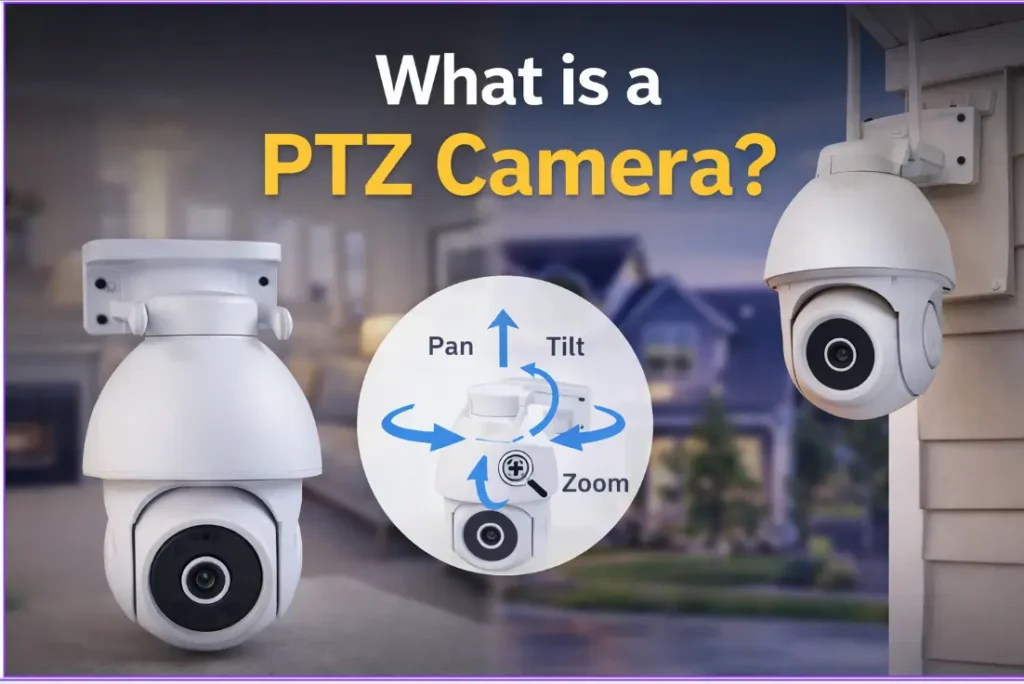
PTZ cameras (pan-tilt-zoom) move. They track movement automatically or pan on command through the app. A single PTZ unit replaces two or three fixed cameras across a large outdoor area, making them the right choice for wide driveways, large backyards, and rural properties where coverage range is the primary concern.

Indoor cameras are built for internal environments: living areas, hallways, home offices, and small business shopfronts. They are not weatherproofed for outdoor use. Most include two-way audio and pan-tilt movement, so one unit monitors a full room from a single mount point.


How to Match the Best Security Camera to Each Location on Your Property

This is the most practical question in any security camera comparison for Australian buyers — not which brand is best in general, but which camera type suits each specific location on your property. Getting this right prevents the single most common mistake: installing one camera at the front door and leaving every other access point unmonitored.

Location Recommended Type Minimum Resolution Minimum IP Rating
Front door Bullet or PTZ 4MP IP65 under eaves
Driveway PTZ or Bullet 4MP IP66 exposed
Backyard or large outdoor area PTZ 4MP IP66
Side gate Bullet 2MP IP66
Indoor living areas Indoor PTZ 2MP Not applicable
Shopfront or business entry PTZ or Bullet 4MP IP65 minimum
Rural boundary or farm gate 4G PTZ or Bullet 2MP IP66

Property crime data shows burglars consistently use less-observed access points rather than the obvious front door. A side gate or rear entry left without coverage is not an oversight — it is a known gap that opportunistic offenders identify. Covering those secondary access points alongside the front entry is what turns a partial setup into a genuine security system.

For buyers comparing installation costs across different property types, the CCTV installation cost guide for Australia covers the full range of professional and DIY cost factors for 2026.


Three Features That Separate the Best Security Cameras from the Rest

The security camera market has a feature inflation problem. Specifications that look impressive in product listings often make little practical difference to real-world home security. These three features consistently earn their place in the best cctv cameras australia buyers should be comparing in 2026.

AI human detection is the single most useful upgrade over standard motion detection. Standard detection triggers on anything that moves: a car passing the driveway, a branch shifting in the wind, a dog crossing the yard. A camera that sends ten false alerts per day trains you to ignore every notification. AI human detection filters specifically for human movement, which keeps every alert meaningful and relevant. For buyers specifically interested in this feature, the active deterrence security cameras guide covers how detection and siren features work together.

H.265 compression reduces recorded footage file size without reducing video quality. On a local SD card, H.265 means significantly more days of footage history on the same storage compared to older H.264 compression. This is a practical spec that directly determines how far back you can review footage when you actually need it.

Built-in siren turns a passive recorder into an active deterrent. When the camera detects human movement, the siren activates and draws immediate attention to the location. For cameras installed at sheds, gates, or boundaries away from the main house, the siren functions independently of any home alarm system. It does not need a separate installation or a monitoring subscription to work.

Two features most residential Australian buyers can deprioritise: facial recognition databases (a commercial premises requirement, not a home use one) and cloud storage subscriptions. Cameras that store footage on a local SD card on your property cost nothing monthly, keep your footage private, and keep recording even when the internet drops. For a full breakdown of why local storage cameras outperform subscription models for most Australian buyers, the best security cameras without subscription guide covers every relevant comparison point.


NV NightVision Cameras Ranked for Australian Homes and Businesses in 2026

NV NightVision CCTV cameras are Designed in Australia, store footage locally on SD card with no monthly subscription, and connect through the camera’s app for remote viewing at no ongoing cost. Here is how the full range maps to Australian buyer needs for 2026, ranked by use case.

Best for wide outdoor coverage and large properties: Ratri G11

The Ratri G11 is the flagship outdoor PTZ camera in the NV NightVision range and the top pick for buyers who want maximum coverage from a single mount point. It covers 355 degrees of pan movement, runs 4MP Quad HD resolution, and includes AI human detection, a built-in siren, two-way audio, and H.265 compression. For driveways with wide approaches, large backyards, and properties where one camera needs to cover what would otherwise require two or three fixed units, the Ratri G11 is the right answer. Verify the current AUD price on the product page before purchasing.

Best outdoor camera for driveways and fixed entry points: T5P-Ratri Bullet

The T5P-Ratri Bullet is a 4MP fixed-angle outdoor Wi-Fi camera with AI human detection, built-in siren, two-way audio, H.265 compression, and plug-and-play Wi-Fi setup requiring no technical configuration. It is the right fit for driveways, front entries, and side gates where a defined coverage angle is all you need and a clearly visible deterrent presence matters. Current sale price $125.59 — verify the live price on the product page before purchasing.

Best indoor 4MP camera for living areas and high-traffic rooms: Netra V6Z

The Netra V6Z is a 4MP indoor Wi-Fi camera suited to living areas, hallways, and any room where higher resolution monitoring matters. Current sale price $103.99 — verify the live price on the product page before purchasing.

Best indoor PTZ camera for shopfronts and home offices: F7-Netra

The F7-Netra is an indoor PTZ Wi-Fi camera with pan-tilt movement, AI human detection, and two-way audio. Pan-tilt coverage from a single mount point means one unit monitors a full room without requiring multiple cameras. Current sale price $63.19 — verify the live price on the product page before purchasing.

Best entry-level indoor camera for buyers starting out: Netra S8

The Netra S8 is the most accessible camera in the NV NightVision range. It is the right starting point for buyers who want reliable basic indoor monitoring without a large initial outlay. Verify the current AUD price on the product page before purchasing.

Browse the full range and current pricing at the NV NightVision shop.


Your Next Step in Choosing the Right Security Camera for Australia

The gap between having a camera and having the right camera is not a small one. A fixed bullet camera covering the front door while the side gate goes unmonitored is a security system with a known flaw. An indoor camera placed in an outdoor position fails within a season. The decisions that matter — camera type, IP rating, resolution, and storage approach — are all straightforward once you know what to look for, and this guide has walked you through every one of them.

Know your rights before you finalise a purchase. Under the Competition and Consumer Act 2010, all products sold in Australia carry automatic consumer guarantees. If a security camera fails to perform as described, is not of acceptable quality, or does not match its product description, you have the right to a repair, replacement, or refund regardless of what the retailer’s own returns policy says. Those protections cannot be excluded or modified by any seller.

If you are connecting cameras across multiple devices once they are installed, the guide to connecting CCTV to different devices covers TV, smartphone, and PC setup for every NV NightVision model. Browse the full range of NV NightVision cameras and use the product pages to match specs to your install location. The right camera, correctly placed, running local storage reliably — that is meaningful, lasting protection for any Australian property.


Common Questions About Security Cameras in Australia

What is the best security camera for an Australian home in 2026?

The best security camera depends on the install location. For outdoor driveways and large areas, a 4MP PTZ camera with AI human detection covers the most ground from a single mount point. For fixed entry points such as front doors and side gates, a 4MP bullet camera is the right fit. For indoor monitoring, an indoor PTZ camera with two-way audio covers a full room from one position without requiring multiple units.

What resolution do I need for the best CCTV cameras Australia offers?

For entry points where you need to identify faces and number plates clearly, 4MP is the practical minimum for 2026. For general area monitoring where coverage range matters more than fine detail, 2MP is adequate and reduces storage requirements significantly. Resolution beyond 4MP offers diminishing returns for most residential Australian buyers and increases storage costs without a proportional improvement in usable footage.

Do I need Wi-Fi for a security camera in Australia?

No. Wi-Fi cameras are the most common choice for suburban Australian homes, but 4G cameras operate on Australia’s mobile network using a SIM card and work wherever there is mobile coverage — no home Wi-Fi required. Local storage cameras also record continuously without any internet connection, though push alerts and remote viewing require connectivity to function.

What is the difference between IP65 and IP66 for outdoor cameras in Australia?

Both ratings confirm a device is fully dust-tight. IP65 protects against low-pressure water jets from any direction and suits sheltered positions under eaves. IP66 protects against high-pressure water jets from any direction — the correct standard for fully exposed outdoor positions across Australia’s storm-prone states, tropical north, and coastal regions where driving rain and salt air are constant factors.

Are security cameras without a subscription worth it for Australian buyers?

Yes, for most residential buyers. Cameras that require a subscription store footage on third-party servers and stop giving you access the moment you cancel. Local storage cameras save footage to an SD card on your property — no monthly cost, no third-party access to your footage, and recording continues even when your internet connection drops. For most Australian home use cases, local storage is the more practical, more private, and more cost-effective approach.

How many cameras does an average Australian home need?

Most suburban Australian homes are well covered by two to four cameras: one for the front entry or driveway, one for the rear access point or backyard, and one or two for side gates or secondary entry points. A PTZ camera covering a wide arc can replace two or three fixed cameras in larger coverage zones, which reduces installation cost and the number of devices to manage.

Are security cameras legal in Australia?

Yes. Security cameras on your own property are legal in every Australian state and territory. The legal considerations relate to where the camera points, not whether you have one. Cameras that capture footage inside a neighbour’s private space without consent, or that record in areas where people have a reasonable expectation of privacy, can breach state surveillance device laws. Point cameras at your own property and approach paths and you are on solid legal ground.

What is the difference between a bullet camera and a PTZ camera?

A bullet camera is fixed — it points in one direction and covers a defined field of view. A PTZ camera moves — it covers a wide arc either on command through an app or automatically by tracking detected movement. PTZ cameras are the better choice for large outdoor areas and wide driveways. Bullet cameras are the simpler, lower-cost option for defined, fixed coverage zones where the camera angle does not need to change.

Do security cameras deter burglars in Australia?

Yes. Visible cameras change the risk assessment for anyone approaching a property. ABS data from 2023–24 shows that one in five Australian households that experienced a break-in was targeted more than once, which indicates offenders return to properties they assess as low-risk. A visible camera at an entry point and at secondary access points directly alters that assessment and reduces the likelihood of repeat targeting.

What are my rights under Australian Consumer Law when buying a top security camera in Australia?

Under the Competition and Consumer Act 2010, all products sold in Australia carry automatic consumer guarantees. If a security camera is not of acceptable quality, fails to perform as described, or does not match its product description, you are entitled to a remedy — repair, replacement, or refund, depending on the severity of the issue. No retailer can exclude or modify these rights regardless of what their own returns or warranty policy states.

NV NightVision T5P-Ratri Bullet outdoor Wi-Fi security camera mounted under eaves of Australian home with solar panel nearby

Best Solar Powered Security Cameras Australia 2026

According to the Australian Bureau of Statistics, 218,000 Australian households were broken into in 2023–24, an increase of 32,000 from the year before. That figure matters. What makes it more pressing is how many of those properties had no outdoor camera coverage at all, often because getting power to the right spot felt too complicated or too expensive.

That is where a solar powered security camera for Australia changes the calculation. No electrician needed. No cables to run across the garden. No ongoing power costs. For side gates, detached garages, sheds, and anywhere the power point does not reach, solar is the practical answer. For off-grid properties where Wi-Fi does not stretch either, options in 2026 have improved considerably.

This guide covers everything you need: how solar cameras work in Australian conditions, what specs to prioritise, and which setup suits your property.

What You Will Learn in This Guide

  • How solar powered security cameras work and whether they suit your property
  • What IP rating you need for Australian outdoor conditions (IP65 vs IP66 vs IP67)
  • Why battery capacity requirements differ between Queensland and Victoria
  • How to use an outdoor Wi-Fi camera in a solar-capable, no-wiring setup
  • What your rights are under Australian Consumer Law when buying a security camera

How Solar Powered Security Cameras Work in Australian Conditions

The concept is straightforward. A solar panel mounted on a nearby wall or roof bracket charges a built-in or attached rechargeable battery during daylight hours. That battery then powers the camera through the night and through overcast periods. No mains connection required.

Australia is an outstanding environment for this technology. According to the Bureau of Meteorology, Australia receives among the highest daily solar radiation levels in the world, with significant regional variation between northern and southern states. That variation matters when you are choosing a camera and a battery size.

Queensland and Western Australia receive consistent solar hours year-round, which means reliable daily charging for cameras with standard battery sizes. Victoria and Tasmania are different. Winter days are shorter, panel output drops, and a camera with a smaller battery can run flat before sunrise on cold, cloudy nights. Battery capacity is not a minor consideration for southern state buyers. It is the spec that determines whether your camera keeps running through a week of grey July skies.

The reassuring part is that solar panels still generate charge on overcast days, just at reduced output. A camera with a larger battery handles that variation without dropping coverage.


Five Things to Check Before Buying a Solar Wireless Security Camera in Australia

Not every solar wireless security camera sold in Australia holds up to Australian conditions. These five criteria separate a camera that lasts from one that lets you down six months in.

  1. IP rating. This is the most overlooked spec on most product listings. According to the IP Code standard, an IP66 rating means a device is fully dust-tight and protected against high-pressure water jets from any direction. For an exposed outdoor location such as a fence post, shed wall, or roof line, IP66 is the minimum you should accept. IP65 handles normal rain well enough in sheltered positions under eaves, but it is not rated for the sideways-driven rain that arrives during a south-east Queensland storm or a Melbourne winter downpour. IP67 adds submersion protection, which is useful near drains or in flood-prone areas.
  2. Battery capacity. For Victoria and Tasmania buyers, a battery of 10,000mAh or more provides a meaningful buffer across shorter winter days. Queensland and New South Wales buyers have more flexibility with standard battery sizes, but a larger battery is never a disadvantage. If you are installing in a partially shaded position, prioritise battery size over panel wattage.
  3. Solar panel efficiency. Panel wattage determines how quickly the battery recharges after a cloudy period. A higher-efficiency panel recovers faster after overcast days. For southern states and south-facing install positions, panel efficiency matters more than in sun-drenched northern locations.
  4. Resolution and detection. AI human detection is worth paying for. It reduces false alerts from passing cars, animals, and trees moving in the wind. For driveways and entry points, 4MP resolution captures enough detail to identify faces and number plates at a useful distance. For general area monitoring, 2MP is adequate.
  5. Wi-Fi vs 4G connectivity. Solar cameras come in two connectivity types. Wi-Fi solar cameras need a signal at the install location. If your shed or gate is beyond your router’s range, the camera cannot send alerts or stream footage. A 4G solar camera uses a SIM card and Australia’s mobile network instead, making it the right choice for rural properties, large blocks, and locations beyond Wi-Fi reach.

Solar vs Battery vs Wired Security Cameras — What Australian Buyers Need to Know

Choosing between power options comes down to your install location and how much maintenance you are prepared to do. Here is how the three main types compare for Australian conditions.

  Solar Battery Wired
Power source Solar panel charges built-in battery Removable rechargeable battery Mains power via cable
Installation DIY, no electrician DIY, no electrician Electrician often required
Best for Permanent outdoor installs without power access Temporary or relocatable installs High-traffic permanent locations
Connectivity Wi-Fi or 4G Wi-Fi or 4G Wi-Fi or wired network
Ongoing cost None after purchase None after purchase Minimal ongoing power draw
AU climate consideration Battery size critical in VIC and TAS winters Manual recharge every one to six months Unaffected by weather

For most Australian suburban homeowners, solar is the most practical option for locations away from the house. Detached garages, side gates, and garden boundaries are the obvious candidates. Battery cameras work well for renters or anyone who wants a camera they can move and recharge manually. Wired cameras remain the most reliable choice for high-traffic permanent positions like front doors and main entrances where continuous recording matters more than installation ease.

On the solar plus Wi-Fi combination: if your install location has a reliable Wi-Fi signal reaching it, a solar outdoor Wi-Fi camera is a capable, low-maintenance choice. If it does not, a 4G solar camera is the purpose-built option for that scenario, not a workaround.


Solar Security Cameras for Rural and Off-Grid Properties in Australia

Rural properties present a security challenge that suburban buyers rarely face. Farm gates, boundary fences, machinery sheds, and stock water points are often hundreds of metres from the house, well beyond Wi-Fi range and nowhere near a power point. Running a cable to a gate post on a large New South Wales or Queensland property can cost more than the camera itself.

A 4G solar camera solves both problems at once. It charges from the sun and connects through Australia’s mobile network using a SIM card rather than home Wi-Fi. Before purchasing, check mobile coverage maps for your specific location. Coverage in regional and remote areas varies, and a camera that connects perfectly at the homestead may lose signal at the back boundary.

PTZ (pan-tilt-zoom) cameras are particularly well suited to rural installs. A single PTZ unit can cover a wide arc across a driveway entrance, along a fence line, or across a yard, reducing the number of cameras needed to monitor a large area. For off-grid properties, fewer cameras means less total power draw on the solar system.

Panel orientation is worth getting right from the start. A north-facing solar panel captures the most sunlight across Australian seasons. South-facing panels charge significantly less efficiently, particularly in winter. If the install position only allows for south-facing mounting, increase your battery capacity target to compensate.

NV NightVision’s range of outdoor security cameras covers Wi-Fi outdoor installations for properties with network coverage at the install location, a plug-and-play option for suburban and semi-rural buyers where Wi-Fi reaches the camera position.


What Australian Renters Need to Know About Solar Security Cameras

Nearly one-third of Australian households rent, and the question of what renters can install without landlord permission comes up regularly. Solar wireless security cameras sit in a different category to hardwired systems, and that distinction matters.

A fully wireless solar camera that mounts with a bracket and leaves no permanent marks on the wall generally does not constitute a significant alteration to the property. In most states, renters can install these without requiring landlord approval, as they involve no drilling into the structure, no cabling, and no permanent changes to the building. That said, residential tenancy laws vary between states, and what is permissible in Victoria may differ from what is allowed in Queensland or Western Australia. Check your state’s residential tenancy legislation or contact your state’s tenancy authority before installing anything, even something fully wireless.

The portability of a solar Wi-Fi camera is also worth considering. When you move, the camera comes with you. There is no electrician required to remove it, no holes to patch, and no infrastructure left behind. For renters who move regularly, that is a genuine practical advantage over any fixed or wired system.

Motion detection alerts through the camera’s app mean you do not need to be watching a screen to know something is happening at your front door or in the garden. That is relevant for renters in apartment blocks or shared properties where monitoring a single entry point is the primary goal.


The NV NightVision Outdoor Camera Built for Australian Conditions

NV NightVision cameras are outdoor Wi-Fi cameras, not native solar units. That is worth stating plainly. For buyers who want a solar-capable, no-wiring outdoor setup at a location with Wi-Fi coverage, pairing an NV NightVision outdoor camera with a compatible solar-charged power bank delivers a genuinely wire-free install with no electrician, no power point, and no ongoing electricity costs.

Designed in Australia, the T5P-Ratri Bullet is the outdoor Wi-Fi camera in the NV NightVision range built for this kind of install. It runs 4MP Quad HD resolution, AI human detection that filters people from background movement, a built-in siren that activates on detection, two-way audio for real-time communication through the camera, H.265 compression for efficient footage storage, and plug-and-play Wi-Fi setup requiring no technical configuration. The current sale price is $125.59 — confirm the live price on the product page before purchasing as promotional pricing is subject to change.

For buyers who need wider coverage across driveways, yards, or larger outdoor areas, the Ratri G11 is the flagship PTZ outdoor camera in the range with 355-degree pan coverage and the same AI detection and siren features. Verify the current AUD price on the product page before purchasing.

Both cameras are plug-and-play and connect through the camera’s app, making them a practical option for any outdoor location with Wi-Fi signal. If your install position is beyond Wi-Fi range, a 4G solar camera from a 4G-specific range is the more appropriate fit. That is honest advice worth having before you spend money on a camera that will not reach its install location.


Your Next Step Before Choosing a Solar Security Camera in Australia

Property crime in Australia rose in 2023–24, and the locations most often left unmonitored are the ones furthest from the house. Detached garages, side gates, and rural outbuildings are exactly where solar cameras make the most practical sense, and where the absence of a camera is most likely to cost you.

Before you purchase, work through four steps. Check Wi-Fi coverage at the intended install location first. If there is a reliable signal, a solar Wi-Fi camera is your most practical option. If there is no signal, a 4G solar camera is the right category. Then match the IP rating to the install position: IP65 for sheltered positions under eaves, IP66 or higher for fully exposed outdoor locations. Factor in your state’s winter conditions if you are in Victoria, Tasmania, or southern New South Wales, and target a battery capacity of 10,000mAh or more to handle cloudy stretches without losing coverage.

Know your rights before you buy. Under the Competition and Consumer Act 2010, all products sold in Australia carry automatic consumer guarantees. If a security camera fails to perform as described, you have the right to a repair, replacement, or refund regardless of what the retailer’s own returns policy says. No seller can contract out of Australian Consumer Law protections.

Browse NV NightVision’s outdoor security cameras and use the product pages to match specs to your install location. The right camera, in the right spot, running reliably through the night, is a meaningful layer of protection for any Australian property.


FAQs About Solar Security Cameras in Australia

Can solar security cameras work without Wi-Fi?

Yes, but only if the camera uses a 4G SIM card rather than Wi-Fi. Standard solar Wi-Fi cameras still need a Wi-Fi signal at the install location to send alerts and stream footage. If your shed, gate, or rural boundary has no Wi-Fi coverage, a 4G solar camera using Australia’s mobile network is the correct choice, not a solar Wi-Fi model.

Do solar security cameras work in Australian winters?

Yes, solar cameras work through Australian winters. The difference is how quickly the battery recharges. Victoria and Tasmania have shorter daylight hours in winter, so a larger battery of 10,000mAh or more keeps the camera running reliably overnight and through overcast days. Queensland and Western Australia buyers have considerably more flexibility given consistent year-round solar availability across those states.

What IP rating do you need for an outdoor solar camera in Australia?

For most exposed outdoor locations across Australia, IP66 is the recommended minimum. IP65 handles normal rain adequately in sheltered positions such as under eaves. IP66 protects against high-pressure water jets from any direction, which is the right baseline for fully exposed walls, fence posts, and roof lines that face Australian storms, coastal winds, and heavy seasonal rain.

Are solar security cameras worth it in Australia in 2026?

Yes, particularly for locations where running power cables is expensive or impractical. Australia’s solar radiation levels mean reliable charging across most of the country for most of the year. For suburban garages, sheds, side gates, and rural properties, solar cameras remove the need for an electrician and eliminate ongoing electricity costs from the security setup entirely.

Do you need an electrician to install a solar security camera?

No. Solar security cameras are designed for DIY installation. The solar panel mounts to a wall or roof bracket and the camera connects to Wi-Fi or a 4G SIM through the camera’s app. No electrical wiring is involved. Most buyers complete the full install in under an hour without any trade assistance or specialist tools.

How long does a solar security camera battery last without sunlight?

Battery life depends on camera activity and battery size. A 10,000mAh battery on a camera with moderate motion triggers typically runs for one to three nights without recharging. In extended overcast periods, particularly in southern states during winter, a larger battery or an additional solar panel reduces the risk of the camera losing power overnight.

Can renters use solar security cameras in Australia?

Most solar cameras are fully wireless and leave no permanent marks, which means renters in most Australian states can install them without landlord permission. Tenancy laws vary by state, so check your state’s residential tenancy legislation before installing anything to confirm your specific obligations and whether written approval from your landlord is needed.

What is the difference between a solar camera and a battery camera?

A solar camera recharges its battery automatically using a solar panel with no manual intervention required once installed. A battery camera uses a rechargeable battery that you remove and charge separately, typically every one to six months depending on usage. Solar cameras suit permanent outdoor installs. Battery cameras suit temporary or relocatable setups where mounting a solar panel is not practical.

Does bushfire smoke or heavy cloud affect solar camera charging?

Yes. Heavy smoke haze and extended cloud cover reduce a solar panel’s output. Cameras with batteries of 10,000mAh or larger handle two to three consecutive overcast days before performance is noticeably affected. In bushfire-prone areas, a north-facing panel and a larger battery provides a practical buffer through smoke events and extended grey periods.

Which is better for rural Australia: a solar Wi-Fi camera or a 4G solar camera?

If the install location has reliable Wi-Fi, a solar Wi-Fi camera works well and is the simpler, lower-cost option. Beyond Wi-Fi range, across farm gates, boundary fences, and remote paddocks, a 4G solar camera using a SIM card is the purpose-built solution. Check mobile network coverage maps for your location before purchasing to confirm 4G signal at the intended install point.


Best 4mp security camera solutions

Best 4MP Security Camera Solutions For Home and Commercial Use

With the rapid progress of technology, you can find high quality CCTV camera that records clear footage from a distance everywhere. One such type of surveillance camera is a 4MP security camera. These cameras provide you with high-quality video surveillance footage, ensuring that you get a clear view of what is happening on the other side of the camera. It does not matter if you need a good camera for home or commercial use; 4MP cameras play a crucial role in protecting people and property. But what are some of the best 4MP cameras for home and commercial use?

Some of the best ones include CCTV Netra V6Z Camera, Ratri G11 CCTV Camera, Y1-Ratri Dome Indoor Wi-Fi Camera, and T5P-Ratri Bullet Outdoor Camera.

In this blog, we shall provide you with insights into the best 4MP security cameras alongside other insightful information. The additional information includes the likes of what these cameras actually are, their key benefits, and more.

What is a 4MP Security Camera?

What is 4mp security camera With the rapid progress of technology, you can find high quality CCTV camera that records clear footage from a distance everywhere. One such type of surveillance camera is a 4MP security camera. These cameras provide you with high-quality video surveillance footage, ensuring that you get a clear view of what is happening on the other side of the camera. It does not matter if you need a good camera for home or commercial use; 4MP cameras play a crucial role in protecting people and property. But what are some of the best 4MP cameras for home and commercial use?

In simple terms, a 4MP security camera is a surveillance camera that records videos at a resolution of around 2560×1440 pixels, which roughly equals 4 million pixels in total. The higher number of pixels allows the camera to capture sharper and more detailed images when compared to standard 2MP cameras.

A 3MP camera provides better image clarity compared to other low-resolution cameras, which makes it suitable for facial recognition and license plate recognition in both business and home settings. This type of camera falls within the range between HD cameras and 4K cameras.

Key Features of 4MP Security Cameras

When purchasing a 4MP camera, high resolution alone is not the only factor to consider. Performance depends on several features affecting picture quality, stability, and ease of use. The selection of the appropriate feature ensures that there is full security and few malfunctions, both in business and personal lives.

  • The night vision feature provides clear pictures irrespective of whether the lighting is dark or dim inside and outside.
  • The motion detection feature and alerts ensure that events get captured on camera in no time, and the number of video clips created becomes fewer.
  • Recording and replaying the footage can be done easily via several options, such as SD cards and cloud services.
  • Being water-resistant, the device functions well in outdoor settings in rain and dusty environments.
  • A large angle helps cover the area without needing many surveillance cameras.
  • WDR (Wide Dynamic Range) ensures proper lighting for clear footage regardless of unfavorable lighting conditions.
  • Mobile apps allow remote access and live viewing anywhere.
  • When needed, two-way audio support allows communication to be done through the camera.
  • A strong build quality will ensure long-lasting performance.
  • Scalability and system compatibility make it simple to integrate or expand existing security setups.

Benefits of Using 4MP Security Cameras for Home and Commercial Areas

Benefit of using 4mp security camera 1 With the rapid progress of technology, you can find high quality CCTV camera that records clear footage from a distance everywhere. One such type of surveillance camera is a 4MP security camera. These cameras provide you with high-quality video surveillance footage, ensuring that you get a clear view of what is happening on the other side of the camera. It does not matter if you need a good camera for home or commercial use; 4MP cameras play a crucial role in protecting people and property. But what are some of the best 4MP cameras for home and commercial use?

The 4MP cameras have several advantages in addition to their key features. The following are some of the main benefits of using a 4MP digital camera:

1. Home and Business Monitoring that is Clear and Reliable

Security cameras with 4MP resolution provide crisp and detailed footage for both commercial and residential environments. This means that in homes, you can see more clearly the entry points, such as doors, gates, and driveways. It is also useful in commercial spaces, such as offices, shops, and warehouses. This allows for accurate monitoring of daily activity and can be used to identify individuals when necessary.

2. Efficient storage for continuous recording

Storage is a major factor in surveillance, both for home use and business. The 4MP cameras are a good compromise because they deliver high-quality videos without using up too much storage space. It allows for longer recording times in homes and multi-camera systems to be used in commercial settings without having to upgrade storage.

3. The cost-effective solution for small to large setups

4MP cameras are a good solution for different uses. Businesses can use multiple cameras to cover larger areas without having to invest in expensive systems. The residents will have more safety while making minimal expenditures. They can be employed in all kinds of structures, including residences, offices, and shops.

4. Suitability for Various Settings

These cameras are very versatile. They can be deployed in residential settings to cover the interiors and exteriors of the property, including the garden and car parking spaces. In commercial settings, they can be used to monitor entrances, hallways, and customer areas as well as storage units. The flexibility of the cameras reduces the requirement for multiple types of cameras to cover different areas.

5. Improved zoom for Better Incident Review

4MP cameras allow you to zoom in and out on certain areas of the footage without losing clarity. This is useful for checking incidents at home, such as deliveries or unexpected visitors, and in businesses for tracking customer activity, employee movement, or security events.

6. Consistent Day and Night Security

Both homes and commercial properties require round-the-clock monitoring. 4MP cameras with night vision ensure clear footage even in low-light conditions. This helps maintain security during nighttime hours, whether it is monitoring a quiet home environment or a closed business location.

4MP Security Cameras Types

4mp security cameras types 1 With the rapid progress of technology, you can find high quality CCTV camera that records clear footage from a distance everywhere. One such type of surveillance camera is a 4MP security camera. These cameras provide you with high-quality video surveillance footage, ensuring that you get a clear view of what is happening on the other side of the camera. It does not matter if you need a good camera for home or commercial use; 4MP cameras play a crucial role in protecting people and property. But what are some of the best 4MP cameras for home and commercial use?

When discussing the top 4MP cameras for home and commercial use, we can’t ignore the types. 4MP cameras are a general type of camera, but they can be further subdivided into several types. 4MP cameras are available in many different types.

1. Dome Cameras

The dome cameras are usually mounted on ceilings and are ideal for use inside homes, offices, and retail stores. They are designed to hide the direction of the lens so that it is harder for people who see the camera to know where it is pointing.
In residential settings, they are often used in hallways, living rooms, and entrances. In commercial settings, they are ideal for reception areas, shops, and offices that require a clean, discreet appearance.

2. Bullet Cameras

Bullet cameras come in a cylindrical, long shape. They are usually mounted on exterior surfaces or walls. These cameras are highly visible, which is a powerful deterrent for intruders.
In the home, they can be used to monitor driveways, gates, and backyards. They are used in commercial environments for parking areas, building edges, and warehouses when a long-range and directional view is required.

3. PT (Pan-Tilt) Cameras

PTZ cameras are able to pan and tilt so that they can cover a wider area. They are commonly used in situations where active monitoring of the area is required.
These cameras are great for covering large areas outside or in compounds. They are used in commercial areas such as parking lots, industrial zones, malls, and other places where they need to monitor large areas and track movement.

4. Wireless / WiFi Cameras

WiFi 4MP cameras are easy to install and don’t require complex wiring. Home users who want a quick and simple installation are particularly fond of these cameras.
Wired systems are typically preferred for large operations because they offer stability and performance.

Best 4MP Security Camera Solutions

We will now discuss some of the top 4MP security cameras for homes and businesses. These are the top cameras, along with their descriptions.

1. CCTV Netra V6Z Camera

The CCTV Netra V6Z is a type of outdoor camera that offers high-quality video footage. It provides you with 4 megapixels footage and also has a wider angle of view. The CCTV Netra V6Z camera is suitable for home or office use since it can be used to monitor your premises day and night. This camera is resistant to weather, making it ideal for outdoor installations. Smart compression and storage support allow for longer recordings to be maintained while using less storage.

2. Ratri G11 Security Camera

Ratri G11 is an excellent security camera PTZ with 4MP that can be used for residential and commercial purposes. Ratri G11 has zooming, panning, and tilting functions, allowing it to cover a broad area.
It is the best choice when you need an outdoor security camera for your large home, office, or store, and when you need active tracking of people. It comes equipped with a built-in alarm, infrared, night vision, motion tracking, and two-way audio. Features for smart detection minimize unnecessary alarms.

3. Y1-Ratri Dome Indoor WiFi Camera

The Y1 Radi Dome 4MP indoor camera is made specifically for offices, retail spaces, and households. The dome-shaped housing is discreet and allows good indoor coverage at the same time.
It can be controlled by using its panning-tilting feature, making it very flexible. Its features include night vision, motion detection, mobile access, two-way audio, and a mobile app.

4. T5P-Ratri Bullet Outdoor Camera

The T5P Ratri Bullet outdoor camera is intended for perimeter protection at residences and businesses. The bullet design makes the camera highly visible. This deters unauthorized entry.

It has a night vision system with LED, as well as motion detection alerts and smart tracking abilities. The camera is also resistant to weather, which makes it ideal for outdoor installations in areas such as parking spots, building entrances, or industrial zones.

Conclusion

The security camera has come a very long way from the grainy video days. Now, there are many cameras that have a high-resolution. There are many cameras with high resolution. One of them is the 4MP camera, which records in high definition and allows you to identify faces and license plate numbers. Within this category, you can find dome cameras, bullet cameras, and pan-tilt cameras. It depends on what you need. There are many options available on the market for high-quality cameras, regardless of whether you’re looking to install one in your home or business. The Night vision cameras are some of the most advanced, featuring night vision, an alarm system, and other features.

This blog contains information about some of the best 4MP surveillance cameras, as well as additional information. Hope you found it helpful. Please check out our other blog posts if you want to learn more about the other aspects of CCTV cameras. Night Vision has the best 4MP cameras in Australia.

Frequently Asked Questions

What is the best 4MP resolution for security cameras?

4MP cameras make a great choice for security. It provides sharp and clear video and makes it easier to distinguish faces, number plates, or important activities when compared with cameras of lower resolution, like 2MP.

What makes 4MP home security cameras a great option?

The 4MP cameras provide a clear view of the entryways, driveways, and indoor areas. They are reliable and do not require expensive or complex systems.

Are 4MP security cameras suitable for commercial use?

Yes, cameras with 4MP resolution are suitable for commercial settings such as offices, shops and warehouses. They allow you to survey wide expanses with ease without sacrificing the necessary details needed to detect people and events.

What’s the difference between 4MP and 1080p Security Cameras?

When it comes to clarity and detail, definitely. 4MP cameras are better than 1080p (2MP) cameras. It has better zoom and clearer video quality while being within budget in terms of storage and system.


Fake cctv cameras - how to spot them easily

How to Spot Fake CCTV Cameras and Dummy CCTV Units Easily

Security cameras have become common devices, and you can find them everywhere, from homes and offices to schools and warehouses. They create a sense of safety, deter unwanted activity, and help in monitoring the surroundings. But not every security camera that you see is a real one – there are some fake ones too. So the question now becomes – how do you spot fake CCTV cameras? There are several ways to do this. One of the most common ways is to check for lenses as fake ones typically have fixed or lenses that look plastic. Additionally, fake ones also typically have constantly blinking red lights to look active. But this is not all. 

In this blog, we provide you with insights on how to spot fake CCTV cameras, with additional information such as what fake CCTV cameras are and why people use them. 

What is a Fake CCTV Camera?

A fake CCTV camera is a dummy surveillance device that is designed to look like a real security camera. However, these forms of cameras do not actually record, store, or transmit any form of video footage. Unlike real CCTV cameras, fake ones do not contain any of the internal devices. They are simply a plastic shell with a blinking LED light, and sometimes fake wiring to make them look real. Despite their lack of functionality, these cameras are widely used in homes, small shops, storage areas, and spots such as parking areas to deter crime and hostile intentions. In addition to the deterrence, they also provide a sense of security to those who are unaware that the cameras are fake. Do note that although these fake cameras lack the function of a proper camera, they look surprisingly real, giving them a good deterrence force. 

Why People Use Fake CCTV Cameras? 

Why people use fake cctv cameras 1 Security cameras have become common devices, and you can find them everywhere, from homes and offices to schools and warehouses. They create a sense of safety, deter unwanted activity, and help in monitoring the surroundings. But not every security camera that you see is a real one - there are some fake ones too. So the question now becomes - how do you spot fake CCTV cameras? There are several ways to do this. One of the most common ways is to check for lenses as fake ones typically have fixed or lenses that look plastic. Additionally, fake ones also typically have constantly blinking red lights to look active. But this is not all. 

Fake CCTV cameras can be used to give the appearance of security at a low cost without having to install a complete surveillance system. Although they don’t record or monitor anything at all, they are still popular because of their psychological effect.

Here are the top reasons people use fake CCTV cameras.

  • The cost-effectiveness of the system makes it attractive to those with limited budgets.
  • The presence of cameras is enough to deter potential thieves.
  • It’s easy and quick to install. No installation or technical expertise needed.
  • Maintenance is minimal since there’s no need for repair, storage, or system upgrades.
  • Use in low-risk locations. Ideal for areas where real surveillance is not necessary, such as storage corners and backyards.
  • Some cameras are installed in addition to real CCTV systems to give the appearance of a more extensive coverage.
  • Useful for construction, events, or short-term setups
  • Owners feel protected and at peace with this psychological safety.
  • The expansion of coverage is affordable and allows for the creation of multiple zones with no extra cost.

Fake vs real CCTV cameras: key differences

After discussing some of these reasons, let’s talk about the main differences between a fake and a real CCTV camera.

Feature Fake CCTV cameras Real CCTV cameras
Function  Only looks like a camera, no real operation  Actively records and monitors video 
Recording  No recording capability  Records and stores footage 
Sensors  No motion or night vision sensors  Includes motion detection, night vision, and smart features 
Connectivity  No app or remote access  Can be accessed via mobile apps or monitoring systems 
Evidence  Cannot provide proof during incidents  Provides usable video evidence 
Cost  Very low cost  Higher initial and maintenance cost 
Installation  Simple and quick, no wiring needed  Requires setup, wiring, or network configuration 
Maintenance  No maintenance required  Needs updates, storage management, and occasional servicing 
Security Level  Only psychological deterrent  Real security protection and monitoring 

How to Identify a Fake Camera?

How to check fake security camera

Understanding the main differences between fake CCTV cameras, also called dummy or imitation cameras, helps to distinguish the real from the fake. This is not sufficient in terms of practicality. There are several ways to identify a fake CCTV. The following are some of the most important methods for identifying a fake camera.

There is no visible wiring or proper connections.

Checking for wiring is one of the easiest methods to identify a fake CCTV. Real security cameras require power cables, network wiring, and data connections, depending on the type of system. These wires can be either neatly hidden or visible during installation. Fake cameras have no wiring or only plastic wires, which serve no purpose. It is likely that a camera is installed in a room, but with no connection to the power source or recorder system.

Blinking LED that feels artificial

A small blinking red LED light is used by many fake cameras to give the impression that they are recording. Real cameras can also have an indicator light, but they are often subtle and do not draw attention. The blinking light on fake cameras is usually too prominent, permanent, or placed in an odd place. The light is not designed for functionality but rather to be visible. This makes it easy to detect when you examine it closely.

The body is made of lightweight plastic.

Most fakes of CCTV cameras are constructed from hollow and poor-quality plastic, which makes such devices very lightweight. Real cameras always have inner parts, such as lenses, circuit boards, and sensors. Metal bodies may be used for real cameras, too. It seems unrealistic that any good surveillance camera would be very lightweight or cheap to the touch.

Brand information is missing or generic.

Most real CCTV cameras are labelled with proper logos, model numbers, certificates, and even serial numbers for verification purposes. Most fake cameras either lack proper branding at all or come with generic, ambiguous labels, which are hard to attribute to any legitimate brand at all. The quality of branding tends to be poor in many cases. This is a good indicator that the product is fake.

No lens movement or function activity

Real security cameras can include motorised features like pan, tilt and zoom or, at the very minimum, a functional system of lenses that adjusts according to lighting and focus. Fake cameras have a non-functional, fixed lens that doesn’t move or react in any way. It is usually a simple plastic or glass replica that has been placed in a realistic way to make it look real.

Infrared night vision technology is not available.

Infrared LEDs are usually placed around the lens of most CCTV cameras that are designed for security to allow night-vision recording in low-light conditions. They appear as small lights that light up in the dark. They try to simulate the functionality with the help of plastic points or dummy LED lights surrounding the lens. However, they cannot emit anything in infrared wavelengths and night-vision capability.

Unlogical or bad installation of the device

The other way to check whether you have a genuine or fake CCTV camera is based on the installation process. Legitimate cameras have the right position and wiring. They are installed in places where they will provide good surveillance coverage. The fake ones can appear to be mounted somewhere illogically or awkwardly. This can mean that there are no mounting possibilities for them there, and there is no technical need for the positioning.

Not being connected to any software.

Another difference between real and fake CCTV cameras lies in their connectivity. The latter does not have any connectivity with software. Fake cameras do not have this capability. The camera will be a fake if there is no access to the feed, no recording device is connected or no integration of an app.

Also Read

How to Reduce the Glare on a CCTV Camera alongside reflection?

Risk of Using Fake CCTV Cameras

Dummy cameras can be useful for deterrence if you don’t have the budget to buy a proper CCTV camera. However, they do come with risks. Impersonating cameras can have several risks. Some of the key risks include: 

  • Fake security cameras are not able to protect your property at all. They do not record or monitor anything.
  • There is no evidence after an incident as you can’t review the footage or identify suspects following theft, vandalism or security breaches.
  • It can make people believe that they are safe when there is actually no surveillance in place
  • Criminals who have a good understanding of the art can identify and ignore fake cameras.
  • It is impossible to monitor activity in real time or receive notifications about suspicious behaviour.
  • Fake cameras can increase vulnerability in key areas.
  • It could be problematic if people found out that they were not real.
  • They do not provide any security benefits in the long run. They cannot increase security because they are non-functional.

Due to all these risks, you should always buy and use genuine CCTV cameras. Real surveillance cameras are not only safer than fakes, but they also offer several advantages.

Best CCTV Cameras in Australia

Best cctv cameras in australia

Before we conclude our topic, let’s quickly talk about some of the best CCTV cameras for you. The CCTV cameras mentioned below are 100% genuine and come with advanced features so that you can have a high-quality surveillance system without the need for any worries. 

Ratri G11 Camera

Ratri G11 Smart Indoor/Outdoor Camera provides a reliable surveillance solution for a wide area. The camera provides 4MP video with a 355 ° coverage angle, which ensures full visibility. It provides consistent performance day and night with features such as motion tracking, two-way audio communication, strong night vision aAnd powerful night vision. This camera is a great choice for active surveillance areas.

CCTV Netra V6Z Camera 

The Netra V6Z camera is packed with features that allow for accurate monitoring. The Netra V6Z is equipped with a 4MP camera and tilt/pan functionality as well as a built-in siren. It is both visible and functional security. Artificial intelligence-based motion detection makes sure that no movement goes unrecorded while keeping out false alarms. It comes with intelligent detection capability and two-way audio, making it a suitable choice for interior surveillance.

CCTV Netra S8 Camera

CCTV Netra S8 is a budget-friendly CCTV camera which fulfills the security needs. The camera is ideal for daily monitoring, as it features HD or Quad View and motion detection. It also has a night vision range of up to 10 meters. Wide-angle lenses that are fixed ensure a stable view in critical areas. The two-way audio adds an extra layer of interaction. This is an excellent option for anyone requiring a highly efficient yet easy-to-use surveillance system.

F7 Netra Indoor PT WiFi Camera

The F7 Netra Indoor PT Wireless Camera provides flexible surveillance through its panning and tilting features. The remote angles for viewing can be manipulated through the smartphone application. This device has additional features such as real-time alerts and motion alerts. This is an excellent option for those interested in using an indoor surveillance system.

T5P Ratri Bullet Outdoor WiFi Camera

The T5P Ratri Bullet Camera is highly reliable as an outdoor surveillance tool. The T5P Ratri Bullet Camera is made from rugged materials and is therefore well-equipped for harsh weather conditions. This camera is perfect for perimeter and entrance surveillance. Some of the notable features of this camera include night vision, motion detection, two-way audio, and pan/tilt functionalities.

Y1 Ratri Dome Indoor WiFi Camera

The Y1 Ratri Dome Indoor Camera is a complete surveillance solution designed for indoor use. The Y1 Ratri Dome Indoor Camera comes with night vision, a motion detector, two-way communications, and rotating movements to cover a larger area. Rotation and wide viewing angles help to eliminate blind spots for consistent monitoring. This camera allows for clear, uninterrupted surveillance of indoor environments.

Conclusion

CCTV cameras have become a common device in modern Australia. That said, because of their availability, it has now become easy to disguise a fake CCTV camera as a real one. Although these cameras do look like regular cameras, they are just look-alikes with a plastic casing, a fake lens, some wires, and LED lights. The good news here is that they can be used to deter low-level threats to your home, office, or other places. Furthermore, with a bit of know-how, you can easily differentiate between the fake and real ones. 

In this blog, we provided you with various insights on how to spot fake CCTV cameras easily. We hope you found this helpful. If you seek further insights into the various aspects of CCTV cameras, do check out some of our other blogs. And if you want the best Wi-Fi CCTV camera in Australia, look no further than Night Vision. Thank you for reading till the end. 

Frequently Asked Questions

What is an easy way to identify a counterfeit CCTV camera?

 The easiest way to identify a counterfeit CCTV camera would be to look out for the following things: no wires, a red LED light always blinking, or plastic lenses that cannot change positions. Another thing you can identify a counterfeit camera based on is its light weight and lack of branding and/or model numbers.

Why would someone choose to use a counterfeit CCTV camera?

 Someone chooses to use a counterfeit CCTV camera since it is cheaper and requires less hassle in terms of technicality when installing one. It is mostly installed in low-risk environments and as a temporary measure for deterrence purposes. Some people install such cameras alongside genuine cameras.

What are the risks of using fake CCTV cameras?

The biggest risk is that fake cameras do not provide any real security since they do not record or monitor anything. They also cannot provide evidence in case of theft or incidents, which can be a major drawback. On top of that, they can create a false sense of safety and may be easily identified by experienced intruders.

CCTV Pan Tilt Zoom Camera

CCTV Pan Tilt Zoom Camera: Complete Buying Guide

Security cameras across the world are evolving at a rapid pace, and therefore, there are many types of CCTV cameras available in modern times. With this change, people across the globe, including those in Australia, are seeking modern and advanced cameras. One such type of camera that meets this requirement is the CCTV Pan Tilt Zoom Camera (PTZ camera). This form of camera offers dynamic coverage, remote control and the ability to focus on what matters the most in real time.

In this blog, we shall provide you with insights on various aspects of PTZ camera including aspects such as key features to look out for, where they are commonly used in Australia, and more.

What is a PTZ camera?

what is ptz camera

A PTZ camera is a type of CCTV camera where you can remotely control the camera to move in different directions and zoom in. Unlike traditional forms of fixed cameras, these cameras can move left and right, up and down, and zoom in or out depending on your needs, as per your control.

This flexibility allows users such as yourself to monitor a wide area with a single camera quickly and respond to anything unusual. PTZ cameras are commonly used in areas and situations where you need active monitoring and precise control. Needless to say, the advanced control that you get from installing a PTZ camera makes it a very versatile form of camera.

On top of this, many modern PTZ cameras come with features such as auto-tracking, preset patrol routes, and integration with mobile apps or control systems. These advanced features allow you to set the camera for automatic follow movement, follow predefined viewpoints, or monitor everything in real time, depending on your needs. Because of this, CCTV pan-tilt-zoom cameras are highly efficient for residential and commercial security tips.

Key features of a PTZ camera

When purchasing a CCTV Pan Tilt Zoom camera in Australia, there are a few things that you should look out for. Knowing what key features to look out for ensures that you get the best PTZ security camera Australia for your needs. Pan, tilt and zoom functionalities are among the features you should be looking for.

Pan Tilt and Zoom

PTZ cameras are characterised by their ability to pan, tilt and zoom. It gives you full control of the camera’s view. This allows you to monitor large spaces without needing several fixed cameras. You can also quickly adjust the angle in order to follow a movement or to focus on specific events as they occur.

Optical zoom

Cameras that use optical zoom can magnify distant images without sacrificing quality. Contrary to digital zoom, which can cause footage to look pixelated and blurry, optical zoom maintains sharpness and details. This is particularly important when you have to see faces, number plates or suspicious activity at a distance.

Remote Control Access

One of the biggest advantages of PTZ cameras is the ability to access them remotely. You have the ability to control the camera’s direction and zoom level anywhere you are by using my smartphone, tablet, or computer. This gives you the ability to monitor my house even if you are not physically present.

High-Resolution Video

Most PTZ cameras are also high-definition or 4K resolution. When reviewing recordings or taking evidence, this level of detail is crucial.

Night Vision Low Light Performance

PTZ cameras have been designed to operate effectively in low-light environments. Most PTZ cameras come equipped with infrared or low-light sensor technology. This will enable you to record quality video in complete darkness. This ensures you can monitor your home or business 24/7, regardless of the light.

Weatherproof Design

PTZ cameras, particularly those designed for outdoor use, normally come with a weatherproof design. This means that the cameras can withstand harsh weather and other elements. The cameras can withstand rain, wind, and even extreme temperatures.

Smart Integration

The PTZ cameras can be integrated with other security gadgets, which include motion sensors and smart home gadgets. This ensures that you can set up a smart security system in which different gadgets can work in harmony to provide maximum security.

Two-Way Audio (Optional)

The PTZ cameras have the ability to provide two-way communication through the presence of speakers and microphones. This ensures that you can speak to someone through the camera. This can be used to communicate with guests or even to warn them of intruders.

Where are PTZ cameras commonly used in Australia?

With such a wide range of features, this form of CCTV camera is widely used in Australia. The areas where PTZ cameras can be found in Australia vary from commercial places to sport venues. By utilising the PTZ Camera in Australia, there is more flexibility in the control of the area of interest. The key areas where wireless cctv pan tilt zoom camera can be found in Australia various from:

  • Commercial Properties and Retail Stores: Commercial places such as shops, malls, offices, and warehouses utilise PTZ cameras for monitoring the areas of interest. Instead of purchasing more than one camera for the area of interest, you can utilise the PTZ camera for more coverage.
  • Public Spaces and Urban Surveillance: Across the major cities of Australia, PTZ cameras can be found in streets, parks, parking areas, and transport venues. Local authorities use them for crowd monitoring, traffic control, and improving public safety, especially in busy urban areas. Manufacturing Facilities and Building Zones: PTZ cameras can be very important in safety and control management in different facilities, including factories, building zones, and huge industrial areas. It is possible to control everything within the facilities from one central point. This can help in the reduction of possible hazards.
  • Residential Properties and Large Homes: PTZ cameras can be used by homeowners, especially those living in large homes. It is possible to zoom in on different areas within the home using the PTZ cameras. Unlike the situation where many cameras would be installed around the home, this can be done easily.
  • Farms and Rural Properties: PTZ cameras can be used in rural areas, especially on farms. They can be very important in keeping track of everything within the farms without the need to physically check everything.
  • Transport Hubs and Airports: Airports, train stations, and bus stations rely on the use of PTZ cameras. It is possible to zoom in on everything within the respective areas. This is important in the maintenance of security.
  • Sports Venues and Event Spaces: PTZ cameras can also be used in different venues, including sports venues. They can be important in the maintenance of security and can be used to capture important moments.

Common mistakes to avoid when purchasing a PTZ camera

CCTV Pan Tilt Zoom Cameras are gaining in popularity, and therefore their sales are going up as well. That said, it is easy to make mistakes when purchasing these cameras. Knowing these common mistakes are some of the best ways to avoid them. Some of the common mistakes to avoid when purchasing cctv pan tilt zoom camera with Wi-Fi or any PTZ camera Australia include:

  • Choosing digital zoom over optical zoom
  • Ignoring coverage needs and blind spots
  • Overlooking low-light or night vision performance
  • Not checking weatherproofing for outdoor use
  • Skipping auto-tracking and smart features
  • Underestimating installation requirements
  • Not considering control, apps, or system compatibility
  • Focusing only on price instead of overall value
  • Ignoring the internet and network requirements for remote access
  • Not planning for future expansion or additional cameras

Best PTZ camera in Australia – Ratri G11 CCTV Camera

Ratri G11 CCTV Camera Ptz securtity camera
  • Image Sensor: 1/2.8″ 4 MP CMOS (Quad HD 2560×1440)
  • Lens: 4 mm, f/1.6 aperture
  • Video Resolution: 4 MP (Quad HD)
  • Frame Rate: 20 fps
  • Night Vision: 8–10 m range with 8 IR LEDs + 12 LED lights
  • Pan Range: 355°
  • Connectivity: Wi-Fi (IEEE 802.11 b/g/n)
  • Audio: Two‑way audio (built‑in mic + speaker)
  • Built‑in Siren: Yes
  • Smart Features: Motion tracking, human body detection, privacy mode, app push notifications, Alexa & Google Assistant support
  • Video Compression: H.265
  • Noise Reduction: 3D‑NR (3D noise reduction)
  • Storage: microSD card up to 256 GB (not included)
  • Operating Conditions: –20 °C to 50 °C; humidity 10%–95% non‑condensing
  • Protocols: ONVIF support

The Ratri G11 CCTV Camera is a wireless cctv pan tilt zoom camera built for reliable everyday monitoring at homes, offices, and small business spaces. The camera has a 4MP QuadHD sensor that delivers detailed and crisp video footage, both at night and during the day. The camera’s wide-angle, pan and tilt design allows you to cover a large area using a single device, which reduces blind spots and gives flexible control of what you are monitoring. Two-way audio, a siren and other built-in features lets you communicate with or deter potential intruders. The G11 is equipped with smart alerts such as motion tracking, human body detection and other features. It’s a great choice for enhanced safety without constant manual supervision.

The Ratri G11 is built to survive Australian conditions. It operates reliably at a range of temperatures and supports SD cards up to 128 GB. Ratri G11 is a versatile indoor or outdoor surveillance camera that balances performance with usability. It has ONVIF compatible, 3D noise-reduction, and efficient H.265 compressed video.

If you want to know about similar products, find them here

Indoor wifi security camera

Wifi security camera Outdoor

Conclusion

CCTV Pan Tilt Zoom Camera is a powerful and versatile surveillance solution that is ideal for anyone looking to improve their security. These cameras are ideal for monitoring businesses, homes and public areas. They come with features like remote control, zoom, pan and tilt functionality, night vision and smart integration. Ratri G11 PTZ cameras provide HD footage with intelligence alerts and reliable performance under all conditions. So, it does not matter if you are using this form of camera for large area surveillance, or noting a specific point of interest; they make it easier for you to stay in control and avoid mistakes.

In this blog, we provided you with insights on PTZ camera. We hope you found this helpful. If you seek further insights into the various aspects of the camera, do check out some of our other blogs. And if you want the best PTZ camera in Australia, look no further than Night Vision. Thank you for reading till the end.

FAQ on PTZ camera

Are PTZ cameras accessible remotely?

Yes, most PTZ cameras, such as the Ratri G11 camera you have, are accessible remotely via a smartphone, tablet, or computer. You can access the camera and view the video from anywhere you have internet access. This is very convenient for you and helps you monitor my property even if you are not around.

How far do PTZ cameras see at night?

Most PTZ cameras have night vision capabilities via infrared or LED lights. This helps you see a clear video even in low-light conditions. The Ratri G11 camera you have provides night vision capabilities of up to 8-10 meters.youcan monitor my property even at night without losing any important information.

Are PTZ cameras good for outdoor use in Australia?

Yes, PTZ cameras are good for outdoor use in Australia because most PTZ cameras are made of durable materials and are waterproof. The PTZ camera you have is also weather-resistant and can work in a wide range of temperatures from -20°C to 50°C.


Best budget security camera under 100

Best Budget Security Camera Under $100 in Australia

Security cameras are no longer exclusive to those who have heavy finances. With the advancement of technology, CCTV cameras are now more affordable than ever. Therefore, there are many CCTV cameras that you can get within an affordable budget. In fact, you can even get CCTV cameras with good features that you can get for under $100. Some of the best security camera under $100 include Netra S8, priced at $47.96 and F7-BNetra Indoor PT Wi-FI camera which is priced at $63.19. The best part about these cameras is that, on top of general recording, these cameras also come with advanced features, which include AI integration as well.

In this blog, we provide you with insights regarding some of the best CCTV camera under $100. Alongside this, we shall also provide various other insights, such as what you can expect from a security camera under $100 and who should purchase budget security cameras. 

What to Expect From Security Cameras Under $100?

Fz netra cctv camera in Australia with two away audio

In modern times, CCTV cameras have become a must-have for just about every sector, be it residential, commercial, or industrial. Now, there are many budget ranges for CCTV cameras, including ranges under $100. Among them, there are some cameras that shine despite the limited budget. So what should you expect from these cameras? Some of the key expectations to keep from security cameras under a $100 budget include: 

Video Quality

Most security cameras under $100 offer at least 1080p Full HD resolution, which is clear enough for everyday monitoring like identifying faces and tracking movement. Many newer budget models even provide 2K resolution for sharper details. However, you should not expect true 4K performance in this price range, as these cameras focus more on delivering balanced quality at an affordable cost.

Basic Smart Features

Even at this price, you can expect essential smart features such as motion detection alerts, mobile app control, and two-way audio. Some cameras also include basic AI detection for people or pets, although it may not be as accurate as premium models. These features are usually sufficient for simple home security and daily monitoring needs.

Night Vision Capabilities

Night vision is a standard feature in budget security cameras, typically using infrared LEDs to record in complete darkness. Some models also offer colour night vision with the help of built-in spotlights or improved sensors. While quality can vary, most cameras still provide usable footage for nighttime security.

Storage Options

Budget security cameras generally support both cloud and local storage. Cloud storage often requires a subscription, while local storage through a microSD card provides a one-time, cost-effective solution. This flexibility allows you to choose how you want to store and access your footage based on your preference.

Build Quality

In this price range, build quality can differ significantly between brands. Good budget cameras are usually durable and may include weather-resistant designs for outdoor use. However, cheaper or lesser-known brands may compromise on materials and reliability, which can affect long-term performance.

Who should buy a budget security camera?

When it comes to purchasing a budget security camera, they are targeted towards a specific category of people. In general, these cameras are targeted towards renters, small home owners, first-time buyers, small offices, and those who are setting up cameras temporarily. 

Renters

If you’re renting, a budget security camera is perfect because it’s easy to install and remove without damaging walls. You can still enjoy reliable monitoring and smart features without committing to a permanent system. Choosing one of the best home security cameras under $100 lets renters get full functionality without breaking the bank.

Small Home Owners

Small homeowners can secure their property affordably by opting for budget cameras. They often provide enough coverage for entrances, living areas, and backyards. For outdoor areas, picking the best outdoor security camera under $100 ensures weather-resistant protection and clear night vision without overspending.

First-Time Buyers

First-time buyers benefit from learning smart security systems at a low cost. These cameras provide essential features like motion detection, mobile alerts, and night vision, giving you confidence in your home’s safety. Starting with the best home security cameras under $100 is an easy way to test what features you truly need.

Temporary Setups

Temporary setups, like short-term rentals or seasonal monitoring, are another great use case for budget cameras. They are portable, simple to set up, and can be moved or stored when not needed. Opting for the best outdoor security camera under $100 allows you to monitor gardens, patios, or driveways even in changing conditions.

Small Business Owners

Small business owners can protect their shops or offices without investing heavily in professional security systems. Budget cameras are perfect for monitoring entrances, cash registers, and stock rooms. By choosing the best home security cameras under $100 or the best outdoor security camera under $100, small businesses can get reliable surveillance and peace of mind while keeping costs low.

Best Budget Camera Under $100

Netra S8 Smart WiFi Security Camera

Now, there are many CCTV cameras that you can purchase for under $100. However, if you are going to purchase, you might as well purchase the best ones in the Australian market. Among the plethora of choices that you have available on the market, some of the best ones include: 

CCTV Netra S8 Camera

  • Resolution: 3MP (Quad HD)
  • Image Sensor: 1/2.8″ CMOS
  • Lens: 3.6mm fixed lens
  • Night Vision: Up to 10m (IR LEDs)
  • Video Compression: H.265
  • Frame Rate: Up to 20 FPS
  • Audio: Two-way audio (mic + speaker)
  • Storage: microSD card (up to 256GB)
  • Connectivity: WiFi (802.11 b/g/n)
  • Smart Features:
    • Motion detection
    • Mobile app alerts
    • Privacy mode
  • Built-in Siren: Yes
  • Smart Integration: Alexa & Google Assistant
  • Operating Temperature: -20°C to 50°C

The CCTV Netra S8 Camera is a smart and compact camera that is best suited for modern homes and businesses. The camera is also of good quality, as it is capable of delivering crystal-clear images with its 3MP Quad HD resolution, which ensures that you are given peace of mind as you watch over your place. The camera is also capable of night vision, which ensures that you do not have any problems monitoring your place, as it can work in total darkness. The camera is also intelligent, as it is capable of detecting movements. This ensures that you are only alerted when there is actually something wrong in your place. The camera is also capable of delivering two-way audio anda siren, which is an added feature that ensures you have an extra security feature in your place. The camera is also easy to install and is reliable, which makes it an excellent feature in your place.

F7 Netra Indoor PT WiFi CCTV Camera

  • Resolution: 3MP (2560 × 1440)
  • Image Sensor: 1/2.8″ CMOS
  • Lens: 4mm lens
  • Pan & Tilt: 355° horizontal, 75° vertical
  • Viewing Angle: 104°
  • Night Vision: Up to 10–15m
  • Video Compression: H.265
  • Frame Rate: Up to 20 FPS
  • Audio: Two-way audio
  • Storage: microSD card (up to 256GB) + optional cloud
  • Connectivity: WiFi (802.11 b/g/n)
  • Smart Features:
    • Human detection
    • Motion tracking
    • Real-time app notifications
    • Privacy mode
  • Built-in Siren: Yes
  • Smart Integration: Alexa & Google Assistant
  • Operating Temperature: -20°C to 50°C

The F7 Netra Indoor PT WiFi CCTV Camera is meant for those who want more coverage and intelligence in one device. The camera is equipped with a 3MP Quad HD Sensor, which captures images of superior quality, making it suitable for monitoring larger areas, offices, and shops. With its 355° pan and 75° tilt capabilities, the camera can now see almost every corner of the room, reducing blind spots significantly. Whether it is daytime or nighttime, the camera’s night vision capabilities ensure that the images are crisp and clear.

With intelligent human detection and motion tracking, the camera follows every movement and alerts you in real-time right on your phone’s screen. The feature of two-way audio and the built-in siren also make it easier to deter intruders. With the camera, you are in total control of your recordings, and the device is easy to set up and packed with intelligent features, making it a complete solution for your home and office security.

Conclusion

CCTV cameras have become easily available and affordable for common people to own and use over the past few years. In fact, there are many CCTV cameras under $100 you can purchase. That said, when purchasing a budget security camera, you should always be clear on what to expect from it. The good news here is that there are a few CCTV cameras that provide you with high value with their advanced features and high specs despite this limited budget. And, in this blog, we provided you with information regarding these cameras. 

We hope you found this helpful. If you seek further insight regarding CCTV cameras, do check out some of our other blogs. And if you want the best CCTV camera in Australia, look no further than Night Vision. 

FAQs on Budget CCTV camera in Australia

Are security cameras under $100 worth purchasing?

If you are looking for basic surveillance that includes smart features, yes, security cams under $100 will be worth your money. Most models feature good video and night-vision quality as well as motion detection. These are all sufficient for both home and small business usage. While they might not offer premium features such as 4K resolution, these models still offer reliable security and are affordable.

What features will I find in the top home security cameras below $100?

Some of the features that you can expect from the best home surveillance cameras under $100 are Full HD video or 2K quality, night vision and mobile app controls. You can expect other features, such as motion-detection alerts, two-way audio, and basic AI detection (human recognition) to be included. These features will allow you to monitor your home and office without spending a fortune.

Who can buy the best outdoor camera for under $100 dollars?

The best security camera for outdoor use under $100 is perfect for small businesses and homeowners who want to be protected at a low cost. It is also great for temporary installation where quick and ease of installation is required. These cameras provide sufficient security coverage without the need for a large investment.


How Much Does It Cost to Install CCTV Cameras

How Much Does It Cost to Install CCTV Cameras? (2026 Guide)

CCTV cameras have long been a part of Australian surveillance systems, and their use is growing with each passing day. Many households and organisations now consider CCTV installation as a long-term investment rather than an optional upgrade. With the growing need for CCTV cameras, there is also a rise in questions regarding the cost to install CCTV cameras – How much does it cost to install CCTV cameras? The issue with this concern is that the price is not constant and depends on factors such as the type of CCTV camera, location, and hidden costs. The answer to the question of “How much does it cost to install CCTV camera in Sydney” would be very different from the answer of “How much does it cost to install CCTV camera in Melbourne?” That said, on average, when we just consider the cost of installation, it can range somewhere between a bit over $1500 to around $3500. But this is just an average estimation without including the additional costs and many other factors.

If you want to know how much it really costs to install CCTV cameras in Australia, alongside information such as hidden installation costs and DIY costs, then you are at the right place. So, keeping this in mind, let’s get started!

Why Knowing CCTV Installation Costs Matters in Australia?

Why Knowing CCTV Installation Costs Matters in Australia?

Prices for the installation of CCTV cameras in Australia vary depending on many factors. These factors include aspects such as location, property type, and requirements. Thus, it is always better to have a clear notion of the cost before installing the camera, and this will help you plan better and invest in a product that will provide value for a longer period of time, too. Apart from this, some of the key reasons why knowing the cost of installation is important include:

  • Wide price variations across Australia
  • Homes, retail stores, warehouses, and offices all require different camera setups, cabling, and compliance considerations.
  • Many Australian insurers and workplaces require professionally installed CCTV systems to meet safety and coverage standards.
  • Knowing what affects pricing helps you identify extras like additional cabling, storage upgrades, or network integration before installation begins.
  • A well-budgeted system reduces the risk of poor camera placement, future upgrades, or reinstallation costs.

Professional CCTV Installation Costs in Australia

One of the key choices that you have to make when installing the CCTV camera is whether you want it professionally installed or want to install it yourself – DIY style. While both have their separate costs, it goes without saying that professional CCTV installation costs in Australia are a bit higher. Furthermore, it is hard to provide you with an exact cost because of the factors we previously mentioned.

Average Professional CCTV Installation Prices

While there are many factors contributing to the cost of CCTV cameras in Australia, if we strictly go by the installation price, it costs an average of $1800 to $2100. This average price assumes that you have the following setup:

  • Upfront cost of 4 cameras
  • Installation fees included
  • No ongoing fees
  • No batteries
  • 24/7 wired with no Wi-Fi issues

Naturally, this is the ideal setup in professional settings. Therefore, this is just an estimation and not the factual costs. If you want to know the exact professional CCTV installation prices, the best option is to contact the professionals from companies such as Night Vision for their direct input.

Hidden CCTV Installation Costs Most Installers Don’t Mention

While it is important to know about the average estimated costs, it is equally important to be wary of the hidden installation costs that many installers often do not mention during the process. One of the most common hidden expenses is the maintenance fee. In addition to this, there may also be inspection fees, permit fees, storage charges, and upgrade fees. These fees do not directly show up in the installation costs, but appear after the installation is complete.

Therefore, before installing a CCTV camera in Australia, you should always consider and ask for information regarding the fees associated with the aspects we mentioned.

CCTV Installation Cost by Australian City

CCTV Installation Cost by Australian City

The answer to the question of How much does it cost to install CCTV cameras? also varies depending on the city. This is primarily associated with the cost of living in the said city. Thus, you can expect a higher cost of installation from cities with higher living costs when compared to those with lower cost of living. The following are some of the key locations within Australia, and CCTV installation costs by Australian city, presented in a tabular form:

City Average hourly rate 
Melbourne $115-$145
Sydney $120-$150
Brisbane $100-$130
Perth $100-$125
Adelaide $95-$120

DIY CCTV Camera Installation Costs

Installing a CCTV system oneself is increasingly becoming popular in Australia. Not only does doing so make installation of CCTV convenient, but it also saves a good bit on cost. Furthermore, DIY installations of CCTV cameras are supported by modern cameras such as the CCTV Netra S8 camera and the CCTV Netra V6Z camera, which further contribute to the growing popularity of self-installation.

How Much Money Do You Save With DIY CCTV?

As mentioned previously, one of the key reasons why DIY CCTV camera installation is increasing in popularity is the reduced cost. Doing so completely eliminates the labour fee, which ranges from $95 to $145, depending on the location. Furthermore, if you install the camera yourself, you also eliminate all forms of hidden costs. Although the cost of equipment does remain, you do not have to pay extra and can control your budget freely.

Combining all of these aspects, by installing CCTV cameras yourself, you can save anywhere from $95 to $200 if you count the labour cost and hidden costs.

Protect Every Corner with Easy DIY Setup
Keep your home or office safe with our Indoor WiFi Security Camera and WiFi Security Camera Outdoor, designed for easy installation—no wiring, no extra cost, just reliable security for every space.

Is DIY CCTV Safe & Legal in Australia?

Now, while installing the CCTV camera yourself, you do have to be wary about how you proceed. There are a few rules regarding the installation of surveillance devices, which include your DIY CCTV camera installations. If you do not follow these rules, you can be fined by the legal authorities. So, before installing the camera, you do have to confirm with the legal authorities.

But in general, as long as your camera does not point at private areas of neighbours, or public spaces without permission, and keeps the camera view range within your property or just a bit over your entrance, it should be fine to install the camera yourself.

Save on installation with easy DIY CCTV cameras.
Choose from our range of self-install security cameras and protect your home or business without extra labour costs.
Browse DIY CCTV Cameras

How to Calculate Your CCTV Installation Cost

Calculating the exact CCTV installation cost in Australia can be overwhelming and a bit tough, as there are many contributing variables. The price of each property will differ depending on the level of security required. Consider a few factors to estimate the cost. You should consider the following: The number of cameras (4-8, 4, 6, 8, etc.). The cost to install and upgrade cameras increases with the number of cameras. Most homes in Australia require 4 to 6 cameras, whereas businesses may require 8 or more.

  • Number of Cameras: The cost of installing CCTV directly depends on the number of cameras you have. The more the camera, the higher the cost.
    • 2 Camera CCTV installation cost is somewhere around low $500s
    • 4 CCTV camera installation price can go up to around $2000
    • 6 camera CCTV installation cost averages between $2000 and $3000
    • 8 camera CCTV installation cost can range up to $5000
  • Indoor vs outdoor CCTV cameras: Outdoor cameras are usually more expensive due to weatherproofing, night vision, and more complex mounting and cabling requirements.
  • Advanced camera features: Cameras with PTZ (pan, tilt, zoom), dual-lens views, AI detection, or colour night vision typically cost more and may require stronger network and storage setups.
  • Storage choice: The total cost also depends on the storage medium used by the camera. Some forms of storage offer lower overall cost but come with limitations, while others have a slightly higher cost but provide you with virtually unlimited storage.
    • SD cards come at a lower initial cost, but they have limited storage.
    • NVR systems are popular in Australia, providing a balance between cost, reliability, and performance
    • Cloud storage incurs additional subscription costs, but it offers the benefits of remote accessibility and backups.
  • Professional installation versus DIY installation: Professional installation is more costly, but it includes the benefits of camera placement, security, awareness of regulations, and technical support. Although the cost of a DIY installation is lower, it can be more costly if upgrades are required in the future.

Conclusion 

CCTV installation costs in Australia vary a lot. The final price depends on your location, how many cameras you need, the features you choose, and whether you install it yourself or hire a professional. There is no fixed cost that fits everyone. Professional installation costs more but saves time and avoids setup or legal issues. DIY installation is cheaper and works well for smaller homes if you’re comfortable setting it up yourself. Either way, knowing the costs upfront helps you avoid surprises and choose a system that actually fits your needs and budget.

Here, we provided you with an average estimation to the question of “How much does it cost to install CCTV cameras in Australia?”.  We hope you found this helpful. If you seek further insights into the various aspects of CCTV cameras, do check out some of our other blogs. And if you want the best CCTV camera in Australia, look no further than Night Vision. 

Also Read

Best Security cameras without subscription in Australia

FAQs: CCTV Installation Cost in Australia

How much does a 4-camera CCTV system cost in Australia?

On average, the 4 CCTV camera installation price in Australia, including professional installation, is between $1,800 and $2,100. This estimate usually includes the cameras, installation fees, wired setup, and no ongoing subscription costs. However, depending on your location, camera type, and any hidden fees, the total cost can go up to $3,500 or more.

How much is professional CCTV installation per camera?

Professional CCTV installation pricing varies, but when broken down, installers typically charge based on labour rather than per camera. Hourly rates range from $95 to $150 per hour, depending on the city. The final per-camera cost depends on cabling length, mounting difficulty, and camera type rather than a fixed per-unit rate.

Am I allowed to set up my own CCTV cameras in Australia?

Of course, you can install your own CCTV cameras in Australia, especially the wireless types. Note, however, that while installing CCTV cameras yourself may be cheaper, improper installation may lead to costly mistakes.

Are wireless CCTV cameras reliable?

es. Wireless CCTV cameras are reliable, especially in homes and businesses, as long as there is a good Wi-Fi connection. They are reliable because, unlike other CCTV cameras, wireless CCTV cameras provide good images and notifications without any complications.

Do I need an electrician for Wi-Fi CCTV camera installations?

No, you don’t necessarily need an electrician for Wi-Fi CCTV camera installations, especially in homes in Australia, because these types of CCTV cameras are plug and play and don’t require any special connections, unless, of course, you are installing a new power point, in which case an electrician may be needed.

How long does it take to install my own CCTV cameras?

Installing your own CCTV cameras takes a few hours up to a day, depending on the number of CCTV cameras that you are installing, especially in homes in Australia. Installing wireless CCTV cameras, especially indoor CCTV cameras, may take less time compared to installing outdoor CCTV cameras.

How much does it cost to install CCTV camera in Sydney?

The average cost of CCTV installation in Sydney is around A basic setup of 2-4 cameras will cost between $750 to $1,270, while more comprehensive systems can range from 1,790 up to $2,500 . The price depends on the number and quality of cameras (4K/HD) as well as the complexity of installation.


Back to Top
Product has been added to your cart
Compare (0)