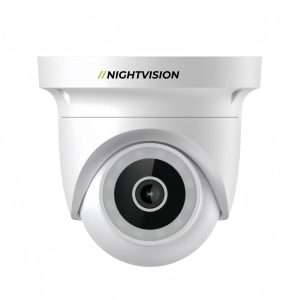
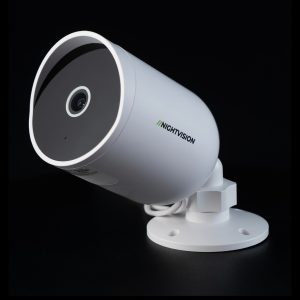
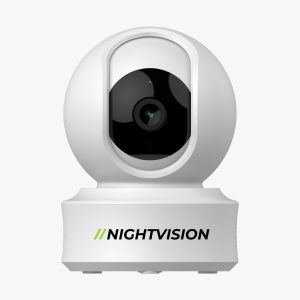
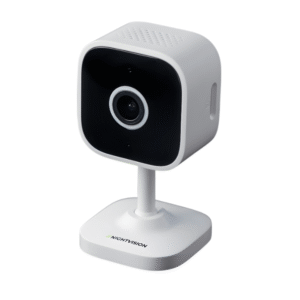
Smart Security Camera Compatible with alexa and google assitant

Smart security camera compatible with Google Home and Alexa | Alexa & Google Home AU

In Australia, smart homes are becoming more popular with each passing day. Therefore, with the rise of smart homes, security cameras that are compatible with these homes are quickly becoming an essential part of this ecosystem. Ranging from keeping an eye on the front door to checking on the home while you are away, modern security cameras now offer advanced features. One such advanced feature is being compatible with smart homes, including Alexa and Google. This compatibility allows you, as a homeowner in Australia, to access your camera using simple voice commands. The good news here is that there are many smart security camera compatible with Google Home and smart security camera compatible with Alexa. A small issue here is that too many options can freeze your decision-making capability. However, if you choose smart home-compatible cameras from Night Vision, you do not need to worry about any of these issues.

In this blog, we provide you with a description of some of the best smart home-compatible security cameras from Night Vision. Along with this, we shall also provide you with insights on how voice assistants work with security cameras, and some of the key features to look out for in smart home cameras. So, keeping this in mind, let’s get started!

How do voice assistants work with security cameras?

Smart home security cameras are even more convenient when connected to voice assistants. By integrating devices like Alexa or Google Home, you can monitor and control your home security using simple voice commands. You can integrate your security camera with other smart devices to create an automated, connected system. Security cameras can be integrated with voice assistants in many ways.

  • Voice commands can be used to control some camera features. You can, for example, ask your smart assistant if it will show you the feed of the camera from the front, back, or living room.
  • Smart displays and compatible screens can show live video instantly from cameras connected. It allows homeowners to monitor their properties without having to open a mobile application.
  • Voice assistants can alert users to unusual or motion-based activity. These alerts can be sent to smart home hubs or smartphones.
  • You can monitor camera activity even when you’re away from home with the smart home system. Platforms such as Amazon Alexa and Google Home enable users to access notifications and camera feeds from anywhere they have an internet connection.
  • Automated routines can include cameras. When you say “Goodnight”, your smart home system might arm the cameras, turn on lights and activate other security measures.

Smart Home Cameras: Key Features to Look for

Knowing how a smart camera works isn’t enough. It is important to know what features are most important. These cameras are designed to work with platforms such as Amazon Alexa and/or Google Home and feature AI detection, high-resolution video, and other technologies. These cameras also include smart automation, which makes sure that the system is reliable and seamlessly integrates with your smart home. Some of the key features to look out for include:

  • Select cameras that have a minimum of 1080p resolution or 2K. Higher resolution footage allows for more clarity, which makes it easier to recognise important details like faces, vehicles, or other objects.
  • Advanced camera systems use AI technology in order to differentiate between people, vehicles or animals.
  • The camera has built-in speakers and microphones that allow you to communicate.
  • Modern models should have infrared night vision or colour to enhance visibility in low-light conditions.
  • With MicroSD cards, you can choose to store your data locally or in the cloud.
  • Choose models that are weatherproof, such as IP65 and higher, to ensure that they will perform reliably in all weather conditions.
  • Cameras that have a wider field of view can monitor a larger area with fewer devices. This reduces blind spots and enhances home coverage.
  •  Cameras that work with Alexa and Google Assistant.
  •  Wireless Security Cameras for Modern Australian Homes.

Best smart home compatible security cameras

Best smart home compatible security cameras

Among the wide range of smart security camera compatible with Alexa  and smart security camera compatible with Google Home, Night Vision has some of the best devices. Some of the best CCTV with smart home features from Night Vision Australia include:

CCTV Netra S8 Camera

CCTV Netra S8 Camera is a reliable all-around Wi-Fi security camera with 3 MP resolution and clear night vision up to ~10 m. It supports SD card storage up to 256 GB and delivers two-way audio for remote communication. Built-in motion detection with human detection and app alerts provides smart monitoring.

CCTV Netra V6Z camera

This 4MP sensor offers a step up in clarity, with enhanced infrared LEDs for night vision. This Wi-Fi cam features two-way audio and a siren alarm. It also has AI-powered motion detection, app notifications, and AI-powered movement detection. CCTV Netra V6Z camera supports up to 256GB of local storage and is compatible with Alexa or Google Assistant. You can stream live feeds and receive alerts, as well as include the camera in smart home routines. Ideal for mid-range coverage or entryways.

F7-Netra Indoor PT Wi-Fi CCTV Camera

F7-Netra Indoor PT Wi-Fi CCTV Camera features a Wi-Fi indoor pan-tilt camera with a 3MP resolution and wide coverage. The mobile app can deliver two-way audio, motion alerts and cloud storage of up to 256GB. It is not equipped with a night mode, but its tilt and sweeping pan function make it perfect for open spaces, such as living rooms, nurseries or indoor areas. The device integrates with Alexa or Google Home to provide voice-controlled monitoring, smart home automation and control.

Ratri G11 CCTV Camera

Ratri G11 CCTV Camera is a versatile Wi-Fi camera with 4 MP clarity and essential night vision. This unit supports two-way audio, a built-in siren alarm and 256 GB SD card storage. Motion detection and push alerts help keep you informed of activity outside or inside your property. Compatible with Alexa and Google Assistant, you can link this camera to your smart home ecosystem for voice-activated live view and routine triggers.

T5P‑Ratri Bullet Outdoor Wi‑Fi CCTV Camera

T5P‑Ratri Bullet Outdoor Wi‑Fi CCTV Camera is an outdoor Wi-Fi bullet camera with 4 MP resolution and night vision up to ~10 m. It includes two-way audio, siren alert, app notifications, and strong weather tolerance, making it ideal for driveways, gardens, or building perimeters. With Alexa and Google Home support, you can check feeds or control the camera via voice commands, integrating it into your wider smart home setup.

Y1‑Ratri Dome Indoor Wi‑Fi CCTV Camera

Y1‑Ratri Dome Indoor Wi‑Fi CCTV Camera is a compact indoor dome camera featuring a 4 MP sensor, wide night vision and two-way talk. It’s perfect for hallways, living rooms, or office spaces. With support for local SD storage and cloud backup, plus motion detection alerts, it keeps you updated in real time. Integration with Alexa and Google Home lets you view live streams and use simple voice commands as part of your connected home system.

Looking to upgrade your home security?
Check out the latest indoor WiFi security camera and WiFi security camera outdoor options designed for smart monitoring, motion alerts, and easy mobile control.

Conclusion

Modern homes are rapidly getting integrated with smart technology, and because of this, the demand for security camera systems that are compatible with smart home systems is increasing. There are many cameras that are compatible with smart home systems. Well, the good news here is that Night Vision has some of the best CCTV cameras, which are highly compatible with smart home systems.

In this blog, we provided you with insights on some of the best Smart Home-compatible security cameras. Check out our other blogs if you want to learn more about the different aspects of CCTV. If you are looking for the best smart-home compatible CCTV camera available in Australia , then look no further than Night Vision. They are the leading distributor of CCTV cameras in Australia.

FAQs about Smart Home Compatible Security Cameras

Smart security camera compatible with Google Home and smart security camera compatible with Alexa: Can they be used together?

Many smart home security cameras today are compatible with voice assistants such as Amazon Alexa or Google Home. Once connected, users are able to control camera features using voice controlled commands while viewing live feeds on compatible displays.

What are the key features to look for in a smart home security camera?

Check for compatibility with smart assistants and storage options such as cloud or SD card recording. You should also check for compatibility, such as with smart assistants or storage options like cloud recording or an SD card. You will need to choose a camera that is weatherproof and has a wide field of view if you plan to install it outside.

What smart home cameras are recommended in Australia?

Night Vision Australia offers a variety of CCTV cameras compatible with smart homes that can be used for different purposes and situations. Popular choices include dome, bullet, and outdoor cameras. Pan-tilt, pan-tilt, and Wi-Fi-enabled options are also available. These cameras are compatible and perfect for Australian homes.
Security Cameras For renters Australia No Drilling

Security Cameras For Renters Australia

Finding the right security camera as a renter in Australia can be challenging. Many rental agreements in Australia restrict drilling, permanent fixtures, and structural modifications, making traditional wired CCTV cameras ineffective and impractical. However, there are security cameras for renters that fulfil these specific needs while also being powerful cameras in their own right. One such brand that provides these types of cameras is Night Vision. Although the base setup of these cameras does require drilling, you can easily set them up without drilling as well. At the same time, there are other brands that offer you similar setup features; the ones from Night Vision do offer you better features

In this blog, we provide you with insights on what makes security camera rental friendly, some key features to look out for, and an installation guide on how to install wireless CCTV cameras without drills. In addition to this, we shall also provide you with a list of some of the best drill-free security cameras for apartments. So, keeping this in mind, let’s get started!

What Makes a Security Camera Renter-Friendly

What to look for in apartment security cameras.

A renter-friendly security camera is designed to protect the property without causing damage or violating lease agreements. Since most rental contracts restrict drilling and permanent installations, the ideal solution focuses on flexibility, portability, and non-invasive setup.

No-drill installation is the most important factor. Cameras that have adhesive bases, magnetic bases, clamps, and freestanding stands provide the ability to place the cameras securely without the need to make holes in the walls and ceilings.

Another feature that makes a major difference is the wireless and battery-powered functionality. This allows the renters to easily install the cameras and remove them when they move. 

  • Ease of removal and portability are other features that make a major difference. A camera that is friendly for renters must be easy to remove, have no trace left behind, and be ready for the next home.
  • Cameras with a compact and discreet design can easily blend with the apartment environment without drawing any attention or aesthetic concerns for the landlord.
  • Moreover, the adaptable placement choices facilitate straightforward coverage of essential spots like the front entrance, balconies, windows, and parking zones without requiring any alterations to the buildings.
  • Stable connectivity via Wi-Fi is also provided for renters who need to access live feed from anywhere without the need for complex network arrangements. 
  • Options for storage, both local and cloud, are available for renters who need flexibility without the need to install bulky recording devices.
  • For renters who wish to place cameras in outdoor locations such as the patio, balcony, or entrance points, the weatherproof design is useful.
  • For renters who are concerned with privacy, features are available for setting custom motion detection zones and camera angles that respect the boundaries of the renter’s property and the neighbours. 

What to look for in apartment security cameras.

As a renter, you must also take into consideration a few features you require in a camera. These features can make the difference between a hassle-free experience and having to upgrade your security camera periodically. Certain characteristics to consider when purchasing a security camera for your apartment are:

  • Two-way audio enables communication. Built-in speakers and microphones allow users to speak directly with delivery personnel, interact with visitors or warn intruders.
  • Notifications are relevant with customisable alerts. Renters can customise alerts to only be notified of specific actions, like movement near the door.
  • Reviewing footage is easier with the Activity History. Users can quickly review past events with cameras that have event timelines, without having to scroll through hours of footage.
  • Pan/tilt and wide-angle options can reduce blind spots. With cameras that have a wider field of vision or can be adjusted, they can cover a larger area of the apartment or balcony. Smart detection features improve accuracy.
  • Systems that can distinguish between people, pets and objects won’t produce false alarms, but will provide only useful alerts.
  • Remote sharing allows access to more than one user. Families or those who live in the same house can gain access to the system without sharing their login credentials.
  • Quick setup will provide for easy and hassle-free installation. The application helps in the efficient installation of devices for the renters without any technical difficulties.
  • Tamper alerts add an extra layer of protection. Some cameras notify users if someone tries to move, cover, or disable the device, which is especially useful in rented spaces.

Installation Guide for Security Cameras For Renters

So, after considering all of the key features for security cameras for renters and security cameras for apartments, it is now time to know how to install a security camera in an apartment as a renter. There are many ways in which you can do this – this can be a good DIY project for you to take on. However, there are measures that you should consider before you install the camera.

  • Choose the ideal location first. Identify key areas such as entry doors, windows, balconies, or shared hallways that need monitoring. Consider both visibility and coverage while keeping the camera within your property boundaries.
  • Prepare the camera and mounting equipment. Most renter-friendly cameras come with adhesive pads, magnetic bases, or clamps. Make sure the surface is clean and dry for the strongest hold.
  • Attach the camera securely. Mount the camera correctly using the no-drill mount provided. Ensure the camera is stable and at the right angle for the area of coverage.
  • Connect the camera to the Wi-Fi network and power supply. Connect the camera to your home network and ensure the camera’s battery is charged or that the solar-assisted camera is properly connected.
  • Install the app. You can install the app by simply downloading it from the Play Store. This will enable you to access your camera anywhere. You can register your camera using the app. This will enable you to access your camera anywhere.
  • Configure the motion zones and angle. You can configure the motion zones using the app. This will help in reducing false alarms. You can test the angle of the camera to ensure that it is well focused on the points of entry.
  • Test the camera. You can test your camera by walking in the monitored area. This will help you understand how well the camera is working in sending you notifications. You can hide the wires in your setup.
  • Now, do note that a major part of installing a CCTV camera without a drill is about picking the right location and mounting equipment. So you must be careful while picking them, or else the camera might fall or drop at unexpected times.

How Can You Mount a Camera Without Drilling? 

blank

If you are a renter in Australia, you may also need to know how to mount a camera without drilling. This is because many renters are not allowed to drill a hole in their apartment as part of the agreement. The good news, of course, is that there are a number of ways in which you can do this without the drill. Some of the key ways include: 

Adhesive Mounts: Heavy-duty adhesive strips, such as those offered by 3M, are a great solution for mounting lightweight cameras. These are easy to apply, clean, and reliable, ensuring a strong hold on the camera.

  • Vinyl Siding Hooks:These are hooks that are specifically designed to hang underneath the vinyl siding of a house, providing a secure place to hang a camera without having to drill into the siding.
  • Gutter Mounts:Gutter clamps are great because they are easy to hang a camera, as they are mounted on the rain gutters of a house, providing a camera with a clear view of the open area, such as a driveway and/or yard.
  • Magnetic Mounts:These are great because they are easy to hang a camera, as they are mounted on metal, providing the camera with a clear view of the area.
  • No-Drill Doorbell Mounts: These are great because they are easy to hang a camera, as they are mounted on the edge of a door, holding the camera steady in place.

Best CCTV Camera For Apartments 

Now, amongst all of the security cameras for renters, Night Vision has one of the best collections. Although you do need to get mounting equipment, given their features and price, they undoubtedly are one of the best choices for you. The Night Vision CCTV camera, along with its price, is as follows: 

Camera Price 
CCTV Netra S8 Camera$47.96
CCTV Netra V6Z Camera$103.99
F7-Netra Indoor PT Wi-Fi CCTV Camera$63.19
Ratri G11 CCTV Camera$132.79
T5P-Ratri Bullet Outdoor Wi-Fi CCTV Camera$125.59
Y1-Ratri Dome Indoor Wi-Fi CCTV Camera$119.99

Conclusion

Securing a rental property in Australia can be complicated, as many renters prohibit drilling. However, with a bit of know-how, you can easily install and configure just about any security camera for apartments. The good news here is that there are many CCTV cameras that are good options for this purpose. But you do need to look into their key features before choosing the best one for you. Among the wide range of options available, Night Vision provides you with some of the best security cameras for renters.

In this blog, we provided you with an insight into security cameras for renters. We hope you found this helpful. If you seek further insights into the various aspects of CCTV and security cameras, do check out some of our other blogs. And, if you want the best CCTV camera for renters in Australia, look no further than Night Vision. Thank you for reading till the end.

Looking to secure your property?

Buy WiFi Outdoor Security Camera

Want to monitor your home indoors?

Buy Indoor WiFi Security Camera

FAQs on Security Cameras for renters in Australia

Can I install a security camera in my rental apartment without drilling?

Yes, renters can install security cameras without drilling by choosing models that use adhesive mounts, magnetic bases, clamps, or freestanding stands. These cameras are designed to be portable and removable, leaving no damage behind. They offer full functionality while meeting the requirements of an average rental contract.

How do I ensure privacy while using security cameras in an apartment?

To ensure privacy while using security cameras in an apartment, you should use security cameras with variable motion detection zones and angles so that they are focused only on your area. You should not point them towards your neighbours’ windows and areas where there is a chance of invasion of privacy.

Are wireless, battery-powered cameras reliable for apartment security?

Wireless and battery-powered cameras are highly reliable for apartment security. They are connected to the Wi-Fi network to access live feed and notifications. The camera is powered by batteries or even solar power. The battery level should be checked regularly so that the camera is functioning continuously.

Security camera with built in siren alarm

Security Camera with Built-In Siren Alarm

Security cameras aren’t just for recording anymore. A security camera with alarm goes beyond capturing footage — it can alert you immediately if something unusual occurs, helping you respond quickly. With features like motion detection, sirens, and real-time notifications, these cameras make it easier to prevent incidents before they escalate. Because of their added safety benefits, security cameras with alarms are becoming a preferred choice for homeowners, small business owners, and offices that want reliable, proactive protection.

In this blog, we provide you with insight regarding various aspects of security cameras with alarms and built-in sirens. But, before we go any deeper into the various aspects of these devices, let’s start with the basic definition first.

What is a Security Camera With Alarm? 

A security camera with alarm records video footage and responds actively to suspicious activities in real-time. Security cameras with alarms are designed to detect movement or potential intrusions and trigger an immediate alert. These cameras use smart AI and motion sensors to detect humanmovement, vehicles and/or abnormal activity in the coverage area.

This camera will automatically activate the alarm when it detects any threat. The alarms may include a loud siren, flashing lights, or instant notifications that are sent directly to your phone or remote access device. These same models also often support two-way audio, allowing you to speak through the camera remotely. These models record incidents and help prevent them from happening at the same time.

Advantages of Using a Security Camera with Alarm

Security cameras with an alarm come with a wide range of benefits. The first benefit itself is that you get notifications when something goes wrong. There are also many other advantages. Here are some of the most important:

  • Real-Time deterrence:The flashing lights and siren were activated when suspicious activity was detected. This helps scare away intruders instantly.
  • Instant Mobile Notifications:Receive real-time alerts via your smartphone. This allows you to react quickly, no matter where you’re located.
  • Remote Monitoring: Mobile apps and live viewing allow you to monitor your home or office at any time.
  • Two-Way Audio Communication:You can speak directly into the camera to warn trespassers or communicate with visitors.
  • Reduced False Alarms: Intelligent AI can distinguish between different vehicles, people, and movements, thereby reducing false alarms.
  • All-in-One Security Solution: The device allows for smart monitoring, surveillance, and alarm systems to be included in one product, creating a more secure system overall.
  • Active Crime Prevention: The combination of visible cameras, flashing lights, and loud alarms discourages criminals from even attempting to enter.
  • 24/7 Continuous Protection:The system monitors your property around the clock to provide you with round-the-clock security.
  • Customisable alarm settings: You can customise the sensitivity level, duration of alarms, and notification preferences according to your needs.
  • Integration with Other Security Systems: Many cameras are compatible with NVRs or smart home systems. They can also be connected to access control systems. You can save money by upgrading your security system to a cost-effective device.
  • Weather-Resistant Design:Outdoor alarm cameras are designed to perform reliably in all weather conditions.

What is the best security camera with an alarm to consider?

It is important to maximise the use of your security camera by choosing the best one out of the many available. But what is the best alarm system for security cameras in Australia? Some of the best ones include:

Ratri G11 CCTV Camera

Ratri G11 CCTV Camera

Original price was: $165.99.Current price is: $132.79.
(0 Reviews)
Sku:
  • Image Sensor: 1/2.8″, 4 MP CMOS
  • Storage: SD card up to 256 GB
  • Night Vision / IR Range: ~8–10 m; Infrared: 8 pcs IR + 12 pcs LED
  • Connectivity: wifi (IEEE 802.11 b/g/n)
  • Audio: Two‑way audio (built-in mic + speaker)
  • Built‑in Siren: Yes
  • Operating Conditions: –20 °C to 50 °C; Humidity 10%–95% non‑condensing
  • Lens: 4 mm
  • Aperture: f/1.6
  • Video Compression: H.265
  • Frame Rate: 20 fps
  • Noise Reduction: 3D-NR (3D Noise Reduction)
  • Protocol Support: ONVIF
  • Power Input: DC 5V, 1A
  • Night Mode: Yes

The Ratri G11 CCTV Camerais a product. It is important to maximise the use of your security camera by choosing the best one out of the many available. It is a powerful CCTV camera with audio alarm designed for advanced home and business protection. This model works perfectly as an outdoor security camera with alarm, featuring intelligent motion detection and sound detection that trigger its built-in siren instantly. With wireless connectivity and remote monitoring, it also functions seamlessly within a wireless security camera system with a recorder for complete surveillance coverage.

T5P-Ratri Bullet Outdoor Wi-Fi CCTV Camera

T5P-Ratri Bullet Outdoor Wi-Fi CCTV Camera

Original price was: $156.99.Current price is: $125.59.
(0 Reviews)
Sku:
  • Image Sensor: 1/2.8” 4 MP CMOS
  • Storage: up to 256 GB via an SD card
  • Night Vision / IR Range: ~8–10 m with 8 pcs infrared + 12 pcs LED
  • Connectivity: WiFi, IEEE 802.11 b/g/n
  • Audio: Two-way audio; built-in mic + speaker
  • Built-in Siren: Yes
  • Operating Conditions: Temperature −20 °C to 50 °C; Humidity 10%–95% non-condensing
  • Lens: 4 mm
  • Aperture: f/1.6
  • Video Compression: H.265
  • Frame Rate: 20 fps
  • Noise Reduction: 3D-NR, or 3D Noise Reduction
  • Supported Protocols: ONVIF
  • Power Input: DC 5 V, 1 A
  • Night Mode: Yes

The T5P-Ratri Bullet Outdoor Wi-Fi CCTV camerais a durable outdoor security camera with an alarm built for perimeter protection. As a wireless security camera featuring an alarm, it provides simple installation and can be incorporated into a complete wireless security camera system with a recorder.

Y1 Ratri Dome Indoor Wi-Fi CCTV

Y1-Ratri Dome Indoor Wi-Fi CCTV Camera

Original price was: $149.99.Current price is: $119.99.
(0 Reviews)
Sku:
  • Image Sensor: 1/2.8″, 4 MP CMOS
  • Storage: microSD (up to 256 GB) + cloud
  • Night Vision / IR Range: ~10–15 m
  • Connectivity: Wi-Fi, IEEE 802.11 b/g/n
  • Audio: Two‑way audio (built‑in mic + speaker)
  • Built‑in Siren: Yes
  • Operating Conditions: –20 °C to 50 °C; Humidity 10%–95% (non‑condensing)
  • Lens: 3.6 mm
  • Aperture: f/1.6
  • Video compression: H.265
  • Frame Rate: 20 fps
  • Noise Reduction: 3D‑NR (3D Noise Reduction)
  • Protocol Support: ONVIF
  • Power Input: DC 5V, 1 A

Y1 Ratri Dome Indoor Wi-Fi CCTVcamera with alarm comes with a flexible wireless camera with an alarm designed for surveillance. It offers motion detection, sound detection, and an audio alarm that is activated by a sensor. It is an independent unit, as well as a part of a wireless camera system.

CCTV Netra V6Z 

CCTV Netra V6Z Camera

Original price was: $129.99.Current price is: $103.99.
(0 Reviews)
Sku:
  • Image Sensor: 1/2.8″, 4 MP CMOS
  • Storage: Supports SD card up to 256 GB
  • Night Vision / IR Range: ~8–10 m (with 8 pcs infrared + 12 pcs LED)
  • Connectivity: WiFi, IEEE 802.11 b/g/n
  • Audio: Two-way audio (built-in mic + speaker)
  • Built-in Siren: Yes
  • Operating Conditions: –20 °C to 50 °C; Humidity 10%–95% non-condensing
  • Lens: 4 mm
  • Aperture: f/1.6
  • Video Compression: H.265
  • Frame Rate: 20 fps
  • Noise Reduction: 3D-NR (3D Noise Reduction)
  • Protocol Support: ONVIF
  • Power Input: DC 5V, 1A
  • Night Mode: Yes

The Netra CCTV V6Zsecurity camera is equipped with a motion and sound detector. It provides proactive surveillance. With its built-in siren, this is one of the best CCTV cameras for driveways, commercial spaces, and entrances. It can be used as a stand-alone unit or in a wireless system with a recorder to provide centralised monitoring.

F7 Netra Indoor PT Wi-Fi CCTV Camera

F7-Netra Indoor PT Wi-Fi CCTV Camera

Original price was: $78.99.Current price is: $63.19.
(1 Review)
Sku:
  • Image Sensor: 1/2.8″, 3 MP CMOS
  • Storage: Supports microSD up to 256 GB and cloud
  • Night Vision / IR Range: 10–15 m
  • Connectivity: Wi-Fi, IEEE 802.11 b/g/n
  • Audio: Two-way audio (built-in mic + speaker)
  • Built-in Siren: Yes
  • Operating Conditions: Temperature –20 °C to 50 °C; Humidity 10%–95%, non-condensing
  • Lens: 4 mm
  • Aperture: f/1.6
  • Video Compression: H.265
  • Frame Rate: 20 fps
  • Noise Reduction: 3D-NR (3D Noise Reduction)
  • Protocol Support: ONVIF
  • Power Input: DC 5V, 1A
  • Night Mode: Not supported / NA

The F7 Indoor PT Wi-Fi CCTV Camera is a versatile wireless security camera for alarm systems, which can be used effectively to offer wide coverage within an indoor setting. The wireless security cameras, apart from offering motion, sound, and audio detection, enable alarm systems. It works smoothly as a stand-alone unit or within a wireless security camera system with a recorder for centralised monitoring.

CCTV Netra S8 camera

CCTV Netra S8 Camera

Original price was: $59.95.Current price is: $47.96.
(0 Reviews)
Sku:
  • Image Sensor: 1/2.8″ 3 MP CMOS
  • Storage: Supports SD card up to 256 GB
  • Night Vision / IR Range: 8–10 m with 6 pcs 850 nm IR LEDs
  • Connectivity: Wi-Fi support, IEEE 802.11 b/g/n
  • Audio: Two-way audio (built-in mic + speaker)
  • Built-in Siren: Yes
  • Operating Conditions: Temperature −20 °C to 50 °C, Humidity 10 %–95% non-condensing
  • Smart Features: Human body detection, motion tracking, app push notifications, supports Alexa & Google Assistant, privacy mode, picture flip, night mode
  • Lens: 3.6 mm fixed lens
  • Aperture: f/1.6
  • Video Compression: H.265
  • Frame Rate: 20 fps recording
  • Noise Reduction: 3D DNR
  • Protocol Support: ONVIF compatible
  • Power Input: DC 5V 1A
  • Night Mode: Auto day/night switching (Smart Night Mode)

The CCTV Netra S8 camerais designed to provide indoor security for daily use. The built-in alarm is activated instantly by the motion and sound detectors. This helps prevent incidents from escalating. It is a lightweight wireless camera with an alarm that can be easily installed and connected to a wireless system with a recorder to provide complete coverage.

How to Install Your Security Camera with Alarm?

After discussing the advantages and providing you with the list of some of the best CCTV cameras with alarm, let’s now quickly cover how to install these devices. The step-by-step guide on how to install your security camera with alarm is as follows:

  • Choose the Optimal Installation Location:Select the location such that a good view of the area can be made. Install such cameras at a place where heavy rainfall or direct sunlight does not fall directly, and which will allow their strength to last longer.
  • Secure the mounting bracket:Screw the bracket tightly to the ceiling or wall using screws with a drill. Install the camera and then set the angle for maximum coverage. Make sure to screw it tight to prevent any kind of vibration or shifting.
  • Power up the device:Connect the camera with an adaptor to a power outlet. Make sure the cable is long and flexible enough to reach the power outlet without strain. Before going to the next step, ensure that the wireless security camera with alarm gets powered up appropriately.
  • Connect the WiFi to the Alarm and configure it: You are required to follow the instructions that appear on the screen to connect your camera to your smartphone. The application will guide you to connect the camera to your WiFi network. Connect the device to your WiFi network. You may now activate motion detection or sound detection. You may also adjust alarm sensitivity.
  • Test and Adjust the System: The App allows you to view the live feed and confirm the video coverage. The alarm system should also be tested via the front of the camera. The settings of the alarm system, if necessary, can also be fine-tuned.

Why choose Night Vision CCTV?

In the modern world, choosing the right CCTV camera provider is crucial, especially in Australia, where wildlife is a threat. Night Vision offers advanced security cameras that have alarms and sirens built in. They are designed to provide proactive protection. These cameras feature smart motion detection and sound detection. The cameras also feature high-quality videos and instant mobile alerts. 

If you are looking for the best security camera in Australia, then Night Vision is your choice. Please browse our other blogs to find out more about security and CCTV cameras.

FAQs on Security Cameras With Built-in Alarms and Sirens

Are security cameras equipped with alarms?

Many modern security cameras have built-in alarms. Such alarms include sirens, flashing lights, and mobile phone notifications. The alarm is triggered if the camera detects motion, sound, or unusual activity. This acts as a deterrent for the intruders. Some of the cameras have the feature of two-way sound. This enables you to talk using the camera even as the alarm is going off.

What is the best security camera system?

There are a number of camera alarm systems available, depending on your specific requirements. The requirements encompass indoor use, outdoor use, and coverage and compatibility with other devices, among others. Some of the key models in this suite of devices are the Ratri G11 and the T5P-Ratri Bullet. Night Vision CCTV systems combine the best of both worlds in Australia. They offer advanced surveillance and proactive alarm features.

Do I need an Alarm System if I already have cameras?

Alarms can deter intruders while cameras are recording footage. Alarms and cameras can alert you immediately to suspicious activity, giving you time for action. Your security system will be more effective if you combine monitoring with prevention.

What is the difference between security alarms and CCTV?

Alarms respond actively to security threats, but CCTV cameras capture video footage that is only used for monitoring and reviewing. Security cameras that offer alarm systems combine these two security features. They can incorporate everything from alarms and flashing lights.

Security camera laws in NSW - What you need to know

Security camera laws in NSW – What you need to know

Modern life is not complete without security cameras. CCTV cameras are now found in almost every Australian home and business. They monitor your property, prevent crime and give you peace of mind. New South Wales does not allow you to install cameras anywhere you like. In NSW, there are laws that govern the use of security cameras.

This blog will provide you with information about the different aspects of NSW Laws pertaining to security cameras. Let’s start by keeping these things in mind.

The laws governing security cameras in NSW

Surveillance Devices Act 2007 (NSW) is the primary law in NSW that regulates CCTV and other surveillance equipment. These laws regulate the installation, maintenance, and use of security cameras, including audio recorders and tracking devices. The main purpose of the Act is to enable individuals and businesses to protect their property while not violating other people’s privacy. The Act provides:

  • Surveillance devices include optical devices (such as CCTV cameras), audio devices, tracking devices and data surveillance equipment.
  • Installing or using devices is only permitted if they don’t involve unauthorised intrusion or interference with another person’s privacy or property.

This law will help you understand what is and isn’t legal when it comes to installing surveillance devices in private property. 

Home Security Law in NSW

If you live in New South Wales (NSW) and are looking to install security cameras at home, you must know the Home security camera laws in Australia (NSW). The Surveillance Devices Act 2007 determines what you can and cannot do when recording video or audio via security cameras:

  • You cannot record private conversations that you are not part of.
  • If you are part of the conversation, you still need consent from everyone involved to record it legally.
  • Private conversations are those where the participants reasonably believe that their words won’t be heard by anyone else.

Recording Private Activities

The Information and Privacy Commission (IPC) provides practical advice for businesses, homeowners and tenants about CCTV. The Surveillance Devices Act regulates CCTVs more in private properties than the privacy laws of the public sector. 

  • Camera use may intersect with other rules, such as the Workplace Surveillance Act 2005 (NSW), if used in workplaces.
  • Local council requirements, planning permissions, or strata by-laws may also apply.
  • The IPC highlights that the legal use of CCTV must maintain a balance between security requirements and respect for individuals’ privacy.

IPC Guidelines on CCTV

The Information and Privacy Commission (IPC) provides practical advice for businesses, homeowners and tenants about CCTV. It explains:

  • The Surveillance Devices Act regulates CCTVs on private property more than privacy laws in the public sector.
  • Camera use may intersect with other rules, such as the Workplace Surveillance Act 2005 (NSW), if used in workplaces.
  • Local council requirements, planning permissions, or strata by-laws may also apply.
  • The IPC highlights that the legal use of CCTV must maintain a balance between security requirements and respect for individuals’ privacy.

What Counts As A Surveillance Device?

There are many devices that can record the surroundings. That said, there are specific types of devices that are counted as surveillance devices. Under the Surveillance Devices Act, the key types of devices that count as surveillance devices include:

  • Optical surveillance devices include CCTV cameras, video doorbells, and home security cameras.
  • Tracking and data devices cover GPS trackers or computer monitoring systems.

In addition to these multi-functional devices, such as doorbell cameras that record both video and audio, are considered surveillance devices. As long as a device is capable of recording both audio and video, it is considered a surveillance device and is subject to the law.

When is installing CCTV legal?

You should understand the laws governing surveillance cameras and when it is legal to install CCTV as a homeowner or business. Installing cameras on your property doesn’t make them legal. The Surveillance Devices Act, as well as privacy laws, must be adhered to. Installing CCTV cameras is allowed as long as you do not infringe on another person’s property or trespass onto their land. The camera will not record any private activities without consent.

  • It is being used legitimately.
  • It is important to note that you should not use cameras on your property to capture images of neighbouring properties or places where people expect privacy.

Privacy and “Reasonable Expectation of Privacy”

The law defines “reasonable expectation” of privacy as a key concept. Privacy is expected to be respected in the following areas.

  • Bathrooms, toilets, and bedrooms
  • Private indoor spaces and changing rooms
  • Backyards of neighbors

It is illegal to record these areas, even accidentally. You can protect other people’s privacy by following the IPC guidelines for camera placement.

Penalties for Illegal Recording

The act punishes both the illegal use and possession of recording devices. These penalties include:

  • Using a listening or recording device to record private conversations without consent can attract up to 100 penalty units and/or 5 years of imprisonment for individuals.
  • Possessing, communicating, or publishing recordings obtained unlawfully can also lead to serious penalties of the same scale.

Note:

  • 100 penalty units typically equate to a maximum fine of $11,000 (with 1 penalty unit equating to $110) under NSW state offences as per the NSW Sentencing Council
  • The laws mentioned here are only meant for video surveillance, and most home CCTV should have audio disabled, as audio rules are much stricter than video. 

Checklist of Best Practices for Security Cameras in NSW

It is important to respect privacy and follow security camera laws when installing cameras in your home. You should therefore use your security cameras with respect, since they not only keep you safe but also legal. It also prevents you from accidentally recording your neighbours. The following is a list of things you should do when installing security cameras in NSW.

  • Avoid pointing cameras at windows or yards of neighbours.
  • Do not record private conversations. Only capture audio with the consent of all parties involved.
  • Do not film in areas where people expect privacy, such as bathrooms or bedrooms.
  • Signage should be visible: A small sign stating “CCTV is in operation” would be ideal, especially if there are visitors or if the property is shared.
  • If approvals are needed, obtain them: For apartment or strata buildings, you will need to get the permission of the owners’ corporation prior to installing cameras in public areas.
  • Store your recordings securely and only allow trusted individuals to access them.
  • Keep old footage for as little time as possible.
  • Never install cameras on another’s property.

Conclusion 

Security cameras can be a great asset to protect your home or business. In NSW, however, there are legal obligations that come with using security cameras. You can ensure your cameras are being used legally while still respecting privacy by following the Surveillance Devices Act (NSW) and guidelines from the NSW Information and Privacy Commission. You can use CCTV to its fullest potential without worrying about penalties or disputes. By positioning your cameras carefully, not recording private conversations without consent and securing the footage, you will be able to enjoy all of its benefits. You can protect your property as long as you adhere to the security camera laws of NSW.

This blog provides you with information on the laws governing security cameras in NSW. This blog is a great resource. Check out our other blogs if you want to learn more about the different aspects of CCTV cameras in Australia. If you are looking for the best CCTV cameras in Australia,then look no further than Night Vision, one of the best CCTV camera providers in Australia.

FAQs about the security camera laws of NSW

Can I install a surveillance camera on my property without permission in NSW?

You can install cameras in your home without a special permit. The cameras should not be pointed at your neighbor’s home or recording private areas. Avoid recording audio without the consent of all parties involved.

Is it legal for me to record my private conversations on my security camera?

Surveillance Devices Act (NSW) 2007 makes it illegal to record private conversations in which you are not involved. You must get consent from everyone involved in the conversation to legally record it. Violations of this rule may result in fines or jail time.

What areas should be considered private?

The private areas of your home include bedrooms, bathrooms and toilets. They also include the backyard or yard of your neighbor. It is illegal to use cameras that record these areas without consent. By following IPC guidelines on camera placement, you can avoid privacy breaches.

What are the penalties if you break NSW security camera laws in NSW?

The use of a recording device without consent to record private conversations or activities can result in up to 100 penalty units, or five years imprisonment. It is illegal to possess, share, or publish such recordings. Audio should be disabled on most home CCTV cameras, since audio regulations are more strict than video.

Can I Install Security Cameras in a Rental Property ?

Yes, you can install security cameras in a rental property , but you must follow certain rules to stay legal and respect privacy.

1. Inside the rental: Wireless or plug-in cameras are usually allowed, but any permanent fixtures like hard-wired cameras or drilling holes require landlord permission.

2. Outside the rental: Cameras can only be installed on your private area, and you should always get landlord approval. Never record neighbours, shared areas, or public spaces, as this can violate privacy laws.

3. Privacy rules: NSW law prohibits recording others without their consent, and recording conversations (audio) is strictly illegal.

4. Best practice:Use removable cameras, get written permission from your landlord, avoid capturing private areas of others, and remove cameras when your lease ends.

How Much Does It Cost to Install CCTV Cameras

How Much Does It Cost to Install CCTV Cameras? (2026 Guide)

CCTV cameras have long been a part of Australian surveillance systems, and their use is growing with each passing day. Many households and organisations now consider CCTV installation as a long-term investment rather than an optional upgrade. With the growing need for CCTV cameras, there is also a rise in questions regarding the cost to install CCTV cameras – How much does it cost to install CCTV cameras? The issue with this concern is that the price is not constant and depends on factors such as the type of CCTV camera, location, and hidden costs. The answer to the question of “How much does it cost to install CCTV camera in Sydney”would be very different from the answer of “How much does it cost to install CCTV camera in Melbourne?” That said, on average, when we just consider the cost of installation, it can range somewhere between a bit over $1500 to around $3500. But this is just an average estimation without including the additional costs and many other factors.

If you want to know how much it really costs to install CCTV cameras in Australia, alongside information such as hidden installation costs and DIY costs, then you are at the right place. So, keeping this in mind, let’s get started!

Why Knowing CCTV Installation Costs Matters in Australia?

Why Knowing CCTV Installation Costs Matters in Australia?

Prices for the installation of CCTV cameras in Australia vary depending on many factors. These factors include aspects such as location, property type, and requirements. Thus, it is always better to have a clear notion of the cost before installing the camera, and this will help you plan better and invest in a product that will provide value for a longer period of time, too. Apart from this, some of the key reasons why knowing the cost of installation is important include:

  • Wide price variations across Australia
  • Homes, retail stores, warehouses, and offices all require different camera setups, cabling, and compliance considerations.
  • Many Australian insurers and workplaces require professionally installed CCTV systems to meet safety and coverage standards.
  • Knowing what affects pricing helps you identify extras like additional cabling, storage upgrades, or network integration before installation begins.
  • A well-budgeted system reduces the risk of poor camera placement, future upgrades, or reinstallation costs.

Professional CCTV Installation Costs in Australia

One of the key choices that you have to make when installing the CCTV camera is whether you want it professionally installed or want to install it yourself – DIY style. While both have their separate costs, it goes without saying that professional CCTV installation costs in Australia are a bit higher. Furthermore, it is hard to provide you with an exact cost because of the factors we previously mentioned.

Average Professional CCTV Installation Prices

While there are many factors contributing to the cost of CCTV cameras in Australia, if we strictly go by the installation price, it costs an average of $1800 to $2100. This average price assumes that you have the following setup:

  • Upfront cost of 4 cameras
  • Installation fees included
  • No ongoing fees
  • No batteries
  • 24/7 wired with no Wi-Fi issues

Naturally, this is the ideal setup in professional settings. Therefore, this is just an estimation and not the factual costs. If you want to know the exact professional CCTV installation prices, the best option is to contact the professionals from companies such as Night Vision for their direct input.

Hidden CCTV Installation Costs Most Installers Don’t Mention

While it is important to know about the average estimated costs, it is equally important to be wary of the hidden installation costs that many installers often do not mention during the process. One of the most common hidden expenses is the maintenance fee. In addition to this, there may also be inspection fees, permit fees, storage charges, and upgrade fees. These fees do not directly show up in the installation costs, but appear after the installation is complete.

Therefore, before installing a CCTV camera in Australia, you should always consider and ask for information regarding the fees associated with the aspects we mentioned.

CCTV Installation Cost by Australian City

CCTV Installation Cost by Australian City

The answer to the question of How much does it cost to install CCTV cameras? also varies depending on the city. This is primarily associated with the cost of living in the said city. Thus, you can expect a higher cost of installation from cities with higher living costs when compared to those with lower cost of living. The following are some of the key locations within Australia, and CCTV installation costs by Australian city, presented in a tabular form:

CityAverage hourly rate 
Melbourne$115-$145
Sydney$120-$150
Brisbane$100-$130
Perth$100-$125
Adelaide$95-$120

DIY CCTV Camera Installation Costs

Installing a CCTV system oneself is increasingly becoming popular in Australia. Not only does doing so make installation of CCTV convenient, but it also saves a good bit on cost. Furthermore, DIY installations of CCTV cameras are supported by modern cameras such as the CCTV Netra S8 camera and the CCTV Netra V6Z camera, which further contribute to the growing popularity of self-installation.

How Much Money Do You Save With DIY CCTV?

As mentioned previously, one of the key reasons why DIY CCTV camera installation is increasing in popularity is the reduced cost. Doing so completely eliminates the labour fee, which ranges from $95 to $145, depending on the location. Furthermore, if you install the camera yourself, you also eliminate all forms of hidden costs. Although the cost of equipment does remain, you do not have to pay extra and can control your budget freely.

Combining all of these aspects, by installing CCTV cameras yourself, you can save anywhere from $95 to $200 if you count the labour cost and hidden costs.

Protect Every Corner with Easy DIY Setup
Keep your home or office safe with our Indoor WiFi Security Camera and WiFi Security Camera Outdoor, designed for easy installation—no wiring, no extra cost, just reliable security for every space.

Is DIY CCTV Safe & Legal in Australia?

Now, while installing the CCTV camera yourself, you do have to be wary about how you proceed. There are a few rules regarding the installation of surveillance devices, which include your DIY CCTV camera installations. If you do not follow these rules, you can be fined by the legal authorities. So, before installing the camera, you do have to confirm with the legal authorities.

But in general, as long as your camera does not point at private areas of neighbours, or public spaces without permission, and keeps the camera view range within your property or just a bit over your entrance, it should be fine to install the camera yourself.

Save on installation with easy DIY CCTV cameras.
Choose from our range of self-install security cameras and protect your home or business without extra labour costs.
Browse DIY CCTV Cameras

How to Calculate Your CCTV Installation Cost

Calculating the exact CCTV installation cost in Australia can be overwhelming and a bit tough, as there are many contributing variables. The price of each property will differ depending on the level of security required. Consider a few factors to estimate the cost. You should consider the following: The number of cameras (4-8, 4, 6, 8, etc.). The cost to install and upgrade cameras increases with the number of cameras. Most homes in Australia require 4 to 6 cameras, whereas businesses may require 8 or more.

  • Number of Cameras: The cost of installing CCTV directly depends on the number of cameras you have. The more the camera, the higher the cost.
    • 2 Camera CCTV installation cost is somewhere around low $500s
    • 4 CCTV camera installation price can go up to around $2000
    • 6 camera CCTV installation cost averages between $2000 and $3000
    • 8 camera CCTV installation cost can range up to $5000
  • Indoor vs outdoor CCTV cameras:Outdoor cameras are usually more expensive due to weatherproofing, night vision, and more complex mounting and cabling requirements.
  • Advanced camera features:Cameras with PTZ (pan, tilt, zoom), dual-lens views, AI detection, or colour night vision typically cost more and may require stronger network and storage setups.
  • Storage choice: The total cost also depends on the storage medium used by the camera. Some forms of storage offer lower overall cost but come with limitations, while others have a slightly higher cost but provide you with virtually unlimited storage.
    • SD cards come at a lower initial cost, but they have limited storage.
    • NVR systems are popular in Australia, providing a balance between cost, reliability, and performance
    • Cloud storage incurs additional subscription costs, but it offers the benefits of remote accessibility and backups.
  • Professional installation versus DIY installation: Professional installation is more costly, but it includes the benefits of camera placement, security, awareness of regulations, and technical support. Although the cost of a DIY installation is lower, it can be more costly if upgrades are required in the future.

Conclusion 

CCTV installation costs in Australia vary a lot. The final price depends on your location, how many cameras you need, the features you choose, and whether you install it yourself or hire a professional. There is no fixed cost that fits everyone. Professional installation costs more but saves time and avoids setup or legal issues. DIY installation is cheaper and works well for smaller homes if you’re comfortable setting it up yourself. Either way, knowing the costs upfront helps you avoid surprises and choose a system that actually fits your needs and budget.

Here, we provided you with an average estimation to the question of “How much does it cost to install CCTV cameras in Australia?”.  We hope you found this helpful. If you seek further insights into the various aspects of CCTV cameras, do check out some of our other blogs. And if you want the best CCTV camera in Australia, look no further than Night Vision. 

Also Read

Best Security cameras without subscription in Australia

FAQs: CCTV Installation Cost in Australia

How much does a 4-camera CCTV system cost in Australia?

On average, the 4 CCTV camera installation price in Australia, including professional installation, is between $1,800 and $2,100. This estimate usually includes the cameras, installation fees, wired setup, and no ongoing subscription costs. However, depending on your location, camera type, and any hidden fees, the total cost can go up to $3,500 or more.

How much is professional CCTV installation per camera?

Professional CCTV installation pricing varies, but when broken down, installers typically charge based on labour rather than per camera. Hourly rates range from $95 to $150 per hour, depending on the city. The final per-camera cost depends on cabling length, mounting difficulty, and camera type rather than a fixed per-unit rate.

Am I allowed to set up my own CCTV cameras in Australia?

Of course, you can install your own CCTV cameras in Australia, especially the wireless types. Note, however, that while installing CCTV cameras yourself may be cheaper, improper installation may lead to costly mistakes.

Are wireless CCTV cameras reliable?

es. Wireless CCTV cameras are reliable, especially in homes and businesses, as long as there is a good Wi-Fi connection. They are reliable because, unlike other CCTV cameras, wireless CCTV cameras provide good images and notifications without any complications.

Do I need an electrician for Wi-Fi CCTV camera installations?

No, you don’t necessarily need an electrician for Wi-Fi CCTV camera installations, especially in homes in Australia, because these types of CCTV cameras are plug and play and don’t require any special connections, unless, of course, you are installing a new power point, in which case an electrician may be needed.

How long does it take to install my own CCTV cameras?

Installing your own CCTV cameras takes a few hours up to a day, depending on the number of CCTV cameras that you are installing, especially in homes in Australia. Installing wireless CCTV cameras, especially indoor CCTV cameras, may take less time compared to installing outdoor CCTV cameras.

How much does it cost to install CCTV camera in Sydney?

The average cost of CCTV installation in Sydney is aroundA basic setup of 2-4 cameras will cost between $750 to $1,270, while more comprehensive systems can range from 1,790 up to $2,500 . The price depends on the number and quality of cameras (4K/HD) as well as the complexity of installation.

how to connect cctv to different devices

How to Connect CCTV to Different Devices in 2026 – Step-by-Step Guide

In 2026, CCTV systems have evolved more than a simple security camera, offering seamless connectivity. Whether you want to monitor your desired places from a smartphone, check your office cameras on a tablet, or manage footage from a desktop computer, modern CCTV technology makes it easier for you. Understanding how to connect CCTV to different devices is essential to maximise its functionality. This can be achieved by using Ethernet or network cables for direct connections, WiFi for wireless access, mobile apps for smartphones and tablets, or accessing the system via an IP address on a browser. Using these connection devices ensures real-time monitoring, enhanced security, and remote access from virtually anywhere. 

This blog will discuss everything you need to know about connecting CCTV cameras, including how they can be connected to a TV, smartphone, and laptop/PC.

Why is it beneficial to connect your CCTV camera to different devices? 

Smart night vision CCTV camera for multiple device connections

A CCTV camera is a security device used to monitor and protect the property. Therefore, to monitor the surveillance area 24/7 without interruption, it is important to connect the CCTV camera to different devices. Some of the reasons why this is essential are given below:

  • Instant Alert: Receives an instant alert if any unusual activity occurs or if any motion is detected in the CCTV area. This prevents damage, loss and theft. 
  • Remote Monitoring:Watch the live footage by using different devices, such as smartphones, from anywhere you want – whether from the office or from home. 
  • Ease of Sharing Footage:Sharing the footage from one place to another through other devices, such as computers, can be easy. 
  • Real-Time Decision Making:Live footage of suspicious activity helps the authorised users to make instant decisions. It also helps during emergency situations. 
  • Enhanced Control:Using the camera in different devices, such as mobile phones, allows you to adjust settings, playback footage, and manage cameras directly. 

How to connect a CCTV camera to a laptop/pc: A step-by-step guide

Connecting modern CCTV cameras, such as the Ratri G11 and Netra S8, to a laptop/PC allows you to monitor live footage. Additionally, it also allows you to record videos in a digital file format and manage camera settings from a single system. But how to connect a CCTV camera to a laptop/PC? Here is the step-wise procedure for it.

How to connect CCTV to a laptop using WiFi?

Accessing CCTV cameras through a PC via the WiFi is one of the best ways to monitor and manage surveillance footage remotely. It helps to improve security management and access live footage. Cameras like Netra V6Z and Y1-Ratri Dome Indoor give you a chance to connect your CCTV with a PC through a WiFi network. The step-by-step process for this is as follows:

  • Step 1: Power and Initial Setup:Turn on your camera and connect it to your network. Make sure that the camera is close to the router. Use the app to connect the network.
  • Step 2: Verify Network:Verify that your laptop and camera are connected to the same WiFi network. 
  • Step 3: Find the Camera’s IP Address:Open your router’s web interface and check the list of connected devices to locate your camera’s IP address. 
  • Step 4: Access on Laptop:Type the camera’s IP address into a web browser to access.

How can a CCTV camera be connected to a PC without using an NVR?

Night vision CCTV camera compatible with smartphone, PC, and TV

Connecting a CCTV camera to a PC without an NVR allows you to monitor your footage directly on your computer. This method uses a network connector, power adapter, and network cable. Cameras such as the T5P-Ratri Bullet Outdoor and F7-Netra Indoor PT can be connected without an NVR. The step-by-step guide for this is given below:

  • Step 1: Get your security camera charged:Charge your security camera fully from the power adaptor before using it.
  • Step 2: Use the network cable to connect to the camera and the computer:Connect one end of the network cable into the network connector and the other end into the computer.
  • Step 3: Scan and find out the security camera’s IP address on the computer:Use or install the software provided by the manufacturer to scan for your camera and select its IP address from the default addresses.
  • Step 4: Change the computer’s IP address to the same network prefix of the IP camera:Open Run, type ncpa.cpl, right click on Ethernet, choose properties, select the computer’s Internet Protocol version, press properties and change the IP address. 

How to Connect CCTV Camera System to a PC without a router network?

Setting up the CCTV camera system to Laptop/Pc without a router network is also a good way to view and manage your camera footage locally. It ensures privacy, security and uninterrupted access to your recording. The step-wise procedures are listed below: 

  • Step 1: Connect all the cameras to the NVR:Connect all the devices, including the NVR, to your monitor and mouse after getting the new IP camera system.
  • Step 2: Start watching the IP cameras: After the system gets started, a setup tool will open, which helps you to view the live footage and configure the basic settings.

Step-by-step guide for connecting CCTV to TV.

Watching a security camera on TV helps you monitor in an easy way. Additionally, it also helps you monitor the live footage on a larger screen. But how can you connect your CCTV camera to your TV? If you follow the right step-by-step procedure, you can easily and smoothly connect your CCTV camera with your TV without any technical issues. The step-wise procedure is given below:

How to Connect a CCTV Camera to a TV with an NVR

Connecting your CCTV camera to your TV is one of the easiest ways of viewing your camera’s footage. It is because you can view your camera’s footage directly on your TV screen with the help of an NVR. To connect your CCTV camera with your TV with the help of an NVR, you need an HDMI cable, an Ethernet cable, an NVR, and a power adapter. The step-by-step procedure is given below.

  • Step 1: Connect the camera to the NVR:Plug the CCTV camera into the NVR (Network video recorder) using an Ethernet cable. 
  • Step 2: Connect NVR to TV:Connect one end of the HDMI cable into the NVR and another end into the HDMI input of the TV. 
  • Step 3: Power on Devices:Plug the NVR into a power source and turn on the television. 
  • Step 4: Select TV Input: Use the TV remote to set it to the HDMI input.
  • Step 5: Configure and View:The display of the NVR will be shown on the TV screen. Browse the setup menu and set up the camera configuration by using a USB mouse to view the live video on TV.

How to Connect CCTV to TV Wirelessly?

Many people are facing problems with the wire while connecting the CCTV camera to the TV. To overcome these problems, you can use modern security cameras such as the Ratri G11 camera and Netra V6Z Camera, as they offer seamless TV connectivity. But, how can you connect CCTV to TV wirelessly? The following are the essential steps for it.  

  • Step 1: Connect your security camera to WiFi:Ensure that your security camera is connected to the WiFi network.
  • Step 2: Turn on your smart TV:Turn on your smart TV to process the steps further. 
  • Step 3: Download the camera app:Access the TV’s app store, find out the camera’s brand apps and download it. 
  • Step 4: Set Up the Camera on TV:Open the application and follow the instructions on the screen to incorporate your camera. 

How to Connect CCTV Camera to Phone: Step-by-Step Procedure

Wireless night vision CCTV camera connectable to all devices

Many forms of CCTV cameras allow you to connect with smartphones as it streams footage of specific locations from anywhere, offering greater flexibility. It also assists in making surveillance systems more convenient and secure. By following the steps that are included in the process of how to connect CCTV cameras to phones, you can have a hassle-free process.

How to connect a CCTV camera to a phone via WiFi? 

Connecting a CCTV camera to your smartphone can be achieved in different ways, based on your camera’s model and features. A stable WiFi connection and the appropriate mobile application are important for successful setup and remote monitoring. Below is the step-by-step process for it. 

  • Step 1: Ensure WiFi connectivity:Make sure that your CCTV camera is compatible with WiFi connectivity. 
  • Step 2: Install Mobile App: Download the specific mobile applications from the App Store and Google Play that are required to see the footage from smartphones.
  • Step 3: Configure Camera Settings:Launch the app and adhere to the prompt given in the application to set up the camera configuration. While configuring, connect it to your WiFi network for the visibility of live footage. 
  • Step 4: Pair with Smartphone: Use the QR code or secure code to pair your CCTV camera with your smartphone.

Also Read

How to connect a night vision CCTV camera to a mobile app?

Common problems faced when connecting the CCTV to different devices. 

Many people connect CCTV cameras with different devices to continuously monitor and provide information about the desired place. While connecting the camera to different devices, many problems may arise that can lead to poor video quality, connectivity issues, and an inability to access footage remotely. The common problems include: 

  • Connectivity issue: Issues caused by wrong cable type, loose connection, incorrect port selection and router/firewall blocking IP camera leads to difficulty in accessing the camera remotely. 
  • Power Problems:Insufficient voltage, faulty power connection or using passive PoE (power over Ethernet) results in the CCTV camera not turning on. 
  • Software / Compatibility Issues:Using an incompatible operating system or app version, or using software that is designed for different brands, can cause problems with the camera not being detected.
  • Authentication / Login Issues: Entering the wrong username or password, or failing to follow proper security protocols, will prevent you from logging into the device remotely.
  • Mobile App / Cloud Access Problems:Scanning wrong QR codes, entering an inappropriate login password and poor internet connectivity result in the inability to view live footage.

Tips to solve the problem related to connecting the CCTV to various devices

While connecting the CCTV camera to various other devices, issues may arise. These issues can cause the live footage to be unavailable or the video quality to degrade. For smooth connectivity, reliable video monitoring with clear video quality, some tips need to be applied, which are: 

  • Reboot Everything:Restart all the devices (CCTV camera, NVR/DVR  and your router) to resolve temporary glitches/issues. 
  • Check Power Supply:Ensure that your CCTV is not having problems like a loose power cord.
  • Update Firmware/Software: Ensure timely updates for your CCTV camera and NVR software to avoid incompatibility issues.
  • Check Input Sources: For using a TV or monitor, make sure that they are connected to the right HDMI or VGA source. 
  • Inspect Cables:Inspect the coaxial or Ethernet cable to check whether it is damaged, bent, or corroded.

Conclusion

Understanding how to connect CCTV to different devices in 2026 is an efficient process because of advanced networking features, user-friendly apps, and cloud-based systems. By following the steps, you can set up your CCTV camera with the right configuration to enjoy real-time video, instant alerts, and access from anywhere with minimal effort. Our CCTV cameras support a variety of devices, including smartphones, tablets, and computers, to help you stay connected to your property from anywhere, at any time. With a proper setup, your CCTV is a powerful tool to meet your current requirements.

In this blog, we covered everything you need to know about CCTV cameras, including how to connect them to a TV, smartphone, and laptop/PC. For further information regarding CCTV cameras, check out some other blogs. Additionally, if you are in search of the best and most reliable CCTV camera in Autstralia, contact Night Vision . 

FAQ on How to Connect CCTV to Different Devices

Can CCTV be connected to two phones?

Yes, CCTV cameraslike Netra V6Z, Y1-Ratri Dome Indoor, and T5P-Ratri Bullet Outdoor can be used to connect more than two phones at the same time. This can be achieved if you use the same account on multiple devices or by sharing access through the app to allow multiple people to view.

How to connect CCTV to several TVs?

The best possible way to connect CCTV to multiple TVs is to use the HDMI splitter for short distances and HDMI over Ethernet extenders for longer distances. Connect multiple TVs to the same network and use decoders to transmit the cameras for IP networks.

How to connect CCTV to different devices wirelessly?

Connecting a CCTV camera wirelessly to various devices requires Wi-Fi-compatible cameras, specific manufacturer applications, and network setups to transmit video to smartphones, computers, or smart TVs.

blank

How to pick the best security cameras in Australia

In Australia, choosing the right security camera is not just about recording footage. Australia has some of the harshest weather and brutal wildlife ever present around every corner. On top of this, the land down under has a wide range of businesses, each having its own requirements. Therefore, choosing the best CCTV camera requires a bit more thought. You need to consider features such as video quality and reliable night vision top of durability and weather resistance.

In this guide, we provide you with insights on key aspects you need to consider before picking the best security cameras in Australia. The guide shall be divided into two parts, one focusing on the features and another focusing on the type.

Key Features to Consider When Choosing a Security Camera

Choosing the right security camera in Australia often comes down to understanding what features you require. While some of you may focus on the camera quality, for others, this may not be a top priority. So, before choosing the camera, you need to know what you want. Some of the key features that you should consider include:

Resolution and Image Quality

Resolution directly affects how clear and usable your footage is. Higher-resolution cameras capture finer details such as facial features, license plates, and clothing, which becomes crucial during incidents. Although 1080p remains a good home security standard, the use of 2K and 4K cameras will provide a clearer picture for larger regions such as driveways and office settings. This will also depend on the sensor size and speed, and even the state of the compression, so it should all work together.

Field of View & Coverage Area

The field of vision defines the area that can be recorded by a single camera. The wider the field of vision, the greater the area being recorded and the less the need for multiple cameras. Cameras with narrow angles work well for focused areas like entrances, while wide-angle lenses suit open areas such as yards and parking lots. However, extremely wide views can cause image distortion at the edges. Choosing the right balance ensures optimal coverage without sacrificing image clarity.

Night Vision and Low-Light Performance

Since many security incidents occur after dark, night vision is a critical feature. Most cameras use infrared LEDs to capture black-and-white footage in complete darkness. There are new models with colour night vision capabilities using low-light sensors or built-in spotlights. Low light sensitivity is useful for taking quality photographs in low-light locations. One should take into consideration the night vision capability as well as the performance capability when choosing a camera.

Power Options

Security cameras are powered in different ways, including battery-powered, mains-powered, and Power over Ethernet (PoE). Battery cameras are easy to install and ideal for renters, but they require regular charging. Mains-powered cameras provide continuous operation but need nearby power outlets. PoE cameras come with power and data transmission over one cable, and these are reliable and fixed. The appropriate power source depends on flexibility and ease of maintenance.

Connectivity and Remote Access

Contemporary security cameras require a network for live access and playback. The majority of residential cameras connect to a Wi-Fi network. In contrast, commercial camerasconnect to a wired network for a seamless experience. The capacity to access the network remotely using a mobile application will enable you to view your premises, no matter the location within Australia. It is essential to find a network solution that offers a robust and secure network. 

Storage Options

Storage determines where and how your footage is saved. Local storage options such as SD cards or network video recorders give you full control without ongoing fees. The cloud storage functionality offers accessibility and backup services at a cost. The existence of other cameras with cloud and storage functions is a strong advantage for this particular brand. In the process of choosing the digital camera to buy, budget compatibility in relation to storage functionality is considered.

Smart Features

Smart capabilities enhance the way your security camera responds to events. Capabilities that include two-way talk, live alerts, two-way communication, and person detection allow your security camera to have more accurate alerts.  You can incorporate your security camera with your smart home devices, such as digital assistants. Such features make your security camera more than a footage recorder. It will actively alert you to events that occur as they take place. 

Weatherproofing and Durability (Outdoor Use)

Outdoor security cameras need to be able to handle Australia’s varying weather, whether it’s heavy rains or scorching hot days. When looking to buy an outdoor security camera, consider purchasing one with a good IP rating, which means it’s resistant to dust and water. This is an essential feature because not only does it result in a longer camera lifespan, but it also guarantees quality image performance and stability regardless of whether it is summer, autumn, winter, or spring.

Types of Security Cameras

While selecting the most suitable CCTV security camera for purchase, evaluating its features is only part of what is involved in decision-making. Along with the features, you should also consider the type of cameras you need. There are three main types of cameras. They include:

Bullet Cameras

Bullet cameras are easily recognisable by their long, cylindrical shape and are commonly used for outdoor surveillance. Their visible design acts as a strong deterrent, making them effective at discouraging intruders before any incident occurs. These cameras are very useful when it comes to surveillance of driveways, entrances, fences, and open areas. The bullet cameras are known for their long-distance view capability as well as their powerful night vision. The cameras are also very easy to install and configure. Therefore, if you are looking for the best wireless outdoor security camera, you can opt for purchasing bullet cameras that are highly weather-resistant.

Dome Cameras

While bullet cameras are ideal for outdoor surveillance, dome cameras are the best indoor security cameras if you optimise your features. Dome cameras

Dome cameras are small, covert, and ideal for indoor/outdoor use in offices. The domed shape of these cameras ensures that the direction the camera is pointing remains unclear, thus providing an added security feature. Dome cameras can be found in shops, offices, and reception areas. Dome cameras offer tamper-proofing against damage. With wide viewing angles and a clean design, they blend well into professional spaces while still delivering reliable surveillance.

PTZ Cameras.

PTZ cameras provide sophisticated control over surveillance systems with features that enable the camera to pan, tilt, and zoom. The cameras are most suited for monitoring large areas such as a warehouse, parking lot, and office set-up. The camera has multiple zone coverage, thereby making it unnecessary to set up multiple cameras. This type of camera comes with features that include preset positions, auto-track, and high optical zoom. So, although PTZ cameras are not highly optimised for either outdoor or indoor surveillance, they are the ideal camera if you need wide area surveillance. Furthermore, if you choose one with high weather resistance and durability, as there are models available with these features, you can make it suitable for outdoor environments. And, since the primary use for PTZ cameras is in large areas such as warehouses, it is a good deterrent and does not need to be concealed as dome cameras.

As a side note, you should also note that there are both wired and wireless versions for all three types of cameras. So when choosing the best security camera systems in Australia, you should consider these factors as well.

Best Security Cameras Australia

Keeping all the aspects we have mentioned into consideration, there are some CCTV cameras that stand out among the rest. These CCTV cameras are affordable, have good features, and high durability. Some of the best security cameras in Australia, along with their prices, are:

CCTV Netra S8 Camera

Original price was: $59.95.Current price is: $47.96.
(0 Reviews)
Sku:
  • Image Sensor: 1/2.8″ 3 MP CMOS
  • Storage: Supports SD card up to 256 GB
  • Night Vision / IR Range: 8–10 m with 6 pcs 850 nm IR LEDs
  • Connectivity: Wi-Fi support, IEEE 802.11 b/g/n
  • Audio: Two-way audio (built-in mic + speaker)
  • Built-in Siren: Yes
  • Operating Conditions: Temperature −20 °C to 50 °C, Humidity 10 %–95% non-condensing
  • Smart Features: Human body detection, motion tracking, app push notifications, supports Alexa & Google Assistant, privacy mode, picture flip, night mode
  • Lens: 3.6 mm fixed lens
  • Aperture: f/1.6
  • Video Compression: H.265
  • Frame Rate: 20 fps recording
  • Noise Reduction: 3D DNR
  • Protocol Support: ONVIF compatible
  • Power Input: DC 5V 1A
  • Night Mode: Auto day/night switching (Smart Night Mode)

CCTV Netra V6Z Camera

Original price was: $129.99.Current price is: $103.99.
(0 Reviews)
Sku:
  • Image Sensor: 1/2.8″, 4 MP CMOS
  • Storage: Supports SD card up to 256 GB
  • Night Vision / IR Range: ~8–10 m (with 8 pcs infrared + 12 pcs LED)
  • Connectivity: WiFi, IEEE 802.11 b/g/n
  • Audio: Two-way audio (built-in mic + speaker)
  • Built-in Siren: Yes
  • Operating Conditions: –20 °C to 50 °C; Humidity 10%–95% non-condensing
  • Lens: 4 mm
  • Aperture: f/1.6
  • Video Compression: H.265
  • Frame Rate: 20 fps
  • Noise Reduction: 3D-NR (3D Noise Reduction)
  • Protocol Support: ONVIF
  • Power Input: DC 5V, 1A
  • Night Mode: Yes

F7-Netra Indoor PT Wi-Fi CCTV Camera

Original price was: $78.99.Current price is: $63.19.
(1 Review)
Sku:
  • Image Sensor: 1/2.8″, 3 MP CMOS
  • Storage: Supports microSD up to 256 GB and cloud
  • Night Vision / IR Range: 10–15 m
  • Connectivity: Wi-Fi, IEEE 802.11 b/g/n
  • Audio: Two-way audio (built-in mic + speaker)
  • Built-in Siren: Yes
  • Operating Conditions: Temperature –20 °C to 50 °C; Humidity 10%–95%, non-condensing
  • Lens: 4 mm
  • Aperture: f/1.6
  • Video Compression: H.265
  • Frame Rate: 20 fps
  • Noise Reduction: 3D-NR (3D Noise Reduction)
  • Protocol Support: ONVIF
  • Power Input: DC 5V, 1A
  • Night Mode: Not supported / NA

Ratri G11 CCTV Camera

Original price was: $165.99.Current price is: $132.79.
(0 Reviews)
Sku:
  • Image Sensor: 1/2.8″, 4 MP CMOS
  • Storage: SD card up to 256 GB
  • Night Vision / IR Range: ~8–10 m; Infrared: 8 pcs IR + 12 pcs LED
  • Connectivity: wifi (IEEE 802.11 b/g/n)
  • Audio: Two‑way audio (built-in mic + speaker)
  • Built‑in Siren: Yes
  • Operating Conditions: –20 °C to 50 °C; Humidity 10%–95% non‑condensing
  • Lens: 4 mm
  • Aperture: f/1.6
  • Video Compression: H.265
  • Frame Rate: 20 fps
  • Noise Reduction: 3D-NR (3D Noise Reduction)
  • Protocol Support: ONVIF
  • Power Input: DC 5V, 1A
  • Night Mode: Yes

T5P-Ratri Bullet Outdoor Wi-Fi CCTV Camera

Original price was: $156.99.Current price is: $125.59.
(0 Reviews)
Sku:
  • Image Sensor: 1/2.8” 4 MP CMOS
  • Storage: up to 256 GB via an SD card
  • Night Vision / IR Range: ~8–10 m with 8 pcs infrared + 12 pcs LED
  • Connectivity: WiFi, IEEE 802.11 b/g/n
  • Audio: Two-way audio; built-in mic + speaker
  • Built-in Siren: Yes
  • Operating Conditions: Temperature −20 °C to 50 °C; Humidity 10%–95% non-condensing
  • Lens: 4 mm
  • Aperture: f/1.6
  • Video Compression: H.265
  • Frame Rate: 20 fps
  • Noise Reduction: 3D-NR, or 3D Noise Reduction
  • Supported Protocols: ONVIF
  • Power Input: DC 5 V, 1 A
  • Night Mode: Yes

Y1-Ratri Dome Indoor Wi-Fi CCTV Camera

Original price was: $149.99.Current price is: $119.99.
(0 Reviews)
Sku:
  • Image Sensor: 1/2.8″, 4 MP CMOS
  • Storage: microSD (up to 256 GB) + cloud
  • Night Vision / IR Range: ~10–15 m
  • Connectivity: Wi-Fi, IEEE 802.11 b/g/n
  • Audio: Two‑way audio (built‑in mic + speaker)
  • Built‑in Siren: Yes
  • Operating Conditions: –20 °C to 50 °C; Humidity 10%–95% (non‑condensing)
  • Lens: 3.6 mm
  • Aperture: f/1.6
  • Video compression: H.265
  • Frame Rate: 20 fps
  • Noise Reduction: 3D‑NR (3D Noise Reduction)
  • Protocol Support: ONVIF
  • Power Input: DC 5V, 1 A

Conclusion

Choosing the best security camera is a tough decision. But if you understand your requirements, environment, and long-term expectations well, it can be rather simple. Starting from image and night vision to durability and type of cameras, each aspect contributes to the success of the system you intend to use. You therefore need to ensure you align all the aspects with the type of cameras to find the right mix for developing an effective home or business protection system.

If you are looking for more such information about CCTV cameras, you are free to explore some of our other blogs. And if you want the best CCTV cameras, do browse our selection of some of the best devices at Night Vision. Thank you for reading till the end.

FAQs on picking the best security cameras in Australia

What is the best security camera for outdoor use in Australia?

The best outdoor security cameras in Australia are those with strong weather resistance, reliable night vision, and durable housing. Bullet cameras are a popular choice because they offer long-range visibility and act as a visible deterrent. Always check the IP rating to ensure the camera can handle rain, dust, and extreme temperatures.

Are wireless security cameras trusted in Australia?

Wireless security cameras are also effective if you have a stable internet connection and a strong Wi-Fi network. They are also easy to install, and if you have a home or a small business, these security cameras would be a great installation option if you have difficulty wiring your place.

Are there any monthly subscription charges for security cameras?

All security cameras don’t have to be subscription-based. You have options in local storage devices, which offer free recording, while cloud storage is usually subscription-based. Setting up a hybrid system is an option that gives you flexibility without having to spend much in the long run.

How many security cameras do I need for my property?

Whether you need a single or multiple cameras for the task depends on the size of the area you need to cover. Focus on the critical areas first when installing the security cameras.

Best Security cameras without subscription in Australia

Best Security cameras without subscription in Australia

Security cameras in Australia are becoming smarter. However, many CCTV cameras now come with ongoing subscription fees. While the installation cost may be low, the monthly cost can quickly add up. Because of this, subscription-free security cameras are becoming a popular choice for homes and small businesses. These cameras use local storage such as SD cards while still offering clear video, strong night vision, smart motion alerts, and mobile app access without paying extra. Naturally, there are the best cameras within this category.

In this blog, we cover some of the best security cameras without subscription in Australia. In addition to this, we also cover aspects such as their key features and some common myths associated with these CCTV cameras.

Key Features to look for in Subscription-free Security cameras

Best Security cameras without subscription in Australia

Although you do not have to pay for a subscription, the cameras within this category are packed with features. These features range from simple ones, such as the addition of local storage, to advanced ones, such as motion detection and smart alerts. The key features that you can find in subscription-free security cameras include:

Local storage options (SD card)

Subscription-free security cameras rely heavily on local storage, usually through an SD card. This allows footage to be stored directly on the camera without paying for cloud services. Always look for cameras with models capable of handling larger capacity SD cards, easy playback capabilities using an app, and an overwrite function to ensure continuous recording once storage capacity has been attained.

Video quality and night vision capability

A clear video is necessary for face recognition, number plates, and activity tracking. The cameras with resolution capabilities of full HD, 2K, or better ensure clearer video, while a wider dynamic range ensures efficient handling of bright lights and shadows. In night surveillance with infrared and colour night vision capabilities with integral spotlights, adequate night vision is ensured.

Motion detection and Smart Alerting

Effective motion detection enables you to stay updated without receiving repetitive alerts of false detections. Today, there are many subscription-free cameras with the ability to adjust the level of sensitivity, activity zones for zones of interest, or basic human/vehicle detections with the use of artificial intelligence, without the cost of a subscription.

Mobile app access without recurring charges

A good mobile app should provide you seamless access to live viewing, recording, playback, and camera settings without paying a subscription fee for locked functionalities. By doing so, you can be able to check on your property from a distance without paying anything.

Weather resistance for Australian conditions

Outdoor cameras must be built to handle Australia’s harsh climate. On the other hand, look for weather-resistant designs, which can protect against hot temperatures, heavy rain, dust, and humid environments. The device will therefore continue to work properly irrespective of whether you set it up at home or at a business premise.

Best Security Cameras Without Subscription in Australia (2026)

Fz netra cctv camera in Australia cctv without subscription

All these functionalities, when put together, make some of the best security cameras available today. The question here is –  what are some of the best security cameras without subscription in Australia 2026? Some of the best ones include:

Ratri G11 CCTV Camera 

The Ratri G11 CCTV camera from NightVision is a trustworthy subscription-free CCTV camera that is safe to use for the long term. Only one installation fee is required, after which you can enjoy all the features without any subscription fee; thus, it is very cost-effective for the citizens of Australia. It comes equipped with a sharp Quad HD 4MP camera that provides clear footage day as well as night. Built-in motion detection, advanced sensors, strong night vision, and remote access through a mobile app ensure dependable monitoring. The inclusion of free cloud storage adds extra convenience, especially for users who want easy access to recordings without monthly costs. This camera is well-suited for monitoring entry points, garages, and residential properties across Australia.

CCTV Netra V6Z Camera

NightVision’s CCTV Netra V6Z camera is built for enhanced security and advanced surveillance needs. It offers both local storage solutions as well as cloud storage solutions without any subscription fees. The camera features a distinct lens of 4MP resolution. The lens of the Netra V6Z also contains 8 infrared LEDS, along with 12 LEDS. The motion detection, human detection, and Amazon Alexa integration of the Netra V6Z make it an ideal security solution for Australian homes. Features such as voice notifications through the app, remote access, siren functionality, and voice control make it more desirable. 

T5P-Ratri Bullet Outdoor Wi-Fi CCTV Camera

T5P-Ratri Bullet Outdoor Wi-Fi CCTV Camera from NightVision is designed for use as an outdoor CCTV camera with no subscription charges. Besides having Wi-Fi functionality for simple plug-and-play installation, it is equipped with sophisticated security features such as AI motion tracking and human detection, privacy controls, as well as notifications via a smartphone app. It is intended for use in harsh environments found in the Australian outdoors; it is quite effective for driveway surveillance, garden surveillance, front shop protection, and boundary protection and as such, it is among the best outdoor security camera without subscription.

Y1-Ratri Dome Indoor Wi-Fi CCTV Camera

In terms of enhanced indoor surveillance capabilities that emphasise clarity and range, the Y1-Ratri Dome Indoor CCTV Camera Wi-Fi offers top-of-the-line indoor surveillance capabilities that emphasise clarity and range. This comes with an integrated 4MP camera that boasts a frame rate of 20 fps and incorporates a sensor that measures 1/2.8” CMOS. The wide 180-degree pan angle provides excellent room coverage, while 8 infrared lights and 12 LED lights support clear night vision at distances of up to 8–10 metres. This camera supports both cloud and SD card storage of up to 256 GB without subscription fees. With Alexa and Google Assistant integration, push notifications, and privacy mode, it is well-suited for Australian homes, apartments, and small offices. Due to all of these reasons this camera is one of the best indoor security cameras for Australia.

F7-Netra Indoor PT Wi-Fi CCTV Camera

The F7-Netra Indoor PT Wi-Fi CCTV camera is a budget-friendly and feature-loaded indoor security camera offered by NightVision. It provides a high-quality image with a resolution of 2560 × 1440 pixels and a 3MP CMOS image sensor. The camera is also equipped with a pan and tilt feature that provides a sweep of 355° in pan mode and a tilt of 75°, which is almost a complete sweep of a room in indoor installations. The camera also has storage capacities in both cloud and SD card, with a capacity of up to 256GB.

CCTV Netra S8 Camera

The CCTV Netra S8 Camera from NightVision is a no-nonsense, effective indoor Wi-Fi surveillance camera designed for reliable and subscription-free surveillance. The Netra S8 sports a crystal-clear 3MP CMOS image sensor for clear image quality in regular and nighttime conditions. The presence of night vision functionality ensures continuous surveillance of your home or office at night. The Netra S8 Camera comes with the facility for external storage of up to 256 GB with cloud storage capabilities. The presence of AI-based people detection, alert notifications for motion, two-way audio transmission capabilities, alert push notifications, and a privacy mode function make the Netra S8 a useful addition for any home or office in Australia.

Common Myths About No-Subscription Security Cameras

Netra S8 Smart WiFi Security Camera camera without subscirption

The no-subscription model is a relatively unconventional purchasing approach, and it seems a bit too good to be true. Because of this, there are many myths surrounding products associated with this payment approach. The same effect extends to security cameras as well, and there are many myths about no-subscription security cameras. Some of the most common myths include:

No subscription means fewer features.

Many people assume that avoiding monthly fees means missing out on smart features. In reality, modern subscription-free cameras often come with motion detection, night vision, AI alerts, two-way audio, and mobile app access – which is just about everything you need for a reliable security system and features that you can get in the subscription model of payment.

Local storage is unsafe

There are many who believe that storing footage locally on an SD card puts the data at risk. This is not true, as in reality, local storage keeps your recording private and secure without relying on external servers or cloud services. This practically eliminates the risk of hacking, and the only way you can damage the footage is by tampering with the software or the storage device, which, given where they are placed, is hard to do.

Free apps are unreliable

Another common myth is that free camera apps are basic or unstable. Most subscription-free cameras now come with fully functional apps, offering live viewing, playback, alerts, and easy management, all without monthly charges. Additionally, you do have to remember that a vast majority of reliable apps you use via the Apple Store or Google Play Store are also free. So you should not think that just because a security camera app is free, it is unreliable.

Conclusion

Subscription-free security cameras are a practical and cost-effective choice for Australian homes and businesses. These cameras combine local storage, smart features, and remote accessibility without making you pay for a subscription each month. The best part – there are cameras for both indoor and outdoor settings, ideal for offices and businesses in both urban areas and outback.

Now, if you want the best CCTV camera  without subscription, look no further than Night Vision – the best CCTV camera in Australia. And if you want to know more about CCTV cameras in general, why don’t you check out some of our blogs? 

FAQs about the  Best Security Cameras without subscription in Australia

Are subscription-free security cameras the same as subscription-based security cameras?

Yes, the latest subscription-free cameras allow motion detection, night vision, AI alerts, two-way audio, and mobile app control. This is the same functionality that the other subscription-based cameras provide. It is now possible to enjoy advanced home security without the need to subscribe.

Do I have the option of accessing my footage remotely without having to pay monthly subscription charges?

Yes, subscription-free cameras also feature remote viewing and playback capability with free smartphone apps. You may easily monitor your premises at all times with your smartphone or tablet devices.

Is local storage a safe way for me to store security footage?

The advantage of local recording with an SD card/NVR is that your videos are secure and not accessible to anyone. In contrast to cloud recording, local recording is not prone to hacking. If your device is secure, your videos are secure too.

Are subscription-free cameras appropriate for outdoor usage in Australian conditions?

Well, yes. Quite a number of the subscription-free cameras will be able to withstand the harsh weather conditions experienced in Australia. These will include the weather-proofing capabilities and the ability to withstand dust.

How to connect a night vision CCTV camera to a mobile app

How to connect a night vision CCTV camera to a mobile app?

Night vision CCTV cameras play an important role in home and business security across Australia, especially for monitoring properties after dark. You not only have to be safe from human intruders, but in the outback, you also need to be wary of the wildlife. When connected to the mobile app, these night vision cameras allow you to check live footage, receive motion alerts, and manage camera settings directly from the smartphone. But to do this, you need to know how to connect a night vision CCTV camera to a mobile app. For many users, setting up CCTV cameras with mobile apps can be confusing. This is exactly what we are here to clarify.

In this guide, we explain how you can connect a Night Vision CCTV camera to a mobile app step-by-step. We cover aspects such as downloading the correct app, connecting the camera to Wi-Fi or router, configuring the right settings, and more.

How to connect a night vision cctv camera to a mobile app?

blank

Connecting a night vision CCTV camera to a mobile app usually takes only a few minutes when each step is followed correctly. While the exact screens may differ slightly depending on the brand, the overall process remains the same for most cameras used in Australian homes and businesses. Following is a guide on How to connect a night vision cctv camera to a mobile app. 

Download the Correct Mobile App

Night Vision CCTV comes with its own remote viewing app. To download the app, you can visit the Apple App Store or Google Play Store and search for “Smart Life-Smart Living”. Ensure that the name of the app is exactly as we have stated before in order to avoid downloading an incorrect app.

Power and Connect the Camera

The installation of the application is followed by powering up and connecting the camera. Plug the camera into a power source with the help of the adapter that came with the camera. In the case of outdoor camera installations, the power connection should be secured in a manner that is environmentally sealed so as to conform to local power supply safety standards.

Connecting to Wi-Fi or a router

You can connect the camera, depending on what it is, either to your Wi-Fi connection or via an Ethernet cable to your router. Most wireless cameras need a steady 2.4 GHz Wi-Fi connection, which is usually provided by Australian home routers.

Indicator Light 

Our cameras come with LED lights to indicate connection status. The blinking of an LED light is an indication that the camera is ready to be connected, while a steady light indicates a successful connection. Refer to the user manual for the exact light behaviour, as this can vary by brand. Add the Camera to the App

After powering the camera, open the mobile app to add the device.

Creating or logging into an account

Our CCTV app requires you to create an account using an email address. If you already have an account, you simply need to sign in. Manually adding the device or scanning via a QR code.

In the app, choose the option for adding a new device. Some camera models enable you to scan a QR code shown on the camera or its packaging, whereas in other models, you have to manually key in the device ID.

Entering Wi-Fi passwords

Type in your Wi-Fi SSID and passcode when asked. Please make sure that the phone is close to the camera during the process. The camera should now be online when viewed within the app. 

Configuring Night Vision Settings

With the camera properly connected, one needs to configure the night vision settings. Get access to the camera settings on the app and turn on the infrared night vision or smart night mode. The smart night mode feature allows the device to switch from colour mode to infrared mode depending on the lighting conditions.

Sensitivity

You can change motion sensitivity, IR intensity, and brightness to adapt to your environment. This will allow you to eliminate false alarms produced by insects, cars, and changing lighting conditions.

Common Problems and How to Fix Them

Comon problem while connecting mobile app t o cctv

Even with the proper setup of Night Vision CCTV cameras, sometimes CCTV cameras can experience connection or performance issues. Despite this, most of these issues are relatively simple to resolve using only a few checks. Some of the most prevalent issues and their resolutions include the following:

Camera Not Going Online

 If the camera is also showing as offline within the mobile application, begin by looking at the connectivity to the power source. Verify the camera is properly connected to the wall plug and that the plug is functioning. Next, reset both the camera and your internet modem, as sometimes network connectivity can cause both the modem and cameras to become offline. Then, make sure your internet is on and functioning properly. Most likely, your cameras connect to 2.4 GHz networks. To check if this is the case, see if the camera is connecting to the 5 GHz network instead of the 2.4 GHz network. Restart the camera and reconnect it through the app if the above issue has been fixed.

App Not Detecting the Camera

If the app has problems finding the camera during setup, make sure that the camera is in pairing or setup mode. This is normally denoted by the light flashing. If the light is not flashing, the camera will need to be reset.

Also, ensure that you are using the right mobile application as advised by the manufacturer. Your phone should remain near the camera when preparing the setup, and the mobile data should be turned off to ensure that the application uses Wi-Fi.

Night Vision Not Turning On

If the night vision feature will not turn on, check using the app that IR Night Vision or Smart Night Vision is turned on for the camera. It may occasionally revert to a Manual mode instead of being an Auto mode.

It is also advisable not to fix reflective surfaces, such as walls or glass, near the camera lens, as this could affect the infrared rays. Testing the device in low-light conditions will ensure that the night vision functionality is functioning properly.

Slow or Lagging Video Feed

In most cases, poor bandwidth is the reason for delay or slow motion on video. Checking the internet speed and limiting the devices connected to the network might help. Moving the camera near the router and using a wired connection might provide improvements. In-app video resolution or frame rate may be lowered to reduce lag, especially for remote viewing. Periodic firmware updates of the camera and the mobile app contribute a lot to stable performance. 

Conclusion

Connecting a Night Vision CCTV camera to a mobile app is easy, provided one follows the steps in the right order. Beginning with the installation of the appropriate app and linking the camera to adjusting night vision settings, an effective configuration guarantees dependable surveillance during both day and night. So for homes and businesses in Australia, especially with regard to areas that have low light, remote locations, and critical activity of wildlife, having access to CCTV cameras remotely adds an extra layer of security. Once connected, your camera allows you to stay informed, respond quickly to alerts, and monitor your property from anywhere using your smartphone.

As one of the best CCTV cameras in Australia, Night Vision provides you with some of the best night vision cameras with a robust build and a seamless app. This ensures that you can stay connected with your surveillance system regardless of where you are. If you seek further information regarding CCTV cameras, you can also check out some of our other blogs as well. Thank you for reading till the end.

FAQs on Connecting CCTV Cameras to Night Vision App.

Can I connect a night vision CCTV camera to my mobile phone without the internet?

You can view live footage locally without the internet if your camera and phone are connected to the same Wi-Fi network. However, to access the camera remotely, receive alerts, and view recordings when you are away from the property, an active internet connection is required.

Does a night vision CCTV camera work on both Android and iOS?

True, most night vision models from a CCTV camera manufacturer will be compatible with both Android and iOS systems via their respective mobile applications. You would only need to download the right app from either the Google Play Store or the Apple App Store, based on the brand of your camera model.

Why is a 2.4 GHz Wi-Fi connection necessary in my camcorder when 5 GHz is available?

Most CCTV cameras are optimised to work on the 2.4 GHz Wi-Fi frequency, as range and connectivity are much better. Most domestic Wi-Fi routers in Australian homes are dual-band and work at 2.4 GHz and 5 GHz. The Wi-Fi camera needs to be connected to the 2.4 GHz network.

Can multiple smartphones connect to a single night vision CCTV camera?

Indeed, yes, most CCTV apps allow more than one user to view the same camera. It is made easier to do so through the application’s sharing or device management features, so you can grant access to your family members or employees.

Best security camera with two-way

Best security camera with two-way audio

In 2026, keeping your home or business secure is more than just monitoring video footage. In modern times, security cameras now come with two-way audio as well. This feature allows you to see what’s happening and communicate with the person on the other side of the camera in real time. The two-way audio feature adds an additional layer of convenience and peace of mind when installed. But there are multiple two-way audio cameras out there, so which is the best one? 

In this guide, we provide you with a brief introduction to some of the best two-way audio security cameras. In addition to this, we shall also provide you with information on its features and benefits as well. 

What Is a Two-Way Audio Security Camera?

Fz netra cctv camera in Australia with two away audio

Let’s begin our guide with an introduction to the two-way audio security camera. This form of security camera is a device that captures footage and allows you to communicate via audio between you and anyone near the camera. Unlike standard cameras, which only capture footage, these cameras have a built-in microphone and a speaker, allowing you to listen and speak directly through the connected app and device. 

This feature is useful in a wide range of scenarios. For example, you can bid farewell to friends and relatives at your entrance if you are away. Moreover, you can instruct the deliveryman and warn burglars without your physical presence. In short, a two-way audio camera makes your security system a dynamic tool since it not only allows surveillance but also control of your surroundings as well.

Key Features to Look for in a Security Camera

When selecting a two-way audio security camera, of course, you can enjoy the functionality of having two-way audio.  But besides this, there are other features that are important to consider. Some of these key features to look for in a security camera include: 

Audio Quality

Two‑way audio is only as good as the sound you can actually hear and transmit. Look for cameras with high‑quality microphones and speakers that support noise cancellation and echo reduction. Clear audio lets you communicate easily with visitors, delivery people, or anyone on your property without misunderstanding or scratchy sound, even in noisier environments. 

Video Resolution

When looking for the best security camera with two-way audio, it is also important to consider the video resolution as well. Video clarity is important in recognising faces, packages, automobiles, and more. In 2026, some of the best security cameras will be primarily FHD or 2K with better sensors. Quality climbs with more pixels or artificial intelligence-enhanced video clarity, ensuring you get good footage at any time of day. 

Connectivity Options

Secondly, apart from constraining video resolution, another factor you should consider when choosing nanny cameras is connectivity to your network. Wi-Fi is preferred when you want to install wirelessly, while others prefer Ethernet or Power over Ethernet(PoE). This is ideal if you seek interference-free performance. Some models can support hybrids, too. 

Storage Options

Where your footage is stored can impact accessibility as well as expenses. Local storage helps you store your files without having to use the internet, while cloud storage helps you access your recordings anywhere and even backs them up automatically. Local storage helps you save money and time, as well as helps you access the video even if you are not connected to the internet, while cloud storage helps you store more footage. 

Durability and Weather Resistance 

Durability and weather resistance are essential things to consider when you purchase a two-way audio CCTV camera. This is especially the case if the camera is placed outdoors or directly at the door, which is where two-way audio CCTV cameras are usually placed. Look for weatherproof and tamper‑resistant models with an IP65 rating or higher. These can withstand rain, dust, high winds, and temperature swings while continuing to function reliably. Solid build quality also reduces the risk of damage or interference. 

Top Security Cameras With Two-Way Audio

When it comes to security cameras with two-way audio, there are many options you have out there. But among this wide range of CCTV cameras out there, there are a few that stand out above the rest. Some of these cameras include: 

Ratri G11 CCTV Camera

The Ratri G11 CCTV camera from NightVision provides dependable security with built-in two-way audio for real-time communication. The Quad HD 4MP camera captures clear footage both day and night, while advanced motion detection, strong night vision, and sensitive sensors ensure consistent monitoring. With the mobile app, the user can live-stream images, communicate with the camera using their voice, or get live alerts. Including cloud storage capabilities, the Ratri G11 is ideal for protecting entry points, garages, or homes in Australia.

CCTV Netra V6Z Camera

The NightVision-made CCTV Netra V6Z camera comes with the capability to provide an improved surveillance experience through its enhanced two-way audio system. The user can listen and speak through this system using a remote app available on a smartphone. The individual can use this system to connect with a visitor or even scare a possible burglar away. With a 4MP lens capable of providing excellent video with infrared and LED illumination, this camera can effectively provide clear video round-the-clock. Additionally, its motion detection, human detection, Alexa compatibility, voice alerts via application access, siren control, as well as versatile storage capacity, make the Netra V6Z an intelligent and interactive security system for residential purposes within Australia.

T5P-Ratri Bullet Outdoor Wi-Fi CCTV Camera

The T5P-Ratri Bullet Outdoor Wi-Fi CCTV Camera combines durable outdoor performance with responsive two-way audio communication. Designed for Australian outdoor conditions, it enables users to speak directly through the camera via a smartphone app, helping to warn intruders or communicate with people near the property. AI motion tracking, human detection, privacy controls, and real-time notifications enhance security. Its robust design makes it ideal for driveways, gardens, shop fronts, and boundary surveillance.

Y1-Ratri Dome Indoor Wi-Fi CCTV Camera

This Y1-Ratri Dome Indoor Wi-Fi CCTV Camera provides high-quality indoor surveillance with effortless two-way communication. Its 4MP camera with a frame rate of 20 fps and a CMOS sensor of 1/2.8 inches provides clear visuals with a considerable pan angle of 180°. Two-way communication enables users to speak with members of their families, guests, or even pets remotely via the app. It also boasts excellent night vision capabilities and cloud storage support, besides privacy mode, which makes this camera ideal for use in Australia’s residential and business environments.F7-Netra Indoor PT Wi-Fi CCTV Camera

F7-Netra Indoor PT Wi-Fi CCTV Camera

F7-Netra Indoor PT Wi-Fi CCTV Camera is a highly loaded indoor camera that supports two-way audio communication. With the mobile app, one can control the camera to tilt, pan, or even chat with the person on the other side of the camera. It has a 3MP CMOS sensor with a 2560 × 1440 resolution, coupled with a wide coverage range through 355° pans and 75° tilt. Cloud as well as SD card support make it quite flexible for various applications related to indoor surveillance.

CCTV Netra S8 Camera

The CCTV Netra S8 Camera offered by NightVision is a reliable home surveillance camera for home and office use. It comes with the facility of two-way audio. The two-way audio feature allows the user to talk and listen while interacting with the home surveillance camera. The high-quality 3MP CMOS sensor allows for the best video quality when taking footage during the day and night with the aid of night vision technology. Alert features such as AI-powered people detection, alerts, push notifications, privacy protection, and storage ensure this is the perfect indoor camera for Australians.

Conclusion

By 2026, security cameras will be more than mere observation instruments; these are devices that give us a sense of ease and comfort when it comes to securing our property, even when we are away from our homes. The two-way audio security camera ensures that communication occurs in real time, giving you control irrespective of where you are. In addition to the core feature, there are a few other features that you should look out for, such as the camera resolution and weather resilience.

If you want the best wireless security camera with two-way audio, then look no further than Night Vision – the best CCTV camera in Australia. And if you want to know more about CCTV cameras in general, do check out some of our other blogs.

FAQs on Security Camera with Two-Way Audio

How does two-way audio work in a security camera?

Two-way audio works through a built-in microphone and speaker inside the camera. When connected to a mobile app, it allows you to hear sounds near the camera and speak back in real time. This makes communication possible from anywhere with an internet connection.

Are two-way audio security cameras suitable for outdoor use?

Well, yes. In most cases, two-way audio-enabled cameras come with the ability to be used outdoors. Provided the camera has the necessary waterproofing capabilities and effective noise filtration systems in place, the audio transmission will not be compromised even when used outdoors.

Can multiple users share two-way audio communication at the same time?

Most modern security camera systems come with an ability to allow access to the camera via a shared application for several individuals. However, only one individual can make use of the two-way audio system at any given instance. Still, they can view live video streaming.

Is two-way audio safe and secure to use?

Two-way audio cameras use encrypted connections to protect communication and video data. When paired with strong passwords and updated firmware, they offer a secure way to communicate remotely. Using official apps and trusted networks further reduces security risks.

Back to Top
Product has been added to your cart
Compare (0)